
768 KiB
飞书多维表格开发文档-完整参考 v2(完全离线版)
1. 版本说明
- 生成时间:2026-03-23 10:36:14
- 目标:提供不依赖在线链接的本地离线资料包(Bitable 全子页 + Go SDK 指南 + Go SDK 示例代码)。
- 文档位置:
offline-docs-v2目录。
2. 离线资料目录
offline-docs-v2/
  sources/
    bitable-md/            # 多维表格文档与全部 API 子页原文(49页)
    go-sdk-md/             # Golang SDK 指南原文(7页)
  go-sdk-examples/
    oapi-sdk-go/           # 官方 Go SDK 仓库(离线)
    oapi-sdk-go-demo/      # 官方场景示例仓库(离线)
    bitablev1-curated/     # 与 Bitable 直接相关的精选示例
  manifest.csv             # 文档索引清单
3. Golang SDK 调用说明(基于 API 参考文档整理)
3.1 安装与初始化
go get -u github.com/larksuite/oapi-sdk-go/v3@latest
client := lark.NewClient("appID", "appSecret",
    // lark.WithMarketplaceApp(),      // 商店应用时启用
    lark.WithEnableTokenCache(true),   // 默认启用
)
关键点:
- SDK 已托管 tenant_access_token/app_access_token 的获取与缓存(可关闭后手动传 token)。
- 用户态调用用
larkcore.WithUserAccessToken(...)。 - 商店应用调用需补
larkcore.WithTenantKey(...)。
3.2 Bitable v1 调用范式
SDK 方法映射规则:client.Bitable.V1.<资源>.<动作>。
req := larkbitable.NewListAppTableRecordReqBuilder().
    AppToken("app_token").
    TableId("table_id").
    PageSize(20).
    Build()

resp, err := client.Bitable.V1.AppTableRecord.List(context.Background(), req)
if err != nil {
    panic(err)
}
if !resp.Success() {
    fmt.Println(resp.Code, resp.Msg, resp.RequestId())
    return
}
fmt.Println(larkcore.Prettify(resp.Data))
3.3 请求级选项
larkcore.WithUserAccessToken(...):用户态调用。larkcore.WithTenantAccessToken(...):手动传租户 token。larkcore.WithTenantKey(...):商店应用必须设置。larkcore.WithHeaders(...):透传自定义 Header。
3.4 历史/未封装 API 的原生调用
当 SDK 暂未提供强类型方法时,可用 client.Do():
resp, err := client.Do(context.Background(), &larkcore.ApiReq{
    HttpMethod: http.MethodGet,
    ApiPath:    "https://open.feishu.cn/open-apis/contact/v3/users/:user_id",
    PathParams: larkcore.PathParams{"user_id": "ou_xxx"},
    QueryParams: larkcore.QueryParams{"user_id_type": []string{"open_id"}},
    SupportedAccessTokenTypes: []larkcore.AccessTokenType{larkcore.AccessTokenTypeUser},
})
3.5 事件与回调处理
- 推荐优先使用 SDK 长连接模式(WebSocket),本地开发可免内网穿透。
- 若用 HTTP 回调模式,服务端需在 3 秒内响应。
- 长连接模式是集群分发,不是广播;同应用多实例时由其中一个实例消费。
3.6 本地 Go 示例代码位置
offline-docs-v2/go-sdk-examples/oapi-sdk-go/sample/apiall/bitablev1/(Bitable v1 全量 API 样例)offline-docs-v2/go-sdk-examples/oapi-sdk-go/sample/api/bitable2.go(复杂字段示例)offline-docs-v2/go-sdk-examples/oapi-sdk-go-demo/(官方场景化 Demo)offline-docs-v2/go-sdk-examples/bitablev1-curated/(精选拷贝,便于直接查看)
4. 附录 A:Bitable 文档原文(离线)
A.1 概述
来源文件:offline-docs-v2/sources/bitable-md/feishu.apifox.cn_doc-436424.md
概述
多维表格是一个表格,也是无数个应用,千人千面,万人万解。
资源:多维表格应用 App
每个多维表格都有唯一 app_token 作为标识。(这里的 app 指一个多维表格,而不是指开发者创建的应用)
字段说明
| 名称 | 类型 | 描述 |
|---|---|---|
| app_token | string | 一个多维表格的唯一标识。 示例值:"bascnKMKGS5oD3lmCHq9euO8cGh"字段权限要求(任选其一): 查看、评论和导出多维表格查看、评论、编辑和管理多维表格 |
方法列表
| 方法 (API) | 权限要求(满足任一) | 访问凭证(选择其一) | 商店 | 自建 | ||
|---|---|---|---|---|---|---|
获取多维表格元数据GET /open-apis/bitable/v1/apps/:app_token |
查看、评论和导出多维表格查看、评论、编辑和管理多维表格 | tenant_access_tokenuser_access_token | ✓ | ✓ | ||
更新多维表格元数据PUT /open-apis/bitable/v1/apps/:app_token |
查看、评论、编辑和管理多维表格 | tenant_access_tokenuser_access_token | ✓ | ✓ |
资源:数据表 Table
多维表格的数据容器,一个多维表格中至少有一个数据表,也可能有多个数据表。每个数据表都有唯一标识 table_id。table_id 在一个多维表格 App 中唯一,在全局不一定唯一。
字段说明
| 名称 | 类型 | 描述 |
|---|---|---|
| table_id | string | 一个数据表的唯一标识。 示例值:"tblTONn0A0CbGRDX"字段权限要求(任选其一): 查看、评论和导出多维表格查看、评论、编辑和管理多维表格 |
方法列表
| 方法 (API) | 权限要求(满足任一) | 访问凭证(选择其一) | 商店 | 自建 | ||
|---|---|---|---|---|---|---|
列出数据表GET /open-apis/bitable/v1/apps/:app_token/tables |
查看、评论和导出多维表格查看、评论、编辑和管理多维表格 | tenant_access_tokenuser_access_token | ✓ | ✓ | ||
新增数据表POST /open-apis/bitable/v1/apps/:app_token/tables |
查看、评论、编辑和管理多维表格 | tenant_access_tokenuser_access_token | ✓ | ✓ | ||
新增多个数据表POST /open-apis/bitable/v1/apps/:app_token/tables/batch_create |
查看、评论、编辑和管理多维表格 | tenant_access_tokenuser_access_token | ✓ | ✓ | ||
删除数据表DELETE /open-apis/bitable/v1/apps/:app_token/tables/:table_id |
查看、评论、编辑和管理多维表格 | tenant_access_tokenuser_access_token | ✓ | ✓ | ||
删除多个数据表POST /open-apis/bitable/v1/apps/:app_token/tables/batch_delete |
查看、评论、编辑和管理多维表格 | tenant_access_tokenuser_access_token | ✓ | ✓ |
资源:视图 View
数据表的呈现布局。一个数据表至少有一个视图,可能有多个视图。每个视图都有唯一标识 view_id,view_id 在一个多维表格中唯一,在全局不一定唯一。
字段说明
| 名称 | 类型 | 描述 |
|---|---|---|
| view_id | string | 一个视图的唯一标识。 示例值:"vewhNUNwqB"字段权限要求(任选其一): 查看、评论和导出多维表格查看、评论、编辑和管理多维表格 |
方法列表
| 方法 (API) | 权限要求(满足任一) | 访问凭证(选择其一) | 商店 | 自建 | ||
|---|---|---|---|---|---|---|
列出视图GET /open-apis/bitable/v1/apps/:app_token/tables/:table_id/views |
查看、评论和导出多维表格查看、评论、编辑和管理多维表格 | tenant_access_tokenuser_access_token | ✓ | ✓ | ||
新增视图POST /open-apis/bitable/v1/apps/:app_token/tables/:table_id/views |
查看、评论、编辑和管理多维表格 | tenant_access_tokenuser_access_token | ✓ | ✓ | ||
删除视图DELETE /open-apis/bitable/v1/apps/:app_token/tables/:table_id/views/:view_id |
查看、评论、编辑和管理多维表格 | tenant_access_tokenuser_access_token | ✓ | ✓ |
资源:记录 Record
数据表中的每一行数据都是 Record。每条记录都有唯一标识 record_id,record_id 在一个多维表格中唯一,在全局不一定唯一。
字段说明
| 名称 | 类型 | 描述 |
|---|---|---|
| record_id | string | 一行记录的唯一标识。 示例值:"recn0hoyXL"字段权限要求(任选其一): 查看、评论和导出多维表格查看、评论、编辑和管理多维表格 |
方法列表
| 方法 (API) | 权限要求(满足任一) | 访问凭证(选择其一) | 商店 | 自建 | ||
|---|---|---|---|---|---|---|
列出记录GET /open-apis/bitable/v1/apps/:app_token/tables/:table_id/records |
查看、评论和导出多维表格查看、评论、编辑和管理多维表格 | tenant_access_tokenuser_access_token | ✓ | ✓ | ||
检索记录GET /open-apis/bitable/v1/apps/:app_token/tables/:table_id/records/:record_id |
查看、评论、编辑和管理多维表格 | tenant_access_tokenuser_access_token | ✓ | ✓ | ||
新增记录POST /open-apis/bitable/v1/apps/:app_token/tables/:table_id/records |
查看、评论、编辑和管理多维表格 | tenant_access_tokenuser_access_token | ✓ | ✓ | ||
新增多条记录POST /open-apis/bitable/v1/apps/:app_token/tables/:table_id/records/batch_create |
查看、评论、编辑和管理多维表格 | tenant_access_tokenuser_access_token | ✓ | ✓ | ||
更新记录PUT /open-apis/bitable/v1/apps/:app_token/tables/:table_id/records/:record_id |
查看、评论、编辑和管理多维表格 | tenant_access_tokenuser_access_token | ✓ | ✓ | ||
更新多条记录POST /open-apis/bitable/v1/apps/:app_token/tables/:table_id/records/batch_update |
查看、评论、编辑和管理多维表格 | tenant_access_tokenuser_access_token | ✓ | ✓ | ||
删除记录DELETE /open-apis/bitable/v1/apps/:app_token/tables/:table_id/records/:record_id |
查看、评论、编辑和管理多维表格 | tenant_access_tokenuser_access_token | ✓ | ✓ | ||
删除多条记录POST /open-apis/bitable/v1/apps/:app_token/tables/:table_id/records/batch_delete |
查看、评论、编辑和管理多维表格 | tenant_access_tokenuser_access_token | ✓ | ✓ |
资源:字段 Field
多维表格的字段。每个字段都有唯一标识 field_id,field_id 在一个多维表格内唯一,在全局不一定唯一。
字段说明
| 名称 | 类型 | 描述 |
|---|---|---|
| field_id | string | 一列字段的唯一标识。 示例值:"fldwJ4YrtB"字段权限要求(任选其一): 查看、评论和导出多维表格查看、评论、编辑和管理多维表格 |
方法列表
| 方法 (API) | 权限要求(满足任一) | 访问凭证(选择其一) | 商店 | 自建 | ||
|---|---|---|---|---|---|---|
列出字段GET /open-apis/bitable/v1/apps/:app_token/tables/:table_id/fields |
查看、评论和导出多维表格查看、评论、编辑和管理多维表格 | tenant_access_tokenuser_access_token | ✓ | ✓ | ||
新增字段POST /open-apis/bitable/v1/apps/:app_token/tables/:table_id/fields |
查看、评论、编辑和管理多维表格 | tenant_access_tokenuser_access_token | ✓ | ✓ | ||
更新字段PUT /open-apis/bitable/v1/apps/:app_token/tables/:table_id/fields/:field_id |
查看、评论、编辑和管理多维表格 | tenant_access_tokenuser_access_token | ✓ | ✓ | ||
删除字段DELETE /open-apis/bitable/v1/apps/:app_token/tables/:table_id/fields/:field_id |
查看、评论、编辑和管理多维表格 | tenant_access_tokenuser_access_token | ✓ | ✓ |
资源:自定义权限 Role
高级权限的规则设置。
字段说明
| 名称 | 类型 | 描述 |
|---|---|---|
| role_id | string | 一条自定义权限的唯一标识。 示例值:"rolJOiPRqp"字段权限要求(任选其一): 查看、评论、编辑和管理多维表格 |
方法列表
| 方法 (API) | 权限要求(满足任一) | 访问凭证(选择其一) | 商店 | 自建 | ||
|---|---|---|---|---|---|---|
列出自定义权限GET /open-apis/bitable/v1/apps/:app_token/roles |
查看、评论、编辑和管理多维表格 | tenant_access_tokenuser_access_token | ✓ | ✓ | ||
新增自定义权限POST /open-apis/bitable/v1/apps/:app_token/roles/:role_id |
查看、评论、编辑和管理多维表格 | tenant_access_tokenuser_access_token | ✓ | ✓ | ||
更新自定义权限PUT /open-apis/bitable/v1/apps/:app_token/roles/:role_id |
查看、评论、编辑和管理多维表格 | tenant_access_tokenuser_access_token | ✓ | ✓ | ||
删除自定义权限DELETE /open-apis/bitable/v1/apps/:app_token/roles/:role_id |
查看、评论、编辑和管理多维表格 | tenant_access_tokenuser_access_token | ✓ | ✓ |
资源:自定义权限的协作者 Member
高级权限下的协作者。
字段说明
| 名称 | 类型 | 描述 |
|---|---|---|
| member_id | string | 一条自定义权限下的一位协作者的唯一标识。 示例值:"ou_xxxxxxxxxxx"字段权限要求(任选其一): 查看、评论、编辑和管理多维表格 |
方法列表
| 方法 (API) | 权限要求(满足任一) | 访问凭证(选择其一) | 商店 | 自建 | ||
|---|---|---|---|---|---|---|
列出协作者GET /open-apis/bitable/v1/apps/:app_token/roles/:role_id/members |
查看、评论、编辑和管理多维表格 | tenant_access_tokenuser_access_token | ✓ | ✓ | ||
新增协作者POST /open-apis/bitable/v1/apps/:app_token/roles/:role_id/members |
查看、评论、编辑和管理多维表格 | tenant_access_tokenuser_access_token | ✓ | ✓ | ||
删除协作者DELETE /open-apis/bitable/v1/apps/:app_token/roles/:role_id/members/:member_id |
查看、评论、编辑和管理多维表格 | tenant_access_tokenuser_access_token | ✓ | ✓ |
A.2 接入指南
来源文件:offline-docs-v2/sources/bitable-md/feishu.apifox.cn_doc-436427.md
接入指南
多维表格(Bitable)是飞书云文档下的一个产品。它可以是一个表格,也可以是无数个应用。
1.形态
一篇多维表格可以理解成是一个应用(app),标记该应用的唯一标识叫 apptoken;
每篇多维表格是由有多个数据表(table)组成的,标记该数据表的唯一标识叫 tableid;
作为一个应用它会有多种形态存在;
可以作为一个独立应用存在,也可以作为一个模块(block)与飞书文档、飞书表格结合在一起。
| 飞书云文档中 | 飞书文档中 | 飞书表格中 |
|---|---|---|
| Bitable app | Bitable doc block | Bitable sheet block |
| 即在"飞书云文档"中新建的多维表格 | 即在"飞书文档"中插入的多维表格 | 即在"飞书表格"中新建的多维表格 |
| URL 以 feishu.cn/base 开头 | URL 以 feishu.cn/docs、feishu.cn/docx 开头 | URL 以 feishu.cn/sheets 开头 |
| 支持 | 支持 | 支持 |
 |
 |
 |
*通过 API 在飞书表格(Sheets)中新建数据表暂时无法在页面看到,后续会支持;
2.内容
目前开放多维表格在App、数据表、视图、字段、记录、高级权限设置和高级权限协作者 7 种内容的 API 。
记录可以狭义的理解为表格行;
字段可以狭义的理解为表格的列;
| 记录* | 字段 | 视图 | 数据表 | App | 权限 | 高级权限设置 | 高级权限协作者 |
|---|---|---|---|---|---|---|---|
| 列出记录 记录筛选开发指南 检索记录 新增记录 新增多记录 更新记录 更新多记录 删除记录 删除多记录 | 列出字段 新增字段 更新字段 删除字段 | 列出视图 新增视图 删除视图 | 列出数据表 新增数据表 新增多数据表 删除数据表 删除多数据表 | 获取元数据 更新多维表格元数据 新建多维表格 复制多维表格 删除多维表格 | 增加权限 移除权限 更新权限 列出列表 转移拥有者 判断是否有权限 更新文档设置 | 列出自定义权限 新增自定义权限 删除自定义权限 更新自定义权限 | 列出协作者 新增协作者 删除协作者 |
| 最多 20000条/记录 | 最多150个/字段 | 最多200个/视图 | 最多100个/表格 | -- | -- | 最多30条/自定义权限 | 最多200个/自定义权限协作者 |
注意:列出记录一次最多支持列出 500 条;
操作多条记录(限制在 500 条/次以下)的结果是全部成功或者全部失败,不存在部分结果。
同一时刻,对同一篇多维表格最好只请求一次 API 写操作。
3.鉴权
-
在使用
tenant_access_token
前,请确保你的应用已经是文档的所有者或者协作者,否则会调用失败。
-
多维表格大部分接口都支持通过
user_access_token
和
tenant_access_token
两种身份进行调用。但仍然有部分接口只支持其中一种身份,请开发者在调用前,仔细阅读对应接口的说明文档。
-
使用
tenant_access_token
前,请确保你所使用的应用在云文档的协作者列表里。现阶段,你可以通过使用
tenant_access_token
来创建一篇多维表格,再使用
tenant_access_token
来进行进一步的操作。
| user_access_token | tenant_access_token |
|---|---|
| 用户身份鉴权 token 有效期为7200秒 当该token被刷新之后,老的 token 随即失效 | 应用身份鉴权 token 有效时间2小时 当token有效期<30分,可刷新得到新token 在2小时之内,新老token同时有效 |
| 获取用户身份访问凭证 | 获取应用身份访问凭证 |
| 适合小程序、网页应用等场景 | 适合纯后台服务等场景 |
4.限制
QPS 限制
- 每个接口都有接口调用的频率限制,可参考频控策略。
- 对于接口的批量操作,单次最高 500 条记录,且响应状态是全部成功或者失败,不存在部分结果。
接口报错
当请求不符合某些特定条件时会报错,如果因为部分参数不符合要求而导致报错,意味着当次请求所有的内容提交都失败了,不会对线上的数据造成影响。具体可参考:服务端错误码说明
5.字段类型
| 接口类型 | 支持 | 不支持 |
|---|---|---|
| 列出记录 | 全支持 | -- |
| 新增记录 更新记录 | 多行文本、单选、多选、日期、人员、附件、复选框、超链接、数字、单向关联、电话号码、地理位置 | 双向关联 公式 查找引用 |
| 列出字段 | 全支持 | -- |
| 新增字段 更新字段 | 多行文本、单选、多选、日期、数字、人员、附件、单向关联、双向关联、复选框、超链接、公式(不支持设置公式表达式)、创建人、修改人、创建时间、最后更新时间、自动编号、电话号码、地理位置 | 查找引用 |
6.参数说明
API 地址:https://open.feishu.cn/open-apis/bitable/v1/apps/:app_token/tables/:table_id/records/:record_id
app_token
Bitable app
- 在飞书云文档中打开一篇多维表格,其 URL 中 app_token 是下图框住部分;


Bitable doc block
- 调用获取文档所有块,在返回结果中检索,其中 bitable.token 字段的值 AW3Qbtr2cakCnesXzXVbbsrIcVT_tblkIYhz52o6G5nx是用 _ 隔开的 app_token 和 table_id;
{
	"bitable": {
		"token": "AW3Qbtr2cakCnesXzXVbbsrIcVT_tblkIYhz52o6G5nx"
	},
	"block_id": "Mgeadqo4CoeoOGxI7Lgb4GNicEd",
	"block_type": 18,
	"parent_id": "YUqpdO2eLo7xJdxy5RQbuQBdctf"
}
Bitable sheet block
- 调用获取表格元数据,在返回结果中检索,其中 blockType 的值为 BITABLE_BLOCK 时,blockToken 字段的值AW3Qbtr2cakCnesXzXVbbsrIcVT_tblkIYhz52o6G5nx是用 _ 隔开的 app_token 和 table_id;
{
	"blockInfo": {
		"blockToken": "AW3Qbtr2cakCnesXzXVbbsrIcVT_tblkIYhz52o6G5nx",
		"blockType": "BITABLE_BLOCK"
	},
	"columnCount": 0,
	"frozenColCount": 0,
	"frozenRowCount": 0,
	"index": 0,
	"rowCount": 0,
	"sheetId": "***",
	"title": "*** "
}
table_id
Bitable app
- 在 Bitable app 中打开一篇多维表格,其 URL 中 table_id 是下图中框住部分;

- 对于其它场景的多维表格,需要通过列出数据表接口获取;

view_id
- 打开任意一篇多维表格,其 URL 中 view_id 是下图中框住部分;

- 或者通过列出视图接口获取。暂时无法获取到 Bitable doc block 中表格的 view_id;

record_id
- 需要通过列出记录接口获取;
field_id
- 需要通过列出字段接口获取;
role_id
- 需要通过列出自定义权限接口获取;
member_id
- 需要通过列出协作者接口获取;
A.3 数据结构
来源文件:offline-docs-v2/sources/bitable-md/feishu.apifox.cn_doc-436428.md
数据结构
一篇多维表格可以理解成是一个 app,他的唯一标识就是 app_token。
app 是由一个个 table 组成,我们称 table 为数据表,他的标识就是 table_id。
table 由 record(记录) 和 field(字段) 组成, 同时可以拥有多个 view (视图)。
记录
记录由 record 和 fields 2个结构组成。
record结构
记录是一个object结构类型。
| 参数 | 数据结构 | 描述 |
|---|---|---|
record_id |
string | 记录的id |
fields |
map | 记录的字段 |
fields结构
fields是一个map,是由字段名和其具体内容的键值对组成。
| item | datatype | description |
|---|---|---|
key |
string |
字段名 |
value |
union |
某个字段的具体内容,其结构可以是string, boolean, list of string and list of person object |
value结构(不同字段类型对应值的结构)
| 字段类型 | value结构 | 描述 |
|---|---|---|
| 多行文本 | string | 值 |
| 数字 | 写入时为number,列出时为string | 值 |
| 单选 | string | 选项名称 |
| 多选 | array | 包含多个选项名字符串的数组 |
| 日期 | number | Unix 时间戳,单位是毫秒 |
| 复选框 | boolean | 布尔值 |
| 人员 | object | 具体结构参考: 人员 |
| 电话号码 | string | 电话号码,符合正则表达式(\+)?\d*的字符串 |
| 超链接 | object | 具体结构参考: 超链接 |
| 附件 | object | 具体结构参考: 附件 |
| 单向关联 | array | 包含多个 record_id 字符串的数组 |
| 双向关联 | - | 只支持列出,暂不支持写入 |
| 创建时间 | number | Unix 时间戳,单位是毫秒 |
| 最后更新时间 | number | Unix 时间戳,单位是毫秒 |
| 创建人 | object | 具体结构参考: 人员 |
| 修改人 | object | 具体结构参考: 人员 |
| 自动编号 | string | 由自动编号规则组成的字符串 |
| 地理位置 | object | 具体结构参考: 地理位置 |
人员
| 参数 | 数据结构 | 描述 |
|---|---|---|
name |
string | 名字 |
id |
string | id |
en_name |
string | 英文名字 |
email |
string | 邮箱 |
超链接
| 参数 | 数据结构 | 描述 |
|---|---|---|
text |
string | 文本名称 |
link |
string | 超链接 |
附件
| 参数 | 数据结构 | 描述 |
|---|---|---|
file_token |
string | 附件token |
name |
string | 附件名称 |
type |
string | 附件的 mime 类型, 如: image/png |
size |
int | 附件大小, 单位: 字节 |
url |
string | 附件url,下载请参考:下载附件 |
tmp_url |
string | 生成附件临时下载链接的url,需access token鉴权 |
地理位置
| 参数 | 数据结构 | 描述 |
|---|---|---|
location |
string | 经纬度 |
pname |
string | 省 |
cityname |
string | 市 |
adname |
string | 区 |
address |
string | 详细地址 |
name |
string | 地名 |
full_address |
string | 完整地址 |
字段
字段是一个object结构类型。
| 名称 | 类型 | 描述 |
|---|---|---|
| field_id | string | 字段id |
| field_name | string | 字段名 |
| type | int | 字段类型: 1:多行文本 2:数字 3:单选 4:多选 5:日期 7:复选框 11:人员 13:电话号码 15:超链接 17:附件 18:单向关联 19:查找引用 20:公式 21:双向关联 22:地理位置 1001:创建时间 1002:最后更新时间 1003:创建人 1004:修改人 1005:自动编号 |
| property | object | 字段属性,因字段类型而异 |
Property说明
参考: 字段编辑指南
视图
视图是一个object结构类型。
| item | datatype | description |
|---|---|---|
view_id |
string |
视图id |
view_name |
string |
视图名称 |
view_type |
string |
视图类型,支持grid, kanban, gallery, gantt四种类型,默认为grid类型 |
自定义数据结构
delete_record
| 参数 | 数据类型 | 描述 |
|---|---|---|
deleted |
boolean |
是否删除成功 |
record_id |
string |
单条记录的id |
A.4 记录筛选开发指南
来源文件:offline-docs-v2/sources/bitable-md/feishu.apifox.cn_doc-436454.md
记录筛选开发指南
在列出记录中可以通过查询参数 filter 去筛选出你需要的 records。
注意事项
filter 后的表达式支持公式语法,可通过 AND 或 OR 来组合。
表达式的语法为: CurrentValue.[字段名],其中首字母 C 和 V 要大写。
由于 URL 支持字符集的限制,需要将请求参数编码之后传输,如“+”号要编码为“%2B”。
常用筛选公式
| 逻辑名称 | 表达式 |
|---|---|
| 为空 | CurrentValue.[订单号] ="" |
| 不为空 | NOT(CurrentValue.[订单号] ="") |
| 等于 | CurrentValue.[订单号] = "003" |
| 不等于 | CurrentValue.[订单号] != "003" |
| 大于等于 | CurrentValue.[价格] >= 10.5 |
| 小于等于 | CurrentValue.[订单号] <= "003" |
| 包含 | CurrentValue.[订单号].contains("003") |
| 不包含 | NOT(CurrentValue.[订单号].contains("003")) |
| AND | 表达式1&&表达式2 或者 AND(表达式1,表达式2) |
| OR | OR(表达式1,表达式2) |
常用的逻辑表达式
与
AND(CurrentValue.[订单号].contains("004"),CurrentValue.[订单日期]= TODAY())
或
OR(CurrentValue.[订单号].contains("004"),CurrentValue.[订单号].contains("009"))
常用的日期表达式
今天
CurrentValue.[订单日期] = TODAY()
昨天
CurrentValue.[订单日期] = TODAY()-1
明天
CurrentValue.[订单日期] = TODAY()%2B1
本周
AND(TODAY()-(WEEKDAY(TODAY(),2)-1)<=CurrentValue.[订单日期], CurrentValue.[订单日期]<=TODAY()%2B(7-WEEKDAY(TODAY(),2)))
本月
AND(DATE(YEAR(TODAY()),MONTH(TODAY()),1)<=CurrentValue.[订单日期], CurrentValue.[订单日期]<=DATE(YEAR(TODAY()),MONTH(TODAY())%2B1,0))
过去N天
today()-N%2B1 <= CurrentValue.[订单日期]&&CurrentValue.[订单日期] <= today()
未来N天
today()<= CurrentValue.[订单日期]&&CurrentValue.[订单日期] <= today()%2BN-1
在某个日期之内
CurrentValue.[订单日期] > TODATE("2021-06-01")&&CurrentValue.[订单日期] < TODATE("2021-06-31")
字段筛选示例
| 字段 | 筛选示例 |
|---|---|
| 多行文本 | CurrentValue.[字段名1]="内容a" |
| 单选 | CurrentValue.[字段名1]="选项内容a" |
| 多选 | CurrentValue.[字段名1]="选项内容a" |
| 人员 | CurrentValue.[人员]="袁志伟" |
| 电话号码 | CurrentValue.[电话号码]="+2020202020" |
| 日期 | CurrentValue.[订单日期] = TODAY() |
| 附件 | CurrentValue.[字段名1]="内容a" |
| 数字 | CurrentValue.[字段名1]=1 |
| 复选框 | CurrentValue.[字段名1]=1 |
| 超链接 | CurrentValue.[超链接]="超链接的文本值" |
| 公式 | CurrentValue.[字段名1]="内容a"(如果公式返回值为数字,则不需要双引号,如CurrentValue.[字段名1]=123) |
| 查找引用 | CurrentValue.[字段名1]="内容a" |
| 单向关联 | CurrentValue.[字段名1]="内容a" |
| 创建人 | CurrentValue.[创建人]="人名a" |
| 创建时间 | CurrentValue.[字段名1]>TODAY() |
| 修改人 | CurrentValue.[修改人]="小飞书" |
| 最后更新时间 | CurrentValue.[字段名1]>TODAY() |
| 自动编号 | CurrentValue.[自动编号]="001no20220624" |
A.5 字段编辑指南
来源文件:offline-docs-v2/sources/bitable-md/feishu.apifox.cn_doc-436742.md
字段编辑指南
字段概述
字段是一个object结构类型。结构如下:
| 名称 | 类型 | 描述 |
|---|---|---|
| field_id | string | 字段id |
| field_name | string | 字段名 |
| type | int | 字段类型: 1:多行文本 2:数字 3:单选 4:多选 5:日期 7:复选框 11:人员 13:电话号码 15:超链接 17:附件 18:单向关联 19:查找引用 20:公式 21:双向关联 22:地理位置 1001:创建时间 1002:最后更新时间 1003:创建人 1004:修改人 1005:自动编号 |
| property | object | 字段属性,因字段类型而异 |
注意:
更新字段时为全量更新,property会被完全覆盖。在下面的单选、多选字段的更新字段的请求体示例中有所体现。
Property说明
部分类型字段有特殊的属性配置,在下面列出。其他类型字段的property均为null。
数字字段
Property结构
| 名称 | 类型 | 描述 | 必填 | 是否是枚举值 | 可选枚举值 | 默认值 |
|---|---|---|---|---|---|---|
| formatter | string | 格式,参考:formatter | 否 | 是 | 参考:formatter | "0.0" |
网页中数字格式与formatter的对应关系
| 网页中数字格式 | formatter |
|---|---|
| 整数 | "0" |
| 保留1位小数 | "0.0" |
| 保留2位小数 | "0.00" |
| 保留3位小数 | "0.000" |
| 保留4位小数 | "0.0000" |
| 千分位 | "1,000" |
| 千分位(小数点) | "1,000.00" |
| 百分比 | "%" |
| 百分比(小数点) | "0.00%" |
| 人民币 | "¥" |
| 人民币(小数点) | "¥0.00" |
| 美元 | "$" |
| 美元(小数点) | "$0.00" |
新增、更新字段的请求体示例
{
    "field_name": "数字",
    "type": 2,
    "property": {
        "formatter": "0.00"
    }
}
响应体示例
{
    "code": 0,
    "data": {
        "field": {
            "field_id": "fldoMnnvIR",
            "field_name": "数字",
            "property": {
                "formatter": "0.00"
            },
            "type": 2
        }
    },
    "msg": "Success"
}
单选、多选字段
Property结构
| 名称 | 类型 | 描述 | 必填 | 是否是枚举值 | 可选枚举值 | 默认值 |
|---|---|---|---|---|---|---|
| options | app.table.field.property.option[] | 选项列表 | 否 | 否 | - | - |
| ∟id | string | 选项id | 否 | 否 | - | - |
| ∟name | string | 选项名 | 否 | 否 | - | - |
| ∟color | int | 选项颜色 | 否 | 是 | 0~54 | 从上一个选项的color开始依次递增 |
新增字段的请求体示例
{
    "field_name": "单选",
    "type": 3,
    "property": {
        "options": [
            {
                "name": "a"
            },
            {
                "name": "b"
            },
            {
                "name": "c",
                "color": 5
            },
            {
                "name": "d"
            }
        ]
    }
}
响应体示例
{
    "code": 0,
    "data": {
        "field": {
            "field_id": "fld2RxOyB8",
            "field_name": "单选",
            "property": {
                "options": [
                    {
                        "color": 0,
                        "id": "optpeuQVqp",
                        "name": "a"
                    },
                    {
                        "color": 1,
                        "id": "opt5g3xLFT",
                        "name": "b"
                    },
                    {
                        "color": 5,
                        "id": "optDIEs1h0",
                        "name": "c"
                    },
                    {
                        "color": 6,
                        "id": "optZZceUac",
                        "name": "d"
                    }
                ]
            },
            "type": 3
        }
    },
    "msg": "Success"
}
更新字段的请求体示例
现在,我想更新选项a的name为a++,选项b保持不变,删除选项c和选项d,新增选项z,请求体如下:
{
    "field_name": "单选",
    "type": 3,
    "property": {
        "options": [
            {
                "color": 0,
                "id": "optpeuQVqp", // 若携带id,id必须是旧的单选、多选字段property中已存在的选项id
                "name": "a++"
            },
            {
                "color": 1,
                "id": "opt5g3xLFT",
                "name": "b"
            },
            {
                "color": 6,
                "name": "z" // 不携带id,新增一个选项
            }
        ]
    }
}
响应体示例
因为更新字段是全量更新,选项c和选项d已删除,响应体如下:
{
    "code": 0,
    "data": {
        "field": {
            "field_id": "fld2RxOyB8",
            "field_name": "单选",
            "property": {
                "options": [
                    {
                        "color": 0,
                        "id": "optpeuQVqp",
                        "name": "a++"
                    },
                    {
                        "color": 1,
                        "id": "opt5g3xLFT",
                        "name": "b"
                    },
                    {
                        "color": 6,
                        "id": "opt558YmTi",
                        "name": "z"
                    }
                ]
            },
            "type": 3
        }
    },
    "msg": "Success"
}
日期字段
Property结构
| 名称 | 类型 | 描述 | 必填 | 是否是枚举值 | 可选枚举值 | 默认值 |
|---|---|---|---|---|---|---|
| date_formatter | string | 日期格式,参考:日期格式date_formatter | 否 | 是 | 参考:日期格式date_formatter | "yyyy/MM/dd" |
| auto_fill | boolean | 新纪录自动填写创建时间 | 否 | 否 | - | false |
网页中日期格式与date_formatter的对应关系
| 网页中日期格式 | date_formatter |
|---|---|
| 2021/01/30 | "yyyy/MM/dd" |
| 2021/01/30 14:00 | "yyyy/MM/dd HH:mm" |
| 2021-01-30 | "yyyy-MM-dd" |
| 2021-01-30 14:00 | "yyyy-MM-dd HH:mm" |
| 01-30 | "MM-dd" |
| 01/30/2021 | "MM/dd/yyyy" |
| 30/01/2021 | "dd/MM/yyyy" |
新增、更新字段的请求体示例
{
    "field_name": "日期",
    "type": 5,
    "property": {
        "date_formatter": "yyyy/MM/dd HH:mm",
        "auto_fill": false
    }
}
响应体示例
{
    "code": 0,
    "data": {
        "field": {
            "field_id": "fldHBDkAfH",
            "field_name": "日期",
            "property": {
                "auto_fill": false,
                "date_formatter": "yyyy/MM/dd HH:mm"
            },
            "type": 5
        }
    },
    "msg": "Success"
}
人员字段
Property结构
| 名称 | 类型 | 描述 | 必填 | 是否是枚举值 | 可选枚举值 | 默认值 |
|---|---|---|---|---|---|---|
| multiple | boolean | 允许添加多个成员 | 否 | 否 | - | true |
新增、更新字段的请求体示例
{
    "field_name": "人员",
    "type": 11,
    "property": {
        "multiple": true
    }
}
响应体示例
{
    "code": 0,
    "data": {
        "field": {
            "field_id": "fldlQDzjyK",
            "field_name": "人员",
            "property": {
                "multiple": true
            },
            "type": 11
        }
    },
    "msg": "Success"
}
单向关联字段
Property结构
| 名称 | 类型 | 描述 | 必填 | 是否是枚举值 | 可选枚举值 | 默认值 |
|---|---|---|---|---|---|---|
| multiple | boolean | 允许添加多个记录 | 否 | 否 | - | true |
| table_id | string | 关联的数据表的id | 是 | 否 | - | - |
| table_name | string | 关联的数据表的名字(仅在响应体中返回) | - | - | - | - |
新增、更新字段的请求体示例
{
    "field_name": "单向关联",
    "type": 18,
    "property": {
        "multiple": true,
        "table_id": "tblw92ErelmCmgHc"
    }
}
响应体示例
{
    "code": 0,
    "data": {
        "field": {
            "field_id": "fldNdr8VNW",
            "field_name": "单向关联",
            "property": {
                "multiple": true,
                "table_id": "tblw92ErelmCmgHc",
                "table_name": "数据表2"
            },
            "type": 18
        }
    },
    "msg": "Success"
}
双向关联字段
Property结构
| 名称 | 类型 | 描述 | 必填 | 是否是枚举值 | 可选枚举值 | 默认值 |
|---|---|---|---|---|---|---|
| back_field_id | string | 关联的数据表中双向关联字段的id(仅在响应体中返回) | - | - | - | - |
| back_field_name | string | 关联的数据表中双向关联字段的名字 | 否 | 否 | - | 关联的数据表名-本字段名 |
| multiple | boolean | 允许添加多个记录 | 否 | 否 | - | true |
| table_id | string | 关联的数据表的id | 是 | 否 | - | - |
| table_name | String | 关联的数据表的名字(仅在响应体中返回) | - | - | - | - |
新增、更新字段的请求体示例
{
    "field_name": "双向关联",
    "type": 21,
    "property": {
        "multiple": true,
        "table_id": "tblw92ErelmCmgHc",
        "back_field_name": "双向关联-自动生成"
    }
}
响应体示例
{
    "code": 0,
    "data": {
        "field": {
            "field_id": "fldpfIDIi0",
            "field_name": "双向关联",
            "property": {
                "back_field_id": "fldmQGUnWh",
                "back_field_name": "双向关联-自动生成",
                "multiple": true,
                "table_id": "tblw92ErelmCmgHc",
                "table_name": "数据表2"
            },
            "type": 21
        }
    },
    "msg": "Success"
}
公式字段
Property结构
| 名称 | 类型 | 描述 | 必填 | 是否是枚举值 | 可选枚举值 | 默认值 |
|---|---|---|---|---|---|---|
| formatter | string | 格式参考:formatter | 否 | 是 | 参考:formatter | "" |
| formula_expression | string | 格式参考:formula | 否 | 否 | "" |
网页中公式格式与formatter的对应关系
| 网页中公式格式 | formatter |
|---|---|
| 默认 | "" |
| 整数 | "0" |
| 保留1位小数 | "0.0" |
| 保留2位小数 | "0.00" |
| 千分位 | "1,000" |
| 千分位(小数点) | "1,000.00" |
| 百分比 | "%" |
| 百分比(小数点) | "0.00%" |
| 人民币 | "¥" |
| 人民币(小数点) | "¥0.00" |
| 美元 | "$" |
| 美元(小数点) | "$0.00" |
| 2021/01/30 14:00 | "yyyy/MM/dd HH:mm" |
| 2021/01/30 | "yyyy/MM/dd" |
| 2021-01-30 | "yyyy-MM-dd" |
| 01-30 | "MM-dd" |
新增、更新字段的请求体示例
{
    "field_name": "公式",
    "type": 20,
    "property": {
        "formatter": "0.00%",
        "formula_expression": "IF(bitable::$table[tblxxxxxxxxxxxxx].$field[fldxxxxxxx].CONTAIN(\"飞书\"),\"aaa\",\"bbb\")"
    }
}
响应体示例
{
    "code": 0,
    "data": {
        "field": {
            "field_id": "fldFuAdYEI",
            "field_name": "公式",
            "property": {
                "formatter": "0.00%",
                "formula_expression": "IF(bitable::$table[tblxxxxxxxxxxxxx].$field[fldxxxxxxx].CONTAIN(\"飞书\"),\"aaa\",\"bbb\")"
            },
            "type": 20
        }
    },
    "msg": "Success"
}
创建时间、最后更新时间字段
Property结构
| 名称 | 类型 | 描述 | 必填 | 是否是枚举值 | 可选枚举值 | 默认值 |
|---|---|---|---|---|---|---|
| date_formatter | string | 日期格式,参考:date_formatter | 否 | 是 | 参考:date_formatter | "yyyy/MM/dd" |
新增、更新字段的请求体示例
{
    "field_name": "创建时间",
    "type": 1001,
    "property": {
        "date_formatter": "yyyy/MM/dd"
    }
}
响应体示例
{
    "code": 0,
    "data": {
        "field": {
            "field_id": "fldoblwmUC",
            "field_name": "创建时间",
            "property": {
                "date_formatter": "yyyy/MM/dd"
            },
            "type": 1001
        }
    },
    "msg": "Success"
}
自动编号字段
Property结构
| 名称 | 类型 | 描述 | 必填 | 是否是枚举值 | 可选枚举值 | 默认值 |
|---|---|---|---|---|---|---|
| auto_serial | app.field.property.auto_serial | 自动编号 | 否 | 否 | - | - |
| ∟type | string | 自动编号类型 | 是 | 是 | 参考:auto_serial_type | - |
| reformat_existing_records | bool | 是否将修改应用于已有编号 | 否 | 否 | - | false |
| ∟options | app.field.property.auto_serial.options[] | 自定义编号规则列表 | 否 | 否 | - | - |
| ∟type | string | 规则类型 | 是 | 是 | 参考:rule_option_type | - |
| ∟value | string | 值 | 是 | 否 | - | - |
网页中编号类型与auto_serial_type的对应关系
| 网页中编号类型 | auto_serial_type |
|---|---|
| 自定义编号 | "custom" |
| 自增数字 | "auto_increment_number" |
网页中编号规则与rule_option_type的对应关系
| 网页中编号类型 | rule_option_type | 对应的value限制 |
|---|---|---|
| 自增数字 | "system_number" | 1-9 |
| 固定字符 | "fixed_text" | 最大长度:20 |
| 创建日期 | "created_time" | 可选值参考:created_time |
网页中创建日期与created_time的对应关系
| 网页中创建日期 | created_time |
|---|---|
| 20220130 | "yyyyMMdd" |
| 202201 | "yyyyMM" |
| 2022 | "yyyy" |
| 0130 | "MMdd" |
| 01 | "MM" |
| 30 | "dd" |
新增字段的请求体示例
{
    "field_name": "自动编号",
    "property": {
        "auto_serial": {
            "type": "custom",
            "reformat_existing_records": true,
            "options": [
                {
                    "type": "system_number",
                    "value": "3"
                },
                {
                    "type": "fixed_text",
                    "value": "no"
                },
                {
                    "type": "created_time",
                    "value": "yyyyMMdd"
                }
            ]
        }
    },
    "type": 1005
}
响应体示例
{
    "code": 0,
    "msg": "success",
    "data": {
        "field": {
            "property": {
                "auto_serial": {
                    "type": "custom",
                    "options": [
                        {
                            "type": "system_number",
                            "value": "3"
                        },
                        {
                            "value": "no",
                            "type": "fixed_text"
                        },
                        {
                            "type": "created_time",
                            "value": "yyyyMMdd"
                        }
                    ]
                }
            },
            "field_id": "fldmVunQuc",
            "field_name": "自动编号",
            "type": 1005
        }
    }
}
新增字段的请求体示例
{
    "field_name": "自增数字自动编号",
    "property": {
        "auto_serial": {
            "type": "auto_increment_number",
            "reformat_existing_records": true
        }
    },
    "type": 1005
}
响应体示例
{
    "code": 0,
    "msg": "success",
    "data": {
        "field": {
            "field_name": "自增数字自动编号",
            "type": 1005,
            "property": {
                "auto_serial": {
                    "type": "auto_increment_number"
                }
            },
            "field_id": "fldwq16vz2"
        }
    }
}
A.6 附件字段说明
来源文件:offline-docs-v2/sources/bitable-md/feishu.apifox.cn_doc-436743.md
附件字段说明
使用前请仔细阅读素材概述。
数据结构
| 字段名 | 字段描述 |
|---|---|
| file_token | 文件 token |
| name | 文件名称 |
| size | 文件大小 |
| tmp_url | 文件临时下载链接 |
| type | 文件类型 |
| url | 文件的下载 URL |
返回 body
{
  "任务附件": [
    {
      "file_token": "boxcnzm3dPEcutYDPplx5iDak4b",
      "name": "Hawaii_1_15Retina_R.jpg",
      "size": 5069121,
      "tmp_url": "https://open.feishu.cn/open-apis/drive/v1/medias/batch_get_tmp_download_url?file_tokens=boxcnzm3dPEcutYDPplx5iDak4b",
      "type": "image/jpeg",
      "url": "https://open.feishu.cn/open-apis/drive/v1/medias/boxcnzm3dPEcutYDPplx5iDak4b/download"
    }
]
}
上传附件
在多维表格中上传附件分 2 步
1.调用上传素材或分片上传素材接口上传文件,上传成功之后获取到文件的 file_token;
请求 body 说明:
 {
    "records": [
        {
            "fields": {
            "附件": [
                {"file_token": "boxbcCFb2dBwMK9S8kDILk1tayh"},
                {"file_token": "boxbcCFb2dBwMK9S8kDILk1tayh"}
                ]
             }
        },
        {
            "fields": {
            "附件": [
                {"file_token": "boxbcCFb2dBwMK9S8kDILk1tayh"},
                {"file_token": "boxbcCFb2dBwMK9S8kDILk1tayh"}
                ]
             }
        }

     ]

}
返回 body:
{
    "code": 0,
    "data": {
        "records": [
            {
                "fields": {
                    "附件": [
                        {
                            "file_token": "boxbcCFb2dBwMK9S8kDILk1tayh"
                        },
                        {
                            "file_token": "boxbcCFb2dBwMK9S8kDILk1tayh"
                        }
                    ]
                },
                "id": "recxgOKlB0"
            },

            {
                "fields": {
                    "附件": [
                        {
                            "file_token": "boxbcCFb2dBwMK9S8kDILk1tayh"
                        },
                        {
                            "file_token": "boxbcCFb2dBwMK9S8kDILk1tayh"
                        }
                    ]
                },
                "id": "reciGVHpI8"
            }
        ]
    },
    "msg": "Success"
}
下载附件
1.调用列出记录查询出多维表格中附件的 file_token;
返回body
{
    "code": 0,
    "data": {
        "record": {
            "fields": {
                "人力评估": "8",
                "任务执行人": [
                    {
                        "annotation_union_type": "person",
                        "email": "",
                        "en_name": "周北北",
                        "id": "ou_be7f7ff11f5107962c0493f59409508b",
                        "name": "周北北"
                    }
                ],
                "任务描述": "功能开发",
                "任务附件": [
                    {
                        "file_token": "boxcn8Ebe2Z68hXTsW8t1TuZCSd",
                        "name": "2.gif",
                        "size": 10250625,
                        "tmp_url": "https://open.feishu.cn/open-apis/drive/v1/medias/batch_get_tmp_download_url?file_tokens=boxcn8Ebe2Z68hXTsW8t1TuZCSd",
                        "type": "image/gif",
                        "url": "https://open.feishu.cn/open-apis/drive/v1/medias/boxcn8Ebe2Z68hXTsW8t1TuZCSd/download"
                    }
                ],
                "对应 OKR": [
                    {
                        "text": "KR 2.2 推进新功能研发,KR 2.3 修补已知功能漏洞",
                        "type": "text"
                    }
                ],
                "截止日期": 1612108800000,
                "未命名 1": null,
                "状态": "开发中",
                "相关部门": [
                    "研发"
                ]
            },
            "id": "reczXt4wo5"
        }
    },
    "msg": "Success"
}
2.调用下载素材 下载或者获取素材临时下载链接,这2个接口已经支持多维表格。
A.7 概述
来源文件:offline-docs-v2/sources/bitable-md/feishu.apifox.cn_doc-1964912.md
概述
多维表格的 所有者 或者 有可管理权限 的用户可通过 API 设置高级权限,管理高级权限的协作者,针对每个数据表设置谁可以查看、编辑指定的行,或是指定可以编辑的列。使用前请阅读使用多维表格高级权限。
高级权限接口分为 自定义角色 和 协作者 两部分。
注意事项
调用高级权限的接口前,请先确保多维表格已开启高级权限。可以通过更新多维表格元数据开启高级权限。
- 飞书文档、飞书表格、知识库中的多维表格不支持开启高级权限。
- 开启高级权限有延迟,开启高级权限后立即调用高级权限的接口时遇到
OperationTypeError的报错请重试。 - 高级权限的协作者与云文档权限协作者为不同权限身份,添加高级权限协作者之后,为保证文档权限设置正常,建议再通过 增加协作者权限 接口新增文档权限。
开启高级权限后,首先设置自定义角色,完成设置后可管理自定义的协作者。
暂不支持仪表盘权限
方法列表
设置自定义角色
| 方法 (API) | 权限要求(满足任一) | 访问凭证(选择其一) | 商店 | 自建 | ||
|---|---|---|---|---|---|---|
列出自定义角色GET /open-apis/bitable/v1/apps/:app_token/roles |
查看、评论、编辑和管理多维表格 | tenant_access_tokenuser_access_token | ✓ | ✓ | ||
新增自定义角色POST /open-apis/bitable/v1/apps/:app_token/roles/:role_id |
查看、评论、编辑和管理多维表格 | tenant_access_tokenuser_access_token | ✓ | ✓ | ||
更新自定义角色PUT /open-apis/bitable/v1/apps/:app_token/roles/:role_id |
查看、评论、编辑和管理多维表格 | tenant_access_tokenuser_access_token | ✓ | ✓ | ||
删除自定义角色DELETE /open-apis/bitable/v1/apps/:app_token/roles/:role_id |
查看、评论、编辑和管理多维表格 | tenant_access_tokenuser_access_token | ✓ | ✓ |
管理自定义角色的协作者
| 方法 (API) | 权限要求(满足任一) | 访问凭证(选择其一) | 商店 | 自建 | ||
|---|---|---|---|---|---|---|
列出协作者GET /open-apis/bitable/v1/apps/:app_token/roles/:role_id/members |
查看、评论、编辑和管理多维表格 | tenant_access_tokenuser_access_token | ✓ | ✓ | ||
新增协作者POST /open-apis/bitable/v1/apps/:app_token/roles/:role_id/members |
查看、评论、编辑和管理多维表格 | tenant_access_tokenuser_access_token | ✓ | ✓ | ||
删除协作者DELETE /open-apis/bitable/v1/apps/:app_token/roles/:role_id/members/:member_id |
查看、评论、编辑和管理多维表格 | tenant_access_tokenuser_access_token | ✓ | ✓ |
A.8 多维表格字段变更
来源文件:offline-docs-v2/sources/bitable-md/feishu.apifox.cn_doc-1949951.md
多维表格字段变更
多维表格字段变更
事件
| 基本 | |
|---|---|
| 事件类型 | drive.file.bitable_field_changed_v1 |
| 支持的应用类型 | 自建应用商店应用 |
| 权限要求 开启任一权限即可 | 查看、评论、编辑和管理多维表格查看、评论、编辑和管理云空间中所有文件 |
| 字段权限要求 | 该接口返回体中存在下列敏感字段,仅当开启对应的权限后才会返回;如果无需获取这些字段,则不建议申请获取用户 user ID仅自建应用 |
| 推送方式 | Webhook |
事件体
| 名称收起子列表 | 类型 | 描述 |
|---|---|---|
| schema | string | 事件模式 |
| header | event_header | 事件头 |
| event_id | string | 事件 ID |
| event_type | string | 事件类型 |
| create_time | string | 事件创建时间戳(单位:毫秒) |
| token | string | 事件 Token |
| app_id | string | 应用 ID |
| tenant_key | string | 租户 Key |
| event | - | - |
| file_type | string | 文档类型 |
| file_token | string | 文档token |
| table_id | string | 多维表格数据表ID |
| operator_id | user_id | 用户 ID |
| union_id | string | 用户的 union id |
| user_id | string | 用户的 user id字段权限要求:获取用户 user ID仅自建应用 |
| open_id | string | 用户的 open id |
| action_list | bitable.table.field_action[] | 字段变更操作列表 |
| action | string | 操作类型 |
| field_id | string | 字段 ID |
| before_value | bitable.table.field_action.value | 操作前的字段值 |
| id | string | 字段 ID |
| name | string | 字段名字 |
| type | int | 字段类型 |
| description | string | 字段描述 |
| property | bitable.table.field_action.value.property | 字段属性 |
| formatter | string | 数字、公式字段的显示格式 |
| date_formatter | string | 日期、创建时间、最后更新时间字段的显示格式 |
| auto_fill | boolean | 日期字段中新纪录自动填写创建时间 |
| multiple | boolean | 人员字段中允许添加多个成员,单向关联、双向关联中允许添加多个记录 |
| table_id | string | 单向关联、双向关联字段中关联的数据表的ID |
| table_name | string | 单向关联、双向关联字段中关联的数据表的名字 |
| back_field_name | string | 双向关联字段中关联的数据表中对应的双向关联字段的名字 |
| input_type | string | 地理位置输入限制 |
| back_field_id | string | 双向关联字段中关联的数据表中对应的双向关联字段的id |
| auto_serial | bitable.table.field_action.value.property.auto_serial | 自动编号类型 |
| type | string | 自动编号类型 |
| options | bitable.table.field_action.value.property.auto_serial.options[] | 自动编号规则列表 |
| type | string | 自动编号的可选规则项类型 |
| value | string | 与类型相对应的取值 |
| options | bitable.table.field_action.value.property.option[] | 单选、多选字段的选项信息 |
| name | string | 选项名 |
| id | string | 选项ID |
| color | int | 选项颜色 |
| formula_expression | string | 公式字段的公式表达式 |
| after_value | bitable.table.field_action.value | 操作后的字段值 |
| id | string | 字段 ID |
| name | string | 字段名字 |
| type | int | 字段类型 |
| description | string | 字段描述 |
| property | bitable.table.field_action.value.property | 字段属性 |
| formatter | string | 数字、公式字段的显示格式 |
| date_formatter | string | 日期、创建时间、最后更新时间字段的显示格式 |
| auto_fill | boolean | 日期字段中新纪录自动填写创建时间 |
| multiple | boolean | 人员字段中允许添加多个成员,单向关联、双向关联中允许添加多个记录 |
| table_id | string | 单向关联、双向关联字段中关联的数据表的ID |
| table_name | string | 单向关联、双向关联字段中关联的数据表的名字 |
| back_field_name | string | 双向关联字段中关联的数据表中对应的双向关联字段的名字 |
| input_type | string | 地理位置输入限制 |
| back_field_id | string | 双向关联字段中关联的数据表中对应的双向关联字段的id |
| auto_serial | bitable.table.field_action.value.property.auto_serial | 自动编号类型 |
| type | string | 自动编号类型 |
| options | bitable.table.field_action.value.property.auto_serial.options[] | 自动编号规则列表 |
| type | string | 自动编号的可选规则项类型 |
| value | string | 与类型相对应的取值 |
| options | bitable.table.field_action.value.property.option[] | 单选、多选字段的选项信息 |
| name | string | 选项名 |
| id | string | 选项ID |
| color | int | 选项颜色 |
| formula_expression | string | 公式字段的公式表达式 |
| revision | int | 多维表格数据表的版本号 |
| subscriber_id_list | user_id[] | 订阅用户id列表 |
| union_id | string | union id |
| user_id | string | user id |
| open_id | string | open id |
| update_time | int | 字段变更时间 |
事件体示例
{
    "schema": "2.0",
    "header": {
        "event_id": "5e3702a84e847582be8db7fb73283c02",
        "event_type": "drive.file.bitable_field_changed_v1",
        "create_time": "1608725989000",
        "token": "rvaYgkND1GOiu5MM0E1rncYC6PLtF7JV",
        "app_id": "cli_9f5343c580712544",
        "tenant_key": "2ca1d211f64f6438"
    },
    "event": {
        "file_type": "bitable",
        "file_token": "bascntUPmnoH9kZbGJ8RWeabcef",
        "table_id": "tblWXe2d0I0abcef",
        "operator_id": {
            "union_id": "on_8ed6aa67826108097d9ee143816345",
            "user_id": "e33ggbyz",
            "open_id": "ou_84aad35d084aa403a838cf73ee18467"
        },
        "action_list": [
            {
                "action": "field_edited",
                "field_id": "fldmj5qNii",
                "before_value": {
                    "id": "fldmj5qNii",
                    "name": "field name",
                    "type": 20,
                    "description": "description",
                    "property": {
                        "formatter": "1,000",
                        "date_formatter": "yyyyMMdd",
                        "auto_fill": true,
                        "multiple": true,
                        "table_id": "tblIniLz0Ic8oXyN",
                        "table_name": "table name",
                        "back_field_name": "field name",
                        "input_type": "only_mobile",
                        "back_field_id": "fldmj5qNii",
                        "auto_serial": {
                            "type": "custom",
                            "options": [
                                {
                                    "type": "created_time",
                                    "value": "yyyyMMdd"
                                }
                            ]
                        },
                        "options": [
                            {
                                "name": "option name",
                                "id": "optabcef",
                                "color": 3
                            }
                        ],
                        "formula_expression": "bitable::$table[tblIniLz0Ic8oXyN].$field[fldqatAwxx]*6+333"
                    }
                },
                "after_value": {
                    "id": "fldmj5qNii",
                    "name": "field name",
                    "type": 20,
                    "description": "description",
                    "property": {
                        "formatter": "1,000",
                        "date_formatter": "yyyyMMdd",
                        "auto_fill": true,
                        "multiple": true,
                        "table_id": "tblIniLz0Ic8oXyN",
                        "table_name": "table name",
                        "back_field_name": "field name",
                        "input_type": "only_mobile",
                        "back_field_id": "fldmj5qNii",
                        "auto_serial": {
                            "type": "custom",
                            "options": [
                                {
                                    "type": "created_time",
                                    "value": "yyyyMMdd"
                                }
                            ]
                        },
                        "options": [
                            {
                                "name": "option name",
                                "id": "optabcef",
                                "color": 3
                            }
                        ],
                        "formula_expression": "bitable::$table[tblIniLz0Ic8oXyN].$field[fldqatAwxx]*6+333"
                    }
                }
            }
        ],
        "revision": 10,
        "subscriber_id_list": [
            {
                "union_id": "on_876b570a984d02ab1c0906a49e4a9d04",
                "user_id": "638474b8",
                "open_id": "ou_9bc587355789fc049904ae7c73619b89"
            }
        ],
        "update_time": 1663727688
    }
}
A.9 多维表格记录变更
来源文件:offline-docs-v2/sources/bitable-md/feishu.apifox.cn_doc-1949955.md
多维表格记录变更
了解事件订阅的使用场景和配置流程,请点击查看 事件订阅概述
被订阅的多维表格记录发生变更将会触发此事件,公式字段的值变化不会触发事件。
概述
| 基本 | |
|---|---|
| 支持的应用类型 | 自建应用商店应用 |
| 权限要求 开启任一权限即可 | 查看、评论、编辑和管理多维表格查看、评论、编辑和管理云空间中所有文件 |
如何订阅文档请点击查看 订阅云文档事件。
支持的记录变更类型
| 变更类型 | action |
|---|---|
| 新增行记录 | record_added |
| 删除行记录 | record_deleted |
| 修改行记录 | record_edited |
回调结构中的 field_value 字段为 JSON 序列化后的字符串,序列化前的结构请查看 数据结构
回调示例
{
  "schema": "2.0", // 事件格式的版本。无此字段的即为1.0
  "header": {
    "event_id": "85ec04b2f6cff27a1bf249b26fbabcef", // 事件的唯一标识
    "token": "L3bzVf0sz7qb9XoTavpsHe0uJv7abcef", // 即 Verification Token
    "create_time": "1652677457000", // 事件发送的时间
    "event_type": "drive.file.bitable_record_changed_v1", // 事件类型
    "tenant_key": "736588c9260abcef", // 企业标识
    "app_id": "cli_a00c8400a7babcef" // 应用ID
  },
  "event": {
    "action_list": [
      {
        "action": "record_edited", // 变更类型:修改记录
        "after_value": [
          {
            "field_id": "fld9Eabcef", // 发生变更的字段 ID
            "field_value": "666" // 发生变更后的字段值
          },
          {
            "field_id": "fldqaabcef",// 发生变更的字段 ID
            "field_value": "[{\"type\":\"text\",\"text\":\"变更后的值\"}]" // 发生变更后的字段值
          }
        ],
        "before_value": [
          {
            "field_id": "fld9Eabcef", // 发生变更的字段 ID
            "field_value": "123" // 发生变更前的字段值
          },
          {
            "field_id": "fldqaabcef", // 发生变更的字段 ID
            "field_value": "[{\"type\":\"text\",\"text\":\"变更前的值\"}]" // 发生变更前的字段值
          }
        ],
        "record_id": "rec9sabcef" // 发生变更的记录 ID
      },
      {
        "action": "record_added", // 变更类型:新增记录
        "after_value": [
          {
            "field_id": "fld9Eabcef", // 发生变更的字段 ID
            "field_value": "666" // 发生变更后的字段值
          },
          {
            "field_id": "fldqaabcef",// 发生变更的字段 ID
            "field_value": "[{\"type\":\"text\",\"text\":\"新增记录字段值\"}]" // 发生变更后的字段值
          }
        ],
        "record_id": "rec9sabcef" // 新增的记录 ID
      },
      {
        "action": "record_deleted", // 变更类型:删除记录
        "before_value": [
          {
            "field_id": "fld9Eabcef", // 发生变更的字段 ID
            "field_value": "666" // 发生变更前的字段值
          },
          {
            "field_id": "fldqaabcef",// 发生变更的字段 ID
            "field_value": "[{\"type\":\"text\",\"text\":\"删除记录前字段值\"}]" // 发生变更前的字段值
          }
        ],
        "record_id": "rec9sabcef" // 删除的记录 ID
      }
    ],
    "file_token": "bascnItn6oHUSEL8RDUdF6abcef", // 多维表格 token
    "file_type": "bitable", // 文件类型,即 bitable
    "operator_id": { // 操作人
      "open_id": "ou_9bc587355789fc049904ae7c736abcef",
      "union_id": "on_8f71e0224c012a0365ad4e3c733abcef",
      "user_id": "638abcef"
    },
    "subscriber_id_list": [ // 订阅的用户列表
      {
        "open_id": "ou_9bc587355789fc049904ae7c736abcef",
        "union_id": "on_8f71e0224c012a0365ad4e3c733abcef",
        "user_id": "638abcef"
      }
    ],
    "table_id": "tblOaqBWfGeabcef" // 发生变更的数据表 ID
  }
}
A.10 获取多维表格元数据
来源文件:offline-docs-v2/sources/bitable-md/feishu.apifox.cn_api-10753711.md
获取多维表格元数据
OpenAPI Specification
openapi: 3.0.1
info:
title: ''
description: ''
version: 1.0.0
paths:
/bitable/v1/apps/{app_token}:
get:
summary: 获取多维表格元数据
deprecated: false
description: >+
通过 app_token 获取多维表格元数据
该接口支持调用频率上限为 20 QPS
### 错误码
| HTTP状态码 | 错误码 | 描述 |
排查建议 |
| ---------- | ------- | ------------------------------------------- |
------------------------------------------------------------ |
| 200 | 1254000 | WrongRequestJson |
请求体错误 |
| 200 | 1254001 | WrongRequestBody |
请求体错误 |
| 200 | 1254002 | Fail |
内部错误,有疑问可咨询客服 |
| 200 | 1254003 | WrongBaseToken |
app_token 错误 |
| 200 | 1254004 | WrongTableId |
table_id 错误 |
| 200 | 1254005 | WrongViewId |
view_id 错误 |
| 200 | 1254006 | WrongRecordId |
检查 record_id |
| 200 | 1254007 | EmptyValue |
空值 |
| 200 | 1254008 | EmptyView |
空视图 |
| 200 | 1254009 | WrongFieldId |
字段 id 错误 |
| 200 | 1254010 | ReqConvError |
请求错误 |
| 200 | 1254030 | TooLargeResponse |
响应体过大 |
| 400 | 1254036 | Bitable is copying, please try again later. |
多维表格副本复制中,稍后重试 |
| 200 | 1254040 | BaseTokenNotFound |
app_token 不存在 |
| 200 | 1254041 | TableIdNotFound |
table_id 不存在 |
| 200 | 1254042 | ViewIdNotFound |
view_id 不存在 |
| 200 | 1254043 | RecordIdNotFound |
record_id 不存在 |
| 200 | 1254044 | FieldIdNotFound |
field_id 不存在 |
| 200 | 1254060 | TextFieldConvFail |
多行文本字段错误 |
| 200 | 1254061 | NumberFieldConvFail |
数字字段错误 |
| 200 | 1254062 | SingleSelectFieldConvFail |
单选字段错误 |
| 200 | 1254063 | MultiSelectFieldConvFail |
多选字段错误 |
| 200 | 1254064 | DatetimeFieldConvFail |
日期字段错误 |
| 200 | 1254065 | CheckboxFieldConvFail |
复选框字段错误 |
| 200 | 1254066 | UserFieldConvFail |
人员字段错误 |
| 200 | 1254067 | LinkFieldConvFail |
关联字段错误 |
| 200 | 1254100 | TableExceedLimit |
数据表数量超限, 限制300个 |
| 200 | 1254101 | ViewExceedLimit |
视图数量超限, 限制200个 |
| 200 | 1254102 | FileExceedLimit |
超限 |
| 200 | 1254103 | RecordExceedLimit |
记录数量超限, 限制20,000条 |
| 200 | 1254104 | RecordAddOnceExceedLimit |
单次添加记录数量超限, 限制500条 |
| 200 | 1254130 | TooLargeCell |
格子内容过大 |
| 200 | 1254290 | TooManyRequest |
请求过快,稍后重试 |
| 200 | 1254291 | Write conflict |
同一个数据表(table)
不支持并发调用写接口,请检查是否存在并发调用写接口。写接口包括:新增、修改、删除记录;新增、修改、删除字段;修改表单;修改视图等。 |
| 200 | 1254301 | OperationTypeError |
多维表格未开启高级权限或不支持开启高级权限 |
| 200 | 1255001 | InternalError |
内部错误,有疑问可咨询客服 |
| 200 | 1255002 | RpcError |
内部错误,有疑问可咨询客服 |
| 200 | 1255003 | MarshalError |
序列化错误,有疑问可咨询客服 |
| 200 | 1255004 | UmMarshalError |
反序列化错误 |
| 200 | 1255005 | ConvError |
内部错误,有疑问可咨询客服处 |
| 504 | 1255040 | 请求超时 |
进行重试 |
tags:
- 云文档/多维表格/多维表格
- 自建应用
- 商店应用
parameters:
- name: app_token
in: path
description: bitable app token 示例值:"appbcbWCzen6D8dezhoCH2RpMAh"
required: true
example: appbcbWCzen6D8dezhoCH2RpMAh
schema:
type: string
responses:
'200':
description: ''
content:
application/json:
schema:
type: object
properties:
code:
type: integer
description: 错误码,非 0 表示失败
msg:
type: string
description: 错误描述
data:
type: object
properties:
app:
type: object
properties:
app_token:
type: string
description: 多维表格的 app_token
name:
type: string
description: 多维表格的名字
revision:
type: integer
description: 多维表格的版本号
is_advanced:
type: boolean
required:
- app_token
- name
- revision
- is_advanced
x-apifox-orders:
- app_token
- name
- revision
- is_advanced
description: 多维表格元数据
required:
- app
x-apifox-orders:
- app
description: '-'
required:
- code
- msg
- data
x-apifox-orders:
- code
- msg
- data
example:
code: 0
msg: success
data:
app:
app_token: appbcbWCzen6D8dezhoCH2RpMAh
name: mybitable
revision: 1
is_advanced: false
headers: {}
x-apifox-name: 成功
security:
- bearer: []
x-apifox:
required: true
schemeGroups:
- id: DfBVgIMccNrYuDniYlMtB
schemeIds:
- bearer
use:
id: DfBVgIMccNrYuDniYlMtB
x-apifox-folder: 云文档/多维表格/多维表格
x-apifox-status: released
x-run-in-apifox: https://app.apifox.com/web/project/532425/apis/api-10753711-run
components:
schemas: {}
securitySchemes:
bearer:
type: bearer
scheme: bearer
servers:
- url: https://open.feishu.cn/open-apis
description: 正式环境
security:
- bearer: []
x-apifox:
required: true
schemeGroups:
- id: DfBVgIMccNrYuDniYlMtB
schemeIds:
- bearer
use:
id: DfBVgIMccNrYuDniYlMtB
A.11 更新多维表格元数据
来源文件:offline-docs-v2/sources/bitable-md/feishu.apifox.cn_api-58952482.md
更新多维表格元数据
OpenAPI Specification
openapi: 3.0.1
info:
  title: ''
  description: ''
  version: 1.0.0
paths:
  /bitable/v1/apps/{app_token}:
    put:
      summary: 更新多维表格元数据
      deprecated: false
      description: >+
        通过 app_token 更新多维表格元数据


        飞书文档、飞书表格、知识库中的多维表格不支持开启高级权限

        此接口非原子操作,先修改多维表格名字,后开关高级权限。可能存在部分成功的情况

        该接口支持调用频率上限为 10 QPS


        可以单独修改名字或开关高级权限,请求体中不填的参数不受影响


        ### 错误码


        | HTTP状态码 | 错误码  | 描述                                        |
        排查建议                                                     |

        | ---------- | ------- | ------------------------------------------- |
        ------------------------------------------------------------ |

        | 200        | 1254000 | WrongRequestJson                            |
        请求体错误                                                   |

        | 200        | 1254001 | WrongRequestBody                            |
        请求体错误                                                   |

        | 200        | 1254002 | Fail                                        |
        内部错误,有疑问可咨询客服                                   |

        | 200        | 1254003 | WrongBaseToken                              |
        app_token 错误                                               |

        | 200        | 1254010 | ReqConvError                                |
        请求错误                                                     |

        | 200        | 1254031 | InvalidAppName                              |
        多维表格名称格式错误,长度不超过 100 个字符,不能包含 ? / \ * : [ ] |

        | 400        | 1254036 | Bitable is copying, please try again later. |
        多维表格副本复制中,稍后重试                                 |

        | 200        | 1254040 | BaseTokenNotFound                           |
        app_token 不存在                                             |

        | 200        | 1254043 | RecordIdNotFound                            |
        record_id 不存在                                             |

        | 200        | 1254200 | internal error                              |
        内部错误                                                     |

        | 200        | 1254290 | TooManyRequest                              |
        请求过快,稍后重试                                           |

        | 200        | 1254291 | Write conflict                              |
        同一个数据表(table)
        不支持并发调用写接口,请检查是否存在并发调用写接口。写接口包括:新增、修改、删除记录;新增、修改、删除字段;修改表单;修改视图等。 |

        | 400        | 1254301 | OperationTypeError                          |
        多维表格未开启高级权限或不支持开启高级权限                   |

        | 403        | 1254302 | RolePermNotAllow                            |
        无访问权限, 常由表格开启了高级权限造成, 请在高级权限设置中添加一个包含应用的群, 给予这个群读写权限 |

        | 200        | 1255001 | InternalError                               |
        内部错误,有疑问可咨询客服                                   |

        | 200        | 1255002 | RpcError                                    |
        内部错误,有疑问可咨询客服                                   |

        | 200        | 1255003 | MarshalError                                |
        序列化错误,有疑问可咨询客服                                 |

        | 200        | 1255004 | UmMarshalError                              |
        反序列化错误                                                 |

        | 504        | 1255040 | 请求超时                                    |
        进行重试                                                     |

      tags:
        - 云文档/多维表格/多维表格
      parameters:
        - name: app_token
          in: path
          description: bitable app token  示例值:"appbcbWCzen6D8dezhoCH2RpMAh"
          required: true
          schema:
            type: string
      requestBody:
        content:
          application/json:
            schema:
              type: object
              properties:
                name:
                  type: string
                  description: "\t 新的多维表格名字  示例值:\"新的多维表格名字\""
                is_advanced:
                  type: boolean
                  description: 多维表格是否开启高级权限  示例值:true
              x-apifox-orders:
                - name
                - is_advanced
            example:
              name: 新的多维表格名字
              is_advanced: true
      responses:
        '200':
          description: ''
          content:
            application/json:
              schema:
                type: object
                properties:
                  code:
                    type: integer
                    description: 错误码,非 0 表示失败
                  msg:
                    type: string
                    description: 错误描述
                  data:
                    type: object
                    properties:
                      app:
                        type: object
                        properties:
                          app_token:
                            type: string
                            description: 多维表格的 app_token
                          name:
                            type: string
                            description: 多维表格的名字
                          is_advanced:
                            type: boolean
                            description: 多维表格是否已开启高级权限
                        required:
                          - app_token
                          - name
                          - is_advanced
                        x-apifox-orders:
                          - app_token
                          - name
                          - is_advanced
                        description: 多维表格元数据
                    required:
                      - app
                    x-apifox-orders:
                      - app
                required:
                  - code
                  - msg
                  - data
                x-apifox-orders:
                  - code
                  - msg
                  - data
              example:
                code: 0
                msg: success
                data:
                  app:
                    app_token: appbcbWCzen6D8dezhoCH2RpMAh
                    name: 新的多维表格名字
                    is_advanced: true
          headers: {}
          x-apifox-name: 成功
      security:
        - bearer: []
          x-apifox:
            required: true
            schemeGroups:
              - id: DfBVgIMccNrYuDniYlMtB
                schemeIds:
                  - bearer
            use:
              id: DfBVgIMccNrYuDniYlMtB
      x-apifox-folder: 云文档/多维表格/多维表格
      x-apifox-status: released
      x-run-in-apifox: https://app.apifox.com/web/project/532425/apis/api-58952482-run
components:
  schemas: {}
  securitySchemes:
    bearer:
      type: bearer
      scheme: bearer
servers:
  - url: https://open.feishu.cn/open-apis
    description: 正式环境
security:
  - bearer: []
    x-apifox:
      required: true
      schemeGroups:
        - id: DfBVgIMccNrYuDniYlMtB
          schemeIds:
            - bearer
      use:
        id: DfBVgIMccNrYuDniYlMtB
A.12 更新数据表
来源文件:offline-docs-v2/sources/bitable-md/feishu.apifox.cn_api-58953650.md
更新数据表
OpenAPI Specification
openapi: 3.0.1
info:
  title: ''
  description: ''
  version: 1.0.0
paths:
  /bitable/v1/apps/{app_token}/tables/{table_id}:
    patch:
      summary: 更新数据表
      deprecated: false
      description: >+
        该接口用于更新数据表的基本信息,包括数据表的名称等。


        该接口支持调用频率上限为 10 QPS(Query Per Second,每秒请求率)


        首次调用请参考
        [云文档接口快速入门](https://open.feishu.cn/document/ukTMukTMukTM/uczNzUjL3czM14yN3MTN)[多维表格接口接入指南](https://open.feishu.cn/document/uAjLw4CM/ukTMukTMukTM/bitable/notification)


        ### 错误码


        | HTTP状态码 | 错误码  | 描述                                        |
        排查建议                                                     |

        | ---------- | ------- | ------------------------------------------- |
        ------------------------------------------------------------ |

        | 400        | 1254001 | WrongRequestBody                            |
        请求体错误                                                   |

        | 400        | 1254002 | Fail                                        |
        内部错误,有疑问可咨询客服                                   |

        | 400        | 1254003 | WrongBaseToken                              |
        app_token 错误                                               |

        | 400        | 1254004 | WrongTableId                                |
        table_id 错误                                                |

        | 400        | 1254013 | TableNameDuplicated                         |
        表名重复                                                     |

        | 403        | 1254036 | Bitable is copying, please try again later. |
        多维表格副本复制中,稍后重试                                 |

        | 404        | 1254040 | BaseTokenNotFound                           |
        app_token 不存在                                             |

        | 404        | 1254041 | TableIdNotFound                             |
        table_id 不存在                                              |

        | 429        | 1254290 | TooManyRequest                              |
        请求过快,稍后重试                                           |

        | 403        | 1254302 | Permission denied.                          |
        无访问权限, 常由表格开启了高级权限造成, 请在高级权限设置中添加一个包含应用的群, 给予这个群读写权限 |

        | 500        | 1255001 | InternalError                               |
        内部错误,有疑问可咨询客服                                   |

      tags:
        - 云文档/多维表格/数据表
      parameters:
        - name: app_token
          in: path
          description: >-
            多维表格的唯一标识符 app_token 参数说明  示例值:"XrgTb4y1haKYnasu0xXb1g7lcSg"
            数据校验规则:  最小长度:1 字符
          required: true
          schema:
            type: string
        - name: table_id
          in: path
          description: 多维表格数据表的唯一标识符 table_id 参数说明  示例值:"tbl1TkhyTWDkSoZ3"
          required: true
          schema:
            type: string
      requestBody:
        content:
          application/json:
            schema:
              type: object
              properties:
                name:
                  type: string
                  description: >-
                    数据表的新名称。  请注意:  名称中的首尾空格将会被去除。
                    如果名称为空或和旧名称相同,接口仍然会返回成功,但是名称不会被更改。  示例值:"数据表的新名称"  数据校验规则:
                    长度范围:1 ~ 100 字符  正则校验:^[^\[\]\:\\\/\?\*]+$
              x-apifox-orders:
                - name
            example:
              name: 数据表的新名称
      responses:
        '200':
          description: ''
          content:
            application/json:
              schema:
                type: object
                properties:
                  code:
                    type: integer
                    description: 错误码,非 0 表示失败
                  msg:
                    type: string
                    description: 错误描述
                  data:
                    type: object
                    properties:
                      name:
                        type: string
                        description: 数据表的名称
                    required:
                      - name
                    x-apifox-orders:
                      - name
                required:
                  - code
                  - msg
                  - data
                x-apifox-orders:
                  - code
                  - msg
                  - data
              example:
                code: 0
                msg: success
                data:
                  name: 数据表的新名称
          headers: {}
          x-apifox-name: 成功
      security:
        - bearer: []
          x-apifox:
            required: true
            schemeGroups:
              - id: DfBVgIMccNrYuDniYlMtB
                schemeIds:
                  - bearer
            use:
              id: DfBVgIMccNrYuDniYlMtB
      x-apifox-folder: 云文档/多维表格/数据表
      x-apifox-status: released
      x-run-in-apifox: https://app.apifox.com/web/project/532425/apis/api-58953650-run
components:
  schemas: {}
  securitySchemes:
    bearer:
      type: bearer
      scheme: bearer
servers:
  - url: https://open.feishu.cn/open-apis
    description: 正式环境
security:
  - bearer: []
    x-apifox:
      required: true
      schemeGroups:
        - id: DfBVgIMccNrYuDniYlMtB
          schemeIds:
            - bearer
      use:
        id: DfBVgIMccNrYuDniYlMtB
A.13 列出数据表
来源文件:offline-docs-v2/sources/bitable-md/feishu.apifox.cn_api-9020925.md
列出数据表
OpenAPI Specification
openapi: 3.0.1
info:
title: ''
description: ''
version: 1.0.0
paths:
/bitable/v1/apps/{app_token}/tables:
get:
summary: 列出数据表
deprecated: false
description: >+
根据 app_token,获取多维表格下的所有数据表
该接口支持调用频率上限为 20 QPS
关于云文档接口的 AccessToken 调用说明详见 [云文档接口快速入门]
(https://open.feishu.cn/document/ukTMukTMukTM/uczNzUjL3czM14yN3MTN)
### 错误码
| HTTP状态码 | 错误码 | 描述 |
排查建议 |
| ---------- | ------- | ------------------------------------------- |
------------------------------------------------------------ |
| 200 | 1254000 | WrongRequestJson |
请求体错误 |
| 200 | 1254001 | WrongRequestBody |
请求体错误 |
| 200 | 1254002 | Fail |
内部错误,有疑问可咨询客服 |
| 200 | 1254003 | WrongBaseToken |
app_token 错误 |
| 200 | 1254004 | WrongTableId |
table_id 错误 |
| 200 | 1254005 | WrongViewId |
view_id 错误 |
| 200 | 1254006 | WrongRecordId |
检查 record_id |
| 200 | 1254007 | EmptyValue |
空值 |
| 200 | 1254008 | EmptyView |
空视图 |
| 200 | 1254009 | WrongFieldId |
字段 id 错误 |
| 200 | 1254010 | ReqConvError |
请求错误 |
| 200 | 1254030 | TooLargeResponse |
响应体过大 |
| 400 | 1254036 | Bitable is copying, please try again later. |
多维表格副本复制中,稍后重试 |
| 200 | 1254040 | BaseTokenNotFound |
app_token 不存在 |
| 200 | 1254041 | TableIdNotFound |
table_id 不存在 |
| 200 | 1254042 | ViewIdNotFound |
view_id 不存在 |
| 200 | 1254043 | RecordIdNotFound |
record_id 不存在 |
| 200 | 1254044 | FieldIdNotFound |
field_id 不存在 |
| 200 | 1254060 | TextFieldConvFail |
多行文本字段错误 |
| 200 | 1254061 | NumberFieldConvFail |
数字字段错误 |
| 200 | 1254062 | SingleSelectFieldConvFail |
单选字段错误 |
| 200 | 1254063 | MultiSelectFieldConvFail |
多选字段错误 |
| 200 | 1254064 | DatetimeFieldConvFail |
日期字段错误 |
| 200 | 1254065 | CheckboxFieldConvFail |
复选框字段错误 |
| 200 | 1254066 | UserFieldConvFail |
人员字段错误 |
| 200 | 1254067 | LinkFieldConvFail |
关联字段错误 |
| 200 | 1254100 | TableExceedLimit |
数据表数量超限, 限制300个 |
| 200 | 1254101 | ViewExceedLimit |
视图数量超限, 限制200个 |
| 200 | 1254102 | FileExceedLimit |
超限 |
| 200 | 1254103 | RecordExceedLimit |
记录数量超限, 限制20,000条 |
| 200 | 1254104 | RecordAddOnceExceedLimit |
单次添加记录数量超限, 限制500条 |
| 200 | 1254130 | TooLargeCell |
格子内容过大 |
| 200 | 1254290 | TooManyRequest |
请求过快,稍后重试 |
| 200 | 1254291 | Write conflict |
同一个数据表(table)
不支持并发调用写接口,请检查是否存在并发调用写接口。写接口包括:新增、修改、删除记录;新增、修改、删除字段;修改表单;修改视图等。 |
| 200 | 1254301 | OperationTypeError |
多维表格未开启高级权限或不支持开启高级权限 |
| 200 | 1255001 | InternalError |
内部错误,有疑问可咨询客服 |
| 200 | 1255002 | RpcError |
内部错误,有疑问可咨询客服 |
| 200 | 1255003 | MarshalError |
序列化错误,有疑问可咨询客服 |
| 200 | 1255004 | UmMarshalError |
反序列化错误 |
| 200 | 1255005 | ConvError |
内部错误,有疑问可咨询客服处 |
| 504 | 1255040 | 请求超时 |
进行重试 |
tags:
- 云文档/多维表格/数据表
- 自建应用
- 商店应用
parameters:
- name: app_token
in: path
description: bitable app token
required: true
example: appbcbWCzen6D8dezhoCH2RpMAh
schema:
type: string
- name: page_token
in: query
description: >-
分页标记,第一次请求不填,表示从头开始遍历;分页查询结果还有更多项时会同时返回新的 page_token,下次遍历可采用该
page_token 获取查询结果 示例值:"tblsRc9GRRXKqhvW"
required: false
example: tblsRc9GRRXKqhvW
schema:
type: string
- name: page_size
in: query
description: 分页大小 示例值:10 数据校验规则: 最大值:100
required: false
example: '10'
schema:
type: string
responses:
'200':
description: ''
content:
application/json:
schema:
type: object
properties:
code:
type: integer
description: 错误码,非 0 表示失败
msg:
type: string
description: 错误描述
data:
type: object
properties:
has_more:
type: boolean
description: 是否还有更多项
page_token:
type: string
description: >-
分页标记,当 has_more 为 true 时,会同时返回新的 page_token,否则不返回
page_token
total:
type: integer
description: 总数
items:
type: array
items:
type: object
properties:
table_id:
type: string
description: 数据表 id
revision:
type: integer
description: 数据表的版本号
name:
type: string
description: 数据表名字
description: 数据表信息
required:
- has_more
- page_token
- total
- items
description: '-'
required:
- code
- msg
- data
example:
code: 0
msg: success
data:
has_more: false
page_token: tblKz5D60T4JlfcT
total: 1
items:
- table_id: tblKz5D60T4JlfcT
revision: 1
name: 数据表1
headers: {}
x-apifox-name: 200 Success
security:
- bearer: []
x-apifox:
required: true
schemeGroups:
- id: DfBVgIMccNrYuDniYlMtB
schemeIds:
- bearer
use:
id: DfBVgIMccNrYuDniYlMtB
x-apifox-folder: 云文档/多维表格/数据表
x-apifox-status: released
x-run-in-apifox: https://app.apifox.com/web/project/532425/apis/api-9020925-run
components:
schemas: {}
securitySchemes:
bearer:
type: bearer
scheme: bearer
servers:
- url: https://open.feishu.cn/open-apis
description: 正式环境
security:
- bearer: []
x-apifox:
required: true
schemeGroups:
- id: DfBVgIMccNrYuDniYlMtB
schemeIds:
- bearer
use:
id: DfBVgIMccNrYuDniYlMtB
A.14 新增数据表
来源文件:offline-docs-v2/sources/bitable-md/feishu.apifox.cn_api-9020926.md
新增数据表
OpenAPI Specification
openapi: 3.0.1
info:
title: ''
description: ''
version: 1.0.0
paths:
/bitable/v1/apps/{app_token}/tables:
post:
summary: 新增数据表
deprecated: false
description: >+
新增一个数据表
该接口支持调用频率上限为 10 QPS
关于云文档接口的 AccessToken 调用说明详见
[云文档接口快速入门](https://open.feishu.cn/document/ukTMukTMukTM/uczNzUjL3czM14yN3MTN)
### 错误码
| HTTP状态码 | 错误码 | 描述 |
排查建议 |
| ---------- | ------- | ------------------------------------------- |
------------------------------------------------------------ |
| 200 | 1254000 | WrongRequestJson |
请求体错误 |
| 200 | 1254001 | WrongRequestBody |
请求体错误 |
| 200 | 1254002 | Fail |
内部错误,有疑问可咨询客服 |
| 200 | 1254003 | WrongBaseToken |
app_token 错误 |
| 200 | 1254004 | WrongTableId |
table_id 错误 |
| 200 | 1254005 | WrongViewId |
view_id 错误 |
| 200 | 1254006 | WrongRecordId |
检查 record_id |
| 200 | 1254007 | EmptyValue |
空值 |
| 200 | 1254008 | EmptyView |
空视图 |
| 200 | 1254009 | WrongFieldId |
字段 id 错误 |
| 200 | 1254010 | ReqConvError |
请求错误 |
| 400 | 1254013 | TableNameDuplicated |
表名重复 |
| 200 | 1254030 | TooLargeResponse |
响应体过大 |
| 400 | 1254036 | Bitable is copying, please try again later. |
多维表格副本复制中,稍后重试 |
| 200 | 1254040 | BaseTokenNotFound |
app_token 不存在 |
| 200 | 1254041 | TableIdNotFound |
table_id 不存在 |
| 200 | 1254042 | ViewIdNotFound |
view_id 不存在 |
| 200 | 1254043 | RecordIdNotFound |
record_id 不存在 |
| 200 | 1254044 | FieldIdNotFound |
field_id 不存在 |
| 200 | 1254060 | TextFieldConvFail |
多行文本字段错误 |
| 200 | 1254061 | NumberFieldConvFail |
数字字段错误 |
| 200 | 1254062 | SingleSelectFieldConvFail |
单选字段错误 |
| 200 | 1254063 | MultiSelectFieldConvFail |
多选字段错误 |
| 200 | 1254064 | DatetimeFieldConvFail |
日期字段错误 |
| 200 | 1254065 | CheckboxFieldConvFail |
复选框字段错误 |
| 200 | 1254066 | UserFieldConvFail |
人员字段错误 |
| 200 | 1254067 | LinkFieldConvFail |
关联字段错误 |
| 200 | 1254100 | TableExceedLimit |
数据表数量超限, 限制300个 |
| 200 | 1254101 | ViewExceedLimit |
视图数量超限, 限制200个 |
| 200 | 1254102 | FileExceedLimit |
超限 |
| 200 | 1254103 | RecordExceedLimit |
记录数量超限, 限制20,000条 |
| 200 | 1254104 | RecordAddOnceExceedLimit |
单次添加记录数量超限, 限制500条 |
| 200 | 1254130 | TooLargeCell |
格子内容过大 |
| 200 | 1254290 | TooManyRequest |
请求过快,稍后重试 |
| 200 | 1254291 | Write conflict |
同一个数据表(table)
不支持并发调用写接口,请检查是否存在并发调用写接口。写接口包括:新增、修改、删除记录;新增、修改、删除字段;修改表单;修改视图等。 |
| 200 | 1254301 | OperationTypeError |
多维表格未开启高级权限或不支持开启高级权限 |
| 200 | 1255001 | InternalError |
内部错误,有疑问可咨询客服 |
| 200 | 1255002 | RpcError |
内部错误,有疑问可咨询客服 |
| 200 | 1255003 | MarshalError |
序列化错误,有疑问可咨询客服 |
| 200 | 1255004 | UmMarshalError |
反序列化错误 |
| 200 | 1255005 | ConvError |
内部错误,有疑问可咨询客服处 |
| 504 | 1255040 | 请求超时 |
进行重试 |
tags:
- 云文档/多维表格/数据表
- 自建应用
- 商店应用
parameters:
- name: app_token
in: path
description: bitable app token
required: true
example: appbcbWCzen6D8dezhoCH2RpMAh
schema:
type: string
- name: user_id_type
in: query
description: >-
用户 ID 类型 示例值:"open_id" 可选值有: open_id:标识一个用户在某个应用中的身份。同一个用户在不同应用中的
Open ID 不同。了解更多:如何获取 Open ID
union_id:标识一个用户在某个应用开发商下的身份。同一用户在同一开发商下的应用中的 Union ID
是相同的,在不同开发商下的应用中的 Union ID 是不同的。通过 Union
ID,应用开发商可以把同个用户在多个应用中的身份关联起来。了解更多:如何获取 Union ID?
user_id:标识一个用户在某个租户内的身份。同一个用户在租户 A 和租户 B 内的 User ID
是不同的。在同一个租户内,一个用户的 User ID 在所有应用(包括商店应用)中都保持一致。User ID
主要用于在不同的应用间打通用户数据。了解更多:如何获取 User ID? 默认值:open_id 当值为
user_id,字段权限要求: 获取用户 user ID
required: true
example: open_id
schema:
type: string
requestBody:
content:
application/json:
schema:
type: object
properties:
table:
type: object
properties:
name:
type: string
description: 数据表 名字 示例值:"table1"
required:
- name
x-apifox-orders:
- name
description: 数据表
required:
- table
x-apifox-orders:
- table
example:
table:
name: table1
responses:
'200':
description: ''
content:
application/json:
schema:
type: object
properties:
code:
type: integer
description: 错误码,非 0 表示失败
msg:
type: string
description: 错误描述
data:
type: object
properties:
table_id:
type: string
description: table id
required:
- table_id
description: '-'
required:
- code
- msg
- data
example:
code: 0
msg: success
data:
table_id: tblKz5D60T4JlfcT
headers: {}
x-apifox-name: 200 Success
security:
- bearer: []
x-apifox:
required: true
schemeGroups:
- id: DfBVgIMccNrYuDniYlMtB
schemeIds:
- bearer
use:
id: DfBVgIMccNrYuDniYlMtB
x-apifox-folder: 云文档/多维表格/数据表
x-apifox-status: released
x-run-in-apifox: https://app.apifox.com/web/project/532425/apis/api-9020926-run
components:
schemas: {}
securitySchemes:
bearer:
type: bearer
scheme: bearer
servers:
- url: https://open.feishu.cn/open-apis
description: 正式环境
security:
- bearer: []
x-apifox:
required: true
schemeGroups:
- id: DfBVgIMccNrYuDniYlMtB
schemeIds:
- bearer
use:
id: DfBVgIMccNrYuDniYlMtB
A.15 新增多个数据表
来源文件:offline-docs-v2/sources/bitable-md/feishu.apifox.cn_api-9020927.md
新增多个数据表
OpenAPI Specification
openapi: 3.0.1
info:
title: ''
description: ''
version: 1.0.0
paths:
/bitable/v1/apps/{app_token}/tables/batch_create:
post:
summary: 新增多个数据表
deprecated: false
description: >+
新增多个数据表
该接口支持调用频率上限为 10 QPS
关于云文档接口的 AccessToken 调用说明详见
[云文档接口快速入门](https://open.feishu.cn/document/ukTMukTMukTM/uczNzUjL3czM14yN3MTN)
### 错误码
| HTTP状态码 | 错误码 | 描述 |
排查建议 |
| ---------- | ------- | ------------------------------------------- |
------------------------------------------------------------ |
| 200 | 1254000 | WrongRequestJson |
请求体错误 |
| 200 | 1254001 | WrongRequestBody |
请求体错误 |
| 200 | 1254002 | Fail |
内部错误,有疑问可咨询客服 |
| 200 | 1254003 | WrongBaseToken |
app_token 错误 |
| 200 | 1254004 | WrongTableId |
table_id 错误 |
| 200 | 1254005 | WrongViewId |
view_id 错误 |
| 200 | 1254006 | WrongRecordId |
检查 record_id |
| 200 | 1254007 | EmptyValue |
空值 |
| 200 | 1254008 | EmptyView |
空视图 |
| 200 | 1254009 | WrongFieldId |
字段 id 错误 |
| 200 | 1254010 | ReqConvError |
请求错误 |
| 400 | 1254013 | TableNameDuplicated |
表名重复 |
| 200 | 1254030 | TooLargeResponse |
响应体过大 |
| 400 | 1254036 | Bitable is copying, please try again later. |
多维表格副本复制中,稍后重试 |
| 200 | 1254040 | BaseTokenNotFound |
app_token 不存在 |
| 200 | 1254041 | TableIdNotFound |
table_id 不存在 |
| 200 | 1254042 | ViewIdNotFound |
view_id 不存在 |
| 200 | 1254043 | RecordIdNotFound |
record_id 不存在 |
| 200 | 1254044 | FieldIdNotFound |
field_id 不存在 |
| 200 | 1254060 | TextFieldConvFail |
多行文本字段错误 |
| 200 | 1254061 | NumberFieldConvFail |
数字字段错误 |
| 200 | 1254062 | SingleSelectFieldConvFail |
单选字段错误 |
| 200 | 1254063 | MultiSelectFieldConvFail |
多选字段错误 |
| 200 | 1254064 | DatetimeFieldConvFail |
日期字段错误 |
| 200 | 1254065 | CheckboxFieldConvFail |
复选框字段错误 |
| 200 | 1254066 | UserFieldConvFail |
人员字段错误 |
| 200 | 1254067 | LinkFieldConvFail |
关联字段错误 |
| 200 | 1254100 | TableExceedLimit |
数据表数量超限, 限制300个 |
| 200 | 1254101 | ViewExceedLimit |
视图数量超限, 限制200个 |
| 200 | 1254102 | FileExceedLimit |
超限 |
| 200 | 1254103 | RecordExceedLimit |
记录数量超限, 限制20,000条 |
| 200 | 1254104 | RecordAddOnceExceedLimit |
单次添加记录数量超限, 限制500条 |
| 200 | 1254130 | TooLargeCell |
格子内容过大 |
| 200 | 1254290 | TooManyRequest |
请求过快,稍后重试 |
| 200 | 1254291 | Write conflict |
同一个数据表(table)
不支持并发调用写接口,请检查是否存在并发调用写接口。写接口包括:新增、修改、删除记录;新增、修改、删除字段;修改表单;修改视图等。 |
| 200 | 1254301 | OperationTypeError |
多维表格未开启高级权限或不支持开启高级权限 |
| 200 | 1255001 | InternalError |
内部错误,有疑问可咨询客服 |
| 200 | 1255002 | RpcError |
内部错误,有疑问可咨询客服 |
| 200 | 1255003 | MarshalError |
序列化错误,有疑问可咨询客服 |
| 200 | 1255004 | UmMarshalError |
反序列化错误 |
| 200 | 1255005 | ConvError |
内部错误,有疑问可咨询客服处 |
| 504 | 1255040 | 请求超时 |
进行重试 |
tags:
- 云文档/多维表格/数据表
- 自建应用
- 商店应用
parameters:
- name: app_token
in: path
description: bitable app token
required: true
example: appbcbWCzen6D8dezhoCH2RpMAh
schema:
type: string
- name: user_id_type
in: query
description: >-
用户 ID 类型 示例值:"open_id" 可选值有: open_id:标识一个用户在某个应用中的身份。同一个用户在不同应用中的
Open ID 不同。了解更多:如何获取 Open ID
union_id:标识一个用户在某个应用开发商下的身份。同一用户在同一开发商下的应用中的 Union ID
是相同的,在不同开发商下的应用中的 Union ID 是不同的。通过 Union
ID,应用开发商可以把同个用户在多个应用中的身份关联起来。了解更多:如何获取 Union ID?
user_id:标识一个用户在某个租户内的身份。同一个用户在租户 A 和租户 B 内的 User ID
是不同的。在同一个租户内,一个用户的 User ID 在所有应用(包括商店应用)中都保持一致。User ID
主要用于在不同的应用间打通用户数据。了解更多:如何获取 User ID? 默认值:open_id 当值为
user_id,字段权限要求: 获取用户 user ID
required: true
example: open_id
schema:
type: string
requestBody:
content:
application/json:
schema:
type: object
properties:
tables:
type: array
items:
type: object
properties:
name:
type: string
description: 数据表 名字 示例值:"table1"
description: tables
required:
- tables
example:
tables:
- name: table1
responses:
'200':
description: ''
content:
application/json:
schema:
type: object
properties:
code:
type: integer
description: 错误码,非 0 表示失败
msg:
type: string
description: 错误描述
data:
type: object
properties:
table_ids:
type: array
items:
type: string
description: table ids
required:
- table_ids
x-apifox-orders:
- table_ids
description: '-'
required:
- code
- msg
- data
x-apifox-orders:
- code
- msg
- data
example:
code: 0
msg: success
data:
table_ids:
- tblsRc9GRRXKqhvW
headers: {}
x-apifox-name: 200 Success
security:
- bearer: []
x-apifox:
required: true
schemeGroups:
- id: DfBVgIMccNrYuDniYlMtB
schemeIds:
- bearer
use:
id: DfBVgIMccNrYuDniYlMtB
x-apifox-folder: 云文档/多维表格/数据表
x-apifox-status: released
x-run-in-apifox: https://app.apifox.com/web/project/532425/apis/api-9020927-run
components:
schemas: {}
securitySchemes:
bearer:
type: bearer
scheme: bearer
servers:
- url: https://open.feishu.cn/open-apis
description: 正式环境
security:
- bearer: []
x-apifox:
required: true
schemeGroups:
- id: DfBVgIMccNrYuDniYlMtB
schemeIds:
- bearer
use:
id: DfBVgIMccNrYuDniYlMtB
A.16 删除一个数据表
来源文件:offline-docs-v2/sources/bitable-md/feishu.apifox.cn_api-9020928.md
删除一个数据表
OpenAPI Specification
openapi: 3.0.1
info:
title: ''
description: ''
version: 1.0.0
paths:
/bitable/v1/apps/{app_token}/tables/{table_id}:
delete:
summary: 删除一个数据表
deprecated: false
description: >+
删除一个数据表
关于云文档接口的 AccessToken 调用说明详见
[云文档接口快速入门](https://open.feishu.cn/document/ukTMukTMukTM/uczNzUjL3czM14yN3MTN)
### 错误码
| HTTP状态码 | 错误码 | 描述 |
排查建议 |
| ---------- | ------- | ------------------------------------------- |
------------------------------------------------------------ |
| 200 | 1254000 | WrongRequestJson |
请求体错误 |
| 200 | 1254001 | WrongRequestBody |
请求体错误 |
| 200 | 1254002 | Fail |
内部错误,有疑问可咨询客服 |
| 200 | 1254003 | WrongBaseToken |
app_token 错误 |
| 200 | 1254004 | WrongTableId |
table_id 错误 |
| 200 | 1254005 | WrongViewId |
view_id 错误 |
| 200 | 1254006 | WrongRecordId |
检查 record_id |
| 200 | 1254007 | EmptyValue |
空值 |
| 200 | 1254008 | EmptyView |
空视图 |
| 200 | 1254009 | WrongFieldId |
字段 id 错误 |
| 200 | 1254010 | ReqConvError |
请求错误 |
| 200 | 1254030 | TooLargeResponse |
响应体过大 |
| 403 | 1254034 | The last table cannot be deleted. |
不能删除最后一张数据表 |
| 400 | 1254036 | Bitable is copying, please try again later. |
多维表格副本复制中,稍后重试 |
| 200 | 1254040 | BaseTokenNotFound |
app_token 不存在 |
| 200 | 1254041 | TableIdNotFound |
table_id 不存在 |
| 200 | 1254042 | ViewIdNotFound |
view_id 不存在 |
| 200 | 1254043 | RecordIdNotFound |
record_id 不存在 |
| 200 | 1254044 | FieldIdNotFound |
field_id 不存在 |
| 200 | 1254060 | TextFieldConvFail |
多行文本字段错误 |
| 200 | 1254061 | NumberFieldConvFail |
数字字段错误 |
| 200 | 1254062 | SingleSelectFieldConvFail |
单选字段错误 |
| 200 | 1254063 | MultiSelectFieldConvFail |
多选字段错误 |
| 200 | 1254064 | DatetimeFieldConvFail |
日期字段错误 |
| 200 | 1254065 | CheckboxFieldConvFail |
复选框字段错误 |
| 200 | 1254066 | UserFieldConvFail |
人员字段错误 |
| 200 | 1254067 | LinkFieldConvFail |
关联字段错误 |
| 200 | 1254100 | TableExceedLimit |
数据表数量超限, 限制300个 |
| 200 | 1254101 | ViewExceedLimit |
视图数量超限, 限制200个 |
| 200 | 1254102 | FileExceedLimit |
超限 |
| 200 | 1254103 | RecordExceedLimit |
记录数量超限, 限制20,000条 |
| 200 | 1254104 | RecordAddOnceExceedLimit |
单次添加记录数量超限, 限制500条 |
| 200 | 1254130 | TooLargeCell |
格子内容过大 |
| 200 | 1254290 | TooManyRequest |
请求过快,稍后重试 |
| 200 | 1254291 | Write conflict |
同一个数据表(table)
不支持并发调用写接口,请检查是否存在并发调用写接口。写接口包括:新增、修改、删除记录;新增、修改、删除字段;修改表单;修改视图等。 |
| 200 | 1254301 | OperationTypeError |
多维表格未开启高级权限或不支持开启高级权限 |
| 200 | 1255001 | InternalError |
内部错误,有疑问可咨询客服 |
| 200 | 1255002 | RpcError |
内部错误,有疑问可咨询客服 |
| 200 | 1255003 | MarshalError |
序列化错误,有疑问可咨询客服 |
| 200 | 1255004 | UmMarshalError |
反序列化错误 |
| 200 | 1255005 | ConvError |
内部错误,有疑问可咨询客服处 |
| 504 | 1255040 | 请求超时 |
进行重试 |
| 400 | 1254607 | Data not ready, please try again later |
出现这个错误通常有两种情况:1. 上次提交的修改还没有处理完;2. 数据太大,服务器计算超时;遇到这个错误码可以适当进行重试。 |
tags:
- 云文档/多维表格/数据表
- 自建应用
- 商店应用
parameters:
- name: app_token
in: path
description: bitable app token
required: true
example: appbcbWCzen6D8dezhoCH2RpMAh
schema:
type: string
- name: table_id
in: path
description: table id
required: true
example: tblsRc9GRRXKqhvW
schema:
type: string
responses:
'200':
description: ''
content:
application/json:
schema:
type: object
properties:
code:
type: integer
description: 错误码,非 0 表示失败
msg:
type: string
description: 错误描述
data:
type: object
properties: {}
x-apifox-orders: []
description: '-'
required:
- code
- msg
- data
x-apifox-orders:
- code
- msg
- data
example:
code: 0
msg: success
data: {}
headers: {}
x-apifox-name: 200 Success
security:
- bearer: []
x-apifox:
required: true
schemeGroups:
- id: DfBVgIMccNrYuDniYlMtB
schemeIds:
- bearer
use:
id: DfBVgIMccNrYuDniYlMtB
x-apifox-folder: 云文档/多维表格/数据表
x-apifox-status: released
x-run-in-apifox: https://app.apifox.com/web/project/532425/apis/api-9020928-run
components:
schemas: {}
securitySchemes:
bearer:
type: bearer
scheme: bearer
servers:
- url: https://open.feishu.cn/open-apis
description: 正式环境
security:
- bearer: []
x-apifox:
required: true
schemeGroups:
- id: DfBVgIMccNrYuDniYlMtB
schemeIds:
- bearer
use:
id: DfBVgIMccNrYuDniYlMtB
A.17 删除多个数据表
来源文件:offline-docs-v2/sources/bitable-md/feishu.apifox.cn_api-9020929.md
删除多个数据表
OpenAPI Specification
openapi: 3.0.1
info:
title: ''
description: ''
version: 1.0.0
paths:
/bitable/v1/apps/{app_token}/tables/batch_delete:
post:
summary: 删除多个数据表
deprecated: false
description: >+
删除多个数据表。
该接口支持调用频率上限为 10 QPS
首次调用请参考
[云文档接口快速入门](https://open.feishu.cn/document/ukTMukTMukTM/uczNzUjL3czM14yN3MTN)[多维表格接口接入指南](https://open.feishu.cn/document/uAjLw4CM/ukTMukTMukTM/bitable/notification)
### 错误码
| HTTP状态码 | 错误码 | 描述 |
排查建议 |
| ---------- | ------- | ------------------------------------------- |
------------------------------------------------------------ |
| 200 | 1254000 | WrongRequestJson |
请求体错误 |
| 200 | 1254001 | WrongRequestBody |
请求体错误 |
| 200 | 1254002 | Fail |
内部错误,有疑问可咨询客服 |
| 200 | 1254003 | WrongBaseToken |
app_token 错误 |
| 200 | 1254004 | WrongTableId |
table_id 错误 |
| 200 | 1254005 | WrongViewId |
view_id 错误 |
| 200 | 1254006 | WrongRecordId |
检查 record_id |
| 200 | 1254007 | EmptyValue |
空值 |
| 200 | 1254008 | EmptyView |
空视图 |
| 200 | 1254009 | WrongFieldId |
字段 id 错误 |
| 200 | 1254010 | ReqConvError |
请求错误 |
| 200 | 1254030 | TooLargeResponse |
响应体过大 |
| 403 | 1254034 | The last table cannot be deleted. |
不能删除最后一张数据表 |
| 400 | 1254036 | Bitable is copying, please try again later. |
多维表格副本复制中,稍后重试 |
| 200 | 1254040 | BaseTokenNotFound |
app_token 不存在 |
| 200 | 1254041 | TableIdNotFound |
table_id 不存在 |
| 200 | 1254042 | ViewIdNotFound |
view_id 不存在 |
| 200 | 1254043 | RecordIdNotFound |
record_id 不存在 |
| 200 | 1254044 | FieldIdNotFound |
field_id 不存在 |
| 200 | 1254060 | TextFieldConvFail |
多行文本字段错误 |
| 200 | 1254061 | NumberFieldConvFail |
数字字段错误 |
| 200 | 1254062 | SingleSelectFieldConvFail |
单选字段错误 |
| 200 | 1254063 | MultiSelectFieldConvFail |
多选字段错误 |
| 200 | 1254064 | DatetimeFieldConvFail |
日期字段错误 |
| 200 | 1254065 | CheckboxFieldConvFail |
复选框字段错误 |
| 200 | 1254066 | UserFieldConvFail |
人员字段错误 |
| 200 | 1254067 | LinkFieldConvFail |
关联字段错误 |
| 200 | 1254100 | TableExceedLimit |
数据表数量超限, 限制300个 |
| 200 | 1254101 | ViewExceedLimit |
视图数量超限, 限制200个 |
| 200 | 1254102 | FileExceedLimit |
超限 |
| 200 | 1254103 | RecordExceedLimit |
记录数量超限, 限制20,000条 |
| 200 | 1254104 | RecordAddOnceExceedLimit |
单次添加记录数量超限, 限制500条 |
| 200 | 1254130 | TooLargeCell |
格子内容过大 |
| 200 | 1254290 | TooManyRequest |
请求过快,稍后重试 |
| 200 | 1254291 | Write conflict |
同一个数据表(table)
不支持并发调用写接口,请检查是否存在并发调用写接口。写接口包括:新增、修改、删除记录;新增、修改、删除字段;修改表单;修改视图等。 |
| 200 | 1254301 | OperationTypeError |
多维表格未开启高级权限或不支持开启高级权限 |
| 200 | 1255001 | InternalError |
内部错误,有疑问可咨询客服 |
| 200 | 1255002 | RpcError |
内部错误,有疑问可咨询客服 |
| 200 | 1255003 | MarshalError |
序列化错误,有疑问可咨询客服 |
| 200 | 1255004 | UmMarshalError |
反序列化错误 |
| 200 | 1255005 | ConvError |
内部错误,有疑问可咨询客服处 |
| 504 | 1255040 | 请求超时 |
进行重试 |
| 400 | 1254607 | Data not ready, please try again later |
出现这个错误通常有两种情况:1. 上次提交的修改还没有处理完;2. 数据太大,服务器计算超时;遇到这个错误码可以适当进行重试。 |
tags:
- 云文档/多维表格/数据表
- 自建应用
- 商店应用
parameters:
- name: app_token
in: path
description: bitable app token
required: true
example: appbcbWCzen6D8dezhoCH2RpMAh
schema:
type: string
requestBody:
content:
application/json:
schema:
type: object
properties:
table_ids:
type: array
items:
type: string
description: 删除的多条tableid列表 示例值:["tblsRc9GRRXKqhvW"]
required:
- table_ids
example:
table_ids:
- tblsRc9GRRXKqhvW
responses:
'200':
description: ''
content:
application/json:
schema:
type: object
properties:
code:
type: integer
description: 错误码,非 0 表示失败
msg:
type: string
description: 错误描述
data:
type: object
properties: {}
x-apifox-orders: []
description: '-'
required:
- code
- msg
- data
x-apifox-orders:
- code
- msg
- data
example:
code: 0
msg: success
data: {}
headers: {}
x-apifox-name: 200 Success
security:
- bearer: []
x-apifox:
required: true
schemeGroups:
- id: DfBVgIMccNrYuDniYlMtB
schemeIds:
- bearer
use:
id: DfBVgIMccNrYuDniYlMtB
x-apifox-folder: 云文档/多维表格/数据表
x-apifox-status: released
x-run-in-apifox: https://app.apifox.com/web/project/532425/apis/api-9020929-run
components:
schemas: {}
securitySchemes:
bearer:
type: bearer
scheme: bearer
servers:
- url: https://open.feishu.cn/open-apis
description: 正式环境
security:
- bearer: []
x-apifox:
required: true
schemeGroups:
- id: DfBVgIMccNrYuDniYlMtB
schemeIds:
- bearer
use:
id: DfBVgIMccNrYuDniYlMtB
A.18 复制仪表盘
来源文件:offline-docs-v2/sources/bitable-md/s.apifox.cn_apidoc_docs-site_532425_api-58954090.md
复制仪表盘
OpenAPI Specification
openapi: 3.0.1
info:
title: ''
description: ''
version: 1.0.0
paths:
/bitable/v1/apps/{app_token}/dashboards/{block_id}/copy:
post:
summary: 复制仪表盘
deprecated: false
description: >+
该接口用于根据现有仪表盘复制出新的仪表盘
### 错误码
| HTTP状态码 | 错误码 |
描述 |
排查建议 |
| ---------- | ------- |
------------------------------------------------------------ |
------------------------------------------------------------ |
| 400 | 1254000 |
WrongRequestJson |
请求体错误 |
| 400 | 1254001 |
WrongRequestBody |
请求体错误 |
| 400 | 1254002 |
Fail |
内部错误,有疑问可咨询客服 |
| 400 | 1254003 |
WrongBaseToken | app_token
错误 |
| 400 | 1254004 |
WrongTableId | table_id
错误 |
| 400 | 1254005 |
WrongViewId | view_id
错误 |
| 400 | 1254006 |
WrongRecordId | 检查
record_id |
| 400 | 1254007 |
EmptyValue |
空值 |
| 400 | 1254008 |
EmptyView |
空视图 |
| 400 | 1254009 |
WrongFieldId | 字段 id
错误 |
| 400 | 1254010 |
ReqConvError |
请求错误 |
| 400 | 1254016 |
InvalidSort |
Sort参数错误 |
| 400 | 1254018 |
InvalidFilter |
Filter参数错误 |
| 400 | 1254019 |
InvalidViewType |
视图类型无效 |
| 400 | 1254020 |
ViewNameDuplicated |
视图名重复 |
| 400 | 1254021 |
EmptyViewName |
视图名为空 |
| 400 | 1254022 |
InvalidViewName |
视图名无效 |
| 400 | 1254030 |
TooLargeResponse |
响应体过大 |
| 400 | 1254032 | Invalid role name, make sure that it complies
with the specification. |
自定义角色名无效 |
| 400 | 1254033 | Duplicated role name, use another name
instead. |
自定义角色名重复 |
| 400 | 1254036 | Bitable is copying, please try again
later. | 多维表格副本复制中,稍后重试
|
| 400 | 1254038 | Invalid name, make sure that it complies with
the specification. | 名称不规范,名称中不能包含 "[]",并且不能超过 100 个字符 |
| 400 | 1254039 | Duplicated name, use another name
instead. | 名称与现有仪表盘名称重复,更换名称后重试 |
| 404 | 1254040 |
BaseTokenNotFound | app_token
不存在 |
| 404 | 1254041 |
TableIdNotFound | table_id
不存在 |
| 404 | 1254042 |
ViewIdNotFound | view_id
不存在 |
| 404 | 1254043 |
RecordIdNotFound | record_id
不存在 |
| 404 | 1254044 |
FieldIdNotFound | field_id
不存在 |
| 404 | 1254045 |
FieldNameNotFound |
字段名字不存在 |
| 404 | 1254047 | Role id is not
found. | role_id
不存在 |
| 400 | 1254048 |
MemberNotFound | member
不存在 |
| 404 | 1254049 | Form field is not
found. | form_field_id
不存在 |
| 404 | 1254050 | Source block is not
found. | 传入了不存在的仪表盘
block_id |
| 400 | 1254060 |
TextFieldConvFail |
多行文本字段错误 |
| 400 | 1254061 |
NumberFieldConvFail |
数字字段错误 |
| 400 | 1254062 |
SingleSelectFieldConvFail |
单选字段错误 |
| 400 | 1254063 |
MultiSelectFieldConvFail |
多选字段错误 |
| 400 | 1254064 |
DatetimeFieldConvFail |
日期字段错误 |
| 400 | 1254065 |
CheckboxFieldConvFail |
复选框字段错误 |
| 400 | 1254066 |
UserFieldConvFail |
人员字段错误 |
| 400 | 1254067 |
LinkFieldConvFail |
关联字段错误 |
| 400 | 1254100 |
TableExceedLimit | 数据表数量超限,
限制300个 |
| 400 | 1254101 |
ViewExceedLimit | 视图数量超限,
限制200个 |
| 400 | 1254103 |
RecordExceedLimit | 记录数量超限,
限制20,000条 |
| 400 | 1254104 |
RecordAddOnceExceedLimit |
单次添加记录数量超限, 限制500条 |
| 400 | 1254110 | Role exceeds
limit |
自定义角色数量超限,限制30条 |
| 400 | 1254130 |
TooLargeCell |
格子内容过大 |
| 429 | 1254290 |
TooManyRequest |
请求过快,稍后重试 |
| 400 | 1254291 | Write
conflict | 同一个数据表(table)
不支持并发调用写接口,请检查是否存在并发调用写接口。写接口包括:新增、修改、删除记录;新增、修改、删除字段;修改表单;修改视图等。 |
| 400 | 1254301 |
OperationTypeError |
多维表格未开启高级权限或不支持开启高级权限 |
| 403 | 1254302 | The role has no
permissions. | 无访问权限, 常由表格开启了高级权限造成,
请在高级权限设置中添加一个包含应用的群, 给予这个群读写权限 |
| 400 | 1254607 | Data not ready, please try again
later. | 出现这个错误通常有两种情况:1. 上次提交的修改还没有处理完;2.
数据太大,服务器计算超时;遇到这个错误码可以适当进行重试。 |
| 400 | 1255001 |
InternalError |
内部错误,有疑问可咨询客服 |
| 400 | 1255002 |
RpcError |
内部错误,有疑问可咨询客服 |
| 400 | 1255003 |
MarshalError |
序列化错误,有疑问可咨询客服 |
| 400 | 1255004 |
UmMarshalError |
反序列化错误 |
| 400 | 1255005 |
ConvError |
内部错误,有疑问可咨询客服处 |
| 504 | 1255040 |
请求超时 |
进行重试 |
tags:
- 云文档/多维表格/仪表盘
parameters:
- name: app_token
in: path
description: 多维表格 token
required: true
example: basbcldP5xZeskcHDFZQfeToydb
schema:
type: string
- name: block_id
in: path
description: 多维表格 block_id
required: true
example: blkEsvEEaNllY2UV
schema:
type: string
requestBody:
content:
application/json:
schema:
type: object
properties:
name:
type: string
title: ''
description: "\t 仪表盘名称 示例值:\"Dashboard\""
required:
- name
x-apifox-orders:
- name
example:
name: New Dashboard
responses:
'200':
description: ''
content:
application/json:
schema:
type: object
properties:
block_id:
type: string
description: 多维表格 block_id
name:
type: string
description: block 名称
required:
- block_id
- name
x-apifox-orders:
- block_id
- name
example:
block_id: blkXsf60PxMdJLQN
name: New Dashboard
headers: {}
x-apifox-name: 成功
security:
- bearer: []
x-apifox:
required: true
schemeGroups:
- id: DfBVgIMccNrYuDniYlMtB
schemeIds:
- bearer
use:
id: DfBVgIMccNrYuDniYlMtB
x-apifox-folder: 云文档/多维表格/仪表盘
x-apifox-status: released
x-run-in-apifox: https://app.apifox.com/web/project/532425/apis/api-58954090-run
components:
schemas: {}
securitySchemes:
bearer:
type: bearer
scheme: bearer
servers:
- url: https://open.feishu.cn/open-apis
description: 正式环境
security:
- bearer: []
x-apifox:
required: true
schemeGroups:
- id: DfBVgIMccNrYuDniYlMtB
schemeIds:
- bearer
use:
id: DfBVgIMccNrYuDniYlMtB
A.19 列出仪表盘
来源文件:offline-docs-v2/sources/bitable-md/feishu.apifox.cn_api-58954319.md
列出仪表盘
OpenAPI Specification
openapi: 3.0.1
info:
title: ''
description: ''
version: 1.0.0
paths:
/bitable/v1/apps/{app_token}/dashboards:
get:
summary: 列出仪表盘
deprecated: false
description: >+
根据 app_token,获取多维表格下的所有仪表盘
该接口支持调用频率上限为 20 QPS
### 错误码
| HTTP状态码 | 错误码 | 描述 |
排查建议 |
| ---------- | ------- | ------------------------------------------- |
------------------------------------------------------------ |
| 400 | 1254000 | WrongRequestJson |
请求体错误 |
| 400 | 1254001 | WrongRequestBody |
请求体错误 |
| 400 | 1254002 | Fail |
内部错误,有疑问可咨询客服 |
| 400 | 1254003 | WrongBaseToken |
app_token 错误 |
| 400 | 1254004 | WrongTableId |
table_id 错误 |
| 400 | 1254005 | WrongViewId |
view_id 错误 |
| 400 | 1254006 | WrongRecordId |
检查 record_id |
| 400 | 1254007 | EmptyValue |
空值 |
| 400 | 1254008 | EmptyView |
空视图 |
| 400 | 1254009 | WrongFieldId |
字段 id 错误 |
| 400 | 1254010 | ReqConvError |
请求错误 |
| 400 | 1254016 | InvalidSort |
Sort参数错误 |
| 400 | 1254018 | InvalidFilter |
Filter参数错误 |
| 400 | 1254019 | InvalidViewType |
视图类型无效 |
| 400 | 1254020 | ViewNameDuplicated |
视图名重复 |
| 400 | 1254021 | EmptyViewName |
视图名为空 |
| 400 | 1254022 | InvalidViewName |
视图名无效 |
| 400 | 1254030 | TooLargeResponse |
响应体过大 |
| 400 | 1254032 | InvalidRoleName |
自定义角色名无效 |
| 400 | 1254033 | RoleNameDuplicated |
自定义角色名重复 |
| 404 | 1254040 | BaseTokenNotFound |
app_token 不存在 |
| 404 | 1254041 | TableIdNotFound |
table_id 不存在 |
| 404 | 1254042 | ViewIdNotFound |
view_id 不存在 |
| 404 | 1254043 | RecordIdNotFound |
record_id 不存在 |
| 404 | 1254044 | FieldIdNotFound |
field_id 不存在 |
| 404 | 1254045 | FieldNameNotFound |
字段名字不存在 |
| 404 | 1254047 | RoleIdNotFound |
role_id 不存在 |
| 400 | 1254048 | MemberNotFound |
member 不存在 |
| 404 | 1254049 | FormFieldNotFound |
form_field_id 不存在 |
| 400 | 1254060 | TextFieldConvFail |
多行文本字段错误 |
| 400 | 1254061 | NumberFieldConvFail |
数字字段错误 |
| 400 | 1254062 | SingleSelectFieldConvFail |
单选字段错误 |
| 400 | 1254063 | MultiSelectFieldConvFail |
多选字段错误 |
| 400 | 1254064 | DatetimeFieldConvFail |
日期字段错误 |
| 400 | 1254065 | CheckboxFieldConvFail |
复选框字段错误 |
| 400 | 1254066 | UserFieldConvFail |
人员字段错误 |
| 400 | 1254067 | LinkFieldConvFail |
关联字段错误 |
| 400 | 1254100 | TableExceedLimit |
数据表数量超限, 限制300个 |
| 400 | 1254101 | ViewExceedLimit |
视图数量超限, 限制200个 |
| 400 | 1254103 | RecordExceedLimit |
记录数量超限, 限制20,000条 |
| 400 | 1254104 | RecordAddOnceExceedLimit |
单次添加记录数量超限, 限制500条 |
| 400 | 1254110 | RoleExceedLimit |
自定义角色数量超限,限制30条 |
| 400 | 1254130 | TooLargeCell |
格子内容过大 |
| 429 | 1254290 | TooManyRequest |
请求过快,稍后重试 |
| 400 | 1254291 | Write conflict |
同一个数据表(table)
不支持并发调用写接口,请检查是否存在并发调用写接口。写接口包括:新增、修改、删除记录;新增、修改、删除字段;修改表单;修改视图等。 |
| 400 | 1254301 | OperationTypeError |
多维表格未开启高级权限或不支持开启高级权限 |
| 403 | 1254302 | RolePermNotAllow |
无访问权限, 常由表格开启了高级权限造成, 请在高级权限设置中添加一个包含应用的群, 给予这个群读写权限 |
| 400 | 1255001 | InternalError |
内部错误,有疑问可咨询客服 |
| 400 | 1255002 | RpcError |
内部错误,有疑问可咨询客服 |
| 400 | 1255003 | MarshalError |
序列化错误,有疑问可咨询客服 |
| 400 | 1255004 | UmMarshalError |
反序列化错误 |
| 400 | 1255005 | ConvError |
内部错误,有疑问可咨询客服处 |
| 504 | 1255040 | 请求超时 |
进行重试 |
| 400 | 1254036 | Bitable is copying, please try again later. |
多维表格副本复制中,稍后重试 |
tags:
- 云文档/多维表格/仪表盘
parameters:
- name: app_token
in: path
description: 多维表格文档 Token
required: true
example: bascng7vrxcxpig7geggXiCtadY
schema:
type: string
- name: page_size
in: query
description: "\t 分页大小 示例值:10 数据校验规则: 最大值:500"
required: false
schema:
type: integer
- name: page_token
in: query
description: "\t 分页标记,第一次请求不填,表示从头开始遍历;分页查询结果还有更多项时会同时返回新的 page_token,下次遍历可采用该 page_token 获取查询结果"
required: false
example: blknkqrP3RqUkcAW
schema:
type: string
responses:
'200':
description: ''
content:
application/json:
schema:
type: object
properties:
code:
type: integer
description: 错误码,非 0 表示失败
msg:
type: string
description: 错误描述
data:
type: object
properties:
dashboards:
type: array
items:
type: object
properties:
block_id:
type: string
description: 仪表盘 ID
name:
type: string
description: 仪表盘名字
x-apifox-orders:
- block_id
- name
description: 仪表盘信息
page_token:
type: string
description: >-
分页标记,当 has_more 为 true 时,会同时返回新的 page_token,否则不返回
page_token
has_more:
type: boolean
description: 是否还有更多项
required:
- dashboards
- page_token
- has_more
x-apifox-orders:
- dashboards
- page_token
- has_more
required:
- code
- msg
- data
x-apifox-orders:
- code
- msg
- data
example:
code: 0
msg: success
data:
dashboards:
- block_id: blknkqrP3RqUkcAW
name: 仪表盘1
page_token: blknkqrP3RqUkcAW
has_more: false
headers: {}
x-apifox-name: 成功
security:
- bearer: []
x-apifox:
required: true
schemeGroups:
- id: DfBVgIMccNrYuDniYlMtB
schemeIds:
- bearer
use:
id: DfBVgIMccNrYuDniYlMtB
x-apifox-folder: 云文档/多维表格/仪表盘
x-apifox-status: released
x-run-in-apifox: https://app.apifox.com/web/project/532425/apis/api-58954319-run
components:
schemas: {}
securitySchemes:
bearer:
type: bearer
scheme: bearer
servers:
- url: https://open.feishu.cn/open-apis
description: 正式环境
security:
- bearer: []
x-apifox:
required: true
schemeGroups:
- id: DfBVgIMccNrYuDniYlMtB
schemeIds:
- bearer
use:
id: DfBVgIMccNrYuDniYlMtB
A.20 更新视图
来源文件:offline-docs-v2/sources/bitable-md/feishu.apifox.cn_api-58955066.md
更新视图
OpenAPI Specification
openapi: 3.0.1
info:
title: ''
description: ''
version: 1.0.0
paths:
/bitable/v1/apps/{app_token}/tables/{table_id}/views/{view_id}:
patch:
summary: 更新视图
deprecated: false
description: >+
该接口用于增量修改视图信息
### 错误码
| HTTP状态码 | 错误码 | 描述 |
排查建议 |
| ---------- | ------- | ----------------------------------------------
| ------------------------------------------------------------ |
| 400 | 1254000 | WrongRequestJson
| 请求体错误 |
| 400 | 1254001 | WrongRequestBody
| 请求体错误 |
| 400 | 1254002 | Fail
| 内部错误,有疑问可咨询客服 |
| 400 | 1254003 | WrongBaseToken
| app_token 错误 |
| 400 | 1254004 | WrongTableId
| table_id 错误 |
| 400 | 1254005 | WrongViewId
| view_id 错误 |
| 400 | 1254006 | WrongRecordId
| 检查 record_id |
| 400 | 1254007 | EmptyValue
| 空值 |
| 400 | 1254008 | EmptyView
| 空视图 |
| 400 | 1254009 | WrongFieldId
| 字段 id 错误 |
| 400 | 1254010 | ReqConvError
| 请求错误 |
| 400 | 1254016 | InvalidSort
| Sort参数错误 |
| 400 | 1254018 | InvalidFilter
| Filter参数错误 |
| 400 | 1254019 | InvalidViewType
| 视图类型无效 |
| 400 | 1254020 | ViewNameDuplicated
| 视图名重复 |
| 400 | 1254021 | EmptyViewName
| 视图名为空 |
| 400 | 1254022 | InvalidViewName
| 视图名无效 |
| 400 | 1254030 | TooLargeResponse
| 响应体过大 |
| 400 | 1254032 | The role name is invalid, please modify it.
| 自定义角色名无效 |
| 400 | 1254033 | The role name is duplicated, please modify it.
| 自定义角色名重复 |
| 400 | 1254036 | Bitable is copying, please try again later.
| 多维表格副本复制中,稍后重试 |
| 404 | 1254040 | BaseTokenNotFound
| app_token 不存在 |
| 404 | 1254041 | TableIdNotFound
| table_id 不存在 |
| 404 | 1254042 | ViewIdNotFound
| view_id 不存在 |
| 404 | 1254043 | RecordIdNotFound
| record_id 不存在 |
| 404 | 1254044 | FieldIdNotFound
| field_id 不存在 |
| 404 | 1254045 | FieldNameNotFound
| 字段名字不存在 |
| 404 | 1254047 | Role id is not found.
| role_id 不存在 |
| 400 | 1254048 | MemberNotFound
| member 不存在 |
| 404 | 1254049 | Form field is not found.
| form_field_id 不存在 |
| 400 | 1254060 | TextFieldConvFail
| 多行文本字段错误 |
| 400 | 1254061 | NumberFieldConvFail
| 数字字段错误 |
| 400 | 1254062 | SingleSelectFieldConvFail
| 单选字段错误 |
| 400 | 1254063 | MultiSelectFieldConvFail
| 多选字段错误 |
| 400 | 1254064 | DatetimeFieldConvFail
| 日期字段错误 |
| 400 | 1254065 | CheckboxFieldConvFail
| 复选框字段错误 |
| 400 | 1254066 | UserFieldConvFail
| 人员字段错误 |
| 400 | 1254067 | LinkFieldConvFail
| 关联字段错误 |
| 400 | 1254100 | TableExceedLimit
| 数据表数量超限, 限制300个 |
| 400 | 1254101 | ViewExceedLimit
| 视图数量超限, 限制200个 |
| 400 | 1254103 | RecordExceedLimit
| 记录数量超限, 限制20,000条 |
| 400 | 1254104 | RecordAddOnceExceedLimit
| 单次添加记录数量超限, 限制500条 |
| 400 | 1254110 | Role exceeds limit
| 自定义角色数量超限,限制30条 |
| 400 | 1254130 | TooLargeCell
| 格子内容过大 |
| 429 | 1254290 | TooManyRequest
| 请求过快,稍后重试 |
| 400 | 1254291 | Write conflict
| 同一个数据表(table)
不支持并发调用写接口,请检查是否存在并发调用写接口。写接口包括:新增、修改、删除记录;新增、修改、删除字段;修改表单;修改视图等。 |
| 400 | 1254301 | OperationTypeError
| 多维表格未开启高级权限或不支持开启高级权限 |
| 403 | 1254302 | Permission denied.
| 无访问权限, 常由表格开启了高级权限造成, 请在高级权限设置中添加一个包含应用的群, 给予这个群读写权限 |
| 500 | 1255001 | InternalError
| 内部错误,有疑问可咨询客服 |
| 500 | 1255002 | RpcError
| 内部错误,有疑问可咨询客服 |
| 500 | 1255003 | MarshalError
| 序列化错误,有疑问可咨询客服 |
| 500 | 1255004 | UmMarshalError
| 反序列化错误 |
| 500 | 1255005 | ConvError
| 内部错误,有疑问可咨询客服处 |
| 504 | 1255040 | 请求超时 |
进行重试 |
| 400 | 1254607 | Data not ready, please try again later.
| 出现这个错误通常有两种情况:1. 上次提交的修改还没有处理完;2. 数据太大,服务器计算超时;遇到这个错误码可以适当进行重试。 |
tags:
- 云文档/多维表格/视图
parameters:
- name: app_token
in: path
description: bitable app token
required: true
example: bascng7vrxcxpig7geggXiCtadY
schema:
type: string
- name: table_id
in: path
description: table id
required: true
example: tblsRc9GRRXKqhvW
schema:
type: string
- name: view_id
in: path
description: 视图 ID
required: true
example: vewTpR1urY
schema:
type: string
requestBody:
content:
application/json:
schema:
type: object
properties:
view_name:
type: string
description: "\t 视图名称 示例值:\"grid\""
property:
type: object
properties:
filter_info:
type: object
properties:
conditions:
type: array
items:
type: object
properties:
field_id:
type: string
description: 用于过滤的字段唯一ID 示例值:"单选"
operator:
type: string
description: "\t 过滤操作的类型 示例值:\"is\" 可选值有: is:等于 isNot:不等于 contains:包含 doesNotContain:不包含 isEmpty:为空 isNotEmpty:不为空 isGreater:大于 isGreaterEqual:大于等于 isLess:小于 isLessEqual:小于等于"
value:
type: string
description: 筛选值 示例值:"["optbdVHf4q", "optrpd3eIJ"]"
x-apifox-orders:
- field_id
- operator
- value
description: 筛选条件 数据校验规则: 最大长度:50
conjunction:
type: string
description: "\t 多个筛选条件的关系 示例值:\"and\" 可选值有: and:与 or:或 默认值:and"
required:
- conditions
- conjunction
x-apifox-orders:
- conditions
- conjunction
description: 过滤条件
hidden_fields:
type: 'null'
description: "\t 隐藏字段ID列表 示例值:[\"fldCGzANXx\", \"fldCGzANXx\"] 数据校验规则: 最大长度:100"
required:
- hidden_fields
x-apifox-orders:
- filter_info
- hidden_fields
description: 视图属性
x-apifox-orders:
- view_name
- property
example:
view_name: grid
property:
filter_info:
conditions:
- field_id: fldVioUai1
operator: is
value: '["text content"]'
conjunction: and
hidden_fields: null
responses:
'200':
description: ''
content:
application/json:
schema:
type: object
properties:
code:
type: integer
description: 错误码,非 0 表示失败
msg:
type: string
description: 错误描述
data:
type: object
properties:
view:
type: object
properties:
view_id:
type: string
description: 视图Id
view_name:
type: string
description: 视图名字
view_type:
type: string
description: 视图类型
property:
type: object
properties:
filter_info:
type: object
properties:
condition_omitted:
type: 'null'
conditions:
type: array
items:
type: object
properties:
condition_id:
type: string
description: 过滤条件的唯一ID
field_id:
type: string
field_type:
type: integer
description: 用于过滤的字段类型
operator:
type: string
description: >-
过滤操作的类型 可选值有: is:等于 isNot:不等于
contains:包含 doesNotContain:不包含
isEmpty:为空 isNotEmpty:不为空 isGreater:大于
isGreaterEqual:大于等于 isLess:小于
isLessEqual:小于等于
value:
type: string
description: 筛选值
x-apifox-orders:
- condition_id
- field_id
- field_type
- operator
- value
description: 筛选条件
conjunction:
type: string
description: "\t 多个筛选条件的关系 可选值有: and:与 or:或"
required:
- condition_omitted
- conditions
- conjunction
x-apifox-orders:
- condition_omitted
- conditions
- conjunction
description: 过滤条件
hidden_fields:
type: 'null'
description: 隐藏字段ID列表
required:
- filter_info
- hidden_fields
x-apifox-orders:
- filter_info
- hidden_fields
description: 视图属性
required:
- view_id
- view_name
- view_type
- property
x-apifox-orders:
- view_id
- view_name
- view_type
- property
description: 视图信息
required:
- view
x-apifox-orders:
- view
required:
- code
- msg
- data
x-apifox-orders:
- code
- msg
- data
example:
code: 0
msg: success
data:
view:
view_id: vewsOleexJ
view_name: grid
view_type: grid
property:
filter_info:
condition_omitted: null
conditions:
- condition_id: conuKMQNNg
field_id: fldVioUai1
field_type: 1
operator: is
value: '["text content"]'
conjunction: and
hidden_fields: null
headers: {}
x-apifox-name: 成功
security:
- bearer: []
x-apifox:
required: true
schemeGroups:
- id: DfBVgIMccNrYuDniYlMtB
schemeIds:
- bearer
use:
id: DfBVgIMccNrYuDniYlMtB
x-apifox-folder: 云文档/多维表格/视图
x-apifox-status: released
x-run-in-apifox: https://app.apifox.com/web/project/532425/apis/api-58955066-run
components:
schemas: {}
securitySchemes:
bearer:
type: bearer
scheme: bearer
servers:
- url: https://open.feishu.cn/open-apis
description: 正式环境
security:
- bearer: []
x-apifox:
required: true
schemeGroups:
- id: DfBVgIMccNrYuDniYlMtB
schemeIds:
- bearer
use:
id: DfBVgIMccNrYuDniYlMtB
A.21 检索视图
来源文件:offline-docs-v2/sources/bitable-md/feishu.apifox.cn_api-58955123.md
检索视图
OpenAPI Specification
openapi: 3.0.1
info:
title: ''
description: ''
version: 1.0.0
paths:
/bitable/v1/apps/{app_token}/tables/{table_id}/views/{view_id}:
get:
summary: 检索视图
deprecated: false
description: >+
该接口根据 view_id 检索现有视图
### 错误码
| HTTP状态码 | 错误码 | 描述 |
排查建议 |
| ---------- | ------- | ----------------------------------------------
| ------------------------------------------------------------ |
| 400 | 1254000 | WrongRequestJson
| 请求体错误 |
| 400 | 1254001 | WrongRequestBody
| 请求体错误 |
| 400 | 1254002 | Fail
| 内部错误,有疑问可咨询客服 |
| 400 | 1254003 | WrongBaseToken
| app_token 错误 |
| 400 | 1254004 | WrongTableId
| table_id 错误 |
| 400 | 1254005 | WrongViewId
| view_id 错误 |
| 400 | 1254006 | WrongRecordId
| 检查 record_id |
| 400 | 1254007 | EmptyValue
| 空值 |
| 400 | 1254008 | EmptyView
| 空视图 |
| 400 | 1254009 | WrongFieldId
| 字段 id 错误 |
| 400 | 1254010 | ReqConvError
| 请求错误 |
| 400 | 1254016 | InvalidSort
| Sort参数错误 |
| 400 | 1254018 | InvalidFilter
| Filter参数错误 |
| 400 | 1254019 | InvalidViewType
| 视图类型无效 |
| 400 | 1254020 | ViewNameDuplicated
| 视图名重复 |
| 400 | 1254021 | EmptyViewName
| 视图名为空 |
| 400 | 1254022 | InvalidViewName
| 视图名无效 |
| 400 | 1254030 | TooLargeResponse
| 响应体过大 |
| 400 | 1254032 | The role name is invalid, please modify it.
| 自定义角色名无效 |
| 400 | 1254033 | The role name is duplicated, please modify it.
| 自定义角色名重复 |
| 400 | 1254036 | Bitable is copying, please try again later.
| 多维表格副本复制中,稍后重试 |
| 404 | 1254040 | BaseTokenNotFound
| app_token 不存在 |
| 404 | 1254041 | TableIdNotFound
| table_id 不存在 |
| 404 | 1254042 | ViewIdNotFound
| view_id 不存在 |
| 404 | 1254043 | RecordIdNotFound
| record_id 不存在 |
| 404 | 1254044 | FieldIdNotFound
| field_id 不存在 |
| 404 | 1254045 | FieldNameNotFound
| 字段名字不存在 |
| 404 | 1254047 | Role id is not found.
| role_id 不存在 |
| 400 | 1254048 | MemberNotFound
| member 不存在 |
| 404 | 1254049 | Form field is not found.
| form_field_id 不存在 |
| 400 | 1254060 | TextFieldConvFail
| 多行文本字段错误 |
| 400 | 1254061 | NumberFieldConvFail
| 数字字段错误 |
| 400 | 1254062 | SingleSelectFieldConvFail
| 单选字段错误 |
| 400 | 1254063 | MultiSelectFieldConvFail
| 多选字段错误 |
| 400 | 1254064 | DatetimeFieldConvFail
| 日期字段错误 |
| 400 | 1254065 | CheckboxFieldConvFail
| 复选框字段错误 |
| 400 | 1254066 | UserFieldConvFail
| 人员字段错误 |
| 400 | 1254067 | LinkFieldConvFail
| 关联字段错误 |
| 400 | 1254100 | TableExceedLimit
| 数据表数量超限, 限制300个 |
| 400 | 1254101 | ViewExceedLimit
| 视图数量超限, 限制200个 |
| 400 | 1254103 | RecordExceedLimit
| 记录数量超限, 限制20,000条 |
| 400 | 1254104 | RecordAddOnceExceedLimit
| 单次添加记录数量超限, 限制500条 |
| 400 | 1254110 | Role exceeds limit
| 自定义角色数量超限,限制30条 |
| 400 | 1254130 | TooLargeCell
| 格子内容过大 |
| 429 | 1254290 | TooManyRequest
| 请求过快,稍后重试 |
| 400 | 1254291 | Write conflict
| 同一个数据表(table)
不支持并发调用写接口,请检查是否存在并发调用写接口。写接口包括:新增、修改、删除记录;新增、修改、删除字段;修改表单;修改视图等。 |
| 400 | 1254301 | OperationTypeError
| 多维表格未开启高级权限或不支持开启高级权限 |
| 403 | 1254302 | Permission denied.
| 无访问权限, 常由表格开启了高级权限造成, 请在高级权限设置中添加一个包含应用的群, 给予这个群读写权限 |
| 500 | 1255001 | InternalError
| 内部错误,有疑问可咨询客服 |
| 500 | 1255002 | RpcError
| 内部错误,有疑问可咨询客服 |
| 500 | 1255003 | MarshalError
| 序列化错误,有疑问可咨询客服 |
| 500 | 1255004 | UmMarshalError
| 反序列化错误 |
| 500 | 1255005 | ConvError
| 内部错误,有疑问可咨询客服处 |
| 504 | 1255040 | 请求超时 |
进行重试 |
| 400 | 1254607 | Data not ready, please try again later.
| 出现这个错误通常有两种情况:1. 上次提交的修改还没有处理完;2. 数据太大,服务器计算超时;遇到这个错误码可以适当进行重试。 |
tags:
- 云文档/多维表格/视图
parameters:
- name: app_token
in: path
description: bitable app token
required: true
example: bascnCMII2ORej2RItqpZZUNMIe
schema:
type: string
- name: table_id
in: path
description: table id
required: true
example: tblsRc9GRRXKqhvW
schema:
type: string
- name: view_id
in: path
description: 视图 ID
required: true
example: vewTpR1urY
schema:
type: string
responses:
'200':
description: ''
content:
application/json:
schema:
type: object
properties:
code:
type: integer
description: 错误码,非 0 表示失败
msg:
type: string
description: 错误描述
data:
type: object
properties:
view:
type: object
properties:
view_id:
type: string
description: 视图Id
view_name:
type: string
description: 视图名字
view_type:
type: string
description: 视图类型
property:
type: object
properties:
filter_info:
type: object
properties:
condition_omitted:
type: 'null'
description: 筛选条件是否缺省
conditions:
type: array
items:
type: object
properties:
condition_id:
type: string
description: 过滤条件的唯一ID
field_id:
type: string
description: 用于过滤的字段唯一ID
field_type:
type: integer
description: 用于过滤的字段类型
operator:
type: string
description: "\t\n过滤操作的类型\n\n可选值有:\n\nis:等于\nisNot:不等于\ncontains:包含\ndoesNotContain:不包含\nisEmpty:为空\nisNotEmpty:不为空\nisGreater:大于\nisGreater:大于等于\nisLess:小于\nisLessEqual:小于等于"
value:
type: string
description: 筛选值
x-apifox-orders:
- condition_id
- field_id
- field_type
- operator
- value
description: 筛选条件
conjunction:
type: string
description: 多个筛选条件的关系 可选值有: and:与 or:或
required:
- condition_omitted
- conditions
- conjunction
x-apifox-orders:
- condition_omitted
- conditions
- conjunction
description: 过滤条件
hidden_fields:
type: 'null'
description: 隐藏字段ID列表
required:
- filter_info
- hidden_fields
x-apifox-orders:
- filter_info
- hidden_fields
description: 视图属性
required:
- view_id
- view_name
- view_type
- property
x-apifox-orders:
- view_id
- view_name
- view_type
- property
description: 视图信息
required:
- view
x-apifox-orders:
- view
required:
- code
- msg
- data
x-apifox-orders:
- code
- msg
- data
example:
code: 0
msg: success
data:
view:
view_id: vewsOleexJ
view_name: grid
view_type: grid
property:
filter_info:
condition_omitted: null
conditions:
- condition_id: conuKMQNNg
field_id: fldVioUai1
field_type: 1
operator: is
value: '["text content"]'
conjunction: and
hidden_fields: null
headers: {}
x-apifox-name: 成功
security:
- bearer: []
x-apifox:
required: true
schemeGroups:
- id: DfBVgIMccNrYuDniYlMtB
schemeIds:
- bearer
use:
id: DfBVgIMccNrYuDniYlMtB
x-apifox-folder: 云文档/多维表格/视图
x-apifox-status: released
x-run-in-apifox: https://app.apifox.com/web/project/532425/apis/api-58955123-run
components:
schemas: {}
securitySchemes:
bearer:
type: bearer
scheme: bearer
servers:
- url: https://open.feishu.cn/open-apis
description: 正式环境
security:
- bearer: []
x-apifox:
required: true
schemeGroups:
- id: DfBVgIMccNrYuDniYlMtB
schemeIds:
- bearer
use:
id: DfBVgIMccNrYuDniYlMtB
A.22 列出视图
来源文件:offline-docs-v2/sources/bitable-md/feishu.apifox.cn_api-9020922.md
列出视图
OpenAPI Specification
openapi: 3.0.1
info:
title: ''
description: ''
version: 1.0.0
paths:
/bitable/v1/apps/{app_token}/tables/{table_id}/views:
get:
summary: 列出视图
deprecated: false
description: >+
根据 app_token 和 table_id,获取数据表的所有视图
该接口支持调用频率上限为 20 QPS
关于云文档接口的 AccessToken 调用说明详见
[云文档接口快速入门](https://open.feishu.cn/document/ukTMukTMukTM/uczNzUjL3czM14yN3MTN)
### 错误码
| HTTP状态码 | 错误码 | 描述 |
排查建议 |
| ---------- | ------- | ------------------------------------------- |
------------------------------------------------------------ |
| 200 | 1254000 | WrongRequestJson |
请求体错误 |
| 200 | 1254001 | WrongRequestBody |
请求体错误 |
| 200 | 1254002 | Fail |
内部错误,有疑问可咨询客服 |
| 200 | 1254003 | WrongBaseToken |
app_token 错误 |
| 200 | 1254004 | WrongTableId |
table_id 错误 |
| 200 | 1254005 | WrongViewId |
view_id 错误 |
| 200 | 1254006 | WrongRecordId |
检查 record_id |
| 200 | 1254007 | EmptyValue |
空值 |
| 200 | 1254008 | EmptyView |
空视图 |
| 200 | 1254009 | WrongFieldId |
字段 id 错误 |
| 200 | 1254010 | ReqConvError |
请求错误 |
| 200 | 1254016 | InvalidSort |
Sort参数错误 |
| 200 | 1254018 | InvalidFilter |
Filter参数错误 |
| 200 | 1254019 | InvalidViewType |
视图类型无效 |
| 200 | 1254020 | ViewNameDuplicated |
视图名重复 |
| 200 | 1254021 | EmptyViewName |
视图名为空 |
| 200 | 1254022 | InvalidViewName |
视图名无效 |
| 200 | 1254030 | TooLargeResponse |
响应体过大 |
| 400 | 1254036 | Bitable is copying, please try again later. |
多维表格副本复制中,稍后重试 |
| 200 | 1254040 | BaseTokenNotFound |
app_token 不存在 |
| 200 | 1254041 | TableIdNotFound |
table_id 不存在 |
| 200 | 1254042 | ViewIdNotFound |
view_id 不存在 |
| 200 | 1254043 | RecordIdNotFound |
record_id 不存在 |
| 200 | 1254044 | FieldIdNotFound |
field_id 不存在 |
| 200 | 1254045 | FieldNameNotFound |
字段名字不存在 |
| 200 | 1254060 | TextFieldConvFail |
多行文本字段错误 |
| 200 | 1254061 | NumberFieldConvFail |
数字字段错误 |
| 200 | 1254062 | SingleSelectFieldConvFail |
单选字段错误 |
| 200 | 1254063 | MultiSelectFieldConvFail |
多选字段错误 |
| 200 | 1254064 | DatetimeFieldConvFail |
日期字段错误 |
| 200 | 1254065 | CheckboxFieldConvFail |
复选框字段错误 |
| 200 | 1254066 | UserFieldConvFail |
人员字段错误 |
| 200 | 1254067 | LinkFieldConvFail |
关联字段错误 |
| 200 | 1254100 | TableExceedLimit |
数据表数量超限, 限制300个 |
| 200 | 1254101 | ViewExceedLimit |
视图数量超限, 限制200个 |
| 200 | 1254102 | FileExceedLimit |
超限 |
| 200 | 1254103 | RecordExceedLimit |
记录数量超限, 限制20,000条 |
| 200 | 1254104 | RecordAddOnceExceedLimit |
单次添加记录数量超限, 限制500条 |
| 200 | 1254130 | TooLargeCell |
格子内容过大 |
| 200 | 1254290 | TooManyRequest |
请求过快,稍后重试 |
| 200 | 1254291 | Write conflict |
同一个数据表(table)
不支持并发调用写接口,请检查是否存在并发调用写接口。写接口包括:新增、修改、删除记录;新增、修改、删除字段;修改表单;修改视图等。 |
| 200 | 1254301 | OperationTypeError |
多维表格未开启高级权限或不支持开启高级权限 |
| 200 | 1255001 | InternalError |
内部错误,有疑问可咨询客服 |
| 200 | 1255002 | RpcError |
内部错误,有疑问可咨询客服 |
| 200 | 1255003 | MarshalError |
序列化错误,有疑问可咨询客服 |
| 200 | 1255004 | UmMarshalError |
反序列化错误 |
| 200 | 1255005 | ConvError |
内部错误,有疑问可咨询客服处 |
| 504 | 1255040 | 请求超时 |
进行重试 |
| 400 | 1254607 | Data not ready, please try again later |
出现这个错误通常有两种情况:1. 上次提交的修改还没有处理完;2. 数据太大,服务器计算超时;遇到这个错误码可以适当进行重试。 |
tags:
- 云文档/多维表格/视图
- 自建应用
- 商店应用
parameters:
- name: app_token
in: path
description: bitable app token
required: true
example: appbcbWCzen6D8dezhoCH2RpMAh
schema:
type: string
- name: table_id
in: path
description: table id
required: true
example: tblsRc9GRRXKqhvW
schema:
type: string
- name: page_size
in: query
description: 分页大小
required: true
example: '10'
schema:
type: string
- name: page_token
in: query
description: >-
分页标记,第一次请求不填,表示从头开始遍历;分页查询结果还有更多项时会同时返回新的 page_token,下次遍历可采用该
page_token 获取查询结果
required: true
example: vewTpR1urY
schema:
type: string
responses:
'200':
description: ''
content:
application/json:
schema:
type: object
properties:
code:
type: integer
description: 错误码,非 0 表示失败
msg:
type: string
description: 错误描述
data:
type: object
properties:
items:
type: array
items:
type: object
properties:
view_id:
type: string
description: 视图Id
view_name:
type: string
description: 视图名字
view_type:
type: string
description: 视图类型
description: 视图信息
page_token:
type: string
description: >-
分页标记,当 has_more 为 true 时,会同时返回新的 page_token,否则不返回
page_token
has_more:
type: boolean
description: 是否还有更多项
total:
type: integer
description: 总数
required:
- items
- page_token
- has_more
- total
description: '-'
required:
- code
- msg
- data
example:
code: 0
msg: success
data:
items:
- view_id: vewTpR1urY
view_name: 甘特视图1
view_type: gantt
page_token: vewdHB3HyE
has_more: false
total: 1
headers: {}
x-apifox-name: 200 Success
security:
- bearer: []
x-apifox:
required: true
schemeGroups:
- id: DfBVgIMccNrYuDniYlMtB
schemeIds:
- bearer
use:
id: DfBVgIMccNrYuDniYlMtB
x-apifox-folder: 云文档/多维表格/视图
x-apifox-status: released
x-run-in-apifox: https://app.apifox.com/web/project/532425/apis/api-9020922-run
components:
schemas: {}
securitySchemes:
bearer:
type: bearer
scheme: bearer
servers:
- url: https://open.feishu.cn/open-apis
description: 正式环境
security:
- bearer: []
x-apifox:
required: true
schemeGroups:
- id: DfBVgIMccNrYuDniYlMtB
schemeIds:
- bearer
use:
id: DfBVgIMccNrYuDniYlMtB
A.23 新增视图
来源文件:offline-docs-v2/sources/bitable-md/feishu.apifox.cn_api-9020923.md
新增视图
OpenAPI Specification
openapi: 3.0.1
info:
title: ''
description: ''
version: 1.0.0
paths:
/bitable/v1/apps/{app_token}/tables/{table_id}/views:
post:
summary: 新增视图
deprecated: false
description: >+
在数据表中新增一个视图
该接口支持调用频率上限为 10 QPS
关于云文档接口的 AccessToken 调用说明详见
[云文档接口快速入门](https://open.feishu.cn/document/ukTMukTMukTM/uczNzUjL3czM14yN3MTN)
### 错误码
| HTTP状态码 | 错误码 | 描述 |
排查建议 |
| ---------- | ------- | ------------------------------------------- |
------------------------------------------------------------ |
| 200 | 1254000 | WrongRequestJson |
请求体错误 |
| 200 | 1254001 | WrongRequestBody |
请求体错误 |
| 200 | 1254002 | Fail |
内部错误,有疑问可咨询客服 |
| 200 | 1254003 | WrongBaseToken |
app_token 错误 |
| 200 | 1254004 | WrongTableId |
table_id 错误 |
| 200 | 1254005 | WrongViewId |
view_id 错误 |
| 200 | 1254006 | WrongRecordId |
检查 record_id |
| 200 | 1254007 | EmptyValue |
空值 |
| 200 | 1254008 | EmptyView |
空视图 |
| 200 | 1254009 | WrongFieldId |
字段 id 错误 |
| 200 | 1254010 | ReqConvError |
请求错误 |
| 200 | 1254016 | InvalidSort |
Sort参数错误 |
| 200 | 1254018 | InvalidFilter |
Filter参数错误 |
| 200 | 1254019 | InvalidViewType |
视图类型无效 |
| 200 | 1254020 | ViewNameDuplicated |
视图名重复 |
| 200 | 1254021 | EmptyViewName |
视图名为空 |
| 200 | 1254022 | InvalidViewName |
视图名无效 |
| 200 | 1254030 | TooLargeResponse |
响应体过大 |
| 400 | 1254036 | Bitable is copying, please try again later. |
多维表格副本复制中,稍后重试 |
| 200 | 1254040 | BaseTokenNotFound |
app_token 不存在 |
| 200 | 1254041 | TableIdNotFound |
table_id 不存在 |
| 200 | 1254042 | ViewIdNotFound |
view_id 不存在 |
| 200 | 1254043 | RecordIdNotFound |
record_id 不存在 |
| 200 | 1254044 | FieldIdNotFound |
field_id 不存在 |
| 200 | 1254045 | FieldNameNotFound |
字段名字不存在 |
| 200 | 1254060 | TextFieldConvFail |
多行文本字段错误 |
| 200 | 1254061 | NumberFieldConvFail |
数字字段错误 |
| 200 | 1254062 | SingleSelectFieldConvFail |
单选字段错误 |
| 200 | 1254063 | MultiSelectFieldConvFail |
多选字段错误 |
| 200 | 1254064 | DatetimeFieldConvFail |
日期字段错误 |
| 200 | 1254065 | CheckboxFieldConvFail |
复选框字段错误 |
| 200 | 1254066 | UserFieldConvFail |
人员字段错误 |
| 200 | 1254067 | LinkFieldConvFail |
关联字段错误 |
| 200 | 1254100 | TableExceedLimit |
数据表数量超限, 限制300个 |
| 200 | 1254101 | ViewExceedLimit |
视图数量超限, 限制200个 |
| 200 | 1254102 | FileExceedLimit |
超限 |
| 200 | 1254103 | RecordExceedLimit |
记录数量超限, 限制20,000条 |
| 200 | 1254104 | RecordAddOnceExceedLimit |
单次添加记录数量超限, 限制500条 |
| 200 | 1254130 | TooLargeCell |
格子内容过大 |
| 200 | 1254290 | TooManyRequest |
请求过快,稍后重试 |
| 200 | 1254291 | Write conflict |
同一个数据表(table)
不支持并发调用写接口,请检查是否存在并发调用写接口。写接口包括:新增、修改、删除记录;新增、修改、删除字段;修改表单;修改视图等。 |
| 200 | 1254301 | OperationTypeError |
多维表格未开启高级权限或不支持开启高级权限 |
| 200 | 1255001 | InternalError |
内部错误,有疑问可咨询客服 |
| 200 | 1255002 | RpcError |
内部错误,有疑问可咨询客服 |
| 200 | 1255003 | MarshalError |
序列化错误,有疑问可咨询客服 |
| 200 | 1255004 | UmMarshalError |
反序列化错误 |
| 200 | 1255005 | ConvError |
内部错误,有疑问可咨询客服处 |
| 504 | 1255040 | 请求超时 |
进行重试 |
| 400 | 1254607 | Data not ready, please try again later |
出现这个错误通常有两种情况:1. 上次提交的修改还没有处理完;2. 数据太大,服务器计算超时;遇到这个错误码可以适当进行重试。 |
tags:
- 云文档/多维表格/视图
- 自建应用
- 商店应用
parameters:
- name: app_token
in: path
description: bitable app token
required: true
example: appbcbWCzen6D8dezhoCH2RpMAh
schema:
type: string
- name: table_id
in: path
description: table id
required: true
example: tblsRc9GRRXKqhvW
schema:
type: string
requestBody:
content:
application/json:
schema:
type: object
properties:
view_name:
type: string
description: 视图名字 示例值:"表格视图1"
view_type:
type: string
description: >-
视图类型 示例值:"grid" 可选值有: grid:表格视图 kanban:看板视图 gallery:画册视图
gantt:甘特视图
required:
- view_name
- view_type
example:
view_name: 表格视图1
view_type: grid
responses:
'200':
description: ''
content:
application/json:
schema:
type: object
properties:
code:
type: integer
description: 错误码,非 0 表示失败
msg:
type: string
description: 错误描述
data:
type: object
properties:
view:
type: object
properties:
view_id:
type: string
view_name:
type: string
view_type:
type: string
required:
- view_id
- view_name
- view_type
x-apifox-orders:
- view_id
- view_name
- view_type
app.table.view:
type: object
properties:
view_id:
type: string
description: 视图Id
view_name:
type: string
description: 视图名字
view_type:
type: string
description: 视图类型
required:
- view_id
- view_name
- view_type
description: 视图
x-apifox-orders:
- view_id
- view_name
- view_type
required:
- view
- app.table.view
x-apifox-orders:
- app.table.view
- view
description: '-'
required:
- code
- msg
- data
x-apifox-orders:
- code
- msg
- data
example:
code: 0
msg: success
data:
view:
view_id: vewTpR1urY
view_name: 甘特视图1
view_type: gantt
headers: {}
x-apifox-name: 200 Success
security:
- bearer: []
x-apifox:
required: true
schemeGroups:
- id: DfBVgIMccNrYuDniYlMtB
schemeIds:
- bearer
use:
id: DfBVgIMccNrYuDniYlMtB
x-apifox-folder: 云文档/多维表格/视图
x-apifox-status: released
x-run-in-apifox: https://app.apifox.com/web/project/532425/apis/api-9020923-run
components:
schemas: {}
securitySchemes:
bearer:
type: bearer
scheme: bearer
servers:
- url: https://open.feishu.cn/open-apis
description: 正式环境
security:
- bearer: []
x-apifox:
required: true
schemeGroups:
- id: DfBVgIMccNrYuDniYlMtB
schemeIds:
- bearer
use:
id: DfBVgIMccNrYuDniYlMtB
A.24 删除视图
来源文件:offline-docs-v2/sources/bitable-md/feishu.apifox.cn_api-9020924.md
删除视图
OpenAPI Specification
openapi: 3.0.1
info:
title: ''
description: ''
version: 1.0.0
paths:
/bitable/v1/apps/{app_token}/tables/{table_id}/views/{view_id}:
delete:
summary: 删除视图
deprecated: false
description: >+
删除数据表中的视图
该接口支持调用频率上限为 10 QPS
关于云文档接口的 AccessToken 调用说明详见
[云文档接口快速入门](https://open.feishu.cn/document/ukTMukTMukTM/uczNzUjL3czM14yN3MTN)
### 错误码
| HTTP状态码 | 错误码 | 描述 |
排查建议 |
| ---------- | ------- | ------------------------------------------- |
------------------------------------------------------------ |
| 200 | 1254000 | WrongRequestJson |
请求体错误 |
| 200 | 1254001 | WrongRequestBody |
请求体错误 |
| 200 | 1254002 | Fail |
内部错误,有疑问可咨询客服 |
| 200 | 1254003 | WrongBaseToken |
app_token 错误 |
| 200 | 1254004 | WrongTableId |
table_id 错误 |
| 200 | 1254005 | WrongViewId |
view_id 错误 |
| 200 | 1254006 | WrongRecordId |
检查 record_id |
| 200 | 1254007 | EmptyValue |
空值 |
| 200 | 1254008 | EmptyView |
空视图 |
| 200 | 1254009 | WrongFieldId |
字段 id 错误 |
| 200 | 1254010 | ReqConvError |
请求错误 |
| 200 | 1254016 | InvalidSort |
Sort参数错误 |
| 200 | 1254018 | InvalidFilter |
Filter参数错误 |
| 200 | 1254019 | InvalidViewType |
视图类型无效 |
| 200 | 1254020 | ViewNameDuplicated |
视图名重复 |
| 200 | 1254021 | EmptyViewName |
视图名为空 |
| 200 | 1254022 | InvalidViewName |
视图名无效 |
| 200 | 1254023 | LastViewDeleteForbidden |
最后一个视图禁止删除 |
| 200 | 1254030 | TooLargeResponse |
响应体过大 |
| 400 | 1254036 | Bitable is copying, please try again later. |
多维表格副本复制中,稍后重试 |
| 200 | 1254040 | BaseTokenNotFound |
app_token 不存在 |
| 200 | 1254041 | TableIdNotFound |
table_id 不存在 |
| 200 | 1254042 | ViewIdNotFound |
view_id 不存在 |
| 200 | 1254043 | RecordIdNotFound |
record_id 不存在 |
| 200 | 1254044 | FieldIdNotFound |
field_id 不存在 |
| 200 | 1254045 | FieldNameNotFound |
字段名字不存在 |
| 200 | 1254060 | TextFieldConvFail |
多行文本字段错误 |
| 200 | 1254061 | NumberFieldConvFail |
数字字段错误 |
| 200 | 1254062 | SingleSelectFieldConvFail |
单选字段错误 |
| 200 | 1254063 | MultiSelectFieldConvFail |
多选字段错误 |
| 200 | 1254064 | DatetimeFieldConvFail |
日期字段错误 |
| 200 | 1254065 | CheckboxFieldConvFail |
复选框字段错误 |
| 200 | 1254066 | UserFieldConvFail |
人员字段错误 |
| 200 | 1254067 | LinkFieldConvFail |
关联字段错误 |
| 200 | 1254100 | TableExceedLimit |
数据表数量超限, 限制300个 |
| 200 | 1254101 | ViewExceedLimit |
视图数量超限, 限制200个 |
| 200 | 1254102 | FileExceedLimit |
超限 |
| 200 | 1254103 | RecordExceedLimit |
记录数量超限, 限制20,000条 |
| 200 | 1254104 | RecordAddOnceExceedLimit |
单次添加记录数量超限, 限制500条 |
| 200 | 1254130 | TooLargeCell |
格子内容过大 |
| 200 | 1254290 | TooManyRequest |
请求过快,稍后重试 |
| 200 | 1254291 | Write conflict |
同一个数据表(table)
不支持并发调用写接口,请检查是否存在并发调用写接口。写接口包括:新增、修改、删除记录;新增、修改、删除字段;修改表单;修改视图等。 |
| 200 | 1254301 | OperationTypeError |
多维表格未开启高级权限或不支持开启高级权限 |
| 200 | 1255001 | InternalError |
内部错误,有疑问可咨询客服 |
| 200 | 1255002 | RpcError |
内部错误,有疑问可咨询客服 |
| 200 | 1255003 | MarshalError |
序列化错误,有疑问可咨询客服 |
| 200 | 1255004 | UmMarshalError |
反序列化错误 |
| 200 | 1255005 | ConvError |
内部错误,有疑问可咨询客服处 |
| 504 | 1255040 | 请求超时 |
进行重试 |
| 400 | 1254607 | Data not ready, please try again later |
出现这个错误通常有两种情况:1. 上次提交的修改还没有处理完;2. 数据太大,服务器计算超时;遇到这个错误码可以适当进行重试。 |
tags:
- 云文档/多维表格/视图
- 自建应用
- 商店应用
parameters:
- name: app_token
in: path
description: bitable app token
required: true
example: appbcbWCzen6D8dezhoCH2RpMAh
schema:
type: string
- name: table_id
in: path
description: table id
required: true
example: tblsRc9GRRXKqhvW
schema:
type: string
- name: view_id
in: path
description: 视图ID
required: true
example: vewTpR1urY
schema:
type: string
responses:
'200':
description: ''
content:
application/json:
schema:
type: object
properties:
code:
type: integer
description: 错误码,非 0 表示失败
msg:
type: string
description: 错误描述
data:
type: object
properties: {}
x-apifox-orders: []
description: '-'
required:
- code
- msg
- data
x-apifox-orders:
- code
- msg
- data
example:
code: 0
msg: success
data: {}
headers: {}
x-apifox-name: 200 Success
security:
- bearer: []
x-apifox:
required: true
schemeGroups:
- id: DfBVgIMccNrYuDniYlMtB
schemeIds:
- bearer
use:
id: DfBVgIMccNrYuDniYlMtB
x-apifox-folder: 云文档/多维表格/视图
x-apifox-status: released
x-run-in-apifox: https://app.apifox.com/web/project/532425/apis/api-9020924-run
components:
schemas: {}
securitySchemes:
bearer:
type: bearer
scheme: bearer
servers:
- url: https://open.feishu.cn/open-apis
description: 正式环境
security:
- bearer: []
x-apifox:
required: true
schemeGroups:
- id: DfBVgIMccNrYuDniYlMtB
schemeIds:
- bearer
use:
id: DfBVgIMccNrYuDniYlMtB
A.25 更新表单元数据
来源文件:offline-docs-v2/sources/bitable-md/feishu.apifox.cn_api-58955559.md
更新表单元数据
OpenAPI Specification
openapi: 3.0.1
info:
title: ''
description: ''
version: 1.0.0
paths:
/bitable/v1/apps/{app_token}/tables/{table_id}/forms/{form_id}:
patch:
summary: 更新表单元数据
deprecated: false
description: >+
该接口用于更新表单中的元数据项
该接口支持调用频率上限为 10 QPS
### 错误码
| HTTP状态码 | 错误码 | 描述 |
排查建议 |
| ---------- | ------- | ------------------------------------------- |
------------------------------------------------------------ |
| 400 | 1254000 | WrongRequestJson |
请求体错误 |
| 400 | 1254001 | WrongRequestBody |
请求体错误 |
| 400 | 1254002 | Fail |
内部错误,有疑问可咨询客服 |
| 400 | 1254003 | WrongBaseToken |
app_token 错误 |
| 400 | 1254004 | WrongTableId |
table_id 错误 |
| 400 | 1254005 | WrongViewId |
view_id 错误 |
| 400 | 1254006 | WrongRecordId |
检查 record_id |
| 400 | 1254007 | EmptyValue |
空值 |
| 400 | 1254008 | EmptyView |
空视图 |
| 400 | 1254009 | WrongFieldId |
字段 id 错误 |
| 400 | 1254010 | ReqConvError |
请求错误 |
| 400 | 1254016 | InvalidSort |
Sort参数错误 |
| 400 | 1254018 | InvalidFilter |
Filter参数错误 |
| 400 | 1254019 | InvalidViewType |
视图类型无效 |
| 400 | 1254020 | ViewNameDuplicated |
视图名重复 |
| 400 | 1254021 | EmptyViewName |
视图名为空 |
| 400 | 1254022 | InvalidViewName |
视图名无效 |
| 400 | 1254030 | TooLargeResponse |
响应体过大 |
| 404 | 1254040 | BaseTokenNotFound |
app_token 不存在 |
| 404 | 1254041 | TableIdNotFound |
table_id 不存在 |
| 404 | 1254042 | ViewIdNotFound |
view_id 不存在 |
| 404 | 1254043 | RecordIdNotFound |
record_id 不存在 |
| 404 | 1254044 | FieldIdNotFound |
field_id 不存在 |
| 404 | 1254045 | FieldNameNotFound |
字段名字不存在 |
| 404 | 1254049 | FormFieldNotFound |
form_field_id 不存在 |
| 400 | 1254060 | TextFieldConvFail |
多行文本字段错误 |
| 400 | 1254061 | NumberFieldConvFail |
数字字段错误 |
| 400 | 1254062 | SingleSelectFieldConvFail |
单选字段错误 |
| 400 | 1254063 | MultiSelectFieldConvFail |
多选字段错误 |
| 400 | 1254064 | DatetimeFieldConvFail |
日期字段错误 |
| 400 | 1254065 | CheckboxFieldConvFail |
复选框字段错误 |
| 400 | 1254066 | UserFieldConvFail |
人员字段错误 |
| 400 | 1254067 | LinkFieldConvFail |
关联字段错误 |
| 400 | 1254100 | TableExceedLimit |
数据表数量超限, 限制300个 |
| 400 | 1254101 | ViewExceedLimit |
视图数量超限, 限制200个 |
| 400 | 1254103 | RecordExceedLimit |
记录数量超限, 限制20,000条 |
| 400 | 1254104 | RecordAddOnceExceedLimit |
单次添加记录数量超限, 限制500条 |
| 400 | 1254130 | TooLargeCell |
格子内容过大 |
| 429 | 1254290 | TooManyRequest |
请求过快,稍后重试 |
| 400 | 1254291 | Write conflict |
同一个数据表(table)
不支持并发调用写接口,请检查是否存在并发调用写接口。写接口包括:新增、修改、删除记录;新增、修改、删除字段;修改表单;修改视图等。 |
| 400 | 1254301 | OperationTypeError |
多维表格未开启高级权限或不支持开启高级权限 |
| 403 | 1254302 | RolePermNotAllow |
无访问权限, 常由表格开启了高级权限造成, 请在高级权限设置中添加一个包含应用的群, 给予这个群读写权限 |
| 400 | 1255001 | InternalError |
内部错误,有疑问可咨询客服 |
| 400 | 1255002 | RpcError |
内部错误,有疑问可咨询客服 |
| 400 | 1255003 | MarshalError |
序列化错误,有疑问可咨询客服 |
| 400 | 1255004 | UmMarshalError |
反序列化错误 |
| 400 | 1255005 | ConvError |
内部错误,有疑问可咨询客服处 |
| 504 | 1255040 | 请求超时 |
进行重试 |
| 400 | 1254036 | Bitable is copying, please try again later. |
多维表格副本复制中,稍后重试 |
tags:
- 云文档/多维表格/表单
parameters:
- name: app_token
in: path
description: 多维表格文档 Token
required: true
example: bascnv1jIEppJdTCn3jOosabcef
schema:
type: string
- name: table_id
in: path
description: 表格 ID
required: true
example: tblz8nadEUdxNMt5
schema:
type: string
- name: form_id
in: path
description: 表单 ID
required: true
example: vew6oMbAa4
schema:
type: string
requestBody:
content:
application/json:
schema:
type: object
properties:
name:
type: string
description: "\t 表单名称 示例值:\"表单\""
description:
type: string
description: "\t 表单描述 示例值:\"表单描述\""
shared:
type: boolean
description: "\t 是否开启共享 示例值:true"
shared_limit:
type: string
description: >-
分享范围限制 示例值:"tenant_editable" 可选值有: off:仅邀请的人可填写
tenant_editable:组织内获得链接的人可填写 anyone_editable:互联网上获得链接的人可填写
submit_limit_once:
type: boolean
description: "\t 填写次数限制一次 示例值:true"
x-apifox-orders:
- name
- description
- shared
- shared_limit
- submit_limit_once
example:
name: 表单
description: 表单描述
shared: true
shared_limit: tenant_editable
submit_limit_once: true
responses:
'200':
description: ''
content:
application/json:
schema:
type: object
properties:
code:
type: integer
description: 错误码,非 0 表示失败
msg:
type: string
description: 错误描述
data:
type: object
properties:
form:
type: object
properties:
name:
type: string
description: 表单名称
description:
type: string
description: 表单描述
shared:
type: boolean
description: 是否开启共享
shared_url:
type: string
description: 分享 URL
shared_limit:
type: string
description: >-
分享范围限制 可选值有: off:仅邀请的人可填写
tenant_editable:组织内获得链接的人可填写
anyone_editable:互联网上获得链接的人可填写
submit_limit_once:
type: boolean
description: 填写次数限制一次
required:
- name
- description
- shared
- shared_url
- shared_limit
- submit_limit_once
x-apifox-orders:
- name
- description
- shared
- shared_url
- shared_limit
- submit_limit_once
description: 表单元数据信息
required:
- form
x-apifox-orders:
- form
required:
- code
- msg
- data
x-apifox-orders:
- code
- msg
- data
example:
code: 0
msg: success
data:
form:
name: 表单
description: 表单描述
shared: true
shared_url: >-
https://bytedance.feishu.cn/share/base/shrcnCy1KAlpahNotmhRn1abcde
shared_limit: tenant_editable
submit_limit_once: true
headers: {}
x-apifox-name: 成功
security:
- bearer: []
x-apifox:
required: true
schemeGroups:
- id: DfBVgIMccNrYuDniYlMtB
schemeIds:
- bearer
use:
id: DfBVgIMccNrYuDniYlMtB
x-apifox-folder: 云文档/多维表格/表单
x-apifox-status: released
x-run-in-apifox: https://app.apifox.com/web/project/532425/apis/api-58955559-run
components:
schemas: {}
securitySchemes:
bearer:
type: bearer
scheme: bearer
servers:
- url: https://open.feishu.cn/open-apis
description: 正式环境
security:
- bearer: []
x-apifox:
required: true
schemeGroups:
- id: DfBVgIMccNrYuDniYlMtB
schemeIds:
- bearer
use:
id: DfBVgIMccNrYuDniYlMtB
A.26 获取表单元数据
来源文件:offline-docs-v2/sources/bitable-md/feishu.apifox.cn_api-58956188.md
获取表单元数据
OpenAPI Specification
openapi: 3.0.1
info:
title: ''
description: ''
version: 1.0.0
paths:
/bitable/v1/apps/{app_token}/tables/{table_id}/forms/{form_id}:
get:
summary: 获取表单元数据
deprecated: false
description: >+
获取表单的所有元数据项
该接口支持调用频率上限为 20 QPS
### 错误码
| HTTP状态码 | 错误码 | 描述 |
排查建议 |
| ---------- | ------- | ------------------------------------------- |
------------------------------------------------------------ |
| 400 | 1254000 | WrongRequestJson |
请求体错误 |
| 400 | 1254001 | WrongRequestBody |
请求体错误 |
| 400 | 1254002 | Fail |
内部错误,有疑问可咨询客服 |
| 400 | 1254003 | WrongBaseToken |
app_token 错误 |
| 400 | 1254004 | WrongTableId |
table_id 错误 |
| 400 | 1254005 | WrongViewId |
view_id 错误 |
| 400 | 1254006 | WrongRecordId |
检查 record_id |
| 400 | 1254007 | EmptyValue |
空值 |
| 400 | 1254008 | EmptyView |
空视图 |
| 400 | 1254009 | WrongFieldId |
字段 id 错误 |
| 400 | 1254010 | ReqConvError |
请求错误 |
| 400 | 1254016 | InvalidSort |
Sort参数错误 |
| 400 | 1254018 | InvalidFilter |
Filter参数错误 |
| 400 | 1254019 | InvalidViewType |
视图类型无效 |
| 400 | 1254020 | ViewNameDuplicated |
视图名重复 |
| 400 | 1254021 | EmptyViewName |
视图名为空 |
| 400 | 1254022 | InvalidViewName |
视图名无效 |
| 400 | 1254030 | TooLargeResponse |
响应体过大 |
| 400 | 1254032 | InvalidRoleName |
自定义角色名无效 |
| 400 | 1254033 | RoleNameDuplicated |
自定义角色名重复 |
| 404 | 1254040 | BaseTokenNotFound |
app_token 不存在 |
| 404 | 1254041 | TableIdNotFound |
table_id 不存在 |
| 404 | 1254042 | ViewIdNotFound |
view_id 不存在 |
| 404 | 1254043 | RecordIdNotFound |
record_id 不存在 |
| 404 | 1254044 | FieldIdNotFound |
field_id 不存在 |
| 404 | 1254045 | FieldNameNotFound |
字段名字不存在 |
| 404 | 1254047 | RoleIdNotFound |
role_id 不存在 |
| 400 | 1254048 | MemberNotFound |
member 不存在 |
| 404 | 1254049 | FormFieldNotFound |
form_field_id 不存在 |
| 400 | 1254060 | TextFieldConvFail |
多行文本字段错误 |
| 400 | 1254061 | NumberFieldConvFail |
数字字段错误 |
| 400 | 1254062 | SingleSelectFieldConvFail |
单选字段错误 |
| 400 | 1254063 | MultiSelectFieldConvFail |
多选字段错误 |
| 400 | 1254064 | DatetimeFieldConvFail |
日期字段错误 |
| 400 | 1254065 | CheckboxFieldConvFail |
复选框字段错误 |
| 400 | 1254066 | UserFieldConvFail |
人员字段错误 |
| 400 | 1254067 | LinkFieldConvFail |
关联字段错误 |
| 400 | 1254100 | TableExceedLimit |
数据表数量超限, 限制300个 |
| 400 | 1254101 | ViewExceedLimit |
视图数量超限, 限制200个 |
| 400 | 1254103 | RecordExceedLimit |
记录数量超限, 限制20,000条 |
| 400 | 1254104 | RecordAddOnceExceedLimit |
单次添加记录数量超限, 限制500条 |
| 400 | 1254110 | RoleExceedLimit |
自定义角色数量超限,限制30条 |
| 400 | 1254130 | TooLargeCell |
格子内容过大 |
| 429 | 1254290 | TooManyRequest |
请求过快,稍后重试 |
| 400 | 1254291 | Write conflict |
同一个数据表(table)
不支持并发调用写接口,请检查是否存在并发调用写接口。写接口包括:新增、修改、删除记录;新增、修改、删除字段;修改表单;修改视图等。 |
| 400 | 1254301 | OperationTypeError |
多维表格未开启高级权限或不支持开启高级权限 |
| 403 | 1254302 | RolePermNotAllow |
无访问权限, 常由表格开启了高级权限造成, 请在高级权限设置中添加一个包含应用的群, 给予这个群读写权限 |
| 400 | 1255001 | InternalError |
内部错误,有疑问可咨询客服 |
| 400 | 1255002 | RpcError |
内部错误,有疑问可咨询客服 |
| 400 | 1255003 | MarshalError |
序列化错误,有疑问可咨询客服 |
| 400 | 1255004 | UmMarshalError |
反序列化错误 |
| 400 | 1255005 | ConvError |
内部错误,有疑问可咨询客服处 |
| 504 | 1255040 | 请求超时 |
进行重试 |
| 400 | 1254036 | Bitable is copying, please try again later. |
多维表格副本复制中,稍后重试 |
tags:
- 云文档/多维表格/表单
parameters:
- name: app_token
in: path
description: 多维表格文档 Token
required: true
example: bascnv1jIEppJdTCn3jOosabcef
schema:
type: string
- name: table_id
in: path
description: 表格 ID
required: true
example: tblz8nadEUdxNMt5
schema:
type: string
- name: form_id
in: path
description: 表单 ID
required: true
example: vew6oMbAa4
schema:
type: string
responses:
'200':
description: ''
content:
application/json:
schema:
type: object
properties:
code:
type: integer
description: 错误码,非 0 表示失败
msg:
type: string
description: 错误描述
data:
type: object
properties:
form:
type: object
properties:
name:
type: string
description: 表单名称
description:
type: string
description: |+
表单描述
shared:
type: boolean
description: 是否开启共享
shared_url:
type: string
description: 分享 URL
shared_limit:
type: string
description: >-
分享范围限制 可选值有: off:仅邀请的人可填写
tenant_editable:组织内获得链接的人可填写
anyone_editable:互联网上获得链接的人可填写
submit_limit_once:
type: boolean
description: |+
填写次数限制一次
required:
- name
- description
- shared
- shared_url
- shared_limit
- submit_limit_once
x-apifox-orders:
- name
- description
- shared
- shared_url
- shared_limit
- submit_limit_once
description: 表单元数据信息
required:
- form
x-apifox-orders:
- form
required:
- code
- msg
- data
x-apifox-orders:
- code
- msg
- data
example:
code: 0
msg: success
data:
form:
name: 表单
description: 表单描述
shared: true
shared_url: >-
https://bytedance.feishu.cn/share/base/shrcnCy1KAlpahNotmhRn1abcde
shared_limit: tenant_editable
submit_limit_once: true
headers: {}
x-apifox-name: 成功
security:
- bearer: []
x-apifox:
required: true
schemeGroups:
- id: DfBVgIMccNrYuDniYlMtB
schemeIds:
- bearer
use:
id: DfBVgIMccNrYuDniYlMtB
x-apifox-folder: 云文档/多维表格/表单
x-apifox-status: released
x-run-in-apifox: https://app.apifox.com/web/project/532425/apis/api-58956188-run
components:
schemas: {}
securitySchemes:
bearer:
type: bearer
scheme: bearer
servers:
- url: https://open.feishu.cn/open-apis
description: 正式环境
security:
- bearer: []
x-apifox:
required: true
schemeGroups:
- id: DfBVgIMccNrYuDniYlMtB
schemeIds:
- bearer
use:
id: DfBVgIMccNrYuDniYlMtB
A.27 更新表单问题
来源文件:offline-docs-v2/sources/bitable-md/feishu.apifox.cn_api-58957318.md
更新表单问题
OpenAPI Specification
openapi: 3.0.1
info:
title: ''
description: ''
version: 1.0.0
paths:
/bitable/v1/apps/{app_token}/tables/{table_id}/forms/{form_id}/fields/{field_id}:
patch:
summary: 更新表单问题
deprecated: false
description: >+
该接口用于更新表单中的问题项
该接口支持调用频率上限为 10 QPS
### 错误码
| HTTP状态码 | 错误码 | 描述 |
排查建议 |
| ---------- | ------- | ------------------------------------------- |
------------------------------------------------------------ |
| 400 | 1254000 | WrongRequestJson |
请求体错误 |
| 400 | 1254001 | WrongRequestBody |
请求体错误 |
| 400 | 1254002 | Fail |
内部错误,有疑问可咨询客服 |
| 400 | 1254003 | WrongBaseToken |
app_token 错误 |
| 400 | 1254004 | WrongTableId |
table_id 错误 |
| 400 | 1254005 | WrongViewId |
view_id 错误 |
| 400 | 1254006 | WrongRecordId |
检查 record_id |
| 400 | 1254007 | EmptyValue |
空值 |
| 400 | 1254008 | EmptyView |
空视图 |
| 400 | 1254009 | WrongFieldId |
字段 id 错误 |
| 400 | 1254010 | ReqConvError |
请求错误 |
| 400 | 1254016 | InvalidSort |
Sort参数错误 |
| 400 | 1254018 | InvalidFilter |
Filter参数错误 |
| 400 | 1254019 | InvalidViewType |
视图类型无效 |
| 400 | 1254020 | ViewNameDuplicated |
视图名重复 |
| 400 | 1254021 | EmptyViewName |
视图名为空 |
| 400 | 1254022 | InvalidViewName |
视图名无效 |
| 400 | 1254030 | TooLargeResponse |
响应体过大 |
| 400 | 1254036 | Bitable is copying, please try again later. |
多维表格副本复制中,稍后重试 |
| 404 | 1254040 | BaseTokenNotFound |
app_token 不存在 |
| 404 | 1254041 | TableIdNotFound |
table_id 不存在 |
| 404 | 1254042 | ViewIdNotFound |
view_id 不存在 |
| 404 | 1254043 | RecordIdNotFound |
record_id 不存在 |
| 404 | 1254044 | FieldIdNotFound |
field_id 不存在 |
| 404 | 1254045 | FieldNameNotFound |
字段名字不存在 |
| 404 | 1254049 | FormFieldNotFound |
form_field_id 不存在 |
| 400 | 1254060 | TextFieldConvFail |
多行文本字段错误 |
| 400 | 1254061 | NumberFieldConvFail |
数字字段错误 |
| 400 | 1254062 | SingleSelectFieldConvFail |
单选字段错误 |
| 400 | 1254063 | MultiSelectFieldConvFail |
多选字段错误 |
| 400 | 1254064 | DatetimeFieldConvFail |
日期字段错误 |
| 400 | 1254065 | CheckboxFieldConvFail |
复选框字段错误 |
| 400 | 1254066 | UserFieldConvFail |
人员字段错误 |
| 400 | 1254067 | LinkFieldConvFail |
关联字段错误 |
| 400 | 1254100 | TableExceedLimit |
数据表数量超限, 限制300个 |
| 400 | 1254101 | ViewExceedLimit |
视图数量超限, 限制200个 |
| 400 | 1254102 | FileExceedLimit |
超限 |
| 400 | 1254103 | RecordExceedLimit |
记录数量超限, 限制20,000条 |
| 400 | 1254104 | RecordAddOnceExceedLimit |
单次添加记录数量超限, 限制500条 |
| 400 | 1254130 | TooLargeCell |
格子内容过大 |
| 429 | 1254290 | TooManyRequest |
请求过快,稍后重试 |
| 400 | 1254291 | Write conflict |
同一个数据表(table)
不支持并发调用写接口,请检查是否存在并发调用写接口。写接口包括:新增、修改、删除记录;新增、修改、删除字段;修改表单;修改视图等。 |
| 400 | 1254301 | OperationTypeError |
多维表格未开启高级权限或不支持开启高级权限 |
| 403 | 1254302 | RolePermNotAllow |
无访问权限, 常由表格开启了高级权限造成, 请在高级权限设置中添加一个包含应用的群, 给予这个群读写权限 |
| 400 | 1255001 | InternalError |
内部错误,有疑问可咨询客服 |
| 400 | 1255002 | RpcError |
内部错误,有疑问可咨询客服 |
| 400 | 1255003 | MarshalError |
序列化错误,有疑问可咨询客服 |
| 400 | 1255004 | UmMarshalError |
反序列化错误 |
| 400 | 1255005 | ConvError |
内部错误,有疑问可咨询客服处 |
| 504 | 1255040 | 请求超时 |
进行重试 |
tags:
- 云文档/多维表格/表单
parameters:
- name: app_token
in: path
description: 多维表格文档 Token
required: true
example: bascnCMII2ORej2RItqpZZUNMIe
schema:
type: string
- name: table_id
in: path
description: 表格 ID
required: true
example: tblsRc9GRRXKqhvW
schema:
type: string
- name: form_id
in: path
description: 表单 ID
required: true
example: vewTpR1urY
schema:
type: string
- name: field_id
in: path
description: 表单问题 ID
required: true
example: fldjX7dUj5
schema:
type: string
requestBody:
content:
application/json:
schema:
type: object
properties:
pre_field_id:
type: string
description: >-
上一个表单问题 ID,用于支持调整表单问题的顺序,通过前一个表单问题的 field_id 来确定位置;如果
pre_field_id 为空字符串,则说明要排到首个表单问题 示例值:"fldjX7dUj5"
title:
type: string
description: "\t 表单问题 示例值:\"多行文本\""
description:
type: string
description: 问题描述 示例值:"多行文本描述"
required:
type: boolean
description: 是否必填 示例值:true
visible:
type: boolean
description: "\t 是否可见,当值为 false 时,不允许更新其他字段。 示例值:true"
x-apifox-orders:
- pre_field_id
- title
- description
- required
- visible
example:
pre_field_id: fldjX7dUj5
title: 多行文本
description: 多行文本描述
required: true
visible: true
responses:
'200':
description: ''
content:
application/json:
schema:
type: object
properties:
code:
type: integer
description: 错误码,非 0 表示失败
msg:
type: string
description: 错误描述
data:
type: object
properties:
field:
type: object
properties:
pre_field_id:
type: string
description: >+
上一个表单问题 ID,用于支持调整表单问题的顺序,通过前一个表单问题的 field_id
来确定位置;如果 pre_field_id 为空字符串,则说明要排到首个表单问题
title:
type: string
description: 表单问题
description:
type: string
description: 问题描述
required:
type: boolean
description: 是否必填
visible:
type: boolean
description: 是否可见,当值为 false 时,不允许更新其他字段。
required:
- pre_field_id
- title
- description
- required
- visible
x-apifox-orders:
- pre_field_id
- title
- description
- required
- visible
description: 更新后的表单问题项
required:
- field
x-apifox-orders:
- field
required:
- code
- msg
- data
x-apifox-orders:
- code
- msg
- data
example:
code: 0
msg: success
data:
field:
pre_field_id: fldjX7dUj5
title: 多行文本
description: 多行文本描述
required: true
visible: true
headers: {}
x-apifox-name: 成功
security:
- bearer: []
x-apifox:
required: true
schemeGroups:
- id: DfBVgIMccNrYuDniYlMtB
schemeIds:
- bearer
use:
id: DfBVgIMccNrYuDniYlMtB
x-apifox-folder: 云文档/多维表格/表单
x-apifox-status: released
x-run-in-apifox: https://app.apifox.com/web/project/532425/apis/api-58957318-run
components:
schemas: {}
securitySchemes:
bearer:
type: bearer
scheme: bearer
servers:
- url: https://open.feishu.cn/open-apis
description: 正式环境
security:
- bearer: []
x-apifox:
required: true
schemeGroups:
- id: DfBVgIMccNrYuDniYlMtB
schemeIds:
- bearer
use:
id: DfBVgIMccNrYuDniYlMtB
A.28 列出表单问题
来源文件:offline-docs-v2/sources/bitable-md/feishu.apifox.cn_api-58958068.md
列出表单问题
OpenAPI Specification
openapi: 3.0.1
info:
title: ''
description: ''
version: 1.0.0
paths:
/bitable/v1/apps/{app_token}/tables/{table_id}/forms/{form_id}/fields:
get:
summary: 列出表单问题
deprecated: false
description: >+
列出表单的所有问题项
该接口支持调用频率上限为 20 QPS
### 错误码
| HTTP状态码 | 错误码 | 描述 |
排查建议 |
| ---------- | ------- | ------------------------------------------- |
------------------------------------------------------------ |
| 400 | 1254000 | WrongRequestJson |
请求体错误 |
| 400 | 1254001 | WrongRequestBody |
请求体错误 |
| 400 | 1254002 | Fail |
内部错误,有疑问可咨询客服 |
| 400 | 1254003 | WrongBaseToken |
app_token 错误 |
| 400 | 1254004 | WrongTableId |
table_id 错误 |
| 400 | 1254005 | WrongViewId |
view_id 错误 |
| 400 | 1254006 | WrongRecordId |
检查 record_id |
| 400 | 1254007 | EmptyValue |
空值 |
| 400 | 1254008 | EmptyView |
空视图 |
| 400 | 1254009 | WrongFieldId |
字段 id 错误 |
| 400 | 1254010 | ReqConvError |
请求错误 |
| 400 | 1254016 | InvalidSort |
Sort参数错误 |
| 400 | 1254018 | InvalidFilter |
Filter参数错误 |
| 400 | 1254019 | InvalidViewType |
视图类型无效 |
| 400 | 1254020 | ViewNameDuplicated |
视图名重复 |
| 400 | 1254021 | EmptyViewName |
视图名为空 |
| 400 | 1254022 | InvalidViewName |
视图名无效 |
| 400 | 1254030 | TooLargeResponse |
响应体过大 |
| 400 | 1254036 | Bitable is copying, please try again later. |
多维表格副本复制中,稍后重试 |
| 404 | 1254040 | BaseTokenNotFound |
app_token 不存在 |
| 404 | 1254041 | TableIdNotFound |
table_id 不存在 |
| 404 | 1254042 | ViewIdNotFound |
view_id 不存在 |
| 404 | 1254043 | RecordIdNotFound |
record_id 不存在 |
| 404 | 1254044 | FieldIdNotFound |
field_id 不存在 |
| 404 | 1254045 | FieldNameNotFound |
字段名字不存在 |
| 404 | 1254049 | FormFieldNotFound |
form_field_id 不存在 |
| 400 | 1254060 | TextFieldConvFail |
多行文本字段错误 |
| 400 | 1254061 | NumberFieldConvFail |
数字字段错误 |
| 400 | 1254062 | SingleSelectFieldConvFail |
单选字段错误 |
| 400 | 1254063 | MultiSelectFieldConvFail |
多选字段错误 |
| 400 | 1254064 | DatetimeFieldConvFail |
日期字段错误 |
| 400 | 1254065 | CheckboxFieldConvFail |
复选框字段错误 |
| 200 | 1254066 | UserFieldConvFail |
人员字段错误 |
| 400 | 1254067 | LinkFieldConvFail |
关联字段错误 |
| 400 | 1254100 | TableExceedLimit |
数据表数量超限, 限制300个 |
| 400 | 1254101 | ViewExceedLimit |
视图数量超限, 限制200个 |
| 400 | 1254102 | FileExceedLimit |
超限 |
| 400 | 1254103 | RecordExceedLimit |
记录数量超限, 限制20,000条 |
| 400 | 1254104 | RecordAddOnceExceedLimit |
单次添加记录数量超限, 限制500条 |
| 400 | 1254130 | TooLargeCell |
格子内容过大 |
| 429 | 1254290 | TooManyRequest |
请求过快,稍后重试 |
| 400 | 1254291 | Write conflict |
同一个数据表(table)
不支持并发调用写接口,请检查是否存在并发调用写接口。写接口包括:新增、修改、删除记录;新增、修改、删除字段;修改表单;修改视图等。 |
| 400 | 1254301 | OperationTypeError |
多维表格未开启高级权限或不支持开启高级权限 |
| 403 | 1254302 | RolePermNotAllow |
无访问权限, 常由表格开启了高级权限造成, 请在高级权限设置中添加一个包含应用的群, 给予这个群读写权限 |
| 400 | 1255001 | InternalError |
内部错误,有疑问可咨询客服 |
| 400 | 1255002 | RpcError |
内部错误,有疑问可咨询客服 |
| 400 | 1255003 | MarshalError |
序列化错误,有疑问可咨询客服 |
| 400 | 1255004 | UmMarshalError |
反序列化错误 |
| 400 | 1255005 | ConvError |
内部错误,有疑问可咨询客服处 |
| 504 | 1255040 | 请求超时 |
进行重试 |
tags:
- 云文档/多维表格/表单
parameters:
- name: app_token
in: path
description: 多维表格文档 Token
required: true
example: bascnCMII2ORej2RItqpZZUNMIe
schema:
type: string
- name: table_id
in: path
description: 表格 ID
required: true
example: tblxI2tWaxP5dG7p
schema:
type: string
- name: form_id
in: path
description: 表单 ID
required: true
example: vewTpR1urY
schema:
type: string
- name: page_size
in: query
description: 必填 描述 page_size int 否 分页大小 示例值:10 数据校验规则: 最大值:100
required: false
schema:
type: integer
- name: page_token
in: query
description: >-
分页标记,第一次请求不填,表示从头开始遍历;分页查询结果还有更多项时会同时返回新的 page_token,下次遍历可采用该
page_token 获取查询结果
required: false
example: ''
schema:
type: string
responses:
'200':
description: ''
content:
application/json:
schema:
type: object
properties:
code:
type: integer
description: 错误码,非 0 表示失败
msg:
type: string
description: 错误描述
data:
type: object
properties:
items:
type: array
items:
type: object
properties:
field_id:
type: string
description: |+
表单问题 ID
title:
type: string
description: 表单问题
description:
type: string
description: 问题描述
required:
type: boolean
description: |+
是否必填
visible:
type: boolean
description: 是否可见
x-apifox-orders:
- field_id
- title
- description
- required
- visible
description: 表单问题信息
page_token:
type: string
description: >-
分页标记,当 has_more 为 true 时,会同时返回新的 page_token,否则不返回
page_token
has_more:
type: boolean
description: 是否还有更多项
total:
type: integer
description: 总数
required:
- items
- page_token
- has_more
- total
x-apifox-orders:
- items
- page_token
- has_more
- total
required:
- code
- msg
- data
x-apifox-orders:
- code
- msg
- data
example:
code: 0
msg: success
data:
items:
- field_id: fldjX7dUj5
title: 多行文本
description: 多行文本描述
required: true
visible: true
page_token: fld1lAbHh7
has_more: true
total: 1
headers: {}
x-apifox-name: 成功
security:
- bearer: []
x-apifox:
required: true
schemeGroups:
- id: DfBVgIMccNrYuDniYlMtB
schemeIds:
- bearer
use:
id: DfBVgIMccNrYuDniYlMtB
x-apifox-folder: 云文档/多维表格/表单
x-apifox-status: released
x-run-in-apifox: https://app.apifox.com/web/project/532425/apis/api-58958068-run
components:
schemas: {}
securitySchemes:
bearer:
type: bearer
scheme: bearer
servers:
- url: https://open.feishu.cn/open-apis
description: 正式环境
security:
- bearer: []
x-apifox:
required: true
schemeGroups:
- id: DfBVgIMccNrYuDniYlMtB
schemeIds:
- bearer
use:
id: DfBVgIMccNrYuDniYlMtB
A.29 检索记录
来源文件:offline-docs-v2/sources/bitable-md/feishu.apifox.cn_api-9020911.md
检索记录
OpenAPI Specification
openapi: 3.0.1
info:
title: ''
description: ''
version: 1.0.0
paths:
/bitable/v1/apps/{app_token}/tables/{table_id}/records/{record_id}:
get:
summary: 检索记录
deprecated: false
description: >+
该接口用于根据 record_id 的值检索现有记录
该接口支持调用频率上限为 20 QPS
### 错误码
| HTTP状态码 | 错误码 | 描述 |
排查建议 |
| ---------- | ------- | ------------------------------------------- |
------------------------------------------------------------ |
| 200 | 1254000 | WrongRequestJson |
请求体错误 |
| 200 | 1254001 | WrongRequestBody |
请求体错误 |
| 200 | 1254002 | Fail |
内部错误,有疑问可咨询客服 |
| 200 | 1254003 | WrongBaseToken |
app_token 错误 |
| 200 | 1254004 | WrongTableId |
table_id 错误 |
| 200 | 1254005 | WrongViewId |
view_id 错误 |
| 200 | 1254006 | WrongRecordId |
检查 record_id |
| 200 | 1254007 | EmptyValue |
空值 |
| 200 | 1254008 | EmptyView |
空视图 |
| 200 | 1254009 | WrongFieldId |
字段 id 错误 |
| 200 | 1254010 | ReqConvError |
请求错误 |
| 200 | 1254030 | TooLargeResponse |
响应体过大 |
| 400 | 1254036 | Bitable is copying, please try again later. |
多维表格副本复制中,稍后重试 |
| 200 | 1254040 | BaseTokenNotFound |
app_token 不存在 |
| 200 | 1254041 | TableIdNotFound |
table_id 不存在 |
| 200 | 1254042 | ViewIdNotFound |
view_id 不存在 |
| 200 | 1254043 | RecordIdNotFound |
record_id 不存在 |
| 200 | 1254044 | FieldIdNotFound |
field_id 不存在 |
| 200 | 1254045 | FieldNameNotFound |
字段名字不存在 |
| 200 | 1254060 | TextFieldConvFail |
多行文本字段错误 |
| 200 | 1254061 | NumberFieldConvFail |
数字字段错误 |
| 200 | 1254062 | SingleSelectFieldConvFail |
单选字段错误 |
| 200 | 1254063 | MultiSelectFieldConvFail |
多选字段错误 |
| 200 | 1254064 | DatetimeFieldConvFail |
日期字段错误 |
| 200 | 1254065 | CheckboxFieldConvFail |
复选框字段错误 |
| 200 | 1254066 | UserFieldConvFail |
人员字段错误 |
| 200 | 1254067 | LinkFieldConvFail |
关联字段错误 |
| 200 | 1254100 | TableExceedLimit |
数据表数量超限, 限制300个 |
| 200 | 1254101 | ViewExceedLimit |
视图数量超限, 限制200个 |
| 200 | 1254102 | FileExceedLimit |
超限 |
| 200 | 1254103 | RecordExceedLimit |
记录数量超限, 限制20,000条 |
| 200 | 1254104 | RecordAddOnceExceedLimit |
单次添加记录数量超限, 限制500条 |
| 200 | 1254130 | TooLargeCell |
格子内容过大 |
| 200 | 1254290 | TooManyRequest |
请求过快,稍后重试 |
| 200 | 1254291 | Write conflict |
同一个数据表(table)
不支持并发调用写接口,请检查是否存在并发调用写接口。写接口包括:新增、修改、删除记录;新增、修改、删除字段;修改表单;修改视图等。 |
| 200 | 1254301 | OperationTypeError |
多维表格未开启高级权限或不支持开启高级权限 |
| 200 | 1254302 | RolePermNotAllow |
无访问权限, 常由表格开启了高级权限造成, 请在高级权限设置中添加一个包含应用的群, 给予这个群读写权限 |
| 200 | 1254303 | AttachPermNotAllow |
附件无权限 |
| 200 | 1255001 | InternalError |
内部错误,有疑问可咨询客服 |
| 200 | 1255002 | RpcError |
内部错误,有疑问可咨询客服 |
| 200 | 1255003 | MarshalError |
序列化错误,有疑问可咨询客服 |
| 200 | 1255004 | UmMarshalError |
反序列化错误 |
| 200 | 1255005 | ConvError |
内部错误,有疑问可咨询客服处 |
| 504 | 1255040 | 请求超时 |
进行重试 |
| 400 | 1254607 | Data not ready, please try again later |
出现这个错误通常有两种情况:1. 上次提交的修改还没有处理完;2. 数据太大,服务器计算超时;遇到这个错误码可以适当进行重试。 |
tags:
- 云文档/多维表格/记录
- 自建应用
- 商店应用
parameters:
- name: app_token
in: path
description: |-
bitable app token
示例值:"appbcbWCzen6D8dezhoCH2RpMAh"
required: true
example: bascnCMII2ORej2RItqpZZUNMIe
schema:
type: string
- name: table_id
in: path
description: |-
table id
示例值:"tblsRc9GRRXKqhvW"
required: true
example: tblxI2tWaxP5dG7p
schema:
type: string
- name: record_id
in: path
description: |+
单条记录的 id
示例值:"recqwIwhc6"
required: true
example: recn0hoyXL
schema:
type: string
- name: text_field_as_array
in: query
description: 控制多行文本字段数据的返回格式, true 表示以数组形式返回 示例值:true
required: false
example: 'true'
schema:
type: string
- name: user_id_type
in: query
description: >-
用户 ID 类型 示例值:"open_id" 可选值有: open_id:用户的 open id union_id:用户的
union id user_id:用户的 user id 默认值:open_id 当值为 user_id,字段权限要求: 获取用户
user ID
required: false
example: open_id
schema:
type: string
- name: display_formula_ref
in: query
description: 控制公式、查找引用是否显示完整的原样返回结果
required: false
example: 'true'
schema:
type: string
- name: automatic_fields
in: query
description: >-
控制是否返回自动计算的字段,例如
created_by/created_time/last_modified_by/last_modified_time,true
表示返回
required: false
example: 'true'
schema:
type: string
responses:
'200':
description: ''
content:
application/json:
schema:
type: object
properties:
code:
type: integer
description: 错误码,非 0 表示失败
data:
type: object
properties:
record:
type: object
properties:
fields:
type: object
properties:
人力耗时:
type: integer
人力评估:
type: string
任务执行人:
type: array
items:
type: object
properties:
email:
type: string
en_name:
type: string
id:
type: string
name:
type: string
x-apifox-orders:
- email
- en_name
- id
- name
任务描述:
type: string
任务附件:
type: array
items:
type: object
properties:
file_token:
type: string
name:
type: string
size:
type: integer
tmp_url:
type: string
type:
type: string
url:
type: string
x-apifox-orders:
- file_token
- name
- size
- tmp_url
- type
- url
对应 OKR:
type: array
items:
type: object
properties:
text:
type: string
type:
type: string
x-apifox-orders:
- text
- type
截止日期:
type: integer
文档地址:
type: object
properties:
link:
type: string
text:
type: string
required:
- link
- text
x-apifox-orders:
- link
- text
是否完成:
type: boolean
状态:
type: string
相关部门:
type: array
items:
type: string
多行文本:
type: array
items:
type: object
properties:
text:
type: string
type:
type: string
mentionType:
type: string
mentionNotify:
type: boolean
name:
type: string
token:
type: string
link:
type: string
required:
- text
- type
- mentionType
- token
- link
x-apifox-orders:
- text
- type
- mentionType
- mentionNotify
- name
- token
- link
description: ' text_field_as_array 为true时的结构'
单向关联:
type: array
items:
type: object
properties:
type:
type: string
table_id:
type: string
record_ids:
type: array
items:
type: string
text:
type: string
x-apifox-orders:
- type
- table_id
- record_ids
- text
双向关联:
type: array
items:
type: object
properties:
table_id:
type: string
record_ids:
type: array
items:
type: string
text:
type: string
type:
type: string
x-apifox-orders:
- table_id
- record_ids
- text
- type
required:
- 人力耗时
- 人力评估
- 任务执行人
- 任务描述
- 任务附件
- 对应 OKR
- 截止日期
- 文档地址
- 是否完成
- 状态
- 相关部门
- 多行文本
- 单向关联
- 双向关联
x-apifox-orders:
- 人力耗时
- 人力评估
- 任务执行人
- 任务描述
- 任务附件
- 对应 OKR
- 截止日期
- 文档地址
- 是否完成
- 状态
- 相关部门
- 多行文本
- 单向关联
- 双向关联
description: 记录字段
record_id:
type: string
description: 记录 id
required:
- fields
- record_id
x-apifox-orders:
- fields
- record_id
description: 记录
required:
- record
x-apifox-orders:
- record
description: '-'
msg:
type: string
description: 错误描述
required:
- code
- data
- msg
x-apifox-orders:
- code
- data
- msg
example:
code: 0
data:
record:
fields:
人力耗时: 64
人力评估: '8'
任务执行人:
- email: huangpaopao@feishu.cn
en_name: Paopao Huang
id: ou_5fb00e0112212cc7012fe3a697336989
name: 黄泡泡
任务描述: 我是最大的功能开发🥕
任务附件:
- file_token: boxcnkQWfV4XbHwzDngmezMGzXe
name: 2.gif
size: 10250625
tmp_url: >-
https://open.feishu.cn/open-apis/drive/v1/medias/batch_get_tmp_download_url?file_tokens=boxcnkQWfV4XbHwzDngmezMGzXe
type: image/gif
url: >-
https://open.feishu.cn/open-apis/drive/v1/medias/boxcnkQWfV4XbHwzDngmezMGzXe/download
对应 OKR:
- text: 新功能评审
type: text
截止日期: 1612108800000
文档地址:
link: https://bytedance.feishu.cn/drive/home/
text: 文档备份
是否完成: false
状态: 开发中
相关部门:
- 研发
多行文本:
- text: hello
type: text
- mentionType: User
mentionNotify: false
name: test
text: '@test'
token: ou_sfsdfsdfsdfsdfdsfsdfdsf
type: mention
- link: >-
https://test-sasdfsfsd.feishu-boe.cn/base/basbcq2aFvW8nFJpfOXa1111111
mentionType: Bitable
text: 未命名多维表格
token: basbcq2aFvW8nFJpfOXalx57ffb
type: mention
- text: 测试链接标题
link: https://www.baidu.com/
type: url
单向关联:
- type: text
table_id: tbltAvx3DYBw7PVj
record_ids:
- recl1IWVnB
text: 第一行
双向关联:
- table_id: tbltAvx3DYBw7PVj
record_ids:
- recl1IWVnB
- recrJk7SXT
text: 第一行,第二行
type: text
record_id: recn0hoyXL
msg: Success
headers: {}
x-apifox-name: 200 Success
security:
- bearer: []
x-apifox:
required: true
schemeGroups:
- id: DfBVgIMccNrYuDniYlMtB
schemeIds:
- bearer
use:
id: DfBVgIMccNrYuDniYlMtB
x-apifox-folder: 云文档/多维表格/记录
x-apifox-status: released
x-run-in-apifox: https://app.apifox.com/web/project/532425/apis/api-9020911-run
components:
schemas: {}
securitySchemes:
bearer:
type: bearer
scheme: bearer
servers:
- url: https://open.feishu.cn/open-apis
description: 正式环境
security:
- bearer: []
x-apifox:
required: true
schemeGroups:
- id: DfBVgIMccNrYuDniYlMtB
schemeIds:
- bearer
use:
id: DfBVgIMccNrYuDniYlMtB
A.30 列出记录
来源文件:offline-docs-v2/sources/bitable-md/feishu.apifox.cn_api-9020910.md
列出记录
OpenAPI Specification
openapi: 3.0.1
info:
title: ''
description: ''
version: 1.0.0
paths:
/bitable/v1/apps/{app_token}/tables/{table_id}/records:
get:
summary: 列出记录
deprecated: false
description: >+
该接口用于列出数据表中的现有记录,单次最多列出 500 行记录,支持分页获取。
该接口支持调用频率上限为 10 QPS(Query Per Second,每秒请求率),1000 QPM(Query Per
Minute,每分钟请求率)
首次调用请参考
[云文档接口快速入门](https://open.feishu.cn/document/ukTMukTMukTM/uczNzUjL3czM14yN3MTN)[多维表格接口接入指南](https://open.feishu.cn/document/uAjLw4CM/ukTMukTMukTM/bitable/notification)
### 错误码
| HTTP状态码 | 错误码 | 描述 |
排查建议 |
| ---------- | ------- | ------------------------------------------- |
------------------------------------------------------------ |
| 200 | 1254000 | WrongRequestJson |
请求体错误 |
| 200 | 1254001 | WrongRequestBody |
请求体错误 |
| 200 | 1254002 | Fail |
内部错误,有疑问可咨询客服 |
| 200 | 1254003 | WrongBaseToken |
app_token 错误 |
| 200 | 1254004 | WrongTableId |
table_id 错误 |
| 200 | 1254005 | WrongViewId |
view_id 错误 |
| 200 | 1254006 | WrongRecordId |
检查 record_id |
| 200 | 1254007 | EmptyValue |
空值 |
| 200 | 1254008 | EmptyView |
空视图 |
| 200 | 1254009 | WrongFieldId |
字段 id 错误 |
| 200 | 1254010 | ReqConvError |
请求错误 |
| 200 | 1254016 | InvalidSort |
Sort参数错误 |
| 200 | 1254018 | InvalidFilter |
Filter参数错误 |
| 200 | 1254024 | InvalidFieldNames |
FieldNames参数错误 |
| 200 | 1254030 | TooLargeResponse |
响应体过大 |
| 400 | 1254036 | Bitable is copying, please try again later. |
多维表格副本复制中,稍后重试 |
| 200 | 1254040 | BaseTokenNotFound |
app_token 不存在 |
| 200 | 1254041 | TableIdNotFound |
table_id 不存在 |
| 200 | 1254042 | ViewIdNotFound |
view_id 不存在 |
| 200 | 1254043 | RecordIdNotFound |
record_id 不存在 |
| 200 | 1254044 | FieldIdNotFound |
field_id 不存在 |
| 200 | 1254045 | FieldNameNotFound |
字段名字不存在 |
| 200 | 1254060 | TextFieldConvFail |
多行文本字段错误 |
| 200 | 1254061 | NumberFieldConvFail |
数字字段错误 |
| 200 | 1254062 | SingleSelectFieldConvFail |
单选字段错误 |
| 200 | 1254063 | MultiSelectFieldConvFail |
多选字段错误 |
| 200 | 1254064 | DatetimeFieldConvFail |
日期字段错误 |
| 200 | 1254065 | CheckboxFieldConvFail |
复选框字段错误 |
| 200 | 1254066 | UserFieldConvFail |
人员字段错误 |
| 200 | 1254067 | LinkFieldConvFail |
关联字段错误 |
| 200 | 1254068 | URLFieldConvFail |
超链接字段错误 |
| 200 | 1254069 | AttachFieldConvFail |
附件字段错误 |
| 200 | 1254100 | TableExceedLimit |
数据表数量超限, 限制300个 |
| 200 | 1254101 | ViewExceedLimit |
视图数量超限, 限制200个 |
| 200 | 1254102 | FileExceedLimit |
超限 |
| 200 | 1254103 | RecordExceedLimit |
记录数量超限, 限制20,000条 |
| 200 | 1254104 | RecordAddOnceExceedLimit |
单次添加记录数量超限, 限制500条 |
| 200 | 1254107 | FilterLengthExceedLimit |
Filter长度超限, 限制2,000个字符 |
| 200 | 1254108 | SortLengthExceedLimit |
Sort长度超限, 限制1,000个字符 |
| 200 | 1254109 | FormulaTableSizeExceedLimit |
公式表大小超限 |
| 200 | 1254130 | TooLargeCell |
格子内容过大 |
| 200 | 1254290 | TooManyRequest |
请求过快,稍后重试 |
| 200 | 1254291 | Write conflict |
同一个数据表(table)
不支持并发调用写接口,请检查是否存在并发调用写接口。写接口包括:新增、修改、删除记录;新增、修改、删除字段;修改表单;修改视图等。 |
| 200 | 1254301 | OperationTypeError |
多维表格未开启高级权限或不支持开启高级权限 |
| 200 | 1254302 | Permission denied. |
无访问权限, 常由表格开启了高级权限造成, 请在高级权限设置中添加一个包含应用的群, 给予这个群读写权限 |
| 200 | 1254303 | AttachPermNotAllow |
附件无权限 |
| 200 | 1255001 | InternalError |
内部错误,有疑问可咨询客服 |
| 200 | 1255002 | RpcError |
内部错误,有疑问可咨询客服 |
| 200 | 1255003 | MarshalError |
序列化错误,有疑问可咨询客服 |
| 200 | 1255004 | UmMarshalError |
反序列化错误 |
| 200 | 1255005 | ConvError |
内部错误,有疑问可咨询客服处 |
| 504 | 1255040 | 请求超时 |
进行重试 |
| 400 | 1254607 | Data not ready, please try again later |
出现这个错误通常有两种情况:1. 上次提交的修改还没有处理完;2. 数据太大,服务器计算超时;遇到这个错误码可以适当进行重试。 |
tags:
- 云文档/多维表格/记录
- 商店应用
- 自建应用
parameters:
- name: app_token
in: path
description: |-
bitable app token
示例值:"appbcbWCzen6D8dezhoCH2RpMAh"
required: true
example: bascnCMII2ORej2RItqpZZUNMIe
schema:
type: string
- name: table_id
in: path
description: |-
table id
示例值:"tblsRc9GRRXKqhvW"
required: true
example: tblxI2tWaxP5dG7p
schema:
type: string
- name: view_id
in: query
description: 视图 id, 如filter或sort有值, view_id会被忽略 示例值:"vewqhz51lk"
required: false
example: vewqhz51lk
schema:
type: string
- name: filter
in: query
description: >-
filter, 不超过2000个字符, 不支持对高级字段属性(关联和公式)进行过滤筛选,仅支持字段文本值。详细请参考
[记录筛选指南](https://open.feishu.cn/document/uAjLw4CM/ukTMukTMukTM/reference/bitable-v1/app-table-record/list)
**示例值**:"AND(CurrentValue.[身高]>180, CurrentValue.[体重]>150)"
required: false
example: AND(CurrentValue.[身高]>180, CurrentValue.[体重]>150)
schema:
type: string
- name: sort
in: query
description: sort, 不超过1000字符, 不支持对带特殊字段(关联和公式)的表的使用 示例值:"["字段1 DESC","字段2 ASC"]"
required: false
example: '["字段1 DESC","字段2 ASC"]'
schema:
type: string
- name: field_names
in: query
description: field_names 示例值:"["字段1"]"
required: false
example: '["字段1"]'
schema:
type: string
- name: text_field_as_array
in: query
description: 控制多行文本字段数据的返回格式, true 表示以数组形式返回 示例值:true
required: false
example: 'true'
schema:
type: string
- name: page_token
in: query
description: >-
分页标记,第一次请求不填,表示从头开始遍历;分页查询结果还有更多项时会同时返回新的 page_token,下次遍历可采用该
page_token 获取查询结果 示例值:"recn0hoyXL"
required: false
example: recn0hoyXL
schema:
type: string
- name: page_size
in: query
description: 分页大小 示例值:10 数据校验规则: 最大值:100
required: false
example: '10'
schema:
type: string
- name: user_id_type
in: query
description: >-
用户 ID 类型 示例值:"open_id" 可选值有: open_id:用户的 open id union_id:用户的
union id user_id:用户的 user id 默认值:open_id 当值为 user_id,字段权限要求: 获取用户
user ID
required: false
example: open_id
schema:
type: string
- name: display_formula_ref
in: query
description: >-
默认值为false,返回当前字段的默认类型和结果;当该参数的值为true时,公式 和 查找引用 类型的字段,将会以 被引用字段
的格式返回
required: false
example: 'true'
schema:
type: string
- name: automatic_fields
in: query
description: >-
控制是否返回自动计算的字段,例如
created_by/created_time/last_modified_by/last_modified_time,true
表示返回
required: false
example: 'true'
schema:
type: string
responses:
'200':
description: ''
content:
application/json:
schema:
type: object
properties:
code:
type: integer
description: 错误码,非 0 表示失败
msg:
type: string
description: 错误描述
data:
type: object
properties:
has_more:
type: boolean
description: 是否还有更多项
items:
type: array
items:
type: object
properties:
fields:
type: object
properties:
人力耗时:
type: string
人力评估:
type: string
任务执行人:
type: array
items:
type: object
properties:
email:
type: string
en_name:
type: string
id:
type: string
name:
type: string
required:
- email
- en_name
- id
- name
x-apifox-orders:
- email
- en_name
- id
- name
任务描述:
type: string
任务附件:
type: array
items:
type: object
properties:
file_token:
type: string
name:
type: string
size:
type: integer
tmp_url:
type: string
type:
type: string
url:
type: string
required:
- file_token
- name
- size
- tmp_url
- type
- url
x-apifox-orders:
- file_token
- name
- size
- tmp_url
- type
- url
对应 OKR:
type: array
items:
type: object
properties:
text:
type: string
type:
type: string
required:
- text
- type
x-apifox-orders:
- text
- type
截止日期:
type: integer
文档地址:
type: object
properties:
link:
type: string
text:
type: string
required:
- link
- text
x-apifox-orders:
- link
- text
是否完成:
type: boolean
状态:
type: string
相关部门:
type: array
items:
type: string
单向关联:
type: array
items:
type: object
properties:
type:
type: string
table_id:
type: string
record_ids:
type: array
items:
type: string
text:
type: string
required:
- type
- table_id
- record_ids
- text
x-apifox-orders:
- type
- table_id
- record_ids
- text
双向关联:
type: array
items:
type: object
properties:
table_id:
type: string
record_ids:
type: array
items:
type: string
text:
type: string
type:
type: string
required:
- table_id
- record_ids
- text
- type
x-apifox-orders:
- table_id
- record_ids
- text
- type
多行文本:
type: array
items:
type: object
properties:
text:
type: string
type:
type: string
mentionType:
type: string
mentionNotify:
type: boolean
name:
type: string
token:
type: string
link:
type: string
required:
- text
- type
- mentionType
- token
- link
x-apifox-orders:
- text
- type
- mentionType
- mentionNotify
- name
- token
- link
required:
- 人力耗时
- 人力评估
- 任务执行人
- 任务描述
- 任务附件
- 对应 OKR
- 截止日期
- 文档地址
- 是否完成
- 状态
- 相关部门
- 多行文本
- 单向关联
- 双向关联
x-apifox-orders:
- 人力耗时
- 人力评估
- 任务执行人
- 任务描述
- 任务附件
- 对应 OKR
- 截止日期
- 文档地址
- 是否完成
- 状态
- 相关部门
- 多行文本
- 单向关联
- 双向关联
description: 记录字段
record_id:
type: string
description: 记录 id
required:
- fields
- record_id
x-apifox-orders:
- fields
- record_id
description: 记录信息
page_token:
type: string
description: >-
分页标记,当 has_more 为 true 时,会同时返回新的 page_token,否则不返回
page_token
total:
type: integer
description: 总数
required:
- has_more
- items
- page_token
- total
x-apifox-orders:
- has_more
- items
- page_token
- total
description: '-'
required:
- code
- msg
- data
x-apifox-orders:
- code
- data
- msg
example:
code: 0
msg: Success
data:
has_more: false
items:
- fields:
人力耗时: '64'
人力评估: '8'
任务执行人:
- email: huangpaopao@feishu.cn
en_name: Paopao Huang
id: ou_5fb00e0112212cc7012fe3a697336989
name: 黄泡泡
任务描述: 我是最大的功能开发🥕
任务附件:
- file_token: boxcnkQWfV4XbHwzDngmezMGzXe
name: 2.gif
size: 10250625
tmp_url: >-
https://open.feishu.cn/open-apis/drive/v1/medias/batch_get_tmp_download_url?file_tokens=boxcnkQWfV4XbHwzDngmezMGzXe
type: image/gif
url: >-
https://open.feishu.cn/open-apis/drive/v1/medias/boxcnkQWfV4XbHwzDngmezMGzXe/download
对应 OKR:
- text: 新功能评审
type: text
截止日期: 1612108800000
文档地址:
link: https://bytedance.feishu.cn/drive/home/
text: 文档备份
是否完成: false
状态: 开发中
相关部门:
- 研发
单向关联:
- type: text
table_id: tbltAvx3DYBw7PVj
record_ids:
- recl1IWVnB
text: 第一行
双向关联:
- table_id: tbltAvx3DYBw7PVj
record_ids:
- recl1IWVnB
- recrJk7SXT
text: 第一行,第二行
type: text
record_id: recn0hoyXL
- fields:
人力耗时: '16'
人力评估: '2'
任务执行人:
- email: huangpaopao@feishu.cn
en_name: Paopao Huang
id: ou_5fb00e0112212cc7012fe3a697336989
name: 黄泡泡
任务描述: 新功能评审
任务附件:
- file_token: boxcnGk0FfG678EEurDN7dRyxag
name: Hawaii_1_15Retina_R.jpg
size: 5069121
tmp_url: >-
https://open.feishu.cn/open-apis/drive/v1/medias/batch_get_tmp_download_url?file_tokens=boxcnGk0FfG678EEurDN7dRyxag
type: image/jpeg
url: >-
https://open.feishu.cn/open-apis/drive/v1/medias/boxcnGk0FfG678EEurDN7dRyxag/download
对应 OKR:
- text: 我是最大的功能开发🥕
type: text
截止日期: 1612368000000
文档地址:
link: https://www.baidu.com/
text: 百度一下,你就知道
是否完成: true
状态: 未进行
相关部门:
- 产品
- 设计
- 研发
多行文本:
- text: hello
type: text
- mentionType: User
mentionNotify: false
name: test
text: '@test'
token: ou_sfsdfsdfsdfsdfdsfsdfdsf
type: mention
- link: >-
https://test-sasdfsfsd.feishu-boe.cn/base/basbcq2aFvW8nFJpfOXa1111111
mentionType: Bitable
text: 未命名多维表格
token: basbcq2aFvW8nFJpfOXalx57ffb
type: mention
- text: 测试链接标题
link: https://www.baidu.com/
type: url
单向关联:
- type: text
table_id: tbltAvx3DYBw7PVj
record_ids:
- recl1IWVnB
text: 第一行
双向关联:
- table_id: tbltAvx3DYBw7PVj
record_ids:
- recl1IWVnB
- recrJk7SXT
text: 第一行,第二行
type: text
record_id: reciKaDyVO
page_token: reciKaDyVO
total: 2
headers: {}
x-apifox-name: 200 Success
security:
- bearer: []
x-apifox:
required: true
schemeGroups:
- id: DfBVgIMccNrYuDniYlMtB
schemeIds:
- bearer
use:
id: DfBVgIMccNrYuDniYlMtB
x-apifox-folder: 云文档/多维表格/记录
x-apifox-status: released
x-run-in-apifox: https://app.apifox.com/web/project/532425/apis/api-9020910-run
components:
schemas: {}
securitySchemes:
bearer:
type: bearer
scheme: bearer
servers:
- url: https://open.feishu.cn/open-apis
description: 正式环境
security:
- bearer: []
x-apifox:
required: true
schemeGroups:
- id: DfBVgIMccNrYuDniYlMtB
schemeIds:
- bearer
use:
id: DfBVgIMccNrYuDniYlMtB
A.31 新增记录
来源文件:offline-docs-v2/sources/bitable-md/feishu.apifox.cn_api-9020912.md
新增记录
OpenAPI Specification
openapi: 3.0.1
info:
title: ''
description: ''
version: 1.0.0
paths:
/bitable/v1/apps/{app_token}/tables/{table_id}/records:
post:
summary: 新增记录
deprecated: false
description: >+
该接口用于在数据表中新增一条记录
该接口支持调用频率上限为 10 QPS(Query Per Second,每秒请求率)
首次调用请参考
[云文档接口快速入门](https://open.feishu.cn/document/ukTMukTMukTM/uczNzUjL3czM14yN3MTN)[多维表格接口接入指南](https://open.feishu.cn/document/uAjLw4CM/ukTMukTMukTM/bitable/notification)
### 错误码
| HTTP状态码 | 错误码 |
描述 |
排查建议 |
| ---------- | ------- |
------------------------------------------------------------ |
------------------------------------------------------------ |
| 200 | 1254000 |
WrongRequestJson |
请求体错误 |
| 200 | 1254001 |
WrongRequestBody |
请求体错误 |
| 200 | 1254002 |
Fail |
内部错误,有疑问可咨询客服 |
| 200 | 1254003 |
WrongBaseToken | app_token
错误 |
| 200 | 1254004 |
WrongTableId | table_id
错误 |
| 200 | 1254005 |
WrongViewId | view_id
错误 |
| 200 | 1254006 |
WrongRecordId | 检查
record_id |
| 200 | 1254007 |
EmptyValue |
空值 |
| 200 | 1254008 |
EmptyView |
空视图 |
| 200 | 1254009 |
WrongFieldId | 字段 id
错误 |
| 200 | 1254010 |
ReqConvError |
请求错误 |
| 403 | 1254027 |
UploadAttachNotAllowed | 附件未挂载,
禁止上传 |
| 200 | 1254030 |
TooLargeResponse |
响应体过大 |
| 400 | 1254036 | Bitable is copying, please try again
later. | 多维表格副本复制中,稍后重试
|
| 400 | 1254037 | Invalid client token, make sure that it
complies with the specification. | 幂等键格式错误,需要传入 uuid
格式 |
| 200 | 1254040 |
BaseTokenNotFound | app_token
不存在 |
| 200 | 1254041 |
TableIdNotFound | table_id
不存在 |
| 200 | 1254042 |
ViewIdNotFound | view_id
不存在 |
| 200 | 1254043 |
RecordIdNotFound | record_id
不存在 |
| 200 | 1254044 |
FieldIdNotFound | field_id
不存在 |
| 200 | 1254045 |
FieldNameNotFound |
字段名字不存在 |
| 200 | 1254060 |
TextFieldConvFail |
多行文本字段错误 |
| 200 | 1254061 |
NumberFieldConvFail |
数字字段错误 |
| 200 | 1254062 |
SingleSelectFieldConvFail |
单选字段错误 |
| 200 | 1254063 |
MultiSelectFieldConvFail |
多选字段错误 |
| 200 | 1254064 |
DatetimeFieldConvFail |
日期字段错误 |
| 200 | 1254065 |
CheckboxFieldConvFail |
复选框字段错误 |
| 200 | 1254066 |
UserFieldConvFail |
人员字段错误 |
| 200 | 1254067 |
LinkFieldConvFail |
关联字段错误 |
| 200 | 1254068 |
URLFieldConvFail |
超链接字段错误 |
| 200 | 1254069 |
AttachFieldConvFail |
附件字段错误 |
| 200 | 1254072 | Failed to convert phone field, please make sure
it is correct. | 电话字段错误
|
| 200 | 1254100 |
TableExceedLimit | 数据表数量超限,
限制300个 |
| 200 | 1254101 |
ViewExceedLimit | 视图数量超限,
限制200个 |
| 200 | 1254102 |
FileExceedLimit |
超限 |
| 200 | 1254103 |
RecordExceedLimit | 记录数量超限,
限制20,000条 |
| 200 | 1254104 |
RecordAddOnceExceedLimit |
单次添加记录数量超限, 限制500条 |
| 200 | 1254105 |
ColumnExceedLimit |
字段数量超限 |
| 200 | 1254106 |
AttachExceedLimit |
附件过多 |
| 200 | 1254130 |
TooLargeCell |
格子内容过大 |
| 200 | 1254290 |
TooManyRequest |
请求过快,稍后重试 |
| 200 | 1254291 | Write
conflict | 同一个数据表(table)
不支持并发调用写接口,请检查是否存在并发调用写接口。写接口包括:新增、修改、删除记录;新增、修改、删除字段;修改表单;修改视图等。 |
| 200 | 1254301 |
OperationTypeError |
多维表格未开启高级权限或不支持开启高级权限 |
| 200 | 1254303 |
AttachPermNotAllow |
附件无权限 |
| 200 | 1255001 |
InternalError |
内部错误,有疑问可咨询客服 |
| 200 | 1255002 |
RpcError |
内部错误,有疑问可咨询客服 |
| 200 | 1255003 |
MarshalError |
序列化错误,有疑问可咨询客服 |
| 200 | 1255004 |
UmMarshalError |
反序列化错误 |
| 200 | 1255005 |
ConvError |
内部错误,有疑问可咨询客服处 |
| 400 | 1255006 | Client token conflict, please generate a new
client token and try again. | 幂等键冲突,需要重新随机生成一个幂等键
|
| 504 | 1255040 |
请求超时 |
进行重试 |
| 400 | 1254607 | Data not ready, please try again
later | 出现这个错误通常有两种情况:1. 上次提交的修改还没有处理完;2.
数据太大,服务器计算超时;遇到这个错误码可以适当进行重试。 |
| 403 | 1254302 | Permission
denied. | 无访问权限,
常由表格开启了高级权限造成, 请在高级权限设置中添加一个包含应用的群, 给予这个群读写权限 |
| 403 | 1254304 | Permission
denied. |
仅企业版和旗舰版飞书支持行列权限 |
tags:
- 云文档/多维表格/记录
- 自建应用
- 商店应用
parameters:
- name: app_token
in: path
description: bitable app token 示例值:"bascng7vrxcxpig7geggXiCtadY"
required: true
example: bascng7vrxcxpig7geggXiCtadY
schema:
type: string
- name: table_id
in: path
description: table id 示例值:"tblUa9vcYjWQYJCj"
required: true
example: tblUa9vcYjWQYJCj
schema:
type: string
- name: user_id_type
in: query
description: |-
用户 ID 类型
示例值:"open_id"
可选值有:
open_id:用户的 open id
union_id:用户的 union id
user_id:用户的 user id
默认值:open_id
当值为 user_id,字段权限要求:
required: true
example: open_id
schema:
type: string
requestBody:
content:
application/json:
schema:
type: object
properties:
fields:
type: object
properties:
人力耗时:
type: integer
人力评估:
type: string
任务执行人:
type: array
items:
type: object
properties:
id:
type: string
x-apifox-orders:
- id
任务描述:
type: string
任务附件:
type: array
items:
type: object
properties:
file_token:
type: string
x-apifox-orders:
- file_token
对应 OKR:
type: array
items:
type: string
截止日期:
type: integer
文档地址:
type: object
properties:
link:
type: string
text:
type: string
required:
- link
- text
x-apifox-orders:
- link
- text
是否完成:
type: boolean
状态:
type: string
相关部门:
type: array
items:
type: string
required:
- 人力耗时
- 人力评估
- 任务执行人
- 任务描述
- 任务附件
- 对应 OKR
- 截止日期
- 文档地址
- 是否完成
- 状态
- 相关部门
x-apifox-orders:
- 人力耗时
- 人力评估
- 任务执行人
- 任务描述
- 任务附件
- 对应 OKR
- 截止日期
- 文档地址
- 是否完成
- 状态
- 相关部门
description: 记录字段
required:
- fields
x-apifox-orders:
- fields
example:
fields:
人力耗时: 64
人力评估: '8'
任务执行人:
- id: ou_be7f7ff11f5107962c0493f59409508b
任务描述: 功能开发萝卜
任务附件:
- file_token: boxcnkQWfV4XbHwzDngmezMGzXe
对应 OKR:
- rec82XmuMO
- recZQCkzgd
截止日期: 1612108800000
文档地址:
link: https://open.feishu.cn/drive/home/
text: 我是可爱的 萝卜
是否完成: false
状态: 开发中
相关部门:
- 研发
responses:
'200':
description: ''
content:
application/json:
schema:
type: object
properties:
code:
type: integer
description: 错误码,非 0 表示失败
msg:
type: string
description: 错误描述
data:
type: object
properties:
record:
type: object
properties:
fields:
type: object
properties:
人力评估:
type: integer
任务执行人:
type: array
items:
type: object
properties:
id:
type: string
x-apifox-orders:
- id
任务描述:
type: string
链接 URL:
type: object
properties:
text:
type: string
link:
type: string
required:
- text
- link
x-apifox-orders:
- text
- link
对应 OKR:
type: array
items:
type: string
截止日期:
type: integer
是否完成:
type: boolean
状态:
type: string
相关部门:
type: array
items:
type: string
required:
- 人力评估
- 任务执行人
- 任务描述
- 链接 URL
- 对应 OKR
- 截止日期
- 是否完成
- 状态
- 相关部门
x-apifox-orders:
- 人力评估
- 任务执行人
- 任务描述
- 链接 URL
- 对应 OKR
- 截止日期
- 是否完成
- 状态
- 相关部门
description: 记录字段
record_id:
type: string
description: 记录 id
required:
- fields
- record_id
x-apifox-orders:
- fields
- record_id
description: 记录
required:
- record
x-apifox-orders:
- record
description: '-'
required:
- code
- msg
- data
x-apifox-orders:
- code
- data
- msg
example:
code: 0
msg: Success
data:
record:
fields:
人力评估: 2
任务执行人:
- id: ou_debc524b2d8cb187704df652b43d29de
任务描述: 多渠道收集用户反馈
链接 URL:
text: ' 多渠道反馈收集表格 '
link: http://bitable.feishu.cn
对应 OKR:
- recqwIwhc6
- recOuEJMvN
截止日期: 1609516800000
是否完成: true
状态: 已结束
相关部门:
- 销售
- 客服
record_id: recisKHorn
headers: {}
x-apifox-name: 200 Success
security:
- bearer: []
x-apifox:
required: true
schemeGroups:
- id: DfBVgIMccNrYuDniYlMtB
schemeIds:
- bearer
use:
id: DfBVgIMccNrYuDniYlMtB
x-apifox-folder: 云文档/多维表格/记录
x-apifox-status: released
x-run-in-apifox: https://app.apifox.com/web/project/532425/apis/api-9020912-run
components:
schemas: {}
securitySchemes:
bearer:
type: bearer
scheme: bearer
servers:
- url: https://open.feishu.cn/open-apis
description: 正式环境
security:
- bearer: []
x-apifox:
required: true
schemeGroups:
- id: DfBVgIMccNrYuDniYlMtB
schemeIds:
- bearer
use:
id: DfBVgIMccNrYuDniYlMtB
A.32 更新记录
来源文件:offline-docs-v2/sources/bitable-md/feishu.apifox.cn_api-9020914.md
更新记录
OpenAPI Specification
openapi: 3.0.1
info:
title: ''
description: ''
version: 1.0.0
paths:
/bitable/v1/apps/{app_token}/tables/{table_id}/records/{record_id}:
put:
summary: 更新记录
deprecated: false
description: >-
该接口用于更新数据表中的一条记录
该接口支持调用频率上限为 10 QPS(Query Per Second,每秒请求率)
首次调用请参考
[云文档接口快速入门](https://open.feishu.cn/document/ukTMukTMukTM/uczNzUjL3czM14yN3MTN)[多维表格接口接入指南](https://open.feishu.cn/document/uAjLw4CM/ukTMukTMukTM/bitable/notification)
### 错误码
| HTTP状态码 | 错误码 | 描述 |
排查建议 |
| ---------- | ------- | ------------------------------------------- |
------------------------------------------------------------ |
| 200 | 1254000 | WrongRequestJson |
请求体错误 |
| 200 | 1254001 | WrongRequestBody |
请求体错误 |
| 200 | 1254002 | Fail |
内部错误,有疑问可咨询客服 |
| 200 | 1254003 | WrongBaseToken |
app_token 错误 |
| 200 | 1254004 | WrongTableId |
table_id 错误 |
| 200 | 1254005 | WrongViewId |
view_id 错误 |
| 200 | 1254006 | WrongRecordId |
检查 record_id |
| 200 | 1254007 | EmptyValue |
空值 |
| 200 | 1254008 | EmptyView |
空视图 |
| 200 | 1254009 | WrongFieldId |
字段 id 错误 |
| 200 | 1254010 | ReqConvError |
请求错误 |
| 403 | 1254027 | UploadAttachNotAllowed |
附件未挂载, 禁止上传 |
| 200 | 1254030 | TooLargeResponse |
响应体过大 |
| 400 | 1254036 | Bitable is copying, please try again later. |
多维表格副本复制中,稍后重试 |
| 200 | 1254040 | BaseTokenNotFound |
app_token 不存在 |
| 200 | 1254041 | TableIdNotFound |
table_id 不存在 |
| 200 | 1254042 | ViewIdNotFound |
view_id 不存在 |
| 200 | 1254043 | RecordIdNotFound |
record_id 不存在 |
| 200 | 1254044 | FieldIdNotFound |
field_id 不存在 |
| 200 | 1254045 | FieldNameNotFound |
字段名字不存在 |
| 200 | 1254060 | TextFieldConvFail |
多行文本字段错误 |
| 200 | 1254061 | NumberFieldConvFail |
数字字段错误 |
| 200 | 1254062 | SingleSelectFieldConvFail |
单选字段错误 |
| 200 | 1254063 | MultiSelectFieldConvFail |
多选字段错误 |
| 200 | 1254064 | DatetimeFieldConvFail |
日期字段错误 |
| 200 | 1254065 | CheckboxFieldConvFail |
复选框字段错误 |
| 200 | 1254066 | UserFieldConvFail |
人员字段错误 |
| 200 | 1254067 | LinkFieldConvFail |
关联字段错误 |
| 200 | 1254068 | URLFieldConvFail |
超链接字段错误 |
| 200 | 1254069 | AttachFieldConvFail |
附件字段错误 |
| 200 | 1254100 | TableExceedLimit |
数据表数量超限, 限制300个 |
| 200 | 1254101 | ViewExceedLimit |
视图数量超限, 限制200个 |
| 200 | 1254102 | FileExceedLimit |
超限 |
| 200 | 1254103 | RecordExceedLimit |
记录数量超限, 限制20,000条 |
| 200 | 1254104 | RecordAddOnceExceedLimit |
单次添加记录数量超限, 限制500条 |
| 200 | 1254105 | ColumnExceedLimit |
字段数量超限 |
| 200 | 1254106 | AttachExceedLimit |
附件过多 |
| 200 | 1254130 | TooLargeCell |
格子内容过大 |
| 200 | 1254290 | TooManyRequest |
请求过快,稍后重试 |
| 200 | 1254291 | Write conflict |
同一个数据表(table)
不支持并发调用写接口,请检查是否存在并发调用写接口。写接口包括:新增、修改、删除记录;新增、修改、删除字段;修改表单;修改视图等。 |
| 200 | 1254301 | OperationTypeError |
多维表格未开启高级权限或不支持开启高级权限 |
| 200 | 1255001 | InternalError |
内部错误,有疑问可咨询客服 |
| 200 | 1255002 | RpcError |
内部错误,有疑问可咨询客服 |
| 200 | 1255003 | MarshalError |
序列化错误,有疑问可咨询客服 |
| 200 | 1255004 | UmMarshalError |
反序列化错误 |
| 200 | 1255005 | ConvError |
内部错误,有疑问可咨询客服处 |
| 504 | 1255040 | 请求超时 |
进行重试 |
| 400 | 1254607 | Data not ready, please try again later |
出现这个错误通常有两种情况:1. 上次提交的修改还没有处理完;2. 数据太大,服务器计算超时;遇到这个错误码可以适当进行重试。 |
| 403 | 1254302 | Permission denied. |
无访问权限, 常由表格开启了高级权限造成, 请在高级权限设置中添加一个包含应用的群, 给予这个群读写权限 |
| 403 | 1254304 | Permission denied. |
仅企业版和旗舰版飞书支持行列权限 |
tags:
- 云文档/多维表格/记录
- 自建应用
- 商店应用
parameters:
- name: app_token
in: path
description: |-
bitable app token
示例值:"appbcbWCzen6D8dezhoCH2RpMAh"
required: true
example: appbcbWCzen6D8dezhoCH2RpMAh
schema:
type: string
- name: table_id
in: path
description: |-
table id
示例值:"tblsRc9GRRXKqhvW"
required: true
example: tblsRc9GRRXKqhvW
schema:
type: string
- name: record_id
in: path
description: |-
单条记录的 id
示例值:"recqwIwhc6"
required: true
example: recqwIwhc6
schema:
type: string
- name: user_id_type
in: query
description: >-
用户 ID 类型 示例值:"open_id" 可选值有: open_id:用户的 open id union_id:用户的
union id user_id:用户的 user id 默认值:open_id 当值为 user_id,字段权限要求: 获取用户
user ID
required: false
example: open_id
schema:
type: string
requestBody:
content:
application/json:
schema:
type: object
properties:
fields:
type: object
properties:
人力评估:
type: integer
任务执行人:
type: array
items:
type: object
properties:
id:
type: string
x-apifox-orders:
- id
任务描述:
type: string
对应 OKR:
type: array
items:
type: string
截止日期:
type: integer
是否完成:
type: boolean
状态:
type: string
相关部门:
type: array
items:
type: string
required:
- 人力评估
- 任务执行人
- 任务描述
- 对应 OKR
- 截止日期
- 是否完成
- 状态
- 相关部门
x-apifox-orders:
- 人力评估
- 任务执行人
- 任务描述
- 对应 OKR
- 截止日期
- 是否完成
- 状态
- 相关部门
description: 记录字段
required:
- fields
x-apifox-orders:
- fields
example:
fields:
人力评估: 2
任务执行人:
- id: ou_debc524b2d8cb187704df652b43d29de
任务描述: 多渠道收集用户反馈
对应 OKR:
- recqwIwhc6
- recOuEJMvN
截止日期: 1609516800000
是否完成: true
状态: 已结束
相关部门:
- 销售
- 客服
responses:
'200':
description: ''
content:
application/json:
schema:
type: object
properties:
code:
type: integer
description: 错误码,非 0 表示失败
msg:
type: string
description: 错误描述
data:
type: object
properties:
record:
type: object
properties:
record_id:
type: string
description: 记录 id
fields:
type: object
properties:
人力评估:
type: integer
任务执行人:
type: array
items:
type: object
properties:
id:
type: string
x-apifox-orders:
- id
任务描述:
type: string
对应 OKR:
type: array
items:
type: string
截止日期:
type: integer
是否完成:
type: boolean
状态:
type: string
相关部门:
type: array
items:
type: string
required:
- 人力评估
- 任务执行人
- 任务描述
- 对应 OKR
- 截止日期
- 是否完成
- 状态
- 相关部门
x-apifox-orders:
- 人力评估
- 任务执行人
- 任务描述
- 对应 OKR
- 截止日期
- 是否完成
- 状态
- 相关部门
description: 记录字段
required:
- record_id
- fields
x-apifox-orders:
- fields
- record_id
description: >-
{"fields": {"人力评估": 2,"任务执行人": [{"id":
"ou_debc524b2d8cb187704df652b43d29de"}],"任务描述":
"多渠道收集用户反馈","对应 OKR":
["recqwIwhc6","recOuEJMvN"],"截止日期":
1609516800000,"是否完成": true,"状态": "已结束","相关部门":
["销售","客服"]}}
required:
- record
x-apifox-orders:
- record
description: '-'
required:
- code
- msg
- data
x-apifox-orders:
- code
- data
- msg
example:
code: 0
msg: Success
data:
record:
record_id: recm5qB61M
fields:
人力评估: 2
任务执行人:
- id: ou_debc524b2d8cb187704df652b43d29de
任务描述: 多渠道收集用户反馈
对应 OKR:
- recqwIwhc6
- recOuEJMvN
截止日期: 1609516800000
是否完成: true
状态: 已结束
相关部门:
- 销售
- 客服
headers: {}
x-apifox-name: 200 Success
security:
- bearer: []
x-apifox:
required: true
schemeGroups:
- id: DfBVgIMccNrYuDniYlMtB
schemeIds:
- bearer
use:
id: DfBVgIMccNrYuDniYlMtB
x-apifox-folder: 云文档/多维表格/记录
x-apifox-status: released
x-run-in-apifox: https://app.apifox.com/web/project/532425/apis/api-9020914-run
components:
schemas: {}
securitySchemes:
bearer:
type: bearer
scheme: bearer
servers:
- url: https://open.feishu.cn/open-apis
description: 正式环境
security:
- bearer: []
x-apifox:
required: true
schemeGroups:
- id: DfBVgIMccNrYuDniYlMtB
schemeIds:
- bearer
use:
id: DfBVgIMccNrYuDniYlMtB
A.33 删除记录
来源文件:offline-docs-v2/sources/bitable-md/feishu.apifox.cn_api-9020916.md
删除记录
OpenAPI Specification
openapi: 3.0.1
info:
title: ''
description: ''
version: 1.0.0
paths:
/bitable/v1/apps/{app_token}/tables/{table_id}/records/{record_id}:
delete:
summary: 删除记录
deprecated: false
description: >+
该接口用于删除数据表中的一条记录
该接口支持调用频率上限为 10 QPS
关于云文档接口的 AccessToken 调用说明详见
[云文档接口快速入门](https://open.feishu.cn/document/ukTMukTMukTM/uczNzUjL3czM14yN3MTN)
### 错误码
| HTTP状态码 | 错误码 | 描述 |
排查建议 |
| ---------- | ------- |
--------------------------------------------------- |
------------------------------------------------------------ |
| 200 | 1254000 |
WrongRequestJson |
请求体错误 |
| 200 | 1254001 |
WrongRequestBody |
请求体错误 |
| 200 | 1254002 |
Fail |
内部错误,有疑问可咨询客服 |
| 200 | 1254003 |
WrongBaseToken | app_token
错误 |
| 200 | 1254004 |
WrongTableId | table_id
错误 |
| 200 | 1254005 |
WrongViewId | view_id
错误 |
| 200 | 1254006 |
WrongRecordId | 检查
record_id |
| 200 | 1254007 |
EmptyValue |
空值 |
| 200 | 1254008 |
EmptyView |
空视图 |
| 200 | 1254009 |
WrongFieldId | 字段 id
错误 |
| 200 | 1254010 |
ReqConvError |
请求错误 |
| 200 | 1254030 |
TooLargeResponse |
响应体过大 |
| 400 | 1254036 | Bitable is copying, please try again
later. | 多维表格副本复制中,稍后重试 |
| 200 | 1254040 |
BaseTokenNotFound | app_token
不存在 |
| 200 | 1254041 |
TableIdNotFound | table_id
不存在 |
| 200 | 1254042 |
ViewIdNotFound | view_id
不存在 |
| 200 | 1254043 |
RecordIdNotFound | record_id
不存在 |
| 200 | 1254044 |
FieldIdNotFound | field_id
不存在 |
| 200 | 1254060 |
TextFieldConvFail |
多行文本字段错误 |
| 200 | 1254061 |
NumberFieldConvFail |
数字字段错误 |
| 200 | 1254062 |
SingleSelectFieldConvFail |
单选字段错误 |
| 200 | 1254063 |
MultiSelectFieldConvFail |
多选字段错误 |
| 200 | 1254064 |
DatetimeFieldConvFail |
日期字段错误 |
| 200 | 1254065 |
CheckboxFieldConvFail |
复选框字段错误 |
| 200 | 1254066 |
UserFieldConvFail |
人员字段错误 |
| 200 | 1254067 |
LinkFieldConvFail |
关联字段错误 |
| 200 | 1254100 |
TableExceedLimit | 数据表数量超限,
限制300个 |
| 200 | 1254101 |
ViewExceedLimit | 视图数量超限,
限制200个 |
| 200 | 1254102 |
FileExceedLimit |
超限 |
| 200 | 1254103 |
RecordExceedLimit | 记录数量超限,
限制20,000条 |
| 200 | 1254104 |
RecordAddOnceExceedLimit | 单次添加记录数量超限,
限制500条 |
| 200 | 1254130 |
TooLargeCell |
格子内容过大 |
| 200 | 1254290 |
TooManyRequest |
请求过快,稍后重试 |
| 200 | 1254291 | Write
conflict | 同一个数据表(table)
不支持并发调用写接口,请检查是否存在并发调用写接口。写接口包括:新增、修改、删除记录;新增、修改、删除字段;修改表单;修改视图等。 |
| 200 | 1254301 |
OperationTypeError |
多维表格未开启高级权限或不支持开启高级权限 |
| 200 | 1255001 |
InternalError |
内部错误,有疑问可咨询客服 |
| 200 | 1255002 |
RpcError |
内部错误,有疑问可咨询客服 |
| 200 | 1255003 |
MarshalError |
序列化错误,有疑问可咨询客服 |
| 200 | 1255004 |
UmMarshalError |
反序列化错误 |
| 200 | 1255005 |
ConvError |
内部错误,有疑问可咨询客服处 |
| 504 | 1255040 | 请求超时
| 进行重试 |
| 400 | 1254607 | Data not ready, please try again
later | 出现这个错误通常有两种情况:1. 上次提交的修改还没有处理完;2.
数据太大,服务器计算超时;遇到这个错误码可以适当进行重试。 |
| 403 | 1254302 |
RolePermNotAllow | 无访问权限,
常由表格开启了高级权限造成, 请在高级权限设置中添加一个包含应用的群, 给予这个群读写权限 |
| 403 | 1254304 | Only Available For Business and Enterprise
Editions | 仅企业版和旗舰版飞书支持行列权限 |
tags:
- 云文档/多维表格/记录
- 自建应用
- 商店应用
parameters:
- name: app_token
in: path
description: |-
bitable app token
示例值:"appbcbWCzen6D8dezhoCH2RpMAh"
required: true
example: appbcbWCzen6D8dezhoCH2RpMAh
schema:
type: string
- name: table_id
in: path
description: |-
table id
示例值:"tblsRc9GRRXKqhvW"
required: true
example: tblsRc9GRRXKqhvW
schema:
type: string
- name: record_id
in: path
description: |-
单条记录的Id
示例值:"recpCsf4ME"
required: true
example: recpCsf4ME
schema:
type: string
responses:
'200':
description: ''
content:
application/json:
schema:
type: object
properties:
code:
type: integer
description: 错误码,非 0 表示失败
msg:
type: string
description: 错误描述
data:
type: object
properties:
deleted:
type: boolean
description: 是否成功删除
record_id:
type: string
description: 删除的记录 ID
required:
- deleted
- record_id
description: '-'
required:
- code
- msg
- data
example:
code: 0
msg: success
data:
deleted: true
record_id: recpCsf4ME
headers: {}
x-apifox-name: 200 Success
security:
- bearer: []
x-apifox:
required: true
schemeGroups:
- id: DfBVgIMccNrYuDniYlMtB
schemeIds:
- bearer
use:
id: DfBVgIMccNrYuDniYlMtB
x-apifox-folder: 云文档/多维表格/记录
x-apifox-status: released
x-run-in-apifox: https://app.apifox.com/web/project/532425/apis/api-9020916-run
components:
schemas: {}
securitySchemes:
bearer:
type: bearer
scheme: bearer
servers:
- url: https://open.feishu.cn/open-apis
description: 正式环境
security:
- bearer: []
x-apifox:
required: true
schemeGroups:
- id: DfBVgIMccNrYuDniYlMtB
schemeIds:
- bearer
use:
id: DfBVgIMccNrYuDniYlMtB
A.34 新增多条记录
来源文件:offline-docs-v2/sources/bitable-md/feishu.apifox.cn_api-9020913.md
新增多条记录
OpenAPI Specification
openapi: 3.0.1
info:
title: ''
description: ''
version: 1.0.0
paths:
/bitable/v1/apps/{app_token}/tables/{table_id}/records/batch_create:
post:
summary: 新增多条记录
deprecated: false
description: >+
该接口用于在数据表中新增多条记录,单次调用最多新增 500 条记录。
该接口支持调用频率上限为 10 QPS(Query Per Second,每秒请求率)
首次调用请参考
[云文档接口快速入门](https://open.feishu.cn/document/ukTMukTMukTM/uczNzUjL3czM14yN3MTN)[多维表格接口接入指南](https://open.feishu.cn/document/uAjLw4CM/ukTMukTMukTM/bitable/notification)
### 错误码
| HTTP状态码 | 错误码 |
描述 |
排查建议 |
| ---------- | ------- |
------------------------------------------------------------ |
------------------------------------------------------------ |
| 200 | 1254000 |
WrongRequestJson |
请求体错误 |
| 200 | 1254001 |
WrongRequestBody |
请求体错误 |
| 200 | 1254002 |
Fail |
内部错误,有疑问可咨询客服 |
| 200 | 1254003 |
WrongBaseToken | app_token
错误 |
| 200 | 1254004 |
WrongTableId | table_id
错误 |
| 200 | 1254005 |
WrongViewId | view_id
错误 |
| 200 | 1254006 |
WrongRecordId | 检查
record_id |
| 200 | 1254007 |
EmptyValue |
空值 |
| 200 | 1254008 |
EmptyView |
空视图 |
| 200 | 1254009 |
WrongFieldId | 字段 id
错误 |
| 200 | 1254010 |
ReqConvError |
请求错误 |
| 403 | 1254027 |
UploadAttachNotAllowed | 附件未挂载,
禁止上传 |
| 200 | 1254030 |
TooLargeResponse |
响应体过大 |
| 400 | 1254036 | Bitable is copying, please try again
later. | 多维表格副本复制中,稍后重试
|
| 400 | 1254037 | Invalid client token, make sure that it
complies with the specification. | 幂等键格式错误,需要传入 uuid
格式 |
| 200 | 1254040 |
BaseTokenNotFound | app_token
不存在 |
| 200 | 1254041 |
TableIdNotFound | table_id
不存在 |
| 200 | 1254042 |
ViewIdNotFound | view_id
不存在 |
| 200 | 1254043 |
RecordIdNotFound | record_id
不存在 |
| 200 | 1254044 |
FieldIdNotFound | field_id
不存在 |
| 200 | 1254045 |
FieldNameNotFound |
字段名字不存在 |
| 200 | 1254060 |
TextFieldConvFail |
多行文本字段错误 |
| 200 | 1254061 |
NumberFieldConvFail |
数字字段错误 |
| 200 | 1254062 |
SingleSelectFieldConvFail |
单选字段错误 |
| 200 | 1254063 |
MultiSelectFieldConvFail |
多选字段错误 |
| 200 | 1254064 |
DatetimeFieldConvFail |
日期字段错误 |
| 200 | 1254065 |
CheckboxFieldConvFail |
复选框字段错误 |
| 200 | 1254066 |
UserFieldConvFail |
人员字段错误 |
| 200 | 1254067 |
LinkFieldConvFail |
关联字段错误 |
| 200 | 1254068 |
URLFieldConvFail |
超链接字段错误 |
| 200 | 1254069 |
AttachFieldConvFail |
附件字段错误 |
| 200 | 1254072 | Failed to convert phone field, please make sure
it is correct. | 电话字段错误
|
| 200 | 1254100 |
TableExceedLimit | 数据表数量超限,
限制300个 |
| 200 | 1254101 |
ViewExceedLimit | 视图数量超限,
限制200个 |
| 200 | 1254102 |
FileExceedLimit |
超限 |
| 200 | 1254103 |
RecordExceedLimit | 记录数量超限,
限制20,000条 |
| 200 | 1254104 |
RecordAddOnceExceedLimit |
单次添加记录数量超限, 限制500条 |
| 200 | 1254105 |
ColumnExceedLimit |
字段数量超限 |
| 200 | 1254106 |
AttachExceedLimit |
附件过多 |
| 200 | 1254130 |
TooLargeCell |
格子内容过大 |
| 200 | 1254290 |
TooManyRequest |
请求过快,稍后重试 |
| 200 | 1254291 | Write
conflict | 同一个数据表(table)
不支持并发调用写接口,请检查是否存在并发调用写接口。写接口包括:新增、修改、删除记录;新增、修改、删除字段;修改表单;修改视图等。 |
| 200 | 1254301 |
OperationTypeError |
多维表格未开启高级权限或不支持开启高级权限 |
| 200 | 1254303 |
AttachPermNotAllow |
附件无权限 |
| 200 | 1255001 |
InternalError |
内部错误,有疑问可咨询客服 |
| 200 | 1255002 |
RpcError |
内部错误,有疑问可咨询客服 |
| 200 | 1255003 |
MarshalError |
序列化错误,有疑问可咨询客服 |
| 200 | 1255004 |
UmMarshalError |
反序列化错误 |
| 200 | 1255005 |
ConvError |
内部错误,有疑问可咨询客服处 |
| 400 | 1255006 | Client token conflict, please generate a new
client token and try again. | 幂等键冲突,需要重新随机生成一个幂等键
|
| 504 | 1255040 |
请求超时 |
进行重试 |
| 400 | 1254607 | Data not ready, please try again
later | 出现这个错误通常有两种情况:1. 上次提交的修改还没有处理完;2.
数据太大,服务器计算超时;遇到这个错误码可以适当进行重试。 |
| 403 | 1254302 | Permission
denied. | 无访问权限,
常由表格开启了高级权限造成, 请在高级权限设置中添加一个包含应用的群, 给予这个群读写权限 |
| 403 | 1254304 | Permission
denied. |
仅企业版和旗舰版飞书支持行列权限 |
tags:
- 云文档/多维表格/记录
- 自建应用
- 商店应用
parameters:
- name: app_token
in: path
description: bitable app token 示例值:"appbcbWCzen6D8dezhoCH2RpMAh"
required: true
example: appbcbWCzen6D8dezhoCH2RpMAh
schema:
type: string
- name: table_id
in: path
description: table id 示例值:"tblsRc9GRRXKqhvW"
required: true
example: tblsRc9GRRXKqhvW
schema:
type: string
- name: user_id_type
in: query
description: "\t 用户 ID 类型 示例值:\"open_id\" 可选值有: open_id:标识一个用户在某个应用中的身份。同一个用户在不同应用中的 Open ID 不同。了解更多:如何获取 Open ID union_id:标识一个用户在某个应用开发商下的身份。同一用户在同一开发商下的应用中的 Union ID 是相同的,在不同开发商下的应用中的 Union ID 是不同的。通过 Union ID,应用开发商可以把同个用户在多个应用中的身份关联起来。了解更多:如何获取 Union ID? user_id:标识一个用户在某个租户内的身份。同一个用户在租户 A 和租户 B 内的 User ID 是不同的。在同一个租户内,一个用户的 User ID 在所有应用(包括商店应用)中都保持一致。User ID 主要用于在不同的应用间打通用户数据。了解更多:如何获取 User ID? 默认值:open_id 当值为 user_id,字段权限要求: 获取用户 user ID"
required: false
schema:
type: string
- name: client_token
in: query
description: 格式为标准的 uuid,操作的唯一标识,用于幂等的进行更新操作。此值为空表示将发起一次新的请求,此值非空表示幂等的进行更新操作。
required: false
schema:
type: string
requestBody:
content:
application/json:
schema:
type: object
properties:
records:
type: array
items:
type: object
properties:
fields:
type: object
properties:
人力评估:
type: integer
任务执行人:
type: array
items:
type: object
properties:
id:
type: string
required:
- id
x-apifox-orders:
- id
任务描述:
type: string
链接 URL:
type: object
properties:
text:
type: string
link:
type: string
required:
- text
- link
x-apifox-orders:
- text
- link
对应 OKR:
type: array
items:
type: string
截止日期:
type: integer
是否完成:
type: boolean
状态:
type: string
相关部门:
type: array
items:
type: string
required:
- 人力评估
- 任务执行人
- 任务描述
- 对应 OKR
- 截止日期
- 状态
- 相关部门
x-apifox-orders:
- 人力评估
- 任务执行人
- 任务描述
- 链接 URL
- 对应 OKR
- 截止日期
- 是否完成
- 状态
- 相关部门
description: 记录字段
required:
- fields
x-apifox-orders:
- fields
description: 记录
required:
- records
x-apifox-orders:
- records
example:
records:
- fields:
人力评估: 2
任务执行人:
- id: ou_debc524b2d8cb187704df652b43d29de
任务描述: 多渠道收集用户反馈
链接 URL:
text: ' 多渠道反馈收集表格 '
link: http://bitable.feishu.cn
对应 OKR:
- recqwIwhc6
- recOuEJMvN
截止日期: 1580486400000
是否完成: true
状态: 已结束
相关部门:
- 销售
- 客服
- fields:
人力评估: 8
任务执行人:
- id: ou_e62dbb75c6343147bc6690abd267067b
任务描述: 功能开发
对应 OKR:
- recpCsf4ME
- recc5Ah5QB
截止日期: 1580486400000
状态: 开发中
相关部门:
- 研发
responses:
'200':
description: ''
content:
application/json:
schema:
type: object
properties:
code:
type: integer
description: 错误码,非 0 表示失败
msg:
type: string
description: 错误描述
data:
type: object
properties:
records:
type: array
items:
type: object
properties:
fields:
type: object
properties:
人力评估:
type: integer
任务执行人:
type: array
items:
type: object
properties:
id:
type: string
required:
- id
x-apifox-orders:
- id
任务描述:
type: string
链接 URL:
type: object
properties:
text:
type: string
link:
type: string
required:
- text
- link
x-apifox-orders:
- text
- link
对应 OKR:
type: array
items:
type: string
截止日期:
type: integer
是否完成:
type: boolean
状态:
type: string
相关部门:
type: array
items:
type: string
required:
- 人力评估
- 任务执行人
- 任务描述
- 对应 OKR
- 截止日期
- 状态
- 相关部门
x-apifox-orders:
- 人力评估
- 任务执行人
- 任务描述
- 链接 URL
- 对应 OKR
- 截止日期
- 是否完成
- 状态
- 相关部门
description: 记录字段
record_id:
type: string
description: 记录 id
required:
- fields
- record_id
x-apifox-orders:
- fields
- record_id
description: 记录
required:
- records
x-apifox-orders:
- records
description: '-'
required:
- code
- msg
- data
x-apifox-orders:
- code
- data
- msg
example:
code: 0
msg: Success
data:
records:
- fields:
人力评估: 2
任务执行人:
- id: ou_debc524b2d8cb187704df652b43d29de
任务描述: 多渠道收集用户反馈
链接 URL:
text: ' 多渠道反馈收集表格 '
link: http://bitable.feishu.cn
对应 OKR:
- recqwIwhc6
- recOuEJMvN
截止日期: 1580486400000
是否完成: true
状态: 已结束
相关部门:
- 销售
- 客服
record_id: recsIbdRSC
- fields:
人力评估: 8
任务执行人:
- id: ou_e62dbb75c6343147bc6690abd267067b
任务描述: 功能开发
对应 OKR:
- recpCsf4ME
- recc5Ah5QB
截止日期: 1580486400000
状态: 开发中
相关部门:
- 研发
record_id: recm5qB61M
headers: {}
x-apifox-name: 200 Success
security:
- bearer: []
x-apifox:
required: true
schemeGroups:
- id: DfBVgIMccNrYuDniYlMtB
schemeIds:
- bearer
use:
id: DfBVgIMccNrYuDniYlMtB
x-apifox-folder: 云文档/多维表格/记录
x-apifox-status: released
x-run-in-apifox: https://app.apifox.com/web/project/532425/apis/api-9020913-run
components:
schemas: {}
securitySchemes:
bearer:
type: bearer
scheme: bearer
servers:
- url: https://open.feishu.cn/open-apis
description: 正式环境
security:
- bearer: []
x-apifox:
required: true
schemeGroups:
- id: DfBVgIMccNrYuDniYlMtB
schemeIds:
- bearer
use:
id: DfBVgIMccNrYuDniYlMtB
A.35 更新多条记录
来源文件:offline-docs-v2/sources/bitable-md/feishu.apifox.cn_api-9020915.md
更新多条记录
OpenAPI Specification
openapi: 3.0.1
info:
title: ''
description: ''
version: 1.0.0
paths:
/bitable/v1/apps/{app_token}/tables/{table_id}/records/batch_update:
post:
summary: 更新多条记录
deprecated: false
description: >+
该接口用于更新数据表中的多条记录,单次调用最多更新 500 条记录。
该接口支持调用频率上限为 10 QPS
关于云文档接口的 AccessToken 调用说明详见
[云文档接口快速入门](https://open.feishu.cn/document/ukTMukTMukTM/uczNzUjL3czM14yN3MTN)
### 错误码
| HTTP状态码 | 错误码 | 描述 |
排查建议 |
| ---------- | ------- |
--------------------------------------------------- |
------------------------------------------------------------ |
| 200 | 1254000 |
WrongRequestJson |
请求体错误 |
| 200 | 1254001 |
WrongRequestBody |
请求体错误 |
| 200 | 1254002 |
Fail |
内部错误,有疑问可咨询客服 |
| 200 | 1254003 |
WrongBaseToken | app_token
错误 |
| 200 | 1254004 |
WrongTableId | table_id
错误 |
| 200 | 1254005 |
WrongViewId | view_id
错误 |
| 200 | 1254006 |
WrongRecordId | 检查
record_id |
| 200 | 1254007 |
EmptyValue |
空值 |
| 200 | 1254008 |
EmptyView |
空视图 |
| 200 | 1254009 |
WrongFieldId | 字段 id
错误 |
| 200 | 1254010 |
ReqConvError |
请求错误 |
| 403 | 1254027 |
UploadAttachNotAllowed | 附件未挂载,
禁止上传 |
| 200 | 1254030 |
TooLargeResponse |
响应体过大 |
| 400 | 1254036 | Bitable is copying, please try again
later. | 多维表格副本复制中,稍后重试 |
| 200 | 1254040 |
BaseTokenNotFound | app_token
不存在 |
| 200 | 1254041 |
TableIdNotFound | table_id
不存在 |
| 200 | 1254042 |
ViewIdNotFound | view_id
不存在 |
| 200 | 1254043 |
RecordIdNotFound | record_id
不存在 |
| 200 | 1254044 |
FieldIdNotFound | field_id
不存在 |
| 200 | 1254045 |
FieldNameNotFound |
字段名字不存在 |
| 200 | 1254060 |
TextFieldConvFail |
多行文本字段错误 |
| 200 | 1254061 |
NumberFieldConvFail |
数字字段错误 |
| 200 | 1254062 |
SingleSelectFieldConvFail |
单选字段错误 |
| 200 | 1254063 |
MultiSelectFieldConvFail |
多选字段错误 |
| 200 | 1254064 |
DatetimeFieldConvFail |
日期字段错误 |
| 200 | 1254065 |
CheckboxFieldConvFail |
复选框字段错误 |
| 200 | 1254066 |
UserFieldConvFail |
人员字段错误 |
| 200 | 1254067 |
LinkFieldConvFail |
关联字段错误 |
| 200 | 1254068 |
URLFieldConvFail |
超链接字段错误 |
| 200 | 1254069 |
AttachFieldConvFail |
附件字段错误 |
| 200 | 1254100 |
TableExceedLimit | 数据表数量超限,
限制300个 |
| 200 | 1254101 |
ViewExceedLimit | 视图数量超限,
限制200个 |
| 200 | 1254102 |
FileExceedLimit |
超限 |
| 200 | 1254103 |
RecordExceedLimit | 记录数量超限,
限制20,000条 |
| 200 | 1254104 |
RecordAddOnceExceedLimit | 单次添加记录数量超限,
限制500条 |
| 200 | 1254105 |
ColumnExceedLimit |
字段数量超限 |
| 200 | 1254106 |
AttachExceedLimit |
附件过多 |
| 200 | 1254130 |
TooLargeCell |
格子内容过大 |
| 200 | 1254290 |
TooManyRequest |
请求过快,稍后重试 |
| 200 | 1254291 | Write
conflict | 同一个数据表(table)
不支持并发调用写接口,请检查是否存在并发调用写接口。写接口包括:新增、修改、删除记录;新增、修改、删除字段;修改表单;修改视图等。 |
| 200 | 1254301 |
OperationTypeError |
多维表格未开启高级权限或不支持开启高级权限 |
| 200 | 1255001 |
InternalError |
内部错误,有疑问可咨询客服 |
| 200 | 1255002 |
RpcError |
内部错误,有疑问可咨询客服 |
| 200 | 1255003 |
MarshalError |
序列化错误,有疑问可咨询客服 |
| 200 | 1255004 |
UmMarshalError |
反序列化错误 |
| 200 | 1255005 |
ConvError |
内部错误,有疑问可咨询客服处 |
| 504 | 1255040 | 请求超时
| 进行重试 |
| 400 | 1254607 | Data not ready, please try again
later | 出现这个错误通常有两种情况:1. 上次提交的修改还没有处理完;2.
数据太大,服务器计算超时;遇到这个错误码可以适当进行重试。 |
| 403 | 1254302 |
RolePermNotAllow | 无访问权限,
常由表格开启了高级权限造成, 请在高级权限设置中添加一个包含应用的群, 给予这个群读写权限 |
| 403 | 1254304 | Only Available For Business and Enterprise
Editions | 仅企业版和旗舰版飞书支持行列权限 |
tags:
- 云文档/多维表格/记录
- 自建应用
- 商店应用
parameters:
- name: app_token
in: path
description: |-
bitable app token
示例值:"appbcbWCzen6D8dezhoCH2RpMAh"
required: true
example: appbcbWCzen6D8dezhoCH2RpMAh
schema:
type: string
- name: table_id
in: path
description: |-
table id
示例值:"tblsRc9GRRXKqhvW"
required: true
example: tblsRc9GRRXKqhvW
schema:
type: string
- name: user_id_type
in: query
description: >-
用户 ID 类型 示例值:"open_id" 可选值有: open_id:用户的 open id union_id:用户的
union id user_id:用户的 user id 默认值:open_id 当值为 user_id,字段权限要求: 获取用户
user ID
required: false
example: open_id
schema:
type: string
requestBody:
content:
application/json:
schema:
type: object
properties:
records:
type: array
items:
type: object
properties:
record_id:
type: string
description: 记录 id 示例值:"recqwIwhc6"
fields:
type: object
properties:
人力评估:
type: integer
任务执行人:
type: array
items:
type: object
properties:
id:
type: string
required:
- id
x-apifox-orders:
- id
任务描述:
type: string
对应 OKR:
type: array
items:
type: string
截止日期:
type: integer
是否完成:
type: boolean
状态:
type: string
相关部门:
type: array
items:
type: string
required:
- 人力评估
- 任务执行人
- 任务描述
- 对应 OKR
- 截止日期
- 状态
- 相关部门
x-apifox-orders:
- 人力评估
- 任务执行人
- 任务描述
- 对应 OKR
- 截止日期
- 是否完成
- 状态
- 相关部门
description: 记录字段
required:
- record_id
- fields
x-apifox-orders:
- record_id
- fields
description: 记录
required:
- records
x-apifox-orders:
- records
example:
records:
- record_id: recm5qB61M
fields:
人力评估: 2
任务执行人:
- id: ou_debc524b2d8cb187704df652b43d29de
任务描述: 多渠道收集用户反馈
对应 OKR:
- recqwIwhc6
- recOuEJMvN
截止日期: 1580486400000
是否完成: true
状态: 已结束
相关部门:
- 销售
- 客服
- record_id: recsIbdRSC
fields:
人力评估: 8
任务执行人:
- id: ou_e62dbb75c6343147bc6690abd267067b
任务描述: 功能开发
对应 OKR:
- recpCsf4ME
- recc5Ah5QB
截止日期: 1580486400000
状态: 开发中
相关部门:
- 研发
responses:
'200':
description: ''
content:
application/json:
schema:
type: object
properties:
code:
type: integer
description: 错误码,非 0 表示失败
data:
type: object
properties:
records:
type: array
items:
type: object
properties:
fields:
type: object
properties:
人力评估:
type: integer
任务执行人:
type: array
items:
type: object
properties:
id:
type: string
required:
- id
x-apifox-orders:
- id
任务描述:
type: string
对应 OKR:
type: array
items:
type: string
截止日期:
type: integer
是否完成:
type: boolean
状态:
type: string
相关部门:
type: array
items:
type: string
required:
- 人力评估
- 任务执行人
- 任务描述
- 对应 OKR
- 截止日期
- 状态
- 相关部门
x-apifox-orders:
- 人力评估
- 任务执行人
- 任务描述
- 对应 OKR
- 截止日期
- 是否完成
- 状态
- 相关部门
description: 记录字段
record_id:
type: string
description: 记录 id
required:
- fields
- record_id
x-apifox-orders:
- fields
- record_id
description: 记录
required:
- records
x-apifox-orders:
- records
description: '-'
msg:
type: string
description: 错误描述
required:
- code
- data
- msg
x-apifox-orders:
- code
- data
- msg
example:
code: 0
data:
records:
- fields:
人力评估: 2
任务执行人:
- id: ou_debc524b2d8cb187704df652b43d29de
任务描述: 多渠道收集用户反馈
对应 OKR:
- recqwIwhc6
- recOuEJMvN
截止日期: 1580486400000
是否完成: true
状态: 已结束
相关部门:
- 销售
- 客服
record_id: recm5qB61M
- fields:
人力评估: 8
任务执行人:
- id: ou_e62dbb75c6343147bc6690abd267067b
任务描述: 功能开发
对应 OKR:
- recpCsf4ME
- recc5Ah5QB
截止日期: 1580486400000
状态: 开发中
相关部门:
- 研发
record_id: recsIbdRSC
msg: Success
headers: {}
x-apifox-name: 200 Success
security:
- bearer: []
x-apifox:
required: true
schemeGroups:
- id: DfBVgIMccNrYuDniYlMtB
schemeIds:
- bearer
use:
id: DfBVgIMccNrYuDniYlMtB
x-apifox-folder: 云文档/多维表格/记录
x-apifox-status: released
x-run-in-apifox: https://app.apifox.com/web/project/532425/apis/api-9020915-run
components:
schemas: {}
securitySchemes:
bearer:
type: bearer
scheme: bearer
servers:
- url: https://open.feishu.cn/open-apis
description: 正式环境
security:
- bearer: []
x-apifox:
required: true
schemeGroups:
- id: DfBVgIMccNrYuDniYlMtB
schemeIds:
- bearer
use:
id: DfBVgIMccNrYuDniYlMtB
A.36 删除多条记录
来源文件:offline-docs-v2/sources/bitable-md/feishu.apifox.cn_api-9020917.md
删除多条记录
OpenAPI Specification
openapi: 3.0.1
info:
title: ''
description: ''
version: 1.0.0
paths:
/bitable/v1/apps/{app_token}/tables/{table_id}/records/batch_delete:
post:
summary: 删除多条记录
deprecated: false
description: >+
该接口用于删除数据表中现有的多条记录
该接口支持调用频率上限为 10 QPS
关于云文档接口的 AccessToken 调用说明详见
[云文档接口快速入门](https://open.feishu.cn/document/ukTMukTMukTM/uczNzUjL3czM14yN3MTN)
### 错误码
| HTTP状态码 | 错误码 | 描述 |
排查建议 |
| ---------- | ------- |
--------------------------------------------------- |
------------------------------------------------------------ |
| 200 | 1254000 |
WrongRequestJson |
请求体错误 |
| 200 | 1254001 |
WrongRequestBody |
请求体错误 |
| 200 | 1254002 |
Fail |
内部错误,有疑问可咨询客服 |
| 200 | 1254003 |
WrongBaseToken | app_token
错误 |
| 200 | 1254004 |
WrongTableId | table_id
错误 |
| 200 | 1254005 |
WrongViewId | view_id
错误 |
| 200 | 1254006 |
WrongRecordId | 检查
record_id |
| 200 | 1254007 |
EmptyValue |
空值 |
| 200 | 1254008 |
EmptyView |
空视图 |
| 200 | 1254009 |
WrongFieldId | 字段 id
错误 |
| 200 | 1254010 |
ReqConvError |
请求错误 |
| 200 | 1254030 |
TooLargeResponse |
响应体过大 |
| 400 | 1254036 | Bitable is copying, please try again
later. | 多维表格副本复制中,稍后重试 |
| 200 | 1254040 |
BaseTokenNotFound | app_token
不存在 |
| 200 | 1254041 |
TableIdNotFound | table_id
不存在 |
| 200 | 1254042 |
ViewIdNotFound | view_id
不存在 |
| 200 | 1254043 |
RecordIdNotFound | record_id
不存在 |
| 200 | 1254044 |
FieldIdNotFound | field_id
不存在 |
| 200 | 1254060 |
TextFieldConvFail |
多行文本字段错误 |
| 200 | 1254061 |
NumberFieldConvFail |
数字字段错误 |
| 200 | 1254062 |
SingleSelectFieldConvFail |
单选字段错误 |
| 200 | 1254063 |
MultiSelectFieldConvFail |
多选字段错误 |
| 200 | 1254064 |
DatetimeFieldConvFail |
日期字段错误 |
| 200 | 1254065 |
CheckboxFieldConvFail |
复选框字段错误 |
| 200 | 1254066 |
UserFieldConvFail |
人员字段错误 |
| 200 | 1254067 |
LinkFieldConvFail |
关联字段错误 |
| 200 | 1254100 |
TableExceedLimit | 数据表数量超限,
限制300个 |
| 200 | 1254101 |
ViewExceedLimit | 视图数量超限,
限制200个 |
| 200 | 1254102 |
FileExceedLimit |
超限 |
| 200 | 1254103 |
RecordExceedLimit | 记录数量超限,
限制20,000条 |
| 200 | 1254104 |
RecordAddOnceExceedLimit | 单次添加记录数量超限,
限制500条 |
| 200 | 1254130 |
TooLargeCell |
格子内容过大 |
| 200 | 1254290 |
TooManyRequest |
请求过快,稍后重试 |
| 200 | 1254291 | Write
conflict | 同一个数据表(table)
不支持并发调用写接口,请检查是否存在并发调用写接口。写接口包括:新增、修改、删除记录;新增、修改、删除字段;修改表单;修改视图等。 |
| 200 | 1254301 |
OperationTypeError |
多维表格未开启高级权限或不支持开启高级权限 |
| 200 | 1255001 |
InternalError |
内部错误,有疑问可咨询客服 |
| 200 | 1255002 |
RpcError |
内部错误,有疑问可咨询客服 |
| 200 | 1255003 |
MarshalError |
序列化错误,有疑问可咨询客服 |
| 200 | 1255004 |
UmMarshalError |
反序列化错误 |
| 200 | 1255005 |
ConvError |
内部错误,有疑问可咨询客服处 |
| 504 | 1255040 | 请求超时
| 进行重试 |
| 400 | 1254607 | Data not ready, please try again
later | 出现这个错误通常有两种情况:1. 上次提交的修改还没有处理完;2.
数据太大,服务器计算超时;遇到这个错误码可以适当进行重试。 |
| 403 | 1254302 |
RolePermNotAllow | 无访问权限,
常由表格开启了高级权限造成, 请在高级权限设置中添加一个包含应用的群, 给予这个群读写权限 |
| 403 | 1254304 | Only Available For Business and Enterprise
Editions | 仅企业版和旗舰版飞书支持行列权限 |
tags:
- 云文档/多维表格/记录
- 自建应用
- 商店应用
parameters:
- name: app_token
in: path
description: |-
bitable app token
示例值:"appbcbWCzen6D8dezhoCH2RpMAh"
required: true
example: bascnQtp6G6IOgCdBnslD4nHYTf
schema:
type: string
- name: table_id
in: path
description: |-
table id
示例值:"tblsRc9GRRXKqhvW"
required: true
example: tblw0yvZe64e99t6
schema:
type: string
requestBody:
content:
application/json:
schema:
type: object
properties:
records:
type: array
items:
type: string
description: 删除的多条记录id列表 示例值:["recIcJBbvC","recvmiCORa"]
required:
- records
example:
records:
- recIcJBbvC
- recvmiCORa
responses:
'200':
description: ''
content:
application/json:
schema:
type: object
properties:
code:
type: integer
description: 错误码,非 0 表示失败
msg:
type: string
description: 错误描述
data:
type: object
properties:
records:
type: array
items:
type: object
properties:
deleted:
type: boolean
description: 是否成功删除
record_id:
type: string
description: 删除的记录 ID
x-apifox-orders:
- deleted
- record_id
description: 记录
required:
- records
x-apifox-orders:
- records
description: '-'
required:
- code
- msg
- data
x-apifox-orders:
- code
- msg
- data
example:
code: 0
msg: success
data:
records:
- deleted: true
record_id: recpCsf4ME
headers: {}
x-apifox-name: 200 Success
security:
- bearer: []
x-apifox:
required: true
schemeGroups:
- id: DfBVgIMccNrYuDniYlMtB
schemeIds:
- bearer
use:
id: DfBVgIMccNrYuDniYlMtB
x-apifox-folder: 云文档/多维表格/记录
x-apifox-status: released
x-run-in-apifox: https://app.apifox.com/web/project/532425/apis/api-9020917-run
components:
schemas: {}
securitySchemes:
bearer:
type: bearer
scheme: bearer
servers:
- url: https://open.feishu.cn/open-apis
description: 正式环境
security:
- bearer: []
x-apifox:
required: true
schemeGroups:
- id: DfBVgIMccNrYuDniYlMtB
schemeIds:
- bearer
use:
id: DfBVgIMccNrYuDniYlMtB
A.37 列出字段
来源文件:offline-docs-v2/sources/bitable-md/feishu.apifox.cn_api-9020918.md
列出字段
OpenAPI Specification
openapi: 3.0.1
info:
title: ''
description: ''
version: 1.0.0
paths:
/bitable/v1/apps/{app_token}/tables/{table_id}/fields:
get:
summary: 列出字段
deprecated: false
description: >+
根据 app_token 和 table_id,获取数据表的所有字段
该接口支持调用频率上限为 20 QPS
关于云文档接口的 AccessToken 调用说明详见
[云文档接口快速入门](https://open.feishu.cn/document/ukTMukTMukTM/uczNzUjL3czM14yN3MTN)
### 错误码
| HTTP状态码 | 错误码 | 描述 |
排查建议 |
| ---------- | ------- | ------------------------------------------- |
------------------------------------------------------------ |
| 200 | 1254000 | WrongRequestJson |
请求体错误 |
| 200 | 1254001 | WrongRequestBody |
请求体错误 |
| 200 | 1254002 | Fail |
内部错误,有疑问可咨询客服 |
| 200 | 1254003 | WrongBaseToken |
app_token 错误 |
| 200 | 1254004 | WrongTableId |
table_id 错误 |
| 200 | 1254005 | WrongViewId |
view_id 错误 |
| 200 | 1254006 | WrongRecordId |
检查 record_id |
| 200 | 1254007 | EmptyValue |
空值 |
| 200 | 1254008 | EmptyView |
空视图 |
| 200 | 1254009 | WrongFieldId |
字段 id 错误 |
| 200 | 1254010 | ReqConvError |
请求错误 |
| 200 | 1254012 | NotSupportFieldOrView |
不支持的字段或视图 |
| 200 | 1254013 | TableNameDuplicated |
表名重复 |
| 200 | 1254014 | FieldNameDuplicated |
字段名重复 |
| 200 | 1254015 | FieldTypeValueNotMatch |
字段类型和值不匹配 |
| 200 | 1254030 | TooLargeResponse |
响应体过大 |
| 400 | 1254036 | Bitable is copying, please try again later. |
多维表格副本复制中,稍后重试 |
| 200 | 1254040 | BaseTokenNotFound |
app_token 不存在 |
| 200 | 1254041 | TableIdNotFound |
table_id 不存在 |
| 200 | 1254042 | ViewIdNotFound |
view_id 不存在 |
| 200 | 1254043 | RecordIdNotFound |
record_id 不存在 |
| 200 | 1254044 | FieldIdNotFound |
field_id 不存在 |
| 200 | 1254060 | TextFieldConvFail |
多行文本字段错误 |
| 200 | 1254061 | NumberFieldConvFail |
数字字段错误 |
| 200 | 1254062 | SingleSelectFieldConvFail |
单选字段错误 |
| 200 | 1254063 | MultiSelectFieldConvFail |
多选字段错误 |
| 200 | 1254064 | DatetimeFieldConvFail |
日期字段错误 |
| 200 | 1254065 | CheckboxFieldConvFail |
复选框字段错误 |
| 200 | 1254066 | UserFieldConvFail |
人员字段错误 |
| 200 | 1254067 | LinkFieldConvFail |
关联字段错误 |
| 200 | 1254070 | ActionValidateFailed |
Action验证失败 |
| 200 | 1254100 | TableExceedLimit |
数据表数量超限, 限制300个 |
| 200 | 1254101 | ViewExceedLimit |
视图数量超限, 限制200个 |
| 200 | 1254102 | FileExceedLimit |
超限 |
| 200 | 1254103 | RecordExceedLimit |
记录数量超限, 限制20,000条 |
| 200 | 1254104 | RecordAddOnceExceedLimit |
单次添加记录数量超限, 限制500条 |
| 200 | 1254105 | ColumnExceedLimit |
字段数量超限 |
| 200 | 1254130 | TooLargeCell |
格子内容过大 |
| 200 | 1254290 | TooManyRequest |
请求过快,稍后重试 |
| 200 | 1254291 | Write conflict |
同一个数据表(table)
不支持并发调用写接口,请检查是否存在并发调用写接口。写接口包括:新增、修改、删除记录;新增、修改、删除字段;修改表单;修改视图等。 |
| 200 | 1254301 | OperationTypeError |
多维表格未开启高级权限或不支持开启高级权限 |
| 200 | 1255001 | InternalError |
内部错误,有疑问可咨询客服 |
| 200 | 1255002 | RpcError |
内部错误,有疑问可咨询客服 |
| 200 | 1255003 | MarshalError |
序列化错误,有疑问可咨询客服 |
| 200 | 1255004 | UmMarshalError |
反序列化错误 |
| 200 | 1255005 | ConvError |
内部错误,有疑问可咨询客服处 |
| 504 | 1255040 | 请求超时 |
进行重试 |
| 400 | 1254607 | Data not ready, please try again later |
出现这个错误通常有两种情况:1. 上次提交的修改还没有处理完;2. 数据太大,服务器计算超时;遇到这个错误码可以适当进行重试。 |
tags:
- 云文档/多维表格/字段
- 自建应用
- 商店应用
parameters:
- name: app_token
in: path
description: bitable app token
required: true
example: appbcbWCzen6D8dezhoCH2RpMAh
schema:
type: string
- name: table_id
in: path
description: table id
required: true
example: tblsRc9GRRXKqhvW
schema:
type: string
- name: view_id
in: query
description: 视图 ID
required: false
example: vewOVMEXPF
schema:
type: string
- name: page_token
in: query
description: >-
分页标记,第一次请求不填,表示从头开始遍历;分页查询结果还有更多项时会同时返回新的 page_token,下次遍历可采用该
page_token 获取查询结果
required: false
example: fldwJ4YrtB
schema:
type: string
- name: page_size
in: query
description: 分页大小
required: false
example: '10'
schema:
type: string
- name: text_field_as_array
in: query
description: 控制字段描述(多行文本格式)数据的返回格式, true 表示以数组富文本形式返回
required: false
example: 'true'
schema:
type: string
responses:
'200':
description: ''
content:
application/json:
schema:
type: object
properties:
code:
type: integer
description: 错误码,非 0 表示失败
data:
type: object
properties:
has_more:
type: boolean
description: 是否还有更多项
items:
type: array
items:
type: object
properties:
field_id:
type: string
description: 多维表格字段 id
field_name:
type: string
description: 多维表格字段名
property:
type: object
properties:
formatter:
type: string
description: 数字、公式字段的显示格式
options:
type: array
items:
type: object
properties:
color:
type: integer
description: 选项颜色
id:
type: string
description: 选项id
name:
type: string
description: 选项名
required:
- color
- id
- name
x-apifox-orders:
- color
- id
- name
description: 单选、多选字段的选项信息
auto_fill:
type: boolean
description: 日期字段中新纪录自动填写创建时间
date_formatter:
type: string
description: 日期、创建时间、最后更新时间字段的显示格式
multiple:
type: boolean
description: 人员字段中允许添加多个成员,单向关联、双向关联中允许添加多个记录
table_id:
type: string
description: 单向关联、双向关联字段中关联的数据表的id
table_name:
type: string
description: 单向关联、双向关联字段中关联的数据表的名字
formula_expression:
type: string
back_field_id:
type: string
description: "\t 双向关联字段中关联的数据表中对应的双向关联字段的id"
back_field_name:
type: string
description: 双向关联字段中关联的数据表中对应的双向关联字段的名字
location:
type: object
properties:
input_type:
type: string
required:
- input_type
x-apifox-orders:
- input_type
auto_serial:
type: object
properties:
type:
type: string
options:
type: array
items:
type: object
properties:
value:
type: string
type:
type: string
required:
- value
- type
x-apifox-orders:
- value
- type
required:
- type
x-apifox-orders:
- type
- options
required:
- auto_serial
- date_formatter
x-apifox-orders:
- formatter
- options
- auto_fill
- date_formatter
- multiple
- table_id
- table_name
- back_field_id
- back_field_name
- formula_expression
- location
- auto_serial
description: >-
字段属性,具体参考:[字段编辑指南](https://open.feishu.cn/document/uAjLw4CM/ukTMukTMukTM/reference/bitable-v1/app-table-field/guide)
type:
type: integer
description: 多维表格字段类型
required:
- field_id
- field_name
- property
- type
x-apifox-orders:
- field_id
- field_name
- property
- type
description: 字段信息
page_token:
type: string
description: >-
分页标记,当 has_more 为 true 时,会同时返回新的 page_token,否则不返回
page_token
total:
type: integer
description: 总数
required:
- has_more
- items
- page_token
- total
x-apifox-orders:
- has_more
- items
- page_token
- total
description: '-'
msg:
type: string
description: 错误描述
required:
- code
- data
- msg
x-apifox-orders:
- code
- data
- msg
example:
code: 0
data:
has_more: false
items:
- field_id: fldjX7dUj5
field_name: 多行文本
property: null
type: 1
- field_id: fldoMnnvIR
field_name: 数字
property:
formatter: '0.00'
type: 2
- field_id: fld2RxOyB8
field_name: 单选
property:
options:
- color: 0
id: optpeuQVqp
name: a++
- color: 1
id: opt5g3xLFT
name: b
- color: 6
id: opt558YmTi
name: z
type: 3
- field_id: fldHBDkAfH
field_name: 日期
property:
auto_fill: false
date_formatter: yyyy/MM/dd HH:mm
type: 5
- field_id: fld1lAbHh7
field_name: 复选框
property: null
type: 7
- field_id: fldlQDzjyK
field_name: 人员
property:
multiple: true
type: 11
- field_id: fldEahozCL
field_name: 超链接
property: null
type: 15
- field_id: fldxZLsTge
field_name: 附件
property: null
type: 17
- field_id: fldNdr8VNW
field_name: 单向关联
property:
multiple: true
table_id: tblw92ErelmCmgHc
table_name: 数据表2
type: 18
- field_id: fldNaywkor
field_name: 查找引用
property: null
type: 19
- field_id: fldFuAdYEI
field_name: 公式
property:
formatter: 0.00%
formula_expression: >-
IF(bitable::$table[tblxxxxxxxxxxxxx].$field[fldxxxxxxx].CONTAIN("飞书"),"aaa","bbb")
type: 20
- field_id: fldpfIDIi0
field_name: 双向关联
property:
back_field_id: fldmQGUnWh
back_field_name: 双向关联-自动生成
multiple: true
table_id: tblw92ErelmCmgHc
table_name: 数据表2
type: 21
- field_id: fldoblwmUC
field_name: 创建时间
property:
date_formatter: yyyy/MM/dd
type: 1001
- field_id: fldd1bPCW7
field_name: 创建人
property: null
type: 1003
- field_id: fldZXPWBrP
field_name: 电话号码
type: 13
property: null
- field_id: fldtuzPEKC
field_name: 地理位置
type: 22
property:
location:
input_type: not_limit
- field_id: fldEG65yiU
field_name: 自动编号
type: 1005
property:
auto_serial:
type: custom
options:
- value: '1'
type: system_number
- value: MMdd
type: created_time
- type: created_time
value: yyyyMMdd
- type: created_time
value: MM
- field_id: fldwq16vz2
field_name: 自增数字自动编号
type: 1005
property:
auto_serial:
type: auto_increment_number
page_token: fldd1bPCW7
total: 18
msg: Success
headers: {}
x-apifox-name: 200 Success
security:
- bearer: []
x-apifox:
required: true
schemeGroups:
- id: DfBVgIMccNrYuDniYlMtB
schemeIds:
- bearer
use:
id: DfBVgIMccNrYuDniYlMtB
x-apifox-folder: 云文档/多维表格/字段
x-apifox-status: released
x-run-in-apifox: https://app.apifox.com/web/project/532425/apis/api-9020918-run
components:
schemas: {}
securitySchemes:
bearer:
type: bearer
scheme: bearer
servers:
- url: https://open.feishu.cn/open-apis
description: 正式环境
security:
- bearer: []
x-apifox:
required: true
schemeGroups:
- id: DfBVgIMccNrYuDniYlMtB
schemeIds:
- bearer
use:
id: DfBVgIMccNrYuDniYlMtB
A.38 新增字段
来源文件:offline-docs-v2/sources/bitable-md/feishu.apifox.cn_api-9020919.md
新增字段
OpenAPI Specification
openapi: 3.0.1
info:
title: ''
description: ''
version: 1.0.0
paths:
/bitable/v1/apps/{app_token}/tables/{table_id}/fields:
post:
summary: 新增字段
deprecated: false
description: >+
该接口用于在数据表中新增一个字段
该接口支持调用频率上限为 10 QPS
首次调用请参考
[云文档接口快速入门](https://open.feishu.cn/document/ukTMukTMukTM/uczNzUjL3czM14yN3MTN)[多维表格接口接入指南](https://open.feishu.cn/document/uAjLw4CM/ukTMukTMukTM/bitable/notification)
### 错误码
| HTTP状态码 | 错误码 |
描述 |
排查建议 |
| ---------- | ------- |
------------------------------------------------------------ |
------------------------------------------------------------ |
| 200 | 1254000 |
WrongRequestJson |
请求体错误 |
| 200 | 1254001 |
WrongRequestBody |
请求体错误 |
| 200 | 1254002 |
Fail |
内部错误,有疑问可咨询客服 |
| 200 | 1254003 |
WrongBaseToken | app_token
错误 |
| 200 | 1254004 |
WrongTableId | table_id
错误 |
| 200 | 1254005 |
WrongViewId | view_id
错误 |
| 200 | 1254006 |
WrongRecordId | 检查
record_id |
| 200 | 1254007 |
EmptyValue |
空值 |
| 200 | 1254008 |
EmptyView |
空视图 |
| 200 | 1254009 |
WrongFieldId | 字段 id
错误 |
| 200 | 1254010 |
ReqConvError |
请求错误 |
| 200 | 1254012 |
NotSupportFieldOrView |
不支持的字段或视图 |
| 200 | 1254013 |
TableNameDuplicated |
表名重复 |
| 200 | 1254014 |
FieldNameDuplicated |
字段名重复 |
| 200 | 1254015 |
FieldTypeValueNotMatch |
字段类型和值不匹配 |
| 200 | 1254026 |
EmptyOptionName |
选项名不能为空 |
| 400 | 1254028 |
EmptyFieldName |
字段名为空 |
| 400 | 1254029 |
InvalidFieldName |
字段名无效 |
| 200 | 1254030 |
TooLargeResponse |
响应体过大 |
| 400 | 1254036 | Bitable is copying, please try again
later. | 多维表格副本复制中,稍后重试
|
| 400 | 1254037 | Invalid client token, make sure that it
complies with the specification. | 幂等键格式错误,需要传入 uuid
格式 |
| 200 | 1254040 |
BaseTokenNotFound | app_token
不存在 |
| 200 | 1254041 |
TableIdNotFound | table_id
不存在 |
| 200 | 1254042 |
ViewIdNotFound | view_id
不存在 |
| 200 | 1254043 |
RecordIdNotFound | record_id
不存在 |
| 200 | 1254044 |
FieldIdNotFound | field_id
不存在 |
| 200 | 1254060 |
TextFieldConvFail |
多行文本字段错误 |
| 200 | 1254061 |
NumberFieldConvFail |
数字字段错误 |
| 200 | 1254062 |
SingleSelectFieldConvFail |
单选字段错误 |
| 200 | 1254063 |
MultiSelectFieldConvFail |
多选字段错误 |
| 200 | 1254064 |
DatetimeFieldConvFail |
日期字段错误 |
| 200 | 1254065 |
CheckboxFieldConvFail |
复选框字段错误 |
| 200 | 1254066 |
UserFieldConvFail |
人员字段错误 |
| 200 | 1254067 |
LinkFieldConvFail |
关联字段错误 |
| 200 | 1254070 |
ActionValidateFailed |
Action验证失败 |
| 400 | 1254080 |
TextFieldPropertyError |
多行文本字段property错误 |
| 400 | 1254081 |
NumberFieldPropertyError |
数字字段property错误 |
| 400 | 1254082 |
SingleSelectFieldPropertyError |
单选字段property错误 |
| 400 | 1254083 |
MultiSelectFieldPropertyError |
多选字段property错误 |
| 400 | 1254084 |
DateFieldPropertyError |
日期字段property错误 |
| 400 | 1254085 |
CheckboxFieldPropertyError |
复选框字段property错误 |
| 400 | 1254086 |
UserFieldPropertyError |
人员字段property错误 |
| 400 | 1254087 |
URLFieldPropertyError |
超链接字段property错误 |
| 400 | 1254088 |
AttachFieldPropertyError |
附件字段property错误 |
| 400 | 1254089 |
LinkFieldPropertyError |
单向关联字段property错误 |
| 400 | 1254090 |
LookUpFieldPropertyError |
查找引用字段property错误 |
| 400 | 1254091 |
FormulaFieldPropertyError |
公式字段property错误 |
| 400 | 1254092 |
DuplexLinkFieldPropertyError |
双向关联字段property错误 |
| 400 | 1254093 |
CreatedTimeFieldPropertyError |
创建时间字段property错误 |
| 400 | 1254094 |
ModifiedTimeFieldPropertyError |
最后更新时间字段property错误 |
| 400 | 1254095 |
CreatedUserFieldPropertyError |
创建人字段property错误 |
| 400 | 1254096 |
ModifiedUserFieldPropertyError |
修改人字段property错误 |
| 200 | 1254100 |
TableExceedLimit | 数据表数量超限,
限制300个 |
| 200 | 1254101 |
ViewExceedLimit | 视图数量超限,
限制200个 |
| 200 | 1254102 |
FileExceedLimit |
超限 |
| 200 | 1254103 |
RecordExceedLimit | 记录数量超限,
限制20,000条 |
| 200 | 1254104 |
RecordAddOnceExceedLimit |
单次添加记录数量超限, 限制500条 |
| 200 | 1254105 |
ColumnExceedLimit |
字段数量超限 |
| 200 | 1254130 |
TooLargeCell |
格子内容过大 |
| 200 | 1254290 |
TooManyRequest |
请求过快,稍后重试 |
| 200 | 1254291 | Write
conflict | 同一个数据表(table)
不支持并发调用写接口,请检查是否存在并发调用写接口。写接口包括:新增、修改、删除记录;新增、修改、删除字段;修改表单;修改视图等。 |
| 200 | 1254301 |
OperationTypeError |
多维表格未开启高级权限或不支持开启高级权限 |
| 200 | 1255001 |
InternalError |
内部错误,有疑问可咨询客服 |
| 200 | 1255002 |
RpcError |
内部错误,有疑问可咨询客服 |
| 200 | 1255003 |
MarshalError |
序列化错误,有疑问可咨询客服 |
| 200 | 1255004 |
UmMarshalError |
反序列化错误 |
| 200 | 1255005 |
ConvError |
内部错误,有疑问可咨询客服处 |
| 400 | 1255006 | Client token conflict, please generate a new
client token and try again. | 幂等键冲突,需要重新随机生成一个幂等键
|
| 504 | 1255040 |
请求超时 |
进行重试 |
| 400 | 1254607 | Data not ready, please try again
later | 出现这个错误通常有两种情况:1. 上次提交的修改还没有处理完;2.
数据太大,服务器计算超时;遇到这个错误码可以适当进行重试。 |
| 403 | 1254302 | Permission
denied. | 无访问权限,
常由表格开启了高级权限造成, 请在高级权限设置中添加一个包含应用的群, 给予这个群读写权限 |
| 403 | 1254304 | Permission
denied. |
仅企业版和旗舰版飞书支持行列权限 |
tags:
- 云文档/多维表格/字段
- 自建应用
- 商店应用
parameters:
- name: app_token
in: path
description: bitable app token
required: true
example: appbcbWCzen6D8dezhoCH2RpMAh
schema:
type: string
- name: table_id
in: path
description: table id
required: true
example: tblsRc9GRRXKqhvW
schema:
type: string
- name: client_token
in: query
description: 格式为标准的 uuid,操作的唯一标识,用于幂等的进行更新操作。此值为空表示将发起一次新的请求,此值非空表示幂等的进行更新操作。
required: false
example: fe599b60-450f-46ff-b2ef-9f6675625b97
schema:
type: string
requestBody:
content:
application/json:
schema:
type: object
properties:
field_name:
type: string
description: 多维表格字段名 示例值:"多行文本"
type:
type: integer
description: 多维表格字段类型
required:
- field_name
- type
x-apifox-orders:
- field_name
- type
example:
field_name: test
type: 1
responses:
'200':
description: ''
content:
application/json:
schema:
type: object
properties:
code:
type: integer
description: 错误码,非 0 表示失败
data:
type: object
properties:
field:
type: object
properties:
field_id:
type: string
description: 多维表格字段 id
field_name:
type: string
description: 多维表格字段名
type:
type: integer
description: 多维表格字段类型
property:
type: 'null'
description: 字段属性
required:
- field_id
- field_name
- type
- property
description: 字段
required:
- field
description: '-'
msg:
type: string
description: 错误描述
required:
- code
- data
- msg
example:
code: 0
data:
field:
field_id: fld4bocNLY
field_name: test
type: 1
property: null
msg: Success
headers: {}
x-apifox-name: 200 Success
security:
- bearer: []
x-apifox:
required: true
schemeGroups:
- id: DfBVgIMccNrYuDniYlMtB
schemeIds:
- bearer
use:
id: DfBVgIMccNrYuDniYlMtB
x-apifox-folder: 云文档/多维表格/字段
x-apifox-status: released
x-run-in-apifox: https://app.apifox.com/web/project/532425/apis/api-9020919-run
components:
schemas: {}
securitySchemes:
bearer:
type: bearer
scheme: bearer
servers:
- url: https://open.feishu.cn/open-apis
description: 正式环境
security:
- bearer: []
x-apifox:
required: true
schemeGroups:
- id: DfBVgIMccNrYuDniYlMtB
schemeIds:
- bearer
use:
id: DfBVgIMccNrYuDniYlMtB
A.39 更新字段
来源文件:offline-docs-v2/sources/bitable-md/feishu.apifox.cn_api-9020920.md
更新字段
OpenAPI Specification
openapi: 3.0.1
info:
title: ''
description: ''
version: 1.0.0
paths:
/bitable/v1/apps/{app_token}/tables/{table_id}/fields/{field_id}:
put:
summary: 更新字段
deprecated: false
description: >+
该接口用于在数据表中更新一个字段
该接口支持调用频率上限为 10 QPS
关于云文档接口的 AccessToken 调用说明详见
[云文档接口快速入门](https://open.feishu.cn/document/ukTMukTMukTM/uczNzUjL3czM14yN3MTN)
### 错误码
| HTTP状态码 | 错误码 | 描述 |
排查建议 |
| ---------- | ------- |
--------------------------------------------------- |
------------------------------------------------------------ |
| 200 | 1254000 |
WrongRequestJson |
请求体错误 |
| 200 | 1254001 |
WrongRequestBody |
请求体错误 |
| 200 | 1254002 |
Fail |
内部错误,有疑问可咨询客服 |
| 200 | 1254003 |
WrongBaseToken | app_token
错误 |
| 200 | 1254004 |
WrongTableId | table_id
错误 |
| 200 | 1254005 |
WrongViewId | view_id
错误 |
| 200 | 1254006 |
WrongRecordId | 检查
record_id |
| 200 | 1254007 |
EmptyValue |
空值 |
| 200 | 1254008 |
EmptyView |
空视图 |
| 200 | 1254009 |
WrongFieldId | 字段 id
错误 |
| 200 | 1254010 |
ReqConvError |
请求错误 |
| 200 | 1254012 |
NotSupportFieldOrView |
不支持的字段或视图 |
| 200 | 1254013 |
TableNameDuplicated |
表名重复 |
| 200 | 1254014 |
FieldNameDuplicated |
字段名重复 |
| 200 | 1254015 |
FieldTypeValueNotMatch |
字段类型和值不匹配 |
| 200 | 1254026 |
EmptyOptionName |
选项名不能为空 |
| 400 | 1254028 |
EmptyFieldName |
字段名为空 |
| 400 | 1254029 |
InvalidFieldName |
字段名无效 |
| 200 | 1254030 |
TooLargeResponse |
响应体过大 |
| 400 | 1254036 | Bitable is copying, please try again
later. | 多维表格副本复制中,稍后重试 |
| 200 | 1254040 |
BaseTokenNotFound | app_token
不存在 |
| 200 | 1254041 |
TableIdNotFound | table_id
不存在 |
| 200 | 1254042 |
ViewIdNotFound | view_id
不存在 |
| 200 | 1254043 |
RecordIdNotFound | record_id
不存在 |
| 200 | 1254044 |
FieldIdNotFound | field_id
不存在 |
| 200 | 1254060 |
TextFieldConvFail |
多行文本字段错误 |
| 200 | 1254061 |
NumberFieldConvFail |
数字字段错误 |
| 200 | 1254062 |
SingleSelectFieldConvFail |
单选字段错误 |
| 200 | 1254063 |
MultiSelectFieldConvFail |
多选字段错误 |
| 200 | 1254064 |
DatetimeFieldConvFail |
日期字段错误 |
| 200 | 1254065 |
CheckboxFieldConvFail |
复选框字段错误 |
| 200 | 1254066 |
UserFieldConvFail |
人员字段错误 |
| 200 | 1254067 |
LinkFieldConvFail |
关联字段错误 |
| 200 | 1254070 |
ActionValidateFailed |
Action验证失败 |
| 400 | 1254080 |
TextFieldPropertyError |
多行文本字段property错误 |
| 400 | 1254081 |
NumberFieldPropertyError |
数字字段property错误 |
| 400 | 1254082 |
SingleSelectFieldPropertyError |
单选字段property错误 |
| 400 | 1254083 |
MultiSelectFieldPropertyError |
多选字段property错误 |
| 400 | 1254084 |
DateFieldPropertyError |
日期字段property错误 |
| 400 | 1254085 |
CheckboxFieldPropertyError |
复选框字段property错误 |
| 400 | 1254086 |
UserFieldPropertyError |
人员字段property错误 |
| 400 | 1254087 |
URLFieldPropertyError |
超链接字段property错误 |
| 400 | 1254088 |
AttachFieldPropertyError |
附件字段property错误 |
| 400 | 1254089 |
LinkFieldPropertyError |
单向关联字段property错误 |
| 400 | 1254090 |
LookUpFieldPropertyError |
查找引用字段property错误 |
| 400 | 1254091 |
FormulaFieldPropertyError |
公式字段property错误 |
| 400 | 1254092 |
DuplexLinkFieldPropertyError |
双向关联字段property错误 |
| 400 | 1254093 |
CreatedTimeFieldPropertyError |
创建时间字段property错误 |
| 400 | 1254094 |
ModifiedTimeFieldPropertyError |
最后更新时间字段property错误 |
| 400 | 1254095 |
CreatedUserFieldPropertyError |
创建人字段property错误 |
| 400 | 1254096 |
ModifiedUserFieldPropertyError |
修改人字段property错误 |
| 200 | 1254100 |
TableExceedLimit | 数据表数量超限,
限制300个 |
| 200 | 1254101 |
ViewExceedLimit | 视图数量超限,
限制200个 |
| 200 | 1254102 |
FileExceedLimit |
超限 |
| 200 | 1254103 |
RecordExceedLimit | 记录数量超限,
限制20,000条 |
| 200 | 1254104 |
RecordAddOnceExceedLimit | 单次添加记录数量超限,
限制500条 |
| 200 | 1254105 |
ColumnExceedLimit |
字段数量超限 |
| 200 | 1254130 |
TooLargeCell |
格子内容过大 |
| 200 | 1254290 |
TooManyRequest |
请求过快,稍后重试 |
| 200 | 1254291 | Write
conflict | 同一个数据表(table)
不支持并发调用写接口,请检查是否存在并发调用写接口。写接口包括:新增、修改、删除记录;新增、修改、删除字段;修改表单;修改视图等。 |
| 200 | 1254301 |
OperationTypeError |
多维表格未开启高级权限或不支持开启高级权限 |
| 200 | 1254606 |
DataNotChange |
数据无变更 |
| 200 | 1255001 |
InternalError |
内部错误,有疑问可咨询客服 |
| 200 | 1255002 |
RpcError |
内部错误,有疑问可咨询客服 |
| 200 | 1255003 |
MarshalError |
序列化错误,有疑问可咨询客服 |
| 200 | 1255004 |
UmMarshalError |
反序列化错误 |
| 200 | 1255005 |
ConvError |
内部错误,有疑问可咨询客服处 |
| 504 | 1255040 | 请求超时
| 进行重试 |
| 400 | 1254607 | Data not ready, please try again
later | 出现这个错误通常有两种情况:1. 上次提交的修改还没有处理完;2.
数据太大,服务器计算超时;遇到这个错误码可以适当进行重试。 |
| 403 | 1254302 |
RolePermNotAllow | 无访问权限,
常由表格开启了高级权限造成, 请在高级权限设置中添加一个包含应用的群, 给予这个群读写权限 |
| 403 | 1254304 | Only Available For Business and Enterprise
Editions | 仅企业版和旗舰版飞书支持行列权限 |
tags:
- 云文档/多维表格/字段
- 自建应用
- 商店应用
parameters:
- name: app_token
in: path
description: bitable app token
required: true
example: appbcbWCzen6D8dezhoCH2RpMAh
schema:
type: string
- name: table_id
in: path
description: table id
required: true
example: tblsRc9GRRXKqhvW
schema:
type: string
- name: field_id
in: path
description: field id
required: true
example: fldPTb0U2y
schema:
type: string
requestBody:
content:
application/json:
schema:
type: object
properties:
field_name:
type: string
description: 多维表格字段名 示例值:"多行文本"
type:
type: integer
description: 多维表格字段类型
required:
- field_name
- type
x-apifox-orders:
- field_name
- type
example:
field_name: test2
type: 1
responses:
'200':
description: ''
content:
application/json:
schema:
type: object
properties:
code:
type: integer
description: 错误码,非 0 表示失败
data:
type: object
properties:
field:
type: object
properties:
field_id:
type: string
description: 多维表格字段 id
field_name:
type: string
description: 多维表格字段名
type:
type: integer
description: 多维表格字段类型
property:
type: 'null'
description: 字段属性
required:
- field_id
- field_name
- type
- property
x-apifox-orders:
- field_id
- field_name
- type
- property
description: 字段
required:
- field
x-apifox-orders:
- field
description: '-'
msg:
type: string
description: 错误描述
required:
- code
- data
- msg
x-apifox-orders:
- code
- data
- msg
example:
code: 0
data:
field:
field_id: fldwrEQHef
field_name: test2
type: 1
property: null
msg: Success
headers: {}
x-apifox-name: 200 Success
security:
- bearer: []
x-apifox:
required: true
schemeGroups:
- id: DfBVgIMccNrYuDniYlMtB
schemeIds:
- bearer
use:
id: DfBVgIMccNrYuDniYlMtB
x-apifox-folder: 云文档/多维表格/字段
x-apifox-status: released
x-run-in-apifox: https://app.apifox.com/web/project/532425/apis/api-9020920-run
components:
schemas: {}
securitySchemes:
bearer:
type: bearer
scheme: bearer
servers:
- url: https://open.feishu.cn/open-apis
description: 正式环境
security:
- bearer: []
x-apifox:
required: true
schemeGroups:
- id: DfBVgIMccNrYuDniYlMtB
schemeIds:
- bearer
use:
id: DfBVgIMccNrYuDniYlMtB
A.40 删除字段
来源文件:offline-docs-v2/sources/bitable-md/feishu.apifox.cn_api-9020921.md
删除字段
OpenAPI Specification
openapi: 3.0.1
info:
title: ''
description: ''
version: 1.0.0
paths:
/bitable/v1/apps/{app_token}/tables/{table_id}/fields/{field_id}:
delete:
summary: 删除字段
deprecated: false
description: >+
该接口用于在数据表中删除一个字段
该接口支持调用频率上限为 10 QPS
关于云文档接口的 AccessToken 调用说明详见
[云文档接口快速入门](https://open.feishu.cn/document/ukTMukTMukTM/uczNzUjL3czM14yN3MTN)
### 错误码
| HTTP状态码 | 错误码 | 描述 |
排查建议 |
| ---------- | ------- |
--------------------------------------------------- |
------------------------------------------------------------ |
| 200 | 1254000 |
WrongRequestJson |
请求体错误 |
| 200 | 1254001 |
WrongRequestBody |
请求体错误 |
| 200 | 1254002 |
Fail |
内部错误,有疑问可咨询客服 |
| 200 | 1254003 |
WrongBaseToken | app_token
错误 |
| 200 | 1254004 |
WrongTableId | table_id
错误 |
| 200 | 1254005 |
WrongViewId | view_id
错误 |
| 200 | 1254006 |
WrongRecordId | 检查
record_id |
| 200 | 1254007 |
EmptyValue |
空值 |
| 200 | 1254008 |
EmptyView |
空视图 |
| 200 | 1254009 |
WrongFieldId | 字段 id
错误 |
| 200 | 1254010 |
ReqConvError |
请求错误 |
| 200 | 1254012 |
NotSupportFieldOrView |
不支持的字段或视图 |
| 200 | 1254013 |
TableNameDuplicated |
表名重复 |
| 200 | 1254014 |
FieldNameDuplicated |
字段名重复 |
| 200 | 1254015 |
FieldTypeValueNotMatch |
字段类型和值不匹配 |
| 200 | 1254030 |
TooLargeResponse |
响应体过大 |
| 400 | 1254036 | Bitable is copying, please try again
later. | 多维表格副本复制中,稍后重试 |
| 200 | 1254040 |
BaseTokenNotFound | app_token
不存在 |
| 200 | 1254041 |
TableIdNotFound | table_id
不存在 |
| 200 | 1254042 |
ViewIdNotFound | view_id
不存在 |
| 200 | 1254043 |
RecordIdNotFound | record_id
不存在 |
| 200 | 1254044 |
FieldIdNotFound | field_id
不存在 |
| 200 | 1254060 |
TextFieldConvFail |
多行文本字段错误 |
| 200 | 1254061 |
NumberFieldConvFail |
数字字段错误 |
| 200 | 1254062 |
SingleSelectFieldConvFail |
单选字段错误 |
| 200 | 1254063 |
MultiSelectFieldConvFail |
多选字段错误 |
| 200 | 1254064 |
DatetimeFieldConvFail |
日期字段错误 |
| 200 | 1254065 |
CheckboxFieldConvFail |
复选框字段错误 |
| 200 | 1254066 |
UserFieldConvFail |
人员字段错误 |
| 200 | 1254067 |
LinkFieldConvFail |
关联字段错误 |
| 200 | 1254070 |
ActionValidateFailed |
Action验证失败 |
| 200 | 1254100 |
TableExceedLimit | 数据表数量超限,
限制300个 |
| 200 | 1254101 |
ViewExceedLimit | 视图数量超限,
限制200个 |
| 200 | 1254102 |
FileExceedLimit |
超限 |
| 200 | 1254103 |
RecordExceedLimit | 记录数量超限,
限制20,000条 |
| 200 | 1254104 |
RecordAddOnceExceedLimit | 单次添加记录数量超限,
限制500条 |
| 200 | 1254105 |
ColumnExceedLimit |
字段数量超限 |
| 200 | 1254130 |
TooLargeCell |
格子内容过大 |
| 200 | 1254290 |
TooManyRequest |
请求过快,稍后重试 |
| 200 | 1254291 | Write
conflict | 同一个数据表(table)
不支持并发调用写接口,请检查是否存在并发调用写接口。写接口包括:新增、修改、删除记录;新增、修改、删除字段;修改表单;修改视图等。 |
| 200 | 1254301 |
OperationTypeError |
多维表格未开启高级权限或不支持开启高级权限 |
| 200 | 1255001 |
InternalError |
内部错误,有疑问可咨询客服 |
| 200 | 1255002 |
RpcError |
内部错误,有疑问可咨询客服 |
| 200 | 1255003 |
MarshalError |
序列化错误,有疑问可咨询客服 |
| 200 | 1255004 |
UmMarshalError |
反序列化错误 |
| 200 | 1255005 |
ConvError |
内部错误,有疑问可咨询客服处 |
| 504 | 1255040 | 请求超时
| 进行重试 |
| 400 | 1254607 | Data not ready, please try again
later | 出现这个错误通常有两种情况:1. 上次提交的修改还没有处理完;2.
数据太大,服务器计算超时;遇到这个错误码可以适当进行重试。 |
| 403 | 1254302 |
RolePermNotAllow | 无访问权限,
常由表格开启了高级权限造成, 请在高级权限设置中添加一个包含应用的群, 给予这个群读写权限 |
| 403 | 1254304 | Only Available For Business and Enterprise
Editions | 仅企业版和旗舰版飞书支持行列权限 |
tags:
- 云文档/多维表格/字段
- 自建应用
- 商店应用
parameters:
- name: app_token
in: path
description: bitable app token
required: true
example: appbcbWCzen6D8dezhoCH2RpMAh
schema:
type: string
- name: table_id
in: path
description: table id
required: true
example: tblsRc9GRRXKqhvW
schema:
type: string
- name: field_id
in: path
description: field id
required: true
example: fldPTb0U2y
schema:
type: string
responses:
'200':
description: ''
content:
application/json:
schema:
type: object
properties:
code:
type: integer
description: 错误码,非 0 表示失败
msg:
type: string
description: 错误描述
data:
type: object
properties:
field_id:
type: string
description: field id
deleted:
type: boolean
description: 删除标记
required:
- field_id
- deleted
description: '-'
required:
- code
- msg
- data
example:
code: 0
msg: success
data:
field_id: fldPTb0U2y
deleted: true
headers: {}
x-apifox-name: 200 Success
security:
- bearer: []
x-apifox:
required: true
schemeGroups:
- id: DfBVgIMccNrYuDniYlMtB
schemeIds:
- bearer
use:
id: DfBVgIMccNrYuDniYlMtB
x-apifox-folder: 云文档/多维表格/字段
x-apifox-status: released
x-run-in-apifox: https://app.apifox.com/web/project/532425/apis/api-9020921-run
components:
schemas: {}
securitySchemes:
bearer:
type: bearer
scheme: bearer
servers:
- url: https://open.feishu.cn/open-apis
description: 正式环境
security:
- bearer: []
x-apifox:
required: true
schemeGroups:
- id: DfBVgIMccNrYuDniYlMtB
schemeIds:
- bearer
use:
id: DfBVgIMccNrYuDniYlMtB
A.41 列出自定义角色
来源文件:offline-docs-v2/sources/bitable-md/feishu.apifox.cn_api-58961268.md
列出自定义角色
OpenAPI Specification
openapi: 3.0.1
info:
title: ''
description: ''
version: 1.0.0
paths:
/bitable/v1/apps/{app_token}/roles:
get:
summary: 列出自定义角色
deprecated: false
description: >+
列出自定义角色
### 错误码
| HTTP状态码 | 错误码 | 描述 |
排查建议 |
| ---------- | ------- | ------------------------------------------- |
------------------------------------------------------------ |
| 200 | 1254000 | WrongRequestJson |
请求体错误 |
| 200 | 1254001 | WrongRequestBody |
请求体错误 |
| 200 | 1254002 | Fail |
内部错误,有疑问可咨询客服 |
| 200 | 1254003 | WrongBaseToken |
app_token 错误 |
| 200 | 1254010 | ReqConvError |
请求错误 |
| 400 | 1254032 | InvalidRoleName |
自定义角色名无效 |
| 400 | 1254033 | RoleNameDuplicated |
自定义角色名重复 |
| 400 | 1254036 | Bitable is copying, please try again later. |
多维表格副本复制中,稍后重试 |
| 200 | 1254040 | BaseTokenNotFound |
app_token 不存在 |
| 404 | 1254047 | RoleIdNotFound |
role_id 不存在 |
| 400 | 1254110 | RoleExceedLimit |
自定义角色数量超限,限制30条 |
| 200 | 1254290 | TooManyRequest |
请求过快,稍后重试 |
| 200 | 1254291 | Write conflict |
同一个数据表(table)
不支持并发调用写接口,请检查是否存在并发调用写接口。写接口包括:新增、修改、删除记录;新增、修改、删除字段;修改表单;修改视图等。 |
| 400 | 1254301 | OperationTypeError |
多维表格未开启高级权限或不支持开启高级权限 |
| 403 | 1254302 | RolePermNotAllow |
无访问权限, 常由表格开启了高级权限造成, 请在高级权限设置中添加一个包含应用的群, 给予这个群读写权限 |
| 200 | 1255001 | InternalError |
内部错误,有疑问可咨询客服 |
| 200 | 1255002 | RpcError |
内部错误,有疑问可咨询客服 |
| 200 | 1255003 | MarshalError |
序列化错误,有疑问可咨询客服 |
| 200 | 1255004 | UmMarshalError |
反序列化错误 |
| 504 | 1255040 | 请求超时 |
进行重试 |
tags:
- 云文档/多维表格/高级权限/自定义角色
parameters:
- name: app_token
in: path
description: bitable app token
required: true
example: appbcbWCzen6D8dezhoCH2RpMAh
schema:
type: string
- name: page_size
in: query
description: "\t 分页大小 示例值:10 数据校验规则: 最大值:30"
required: false
schema:
type: integer
- name: page_token
in: query
description: >-
分页标记,第一次请求不填,表示从头开始遍历;分页查询结果还有更多项时会同时返回新的 page_token,下次遍历可采用该
page_token 获取查询结果
required: false
example: roljRpwIUt
schema:
type: string
responses:
'200':
description: ''
content:
application/json:
schema:
type: object
properties:
code:
type: integer
description: 错误码,非 0 表示失败
msg:
type: string
description: 错误描述
data:
type: object
properties:
items:
type: array
items:
type: object
properties:
role_id:
type: string
description: 自定义角色的id
role_name:
type: string
description: 自定义角色的名字
table_roles:
type: array
items:
type: object
properties:
table_name:
type: string
description: 数据表名
table_id:
type: string
description: |+
数据表ID
table_perm:
type: integer
description: "\t 数据表权限,协作者可编辑自己的记录和可编辑指定字段是可编辑记录的特殊情况,可通过指定rec_rule或field_perm参数实现相同的效果 可选值有: 0:无权限 1:可阅读 2:可编辑记录 4:可编辑字段和记录"
allow_add_record:
type: boolean
allow_delete_record:
type: boolean
rec_rule:
type: object
properties:
conjunction:
type: string
description: 多个筛选条件的关系 可选值有: and:与 or:或
conditions:
type: array
items:
type: object
properties:
field_name:
type: string
description: ' 创建人 包含 访问者本人'
field_type:
type: integer
description: 字段类型
operator:
type: string
description: >-
运算符 可选值有: is:等于 isNot:不等于 contains:包含
doesNotContain:不包含 isEmpty:为空
isNotEmpty:不为空
value:
type: array
items:
type: string
description: 单选或多选字段的选项id
required:
- field_name
- field_type
- operator
- value
x-apifox-orders:
- field_name
- field_type
- operator
- value
description: 记录筛选条件
other_perm:
type: integer
description: >-
其他记录权限,仅在table_perm为2时有意义 可选值有: 0:禁止查看
1:仅可阅读
required:
- conditions
- other_perm
- conjunction
x-apifox-orders:
- conjunction
- conditions
- other_perm
description: 记录筛选条件,在table_perm为1或2时有意义,用于指定可编辑或可阅读某些记录
field_perm:
type: object
properties:
单选:
type: integer
年龄:
type: integer
required:
- 单选
- 年龄
x-apifox-orders:
- 单选
- 年龄
description: >-
字段权限,仅在table_perm为2时有意义,设置字段可编辑或可阅读。类型为
map,key 是字段名,value 是字段权限 value 枚举值有:
1:可阅读 2:可编辑
required:
- table_name
- table_id
- table_perm
- rec_rule
x-apifox-orders:
- table_name
- table_id
- table_perm
- allow_add_record
- allow_delete_record
- rec_rule
- field_perm
description: 数据表角色
block_roles:
type: array
items:
type: object
properties:
block_id:
type: string
description: |+
Block 的 ID,例如列出仪表盘接口中的仪表盘 block id
block_type:
type: string
description: Block类型 可选值有: dashboard:仪表盘
block_perm:
type: integer
description: "\t Block权限 可选值有: 0:无权限 1:可阅读"
required:
- block_id
- block_type
- block_perm
x-apifox-orders:
- block_id
- block_type
- block_perm
description: |+
block权限
x-apifox-orders:
- role_id
- role_name
- table_roles
- block_roles
description: 自定义角色列表
page_token:
type: string
description: >-
分页标记,当 has_more 为 true 时,会同时返回新的 page_token,否则不返回
page_token
has_more:
type: boolean
description: 是否还有更多项
total:
type: integer
description: |+
总数
required:
- items
- page_token
- has_more
- total
x-apifox-orders:
- items
- page_token
- has_more
- total
required:
- code
- msg
- data
x-apifox-orders:
- code
- msg
- data
example:
code: 0
msg: success
data:
items:
- role_id: rola66uIZT
role_name: role1
table_roles:
- table_name: table1
table_id: tblFIgBzKEq75HSE
table_perm: 2
allow_add_record: false
allow_delete_record: true
rec_rule:
conjunction: or
conditions:
- field_name: 单选
field_type: 3
operator: is
value:
- optbdVHf4q
- field_name: 人员
field_type: 11
operator: contains
value: null
- field_name: ''
field_type: 1003
operator: contains
value: null
other_perm: 0
field_perm:
单选: 1
年龄: 2
- table_name: table2
table_id: tblMPI6OC1aWvTvs
table_perm: 1
rec_rule:
conditions:
- field_name: 人员
field_type: 11
operator: contains
value: null
- field_name: 多选
field_type: 4
operator: is
value:
- opttgKOTSt
- optWcdXR0W
other_perm: 0
conjunction: and
- table_name: table3
table_id: tblmkLF7Tg6IWbRb
table_perm: 0
- table_name: table4
table_id: tbl5VQHDTms19Qe7
table_perm: 4
block_roles:
- block_id: blknkqrP3RqUkcAW
block_type: dashboard
block_perm: 0
- block_id: blkAjxjWKvbBi7EA
block_type: dashboard
block_perm: 1
page_token: rola66uIZT
has_more: false
total: 1
headers: {}
x-apifox-name: 成功
security:
- bearer: []
x-apifox:
required: true
schemeGroups:
- id: DfBVgIMccNrYuDniYlMtB
schemeIds:
- bearer
use:
id: DfBVgIMccNrYuDniYlMtB
x-apifox-folder: 云文档/多维表格/高级权限/自定义角色
x-apifox-status: released
x-run-in-apifox: https://app.apifox.com/web/project/532425/apis/api-58961268-run
components:
schemas: {}
securitySchemes:
bearer:
type: bearer
scheme: bearer
servers:
- url: https://open.feishu.cn/open-apis
description: 正式环境
security:
- bearer: []
x-apifox:
required: true
schemeGroups:
- id: DfBVgIMccNrYuDniYlMtB
schemeIds:
- bearer
use:
id: DfBVgIMccNrYuDniYlMtB
A.42 新增自定义角色
来源文件:offline-docs-v2/sources/bitable-md/feishu.apifox.cn_api-58961961.md
新增自定义角色
OpenAPI Specification
openapi: 3.0.1
info:
title: ''
description: ''
version: 1.0.0
paths:
/bitable/v1/apps/{app_token}/roles:
post:
summary: 新增自定义角色
deprecated: false
description: >+
新增自定义角色
### 错误码
| HTTP状态码 | 错误码 | 描述 |
排查建议 |
| ---------- | ------- |
--------------------------------------------------- |
------------------------------------------------------------ |
| 200 | 1254000 |
WrongRequestJson |
请求体错误 |
| 200 | 1254001 |
WrongRequestBody |
请求体错误 |
| 200 | 1254002 |
Fail |
内部错误,有疑问可咨询客服 |
| 200 | 1254003 |
WrongBaseToken | app_token
错误 |
| 200 | 1254010 |
ReqConvError |
请求错误 |
| 400 | 1254032 |
InvalidRoleName |
自定义角色名无效 |
| 400 | 1254033 |
RoleNameDuplicated |
自定义角色名重复 |
| 400 | 1254036 | Bitable is copying, please try again
later. | 多维表格副本复制中,稍后重试 |
| 200 | 1254040 |
BaseTokenNotFound | app_token
不存在 |
| 404 | 1254047 |
RoleIdNotFound | role_id
不存在 |
| 400 | 1254110 |
RoleExceedLimit |
自定义角色数量超限,限制30条 |
| 200 | 1254290 |
TooManyRequest |
请求过快,稍后重试 |
| 200 | 1254291 | Write
conflict | 同一个数据表(table)
不支持并发调用写接口,请检查是否存在并发调用写接口。写接口包括:新增、修改、删除记录;新增、修改、删除字段;修改表单;修改视图等。 |
| 400 | 1254301 |
OperationTypeError |
多维表格未开启高级权限或不支持开启高级权限 |
| 403 | 1254302 |
RolePermNotAllow | 无访问权限,
常由表格开启了高级权限造成, 请在高级权限设置中添加一个包含应用的群, 给予这个群读写权限 |
| 403 | 1254304 | Only Available For Business and Enterprise
Editions | 仅企业版和旗舰版飞书支持行列权限 |
| 200 | 1255001 |
InternalError |
内部错误,有疑问可咨询客服 |
| 200 | 1255002 |
RpcError |
内部错误,有疑问可咨询客服 |
| 200 | 1255003 |
MarshalError |
序列化错误,有疑问可咨询客服 |
| 200 | 1255004 |
UmMarshalError |
反序列化错误 |
| 504 | 1255040 | 请求超时
| 进行重试 |
tags:
- 云文档/多维表格/高级权限/自定义角色
parameters:
- name: app_token
in: path
description: bitable app token
required: true
example: appbcbWCzen6D8dezhoCH2RpMAh
schema:
type: string
requestBody:
content:
application/json:
schema:
type: object
properties:
role_name:
type: string
description: 自定义角色的名字 示例值:"自定义角色1"
table_roles:
type: array
items:
type: object
properties:
table_name:
type: string
description: "\t 数据表名 示例值:\"数据表1\""
table_id:
type: string
description: "\t 数据表ID 示例值:\"tblKz5D60T4JlfcT\""
table_perm:
type: integer
description: >-
数据表权限,协作者可编辑自己的记录和可编辑指定字段是可编辑记录的特殊情况,可通过指定rec_rule或field_perm参数实现相同的效果
示例值:0 可选值有: 0:无权限 1:可阅读 2:可编辑记录 4:可编辑字段和记录 默认值:0
allow_add_record:
type: boolean
description: >-
新增记录权限,仅在table_perm为2时有意义,用于设置记录是否可以新增。 示例值:true
默认值:true
allow_delete_record:
type: boolean
description: >-
删除记录权限,仅在table_perm为2时有意义,用于设置记录是否可以删除 示例值:true
默认值:true
rec_rule:
type: object
properties:
conditions:
type: array
items:
type: object
properties:
field_name:
type: string
description: ' 创建人 包含 访问者本人'
operator:
type: string
value:
type: array
items:
type: string
required:
- field_name
- operator
- value
x-apifox-orders:
- field_name
- operator
- value
description: 记录筛选条件 数据校验规则: 最大长度:100
conjunction:
type: string
description: 多个筛选条件的关系 示例值:"and" 可选值有: and:与 or:或 默认值:and
other_perm:
type: integer
description: >-
其他记录权限,仅在table_perm为2时有意义 示例值:0 可选值有: 0:禁止查看
1:仅可阅读 默认值:0
required:
- conditions
x-apifox-orders:
- conditions
- conjunction
- other_perm
description: 记录筛选条件,在table_perm为1或2时有意义,用于指定可编辑或可阅读某些记录
field_perm:
type: object
properties:
年龄:
type: integer
单选:
type: integer
required:
- 年龄
- 单选
x-apifox-orders:
- 年龄
- 单选
description: "\t 字段权限,仅在table_perm为2时有意义,设置字段可编辑或可阅读。类型为 map,key 是字段名,value 是字段权限 value 枚举值有: 1:可阅读 2:可编辑"
required:
- rec_rule
- table_perm
x-apifox-orders:
- table_name
- table_id
- table_perm
- allow_add_record
- allow_delete_record
- rec_rule
- field_perm
description: "\t 数据表角色 数据校验规则: 最大长度:100"
block_roles:
type: array
items:
type: object
properties:
block_id:
type: string
description: "\t Block 的 ID,例如列出仪表盘接口中的仪表盘 block id 示例值:\"blknkqrP3RqUkcAW\""
block_perm:
type: integer
description: "\t Block权限 示例值:0 可选值有: 0:无权限 1:可阅读 默认值:0"
required:
- block_id
- block_perm
x-apifox-orders:
- block_id
- block_perm
description: "\t block权限 数据校验规则: 最大长度:100"
required:
- role_name
- table_roles
- block_roles
x-apifox-orders:
- role_name
- table_roles
- block_roles
example: "{\r\n \"role_name\": \"role1\",\r\n \"table_roles\": [\r\n {\r\n \"table_name\": \"table1\",\r\n \"table_id\": \"tblFIgBzKEq75HSE\",\r\n \"table_perm\": 2,\r\n \"allow_add_record\": false,\r\n \"allow_delete_record\": true,\r\n \"rec_rule\": {\r\n \"conditions\": [\r\n {\r\n \"field_name\": \"单选\",\r\n \"operator\": \"is\",\r\n \"value\": [\r\n \"optbdVHf4q\"\r\n ]\r\n },\r\n {\r\n \"field_name\": \"人员\" // 人员 包含 访问者本人\r\n },\r\n {\r\n \"field_name\": \"\" // 创建人 包含 访问者本人\r\n }\r\n ],\r\n \"conjunction\": \"or\",\r\n \"other_perm\": 0\r\n },\r\n \"field_perm\": {\r\n \"年龄\": 2,\r\n \"单选\": 1\r\n }\r\n },\r\n {\r\n \"table_name\": \"table2\",\r\n \"table_id\": \"tblMPI6OC1aWvTvs\",\r\n \"table_perm\": 1,\r\n \"rec_rule\": {\r\n \"conditions\": [\r\n {\r\n \"field_name\": \"人员\"\r\n },\r\n {\r\n \"field_name\": \"多选\",\r\n \"operator\": \"is\",\r\n \"value\": [\r\n \"opttgKOTSt\",\r\n \"optWcdXR0W\"\r\n ]\r\n }\r\n ],\r\n \"conjunction\": \"and\"\r\n }\r\n },\r\n {\r\n \"table_name\": \"table3\",\r\n \"table_id\": \"tblmkLF7Tg6IWbRb\",\r\n \"table_perm\": 0\r\n },\r\n {\r\n \"table_name\": \"table4\",\r\n \"table_id\": \"tbl5VQHDTms19Qe7\",\r\n \"table_perm\": 4\r\n }\r\n ],\r\n \"block_roles\": [\r\n {\r\n \"block_id\": \"blknkqrP3RqUkcAW\",\r\n \"block_perm\": 0\r\n },\r\n {\r\n \"block_id\": \"blkAjxjWKvbBi7EA\",\r\n \"block_perm\": 1\r\n }\r\n ]\r\n}"
responses:
'200':
description: ''
content:
application/json:
schema:
type: object
properties: {}
headers: {}
x-apifox-name: 成功
security:
- bearer: []
x-apifox:
required: true
schemeGroups:
- id: DfBVgIMccNrYuDniYlMtB
schemeIds:
- bearer
use:
id: DfBVgIMccNrYuDniYlMtB
x-apifox-folder: 云文档/多维表格/高级权限/自定义角色
x-apifox-status: released
x-run-in-apifox: https://app.apifox.com/web/project/532425/apis/api-58961961-run
components:
schemas: {}
securitySchemes:
bearer:
type: bearer
scheme: bearer
servers:
- url: https://open.feishu.cn/open-apis
description: 正式环境
security:
- bearer: []
x-apifox:
required: true
schemeGroups:
- id: DfBVgIMccNrYuDniYlMtB
schemeIds:
- bearer
use:
id: DfBVgIMccNrYuDniYlMtB
A.43 删除自定义角色
来源文件:offline-docs-v2/sources/bitable-md/feishu.apifox.cn_api-58962762.md
删除自定义角色
OpenAPI Specification
openapi: 3.0.1
info:
  title: ''
  description: ''
  version: 1.0.0
paths:
  /bitable/v1/apps/{app_token}/roles/{role_id}:
    delete:
      summary: 删除自定义角色
      deprecated: false
      description: >+
        删除自定义角色

        ### 错误码


        | HTTP状态码 | 错误码  | 描述                                        |
        排查建议                                                     |

        | ---------- | ------- | ------------------------------------------- |
        ------------------------------------------------------------ |

        | 200        | 1254000 | WrongRequestJson                            |
        请求体错误                                                   |

        | 200        | 1254001 | WrongRequestBody                            |
        请求体错误                                                   |

        | 200        | 1254002 | Fail                                        |
        内部错误,有疑问可咨询客服                                   |

        | 200        | 1254003 | WrongBaseToken                              |
        app_token 错误                                               |

        | 200        | 1254010 | ReqConvError                                |
        请求错误                                                     |

        | 400        | 1254032 | InvalidRoleName                             |
        自定义角色名无效                                             |

        | 400        | 1254033 | RoleNameDuplicated                          |
        自定义角色名重复                                             |

        | 400        | 1254036 | Bitable is copying, please try again later. |
        多维表格副本复制中,稍后重试                                 |

        | 200        | 1254040 | BaseTokenNotFound                           |
        app_token 不存在                                             |

        | 404        | 1254047 | RoleIdNotFound                              |
        role_id 不存在                                               |

        | 400        | 1254110 | RoleExceedLimit                             |
        自定义角色数量超限,限制30条                                 |

        | 200        | 1254290 | TooManyRequest                              |
        请求过快,稍后重试                                           |

        | 200        | 1254291 | Write conflict                              |
        同一个数据表(table)
        不支持并发调用写接口,请检查是否存在并发调用写接口。写接口包括:新增、修改、删除记录;新增、修改、删除字段;修改表单;修改视图等。 |

        | 400        | 1254301 | OperationTypeError                          |
        多维表格未开启高级权限或不支持开启高级权限                   |

        | 403        | 1254302 | RolePermNotAllow                            |
        无访问权限, 常由表格开启了高级权限造成, 请在高级权限设置中添加一个包含应用的群, 给予这个群读写权限 |

        | 200        | 1255001 | InternalError                               |
        内部错误,有疑问可咨询客服                                   |

        | 200        | 1255002 | RpcError                                    |
        内部错误,有疑问可咨询客服                                   |

        | 200        | 1255003 | MarshalError                                |
        序列化错误,有疑问可咨询客服                                 |

        | 200        | 1255004 | UmMarshalError                              |
        反序列化错误                                                 |

        | 504        | 1255040 | 请求超时                                    |
        进行重试                                                     |

      tags:
        - 云文档/多维表格/高级权限/自定义角色
      parameters:
        - name: app_token
          in: path
          description: bitable app token
          required: true
          example: appbcbWCzen6D8dezhoCH2RpMAh
          schema:
            type: string
        - name: role_id
          in: path
          description: 自定义角色的id
          required: true
          example: roljRpwIUt
          schema:
            type: string
      responses:
        '200':
          description: ''
          content:
            application/json:
              schema:
                type: object
                properties:
                  code:
                    type: integer
                    description: |+
                      错误码,非 0 表示失败

                  msg:
                    type: string
                    description: 错误描述
                  data:
                    type: object
                    properties: {}
                    x-apifox-orders: []
                required:
                  - code
                  - msg
                  - data
                x-apifox-orders:
                  - code
                  - msg
                  - data
              example:
                code: 0
                msg: success
                data: {}
          headers: {}
          x-apifox-name: 成功
      security:
        - bearer: []
          x-apifox:
            required: true
            schemeGroups:
              - id: DfBVgIMccNrYuDniYlMtB
                schemeIds:
                  - bearer
            use:
              id: DfBVgIMccNrYuDniYlMtB
      x-apifox-folder: 云文档/多维表格/高级权限/自定义角色
      x-apifox-status: released
      x-run-in-apifox: https://app.apifox.com/web/project/532425/apis/api-58962762-run
components:
  schemas: {}
  securitySchemes:
    bearer:
      type: bearer
      scheme: bearer
servers:
  - url: https://open.feishu.cn/open-apis
    description: 正式环境
security:
  - bearer: []
    x-apifox:
      required: true
      schemeGroups:
        - id: DfBVgIMccNrYuDniYlMtB
          schemeIds:
            - bearer
      use:
        id: DfBVgIMccNrYuDniYlMtB
A.44 更新自定义角色
来源文件:offline-docs-v2/sources/bitable-md/feishu.apifox.cn_api-58963075.md
更新自定义角色
OpenAPI Specification
openapi: 3.0.1
info:
title: ''
description: ''
version: 1.0.0
paths:
/bitable/v1/apps/{app_token}/roles/{role_id}:
put:
summary: 更新自定义角色
deprecated: false
description: >+
更新自定义角色
更新自定义角色是全量更新,会完全覆盖旧的自定义角色设置
### 错误码
| HTTP状态码 | 错误码 | 描述 |
排查建议 |
| ---------- | ------- |
--------------------------------------------------- |
------------------------------------------------------------ |
| 200 | 1254000 |
WrongRequestJson |
请求体错误 |
| 200 | 1254001 |
WrongRequestBody |
请求体错误 |
| 200 | 1254002 |
Fail |
内部错误,有疑问可咨询客服 |
| 200 | 1254003 |
WrongBaseToken | app_token
错误 |
| 200 | 1254010 |
ReqConvError |
请求错误 |
| 400 | 1254032 |
InvalidRoleName |
自定义角色名无效 |
| 400 | 1254033 |
RoleNameDuplicated |
自定义角色名重复 |
| 400 | 1254036 | Bitable is copying, please try again
later. | 多维表格副本复制中,稍后重试 |
| 200 | 1254040 |
BaseTokenNotFound | app_token
不存在 |
| 404 | 1254047 |
RoleIdNotFound | role_id
不存在 |
| 400 | 1254110 |
RoleExceedLimit |
自定义角色数量超限,限制30条 |
| 200 | 1254290 |
TooManyRequest |
请求过快,稍后重试 |
| 200 | 1254291 | Write
conflict | 同一个数据表(table)
不支持并发调用写接口,请检查是否存在并发调用写接口。写接口包括:新增、修改、删除记录;新增、修改、删除字段;修改表单;修改视图等。 |
| 400 | 1254301 |
OperationTypeError |
多维表格未开启高级权限或不支持开启高级权限 |
| 403 | 1254302 |
RolePermNotAllow | 无访问权限,
常由表格开启了高级权限造成, 请在高级权限设置中添加一个包含应用的群, 给予这个群读写权限 |
| 403 | 1254304 | Only Available For Business and Enterprise
Editions | 仅企业版和旗舰版飞书支持行列权限 |
| 200 | 1255001 |
InternalError |
内部错误,有疑问可咨询客服 |
| 200 | 1255002 |
RpcError |
内部错误,有疑问可咨询客服 |
| 200 | 1255003 |
MarshalError |
序列化错误,有疑问可咨询客服 |
| 200 | 1255004 |
UmMarshalError |
反序列化错误 |
| 504 | 1255040 | 请求超时
| 进行重试 |
tags:
- 云文档/多维表格/高级权限/自定义角色
parameters:
- name: app_token
in: path
description: bitable app token
required: true
example: appbcbWCzen6D8dezhoCH2RpMAh
schema:
type: string
- name: role_id
in: path
description: 自定义角色的id
required: true
example: roljRpwIUt
schema:
type: string
requestBody:
content:
application/json:
schema:
type: object
properties:
role_name:
type: string
description: "\t 自定义角色的名字 示例值:\"自定义角色1\""
table_roles:
type: array
items:
type: object
properties:
table_name:
type: string
description: "\t 数据表名 示例值:\"数据表1\""
table_id:
type: string
description: "\t 数据表ID 示例值:\"tblKz5D60T4JlfcT\""
table_perm:
type: integer
description: "\t\n数据表权限,协作者可编辑自己的记录和可编辑指定字段是可编辑记录的特殊情况,可通过指定rec_rule或field_perm参数实现相同的效果\n\n示例值:0\n\n可选值有:\n\n0:无权限\n1:可阅读\n2:可编辑记录\n4:可编辑字段和记录\n默认值:0"
allow_add_record:
type: boolean
description: "\t 新增记录权限,仅在table_perm为2时有意义,用于设置记录是否可以新增。 示例值:true 默认值:true"
allow_delete_record:
type: boolean
description: "\t 删除记录权限,仅在table_perm为2时有意义,用于设置记录是否可以删除 示例值:true 默认值:true"
rec_rule:
type: object
properties:
conditions:
type: array
items:
type: object
properties:
field_name:
type: string
description: "\t 字段名,记录筛选条件是创建人包含访问者本人时,此参数值为\"\" 示例值:\"单选\""
operator:
type: string
description: |-
运算符
示例值:"is"
可选值有:
is:等于
isNot:不等于
contains:包含
doesNotContain:不包含
isEmpty:为空
isNotEmpty:不为空
默认值:is
value:
type: array
items:
type: string
description: "\t 单选或多选字段的选项id 示例值:[\"optbdVHf4q\", \"optrpd3eIJ\"]"
required:
- field_name
- operator
- value
x-apifox-orders:
- field_name
- operator
- value
description: "\t 记录筛选条件 数据校验规则: 最大长度:100"
conjunction:
type: string
description: "\t 多个筛选条件的关系 示例值:\"and\" 可选值有: and:与 or:或 默认值:and"
other_perm:
type: integer
description: "\t 其他记录权限,仅在table_perm为2时有意义 示例值:0 可选值有: 0:禁止查看 1:仅可阅读 默认值:0"
required:
- conditions
- conjunction
x-apifox-orders:
- conditions
- conjunction
- other_perm
description: 记录筛选条件,在table_perm为1或2时有意义,用于指定可编辑或可阅读某些记录
field_perm:
type: object
properties:
年龄:
type: integer
单选:
type: integer
required:
- 年龄
- 单选
x-apifox-orders:
- 年龄
- 单选
description: "\t 字段权限,仅在table_perm为2时有意义,设置字段可编辑或可阅读。类型为 map,key 是字段名,value 是字段权限 value 枚举值有: 1:可阅读 2:可编辑"
required:
- table_perm
x-apifox-orders:
- table_name
- table_id
- table_perm
- allow_add_record
- allow_delete_record
- rec_rule
- field_perm
description: "\t 数据表角色 数据校验规则: 最大长度:100"
block_roles:
type: array
items:
type: object
properties:
block_id:
type: string
description: "\t Block 的 ID,例如列出仪表盘接口中的仪表盘 block id 示例值:\"blknkqrP3RqUkcAW\""
block_perm:
type: integer
description: "\t Block权限 示例值:0 可选值有: 0:无权限 1:可阅读 默认值:0"
required:
- block_id
- block_perm
x-apifox-orders:
- block_id
- block_perm
description: "\t block权限 数据校验规则: 最大长度:100"
required:
- role_name
- table_roles
- block_roles
x-apifox-orders:
- role_name
- table_roles
- block_roles
example: "{\r\n \"role_name\": \"role1\",\r\n \"table_roles\": [\r\n {\r\n \"table_name\": \"table1\",\r\n \"table_id\": \"tblFIgBzKEq75HSE\",\r\n \"table_perm\": 2,\r\n \"allow_add_record\": false,\r\n \"allow_delete_record\": true,\r\n \"rec_rule\": {\r\n \"conditions\": [\r\n {\r\n \"field_name\": \"单选\",\r\n \"operator\": \"is\",\r\n \"value\": [\r\n \"optbdVHf4q\"\r\n ]\r\n },\r\n {\r\n \"field_name\": \"人员\" // 人员 包含 访问者本人\r\n },\r\n {\r\n \"field_name\": \"\" // 创建人 包含 访问者本人\r\n }\r\n ],\r\n \"conjunction\": \"or\",\r\n \"other_perm\": 0\r\n },\r\n \"field_perm\": {\r\n \"年龄\": 2,\r\n \"单选\": 1\r\n }\r\n },\r\n {\r\n \"table_name\": \"table2\",\r\n \"table_id\": \"tblMPI6OC1aWvTvs\",\r\n \"table_perm\": 1,\r\n \"rec_rule\": {\r\n \"conditions\": [\r\n {\r\n \"field_name\": \"人员\"\r\n },\r\n {\r\n \"field_name\": \"多选\",\r\n \"operator\": \"is\",\r\n \"value\": [\r\n \"opttgKOTSt\",\r\n \"optWcdXR0W\"\r\n ]\r\n }\r\n ],\r\n \"conjunction\": \"and\"\r\n }\r\n },\r\n {\r\n \"table_name\": \"table3\",\r\n \"table_id\": \"tblmkLF7Tg6IWbRb\",\r\n \"table_perm\": 0\r\n },\r\n {\r\n \"table_name\": \"table4\",\r\n \"table_id\": \"tbl5VQHDTms19Qe7\",\r\n \"table_perm\": 4\r\n }\r\n ],\r\n \"block_roles\": [\r\n {\r\n \"block_id\": \"blknkqrP3RqUkcAW\",\r\n \"block_perm\": 0\r\n },\r\n {\r\n \"block_id\": \"blkAjxjWKvbBi7EA\",\r\n \"block_perm\": 1\r\n }\r\n ]\r\n}"
responses:
'200':
description: ''
content:
application/json:
schema:
type: object
properties:
data:
type: object
properties:
role:
type: object
properties:
role_name:
type: string
description: 自定义角色的名字
table_roles:
type: array
items:
type: object
properties:
table_name:
type: string
description: 数据表名
table_id:
type: string
description: 数据表ID
table_perm:
type: integer
description: >-
数据表权限,协作者可编辑自己的记录和可编辑指定字段是可编辑记录的特殊情况,可通过指定rec_rule或field_perm参数实现相同的效果
可选值有: 0:无权限 1:可阅读 2:可编辑记录 4:可编辑字段和记录
addrecords_perm:
type: boolean
description: 新增记录权限,仅在table_perm为2时有意义,用于设置记录是否可以新增。
deleterecords_perm:
type: boolean
description: 删除记录权限,仅在table_perm为2时有意义,用于设置记录是否可以删除
rec_rule:
type: object
properties:
conjunction:
type: string
description: 多个筛选条件的关系 可选值有: and:与 or:或
conditions:
type: array
items:
type: object
properties:
field_name:
type: string
description: 字段名,记录筛选条件是创建人包含访问者本人时,此参数值为""
operator:
type: string
description: "\t 运算符 可选值有: is:等于 isNot:不等于 contains:包含 doesNotContain:不包含 isEmpty:为空 isNotEmpty:不为空"
field_type:
type: integer
description: 字段类型
value:
type: array
items:
type: string
description: 单选或多选字段的选项id
required:
- value
- field_name
- operator
- field_type
x-apifox-orders:
- field_name
- operator
- field_type
- value
description: 记录筛选条件
other_perm:
type: integer
description: "\t 其他记录权限,仅在table_perm为2时有意义 可选值有: 0:禁止查看 1:仅可阅读"
required:
- conditions
- other_perm
- conjunction
x-apifox-orders:
- conjunction
- conditions
- other_perm
description: 记录筛选条件,在table_perm为1或2时有意义,用于指定可编辑或可阅读某些记录
field_perm:
type: object
properties:
单选:
type: integer
年龄:
type: integer
required:
- 单选
- 年龄
x-apifox-orders:
- 单选
- 年龄
description: >-
字段权限,仅在table_perm为2时有意义,设置字段可编辑或可阅读。类型为
map,key 是字段名,value 是字段权限
value 枚举值有:
1:可阅读
2:可编辑
required:
- table_name
- table_id
- table_perm
- rec_rule
x-apifox-orders:
- table_name
- table_id
- table_perm
- addrecords_perm
- deleterecords_perm
- rec_rule
- field_perm
description: 数据表角色
block_roles:
type: array
items:
type: object
properties:
block_id:
type: string
block_perm:
type: integer
required:
- block_id
- block_perm
x-apifox-orders:
- block_id
- block_perm
description: block权限
required:
- role_name
- table_roles
- block_roles
x-apifox-orders:
- role_name
- table_roles
- block_roles
description: |+
自定义角色
required:
- role
x-apifox-orders:
- role
code:
type: integer
description: 错误码,非 0 表示失败
msg:
type: string
description: 错误描述
required:
- data
- code
- msg
x-apifox-orders:
- data
- code
- msg
example:
data:
role:
role_name: role1
table_roles:
- table_name: table1
table_id: tblFIgBzKEq75HSE
table_perm: 2
addrecords_perm: false
deleterecords_perm: true
rec_rule:
conjunction: or
conditions:
- field_name: 单选
operator: is
field_type: 3
value:
- optbdVHf4q
- value: null
field_name: 人员
operator: contains
field_type: 11
- operator: contains
field_type: 1003
value: null
field_name: ''
other_perm: 0
field_perm:
单选: 1
年龄: 2
- table_name: table2
table_id: tblMPI6OC1aWvTvs
table_perm: 1
rec_rule:
conditions:
- field_name: 人员
operator: contains
field_type: 11
value: null
- operator: is
field_type: 4
value:
- opttgKOTSt
- optWcdXR0W
field_name: 多选
other_perm: 0
conjunction: and
- table_name: table3
table_id: tblmkLF7Tg6IWbRb
table_perm: 0
- table_name: table4
table_id: tbl5VQHDTms19Qe7
table_perm: 4
block_roles:
- block_id: blknkqrP3RqUkcAW
block_perm: 0
- block_id: blkAjxjWKvbBi7EA
block_perm: 1
code: 0
msg: success
headers: {}
x-apifox-name: 成功
security:
- bearer: []
x-apifox:
required: true
schemeGroups:
- id: DfBVgIMccNrYuDniYlMtB
schemeIds:
- bearer
use:
id: DfBVgIMccNrYuDniYlMtB
x-apifox-folder: 云文档/多维表格/高级权限/自定义角色
x-apifox-status: released
x-run-in-apifox: https://app.apifox.com/web/project/532425/apis/api-58963075-run
components:
schemas: {}
securitySchemes:
bearer:
type: bearer
scheme: bearer
servers:
- url: https://open.feishu.cn/open-apis
description: 正式环境
security:
- bearer: []
x-apifox:
required: true
schemeGroups:
- id: DfBVgIMccNrYuDniYlMtB
schemeIds:
- bearer
use:
id: DfBVgIMccNrYuDniYlMtB
A.45 批量删除协作者
来源文件:offline-docs-v2/sources/bitable-md/feishu.apifox.cn_api-58963324.md
批量删除协作者
OpenAPI Specification
openapi: 3.0.1
info:
  title: ''
  description: ''
  version: 1.0.0
paths:
  /bitable/v1/apps/{app_token}/roles/{role_id}/members/batch_delete:
    post:
      summary: 批量删除协作者
      deprecated: false
      description: >+
        批量删除自定义角色的协作者

        ### 错误码


        | HTTP状态码 | 错误码  | 描述                                        |
        排查建议                                                     |

        | ---------- | ------- | ------------------------------------------- |
        ------------------------------------------------------------ |

        | 400        | 1254000 | WrongRequestJson                            |
        请求体错误                                                   |

        | 400        | 1254001 | WrongRequestBody                            |
        请求体错误                                                   |

        | 400        | 1254002 | Fail                                        |
        内部错误,有疑问可咨询客服                                   |

        | 400        | 1254003 | WrongBaseToken                              |
        app_token 错误                                               |

        | 400        | 1254032 | InvalidRoleName                             |
        自定义角色名无效                                             |

        | 400        | 1254033 | RoleNameDuplicated                          |
        自定义角色名重复                                             |

        | 404        | 1254040 | BaseTokenNotFound                           |
        app_token 不存在                                             |

        | 404        | 1254047 | RoleIdNotFound                              |
        role_id 不存在                                               |

        | 400        | 1254048 | MemberNotFound                              |
        member 不存在                                                |

        | 400        | 1254110 | RoleExceedLimit                             |
        自定义角色数量超限,限制30条                                 |

        | 429        | 1254290 | TooManyRequest                              |
        请求过快,稍后重试                                           |

        | 400        | 1254291 | Write conflict                              |
        同一个数据表(table)
        不支持并发调用写接口,请检查是否存在并发调用写接口。写接口包括:新增、修改、删除记录;新增、修改、删除字段;修改表单;修改视图等。 |

        | 400        | 1254301 | OperationTypeError                          |
        多维表格未开启高级权限或不支持开启高级权限                   |

        | 403        | 1254302 | RolePermNotAllow                            |
        无访问权限, 常由表格开启了高级权限造成, 请在高级权限设置中添加一个包含应用的群, 给予这个群读写权限 |

        | 400        | 1255001 | InternalError                               |
        内部错误,有疑问可咨询客服                                   |

        | 504        | 1255040 | 请求超时                                    |
        进行重试                                                     |

        | 400        | 1254036 | Bitable is copying, please try again later. |
        多维表格副本复制中,稍后重试                                 |

      tags:
        - 云文档/多维表格/高级权限/协作者
      parameters:
        - name: app_token
          in: path
          description: 多维表格文档 Token
          required: true
          example: bascnnKKvcoUblgmmhZkYqabcef
          schema:
            type: string
        - name: role_id
          in: path
          description: 自定义角色 ID
          required: true
          example: rolNGhPqks
          schema:
            type: string
      requestBody:
        content:
          application/json:
            schema:
              type: object
              properties:
                member_list:
                  type: array
                  items:
                    type: object
                    properties:
                      type:
                        type: string
                        description: "\t 协作者 ID 类型  示例值:\"open_id\"  可选值有:  open_id:协作者 ID 类型为 open_id union_id:协作者 ID 类型为 union_id user_id:协作者 ID 类型为 user_id chat_id:协作者 ID 类型为 chat_id department_id:协作者 ID 类型为 department_id open_department_id:协作者 ID 类型为 open_department_id 默认值:open_id"
                      id:
                        type: string
                        description: 协作者 ID  示例值:"ou_35990a9d9052051a2fae9b2f1afabcef"
                    x-apifox-orders:
                      - type
                      - id
                    required:
                      - id
                  description: "\t 协作者列表  数据校验规则:  最大长度:100"
              required:
                - member_list
              x-apifox-orders:
                - member_list
            example:
              member_list:
                - type: open_id
                  id: ou_35990a9d9052051a2fae9b2f1afabcef
      responses:
        '200':
          description: ''
          content:
            application/json:
              schema:
                type: object
                properties:
                  code:
                    type: integer
                    description: 错误码,非 0 表示失败
                  msg:
                    type: string
                    description: 错误描述
                  data:
                    type: object
                    properties: {}
                    x-apifox-orders: []
                required:
                  - code
                  - msg
                  - data
                x-apifox-orders:
                  - code
                  - msg
                  - data
              example:
                code: 0
                msg: success
                data: {}
          headers: {}
          x-apifox-name: 成功
      security:
        - bearer: []
          x-apifox:
            required: true
            schemeGroups:
              - id: DfBVgIMccNrYuDniYlMtB
                schemeIds:
                  - bearer
            use:
              id: DfBVgIMccNrYuDniYlMtB
      x-apifox-folder: 云文档/多维表格/高级权限/协作者
      x-apifox-status: released
      x-run-in-apifox: https://app.apifox.com/web/project/532425/apis/api-58963324-run
components:
  schemas: {}
  securitySchemes:
    bearer:
      type: bearer
      scheme: bearer
servers:
  - url: https://open.feishu.cn/open-apis
    description: 正式环境
security:
  - bearer: []
    x-apifox:
      required: true
      schemeGroups:
        - id: DfBVgIMccNrYuDniYlMtB
          schemeIds:
            - bearer
      use:
        id: DfBVgIMccNrYuDniYlMtB
A.46 批量新增协作者
来源文件:offline-docs-v2/sources/bitable-md/feishu.apifox.cn_api-58963532.md
批量新增协作者
OpenAPI Specification
openapi: 3.0.1
info:
  title: ''
  description: ''
  version: 1.0.0
paths:
  /bitable/v1/apps/{app_token}/roles/{role_id}/members/batch_create:
    post:
      summary: 批量新增协作者
      deprecated: false
      description: >+
        批量新增自定义角色的协作者

        ### 错误码


        | HTTP状态码 | 错误码  | 描述                                        |
        排查建议                                                     |

        | ---------- | ------- | ------------------------------------------- |
        ------------------------------------------------------------ |

        | 400        | 1254000 | WrongRequestJson                            |
        请求体错误                                                   |

        | 400        | 1254001 | WrongRequestBody                            |
        请求体错误                                                   |

        | 400        | 1254002 | Fail                                        |
        内部错误,有疑问可咨询客服                                   |

        | 400        | 1254003 | WrongBaseToken                              |
        app_token 错误                                               |

        | 400        | 1254032 | InvalidRoleName                             |
        自定义角色名无效                                             |

        | 400        | 1254033 | RoleNameDuplicated                          |
        自定义角色名重复                                             |

        | 404        | 1254040 | BaseTokenNotFound                           |
        app_token 不存在                                             |

        | 404        | 1254047 | RoleIdNotFound                              |
        role_id 不存在                                               |

        | 400        | 1254048 | MemberNotFound                              |
        member 不存在                                                |

        | 400        | 1254110 | RoleExceedLimit                             |
        自定义角色数量超限,限制30条                                 |

        | 429        | 1254290 | TooManyRequest                              |
        请求过快,稍后重试                                           |

        | 400        | 1254291 | Write conflict                              |
        同一个数据表(table)
        不支持并发调用写接口,请检查是否存在并发调用写接口。写接口包括:新增、修改、删除记录;新增、修改、删除字段;修改表单;修改视图等。 |

        | 400        | 1254301 | OperationTypeError                          |
        多维表格未开启高级权限或不支持开启高级权限                   |

        | 403        | 1254302 | RolePermNotAllow                            |
        无访问权限, 常由表格开启了高级权限造成, 请在高级权限设置中添加一个包含应用的群, 给予这个群读写权限 |

        | 400        | 1255001 | InternalError                               |
        内部错误,有疑问可咨询客服                                   |

        | 504        | 1255040 | 请求超时                                    |
        进行重试                                                     |

        | 400        | 1254036 | Bitable is copying, please try again later. |
        多维表格副本复制中,稍后重试                                 |

      tags:
        - 云文档/多维表格/高级权限/协作者
      parameters:
        - name: app_token
          in: path
          description: Bitable 文档 Token
          required: true
          example: bascnnKKvcoUblgmmhZkYqabcef
          schema:
            type: string
        - name: role_id
          in: path
          description: 自定义角色 ID
          required: true
          example: rolNGhPqks
          schema:
            type: string
      requestBody:
        content:
          application/json:
            schema:
              type: object
              properties:
                member_list:
                  type: array
                  items:
                    type: object
                    properties:
                      type:
                        type: string
                        description: >-
                          协作者 ID 类型  示例值:"open_id"  可选值有:  open_id:协作者 ID 类型为
                          open_id union_id:协作者 ID 类型为 union_id user_id:协作者 ID
                          类型为 user_id chat_id:协作者 ID 类型为 chat_id
                          department_id:协作者 ID 类型为 department_id
                          open_department_id:协作者 ID 类型为 open_department_id
                          默认值:open_id
                      id:
                        type: string
                        description: "\t 协作者 ID  示例值:\"ou_35990a9d9052051a2fae9b2f1afabcef\""
                    x-apifox-orders:
                      - type
                      - id
                    required:
                      - id
                  description: 协作者列表  数据校验规则:  最大长度:100
              required:
                - member_list
              x-apifox-orders:
                - member_list
            example:
              member_list:
                - type: open_id
                  id: ou_35990a9d9052051a2fae9b2f1afabcef
      responses:
        '200':
          description: ''
          content:
            application/json:
              schema:
                type: object
                properties:
                  code:
                    type: integer
                    description: 错误码,非 0 表示失败
                  msg:
                    type: string
                    description: 错误描述
                  data:
                    type: object
                    properties: {}
                    x-apifox-orders: []
                required:
                  - code
                  - msg
                  - data
                x-apifox-orders:
                  - code
                  - msg
                  - data
              example:
                code: 0
                msg: success
                data: {}
          headers: {}
          x-apifox-name: 成功
      security:
        - bearer: []
          x-apifox:
            required: true
            schemeGroups:
              - id: DfBVgIMccNrYuDniYlMtB
                schemeIds:
                  - bearer
            use:
              id: DfBVgIMccNrYuDniYlMtB
      x-apifox-folder: 云文档/多维表格/高级权限/协作者
      x-apifox-status: released
      x-run-in-apifox: https://app.apifox.com/web/project/532425/apis/api-58963532-run
components:
  schemas: {}
  securitySchemes:
    bearer:
      type: bearer
      scheme: bearer
servers:
  - url: https://open.feishu.cn/open-apis
    description: 正式环境
security:
  - bearer: []
    x-apifox:
      required: true
      schemeGroups:
        - id: DfBVgIMccNrYuDniYlMtB
          schemeIds:
            - bearer
      use:
        id: DfBVgIMccNrYuDniYlMtB
A.47 列出协作者
来源文件:offline-docs-v2/sources/bitable-md/feishu.apifox.cn_api-58963762.md
列出协作者
OpenAPI Specification
openapi: 3.0.1
info:
title: ''
description: ''
version: 1.0.0
paths:
/bitable/v1/apps/{app_token}/roles/{role_id}/members:
get:
summary: 列出协作者
deprecated: false
description: >+
列出自定义角色的协作者
### 错误码
| HTTP状态码 | 错误码 | 描述 |
排查建议 |
| ---------- | ------- | ------------------------------------------- |
------------------------------------------------------------ |
| 200 | 1254000 | WrongRequestJson |
请求体错误 |
| 200 | 1254001 | WrongRequestBody |
请求体错误 |
| 200 | 1254002 | Fail |
内部错误,有疑问可咨询客服 |
| 200 | 1254003 | WrongBaseToken |
app_token 错误 |
| 200 | 1254010 | ReqConvError |
请求错误 |
| 400 | 1254032 | InvalidRoleName |
自定义角色名无效 |
| 400 | 1254033 | RoleNameDuplicated |
自定义角色名重复 |
| 400 | 1254036 | Bitable is copying, please try again later. |
多维表格副本复制中,稍后重试 |
| 200 | 1254040 | BaseTokenNotFound |
app_token 不存在 |
| 404 | 1254047 | RoleIdNotFound |
role_id 不存在 |
| 404 | 1254048 | MemberNotFound |
member 不存在 |
| 400 | 1254110 | RoleExceedLimit |
自定义角色数量超限,限制30条 |
| 400 | 1254111 | MemberExceedLimit |
自定义角色的协作者数量超限,限制200个 |
| 200 | 1254290 | TooManyRequest |
请求过快,稍后重试 |
| 200 | 1254291 | Write conflict |
同一个数据表(table)
不支持并发调用写接口,请检查是否存在并发调用写接口。写接口包括:新增、修改、删除记录;新增、修改、删除字段;修改表单;修改视图等。 |
| 400 | 1254301 | OperationTypeError |
多维表格未开启高级权限或不支持开启高级权限 |
| 403 | 1254302 | RolePermNotAllow |
无访问权限, 常由表格开启了高级权限造成, 请在高级权限设置中添加一个包含应用的群, 给予这个群读写权限 |
| 200 | 1255001 | InternalError |
内部错误,有疑问可咨询客服 |
| 200 | 1255002 | RpcError |
内部错误,有疑问可咨询客服 |
| 200 | 1255003 | MarshalError |
序列化错误,有疑问可咨询客服 |
| 200 | 1255004 | UmMarshalError |
反序列化错误 |
| 504 | 1255040 | 请求超时 |
进行重试 |
tags:
- 云文档/多维表格/高级权限/协作者
parameters:
- name: app_token
in: path
description: bitable app token
required: true
example: appbcbWCzen6D8dezhoCH2RpMAh
schema:
type: string
- name: role_id
in: path
description: 自定义角色的id
required: true
example: roljRpwIUt
schema:
type: string
- name: page_size
in: query
description: "\t 分页大小 示例值:100 数据校验规则: 最大值:100"
required: false
schema:
type: integer
- name: page_token
in: query
description: >-
分页标记,第一次请求不填,表示从头开始遍历;分页查询结果还有更多项时会同时返回新的 page_token,下次遍历可采用该
page_token 获取查询结果
required: false
example: xxxxx
schema:
type: string
responses:
'200':
description: ''
content:
application/json:
schema:
type: object
properties:
msg:
type: string
description: 错误码,非 0 表示失败
data:
type: object
properties:
items:
type: array
items:
type: object
properties:
member_type:
type: string
description: 协作者名字
member_name:
type: string
description: 协作者英文名
member_en_name:
type: string
open_id:
type: string
description: 用户的 open_id
union_id:
type: string
description: 用户的 union_id
user_id:
type: string
description: 用户的 user_id
chat_id:
type: string
description: 群聊的 chat_id
department_id:
type: string
description: 部门的 department_id
open_department_id:
type: string
description: 部门的 open_department_id
required:
- member_type
- member_name
- member_en_name
x-apifox-orders:
- member_type
- member_name
- member_en_name
- open_id
- union_id
- user_id
- chat_id
- department_id
- open_department_id
description: 协作者列表
page_token:
type: string
description: >-
分页标记,当 has_more 为 true 时,会同时返回新的 page_token,否则不返回
page_token
total:
type: integer
description: 总数
has_more:
type: boolean
description: 是否还有更多项
required:
- items
- page_token
- total
- has_more
x-apifox-orders:
- items
- page_token
- total
- has_more
code:
type: integer
description: 错误描述
required:
- msg
- data
- code
x-apifox-orders:
- msg
- data
- code
example:
msg: success
data:
items:
- member_type: user
member_name: 张三
member_en_name: San Zhang
open_id: ou_xxxxxxxxxxxxxxxx
union_id: on_xxxxxxxxxxxxxxxx
user_id: xxxxxx
- member_type: chat
member_name: design-chat
member_en_name: design-chat
chat_id: oc_xxxxxxxxxxxxxxxx
- member_type: department
member_name: design-center
member_en_name: design-center
department_id: xxxxxxxxx
open_department_id: od-xxxxxxxxxxxxxxxx
page_token: xxxxxxxxx
total: 3
has_more: false
code: 0
headers: {}
x-apifox-name: 成功
security:
- bearer: []
x-apifox:
required: true
schemeGroups:
- id: DfBVgIMccNrYuDniYlMtB
schemeIds:
- bearer
use:
id: DfBVgIMccNrYuDniYlMtB
x-apifox-folder: 云文档/多维表格/高级权限/协作者
x-apifox-status: released
x-run-in-apifox: https://app.apifox.com/web/project/532425/apis/api-58963762-run
components:
schemas: {}
securitySchemes:
bearer:
type: bearer
scheme: bearer
servers:
- url: https://open.feishu.cn/open-apis
description: 正式环境
security:
- bearer: []
x-apifox:
required: true
schemeGroups:
- id: DfBVgIMccNrYuDniYlMtB
schemeIds:
- bearer
use:
id: DfBVgIMccNrYuDniYlMtB
A.48 新增协作者
来源文件:offline-docs-v2/sources/bitable-md/feishu.apifox.cn_api-58963951.md
新增协作者
OpenAPI Specification
openapi: 3.0.1
info:
  title: ''
  description: ''
  version: 1.0.0
paths:
  /bitable/v1/apps/{app_token}/roles/{role_id}/members:
    post:
      summary: 新增协作者
      deprecated: false
      description: >+
        新增自定义角色的协作者

        ### 错误码


        | HTTP状态码 | 错误码  | 描述                                        |
        排查建议                                                     |

        | ---------- | ------- | ------------------------------------------- |
        ------------------------------------------------------------ |

        | 200        | 1254000 | WrongRequestJson                            |
        请求体错误                                                   |

        | 200        | 1254001 | WrongRequestBody                            |
        请求体错误                                                   |

        | 200        | 1254002 | Fail                                        |
        内部错误,有疑问可咨询客服                                   |

        | 200        | 1254003 | WrongBaseToken                              |
        app_token 错误                                               |

        | 200        | 1254010 | ReqConvError                                |
        请求错误                                                     |

        | 400        | 1254032 | InvalidRoleName                             |
        自定义角色名无效                                             |

        | 400        | 1254033 | RoleNameDuplicated                          |
        自定义角色名重复                                             |

        | 400        | 1254036 | Bitable is copying, please try again later. |
        多维表格副本复制中,稍后重试                                 |

        | 200        | 1254040 | BaseTokenNotFound                           |
        app_token 不存在                                             |

        | 404        | 1254047 | RoleIdNotFound                              |
        role_id 不存在                                               |

        | 404        | 1254048 | MemberNotFound                              |
        member 不存在                                                |

        | 400        | 1254110 | RoleExceedLimit                             |
        自定义角色数量超限,限制30条                                 |

        | 400        | 1254111 | MemberExceedLimit                           |
        自定义角色的协作者数量超限,限制200个                        |

        | 200        | 1254290 | TooManyRequest                              |
        请求过快,稍后重试                                           |

        | 200        | 1254291 | Write conflict                              |
        同一个数据表(table)
        不支持并发调用写接口,请检查是否存在并发调用写接口。写接口包括:新增、修改、删除记录;新增、修改、删除字段;修改表单;修改视图等。 |

        | 400        | 1254301 | OperationTypeError                          |
        多维表格未开启高级权限或不支持开启高级权限                   |

        | 403        | 1254302 | RolePermNotAllow                            |
        无访问权限, 常由表格开启了高级权限造成, 请在高级权限设置中添加一个包含应用的群, 给予这个群读写权限 |

        | 200        | 1255001 | InternalError                               |
        内部错误,有疑问可咨询客服                                   |

        | 200        | 1255002 | RpcError                                    |
        内部错误,有疑问可咨询客服                                   |

        | 200        | 1255003 | MarshalError                                |
        序列化错误,有疑问可咨询客服                                 |

        | 200        | 1255004 | UmMarshalError                              |
        反序列化错误                                                 |

        | 504        | 1255040 | 请求超时                                    |
        进行重试                                                     |

      tags:
        - 云文档/多维表格/高级权限/协作者
      parameters:
        - name: app_token
          in: path
          description: bitable app token
          required: true
          example: appbcbWCzen6D8dezhoCH2RpMAh
          schema:
            type: string
        - name: role_id
          in: path
          description: 自定义角色的id
          required: true
          example: roljRpwIUt
          schema:
            type: string
        - name: member_id_type
          in: query
          description: >-
            协作者id类型,与请求体中的member_id要对应  示例值:"open_id"  可选值有:
            open_id:以open_id来识别协作者 union_id:以union_id来识别协作者
            user_id:以user_id来识别协作者 chat_id:以chat_id来识别协作者
            department_id:以department_id来识别协作者
            open_department_id:以open_department_id来识别协作者 默认值:open_id
          required: false
          schema:
            type: string
      requestBody:
        content:
          application/json:
            schema:
              type: object
              properties:
                member_id:
                  type: string
                  description: "\t 协作者id  示例值:\"ou_7dab8a3d3cdcc9da365777c7ad535d62\""
              required:
                - member_id
              x-apifox-orders:
                - member_id
            example:
              member_id: ou_xxxxxxx
      responses:
        '200':
          description: ''
          content:
            application/json:
              schema:
                type: object
                properties:
                  code:
                    type: integer
                    description: 错误码,非 0 表示失败
                  msg:
                    type: string
                    description: 错误描述
                  data:
                    type: object
                    properties: {}
                    x-apifox-orders: []
                required:
                  - code
                  - msg
                  - data
                x-apifox-orders:
                  - code
                  - msg
                  - data
              example:
                code: 0
                msg: success
                data: {}
          headers: {}
          x-apifox-name: 成功
      security:
        - bearer: []
          x-apifox:
            required: true
            schemeGroups:
              - id: DfBVgIMccNrYuDniYlMtB
                schemeIds:
                  - bearer
            use:
              id: DfBVgIMccNrYuDniYlMtB
      x-apifox-folder: 云文档/多维表格/高级权限/协作者
      x-apifox-status: released
      x-run-in-apifox: https://app.apifox.com/web/project/532425/apis/api-58963951-run
components:
  schemas: {}
  securitySchemes:
    bearer:
      type: bearer
      scheme: bearer
servers:
  - url: https://open.feishu.cn/open-apis
    description: 正式环境
security:
  - bearer: []
    x-apifox:
      required: true
      schemeGroups:
        - id: DfBVgIMccNrYuDniYlMtB
          schemeIds:
            - bearer
      use:
        id: DfBVgIMccNrYuDniYlMtB
A.49 删除协作者
来源文件:offline-docs-v2/sources/bitable-md/feishu.apifox.cn_api-58964039.md
删除协作者
OpenAPI Specification
openapi: 3.0.1
info:
  title: ''
  description: ''
  version: 1.0.0
paths:
  /bitable/v1/apps/{app_token}/roles/{role_id}/members/{member_id}:
    delete:
      summary: 删除协作者
      deprecated: false
      description: >+
        ### 错误码


        | HTTP状态码 | 错误码  | 描述                                        |
        排查建议                                                     |

        | ---------- | ------- | ------------------------------------------- |
        ------------------------------------------------------------ |

        | 200        | 1254000 | WrongRequestJson                            |
        请求体错误                                                   |

        | 200        | 1254001 | WrongRequestBody                            |
        请求体错误                                                   |

        | 200        | 1254002 | Fail                                        |
        内部错误,有疑问可咨询客服                                   |

        | 200        | 1254003 | WrongBaseToken                              |
        app_token 错误                                               |

        | 200        | 1254010 | ReqConvError                                |
        请求错误                                                     |

        | 400        | 1254032 | InvalidRoleName                             |
        自定义角色名无效                                             |

        | 400        | 1254033 | RoleNameDuplicated                          |
        自定义角色名重复                                             |

        | 400        | 1254036 | Bitable is copying, please try again later. |
        多维表格副本复制中,稍后重试                                 |

        | 200        | 1254040 | BaseTokenNotFound                           |
        app_token 不存在                                             |

        | 404        | 1254047 | RoleIdNotFound                              |
        role_id 不存在                                               |

        | 404        | 1254048 | MemberNotFound                              |
        member 不存在                                                |

        | 400        | 1254110 | RoleExceedLimit                             |
        自定义角色数量超限,限制30条                                 |

        | 400        | 1254111 | MemberExceedLimit                           |
        自定义角色的协作者数量超限,限制200个                        |

        | 200        | 1254290 | TooManyRequest                              |
        请求过快,稍后重试                                           |

        | 200        | 1254291 | Write conflict                              |
        同一个数据表(table)
        不支持并发调用写接口,请检查是否存在并发调用写接口。写接口包括:新增、修改、删除记录;新增、修改、删除字段;修改表单;修改视图等。 |

        | 400        | 1254301 | OperationTypeError                          |
        多维表格未开启高级权限或不支持开启高级权限                   |

        | 403        | 1254302 | RolePermNotAllow                            |
        无访问权限, 常由表格开启了高级权限造成, 请在高级权限设置中添加一个包含应用的群, 给予这个群读写权限 |

        | 200        | 1255001 | InternalError                               |
        内部错误,有疑问可咨询客服                                   |

        | 200        | 1255002 | RpcError                                    |
        内部错误,有疑问可咨询客服                                   |

        | 200        | 1255003 | MarshalError                                |
        序列化错误,有疑问可咨询客服                                 |

        | 200        | 1255004 | UmMarshalError                              |
        反序列化错误                                                 |

        | 504        | 1255040 | 请求超时                                    |
        进行重试                                                     |

      tags:
        - 云文档/多维表格/高级权限/协作者
      parameters:
        - name: app_token
          in: path
          description: bitable app token
          required: true
          example: appbcbWCzen6D8dezhoCH2RpMAh
          schema:
            type: string
        - name: role_id
          in: path
          description: 自定义角色的id
          required: true
          example: roljRpwIUt
          schema:
            type: string
        - name: member_id
          in: path
          description: 协作者id
          required: true
          example: ou_7dab8a3d3cdcc9da365777c7ad53uew2
          schema:
            type: string
        - name: member_id_type
          in: query
          description: "\t 协作者id类型,与请求体中的member_id要对应  示例值:\"open_id\"  可选值有:  open_id:以open_id来识别协作者 union_id:以union_id来识别协作者 user_id:以user_id来识别协作者 chat_id:以chat_id来识别协作者 department_id:以department_id来识别协作者 open_department_id:以open_department_id来识别协作者 默认值:open_id"
          required: false
          schema:
            type: string
      responses:
        '200':
          description: ''
          content:
            application/json:
              schema:
                type: object
                properties:
                  code:
                    type: integer
                    description: 错误码,非 0 表示失败
                  msg:
                    type: string
                    description: 错误描述
                  data:
                    type: object
                    properties: {}
                    x-apifox-orders: []
                required:
                  - code
                  - msg
                  - data
                x-apifox-orders:
                  - code
                  - msg
                  - data
              example:
                code: 0
                msg: success
                data: {}
          headers: {}
          x-apifox-name: 成功
      security:
        - bearer: []
          x-apifox:
            required: true
            schemeGroups:
              - id: DfBVgIMccNrYuDniYlMtB
                schemeIds:
                  - bearer
            use:
              id: DfBVgIMccNrYuDniYlMtB
      x-apifox-folder: 云文档/多维表格/高级权限/协作者
      x-apifox-status: released
      x-run-in-apifox: https://app.apifox.com/web/project/532425/apis/api-58964039-run
components:
  schemas: {}
  securitySchemes:
    bearer:
      type: bearer
      scheme: bearer
servers:
  - url: https://open.feishu.cn/open-apis
    description: 正式环境
security:
  - bearer: []
    x-apifox:
      required: true
      schemeGroups:
        - id: DfBVgIMccNrYuDniYlMtB
          schemeIds:
            - bearer
      use:
        id: DfBVgIMccNrYuDniYlMtB
5. 附录 B:Golang SDK 指南原文(离线)
B.1 服务端 SDK
来源文件:offline-docs-v2/sources/go-sdk-md/feishu.apifox.cn_doc-1940248.md
服务端 SDK
飞书开放平台提供了一系列服务端的原子 API 来实现多元化的功能,但在实际编码过程中,需要考虑一些额外的工作,如访问凭证(access token)的获取与维护、数据加解密、请求验签等。此外,缺少函数调用的语义化描述、类型系统的支持,也会增加编码负担。
为解决以上问题,飞书开放平台提供了服务端 SDK,将所有冗长的逻辑内置处理,支持完备的类型系统,对外提供语义化的编程接口,以提高实际的编码体验。
SDK 提供的主要能力包括:
-
SDK 提供了 结构化的 API 请求入参。比如发消息 API,SDK 对各种类型的消息都提供了结构化封装。

-
SDK 提供了 完整的应用访问凭证(tenant_access_token)生命周期管理能力,无需开发者自己获取并刷新应用身份的访问凭证。

:::info[] SDK 仅支持托管应用身份的访问凭证(tenant_access_token),不支持托管用户身份的访问凭证(user_access_token),开发者需自行实现相关逻辑,参考 获取 user_access_token 、刷新 user_access_token 。 :::
-
SDK 内 API 和事件上都添加了文字注释,以及跳转到使用 Demo 和官方文档的链接。
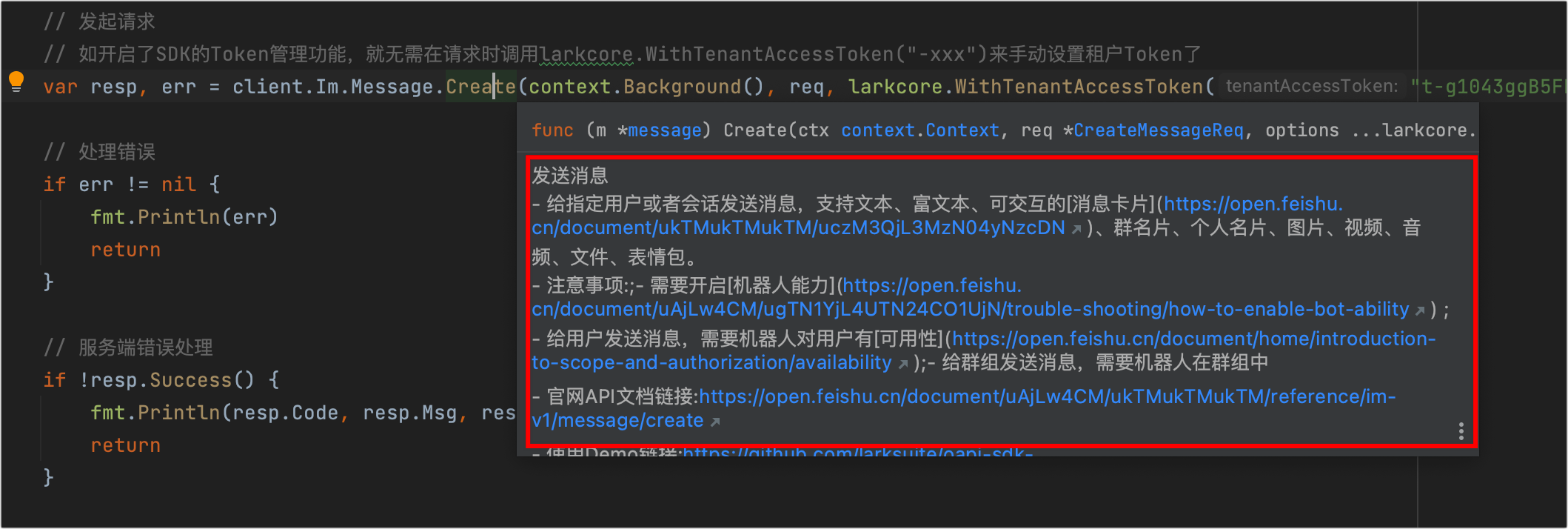
-
SDK 提供了简洁易懂的帮助文档。参考 SDK 文档可帮助你了解如何安装 SDK、如何通过 SDK 调用服务端 API、处理订阅的事件及回调。

源码地址
你可以进入 GitHub 项目空间查看源码详情。在使用 SDK 的过程中,如果遇到问题,可以给我们提交 Issue。
| GitHub 项目 | Issues | 场景示例 | 语言 |
|---|---|---|---|
| oapi-sdk-go | Issues | oapi-sdk-go-demo | Golang >= 1.5 |
| oapi-sdk-python | Issues | oapi-sdk-python-demo | Python >= 3.8 |
| oapi-sdk-java | Issues | oapi-sdk-java-demo | Java >= 1.8 |
| oapi-sdk-nodejs | Issues | - | NodeJS >= 10.0.0 |
SDK 问题交流群
| Java SDK 交流群 | Python SDK 交流群 | Go SDK 交流群 |
|---|---|---|
单击此处或扫码加入 SDK 交流群。  |
单击此处或扫码加入 SDK 交流群。  |
单击此处或扫码加入 SDK 交流群。  |
NodeJS SDK 问题可直接提交Issues。
相关文档
B.2 开发前准备
来源文件:offline-docs-v2/sources/go-sdk-md/feishu.apifox.cn_doc-7518568.md
开发前准备
使用 Go SDK 调用服务端 API、处理事件和回调前,请确保你已创建了一个应用、安装了 Go 环境和 Go SDK。本文档介绍使用 Go SDK 开发前的准备工作。
:::info[] 对于新手开发者,建议你直接上手体验开发自动回复机器人或开发卡片交互机器人教程,在教程示例代码中了解如何调用 API、处理事件和回调。 :::
创建应用
在使用服务端 SDK 之前,你需要确保已在开发者后台创建了一个企业自建应用或商店应用。详情参考创建企业自建应用或创建商店应用。了解选择哪种应用,参考应用类型。
准备开发环境
要确保 Go SDK 运行,你需安装 Go 环境。下载地址见 Go download and install。
安装 Go SDK
运行以下命令,安装 Go SDK。
go get -u github.com/larksuite/oapi-sdk-go/v3@latest
后续操作
- 调用服务端 API:介绍如何通过 SDK,自行构建 API Client、构造 API 请求、最终成功调用服务端 API。
- 处理事件:介绍如何通过 SDK 封装的长连接方式处理事件、如何使用 Go SDK 原生 HTTP 服务器或集成 Gin 框架处理事件。
- 处理回调:介绍如何通过 SDK 封装的长连接方式处理回调、如何使用 Go SDK 原生 HTTP 服务器或集成 Gin 框架处理回调。
- 场景示例:提供基于 SDK 实现的各类场景的代码示例。
B.3 调用服务端 API
来源文件:offline-docs-v2/sources/go-sdk-md/feishu.apifox.cn_doc-7518569.md
调用服务端 API
本文档介绍如何通过 Go SDK,自行构建 API Client、构造 API 请求、最终成功调用服务端 API。你可前往 API 调试台,直接获取指定服务端 API 相关示例代码,然后参考本文档了解调用 API 的全面流程。

步骤一:构建 API Client
通过 SDK 调用飞书开放接口之前,你需要先在代码中创建一个 API Client。该 API Client 支持指定当前使用的应用信息、日志级别、HTTP 请求超时时间等基本信息。以下为支持的配置项及其具体含义。
var client = lark.NewClient("appID", "appSecret", // 默认配置为自建应用
    // lark.WithMarketplaceApp(), // 可设置为商店应用
    lark.WithLogLevel(larkcore.LogLevelDebug),
    lark.WithReqTimeout(3*time.Second),
    lark.WithEnableTokenCache(true),
    lark.WithHelpdeskCredential("id", "token"),
    lark.WithHttpClient(http.DefaultClient))
| 配置选项 | 配置方式 | 是否必填 | 描述 |
|---|---|---|---|
| app_id 和 app_secret | lark.NewClient("appID", "appSecret") |
是 | 应用凭证 App ID 和 App Secret。可在开发者后台 > 应用详情页 > 凭证与基础信息 > 应用凭证 区域获取。 |
| AppType | lark.WithMarketplaceApp() |
否 | 设置 App 类型为商店应用。如果你是 ISV 开发者,则必须设置该选项。关于商店应用的开发指南,可参见 ISV(商店应用)开发指南。 |
| LogLevel | lark.WithLogLevel(logLevel larkcore.LogLevel) |
否 | 设置 API Client 的日志输出级别,枚举值如下:LogLevelDebugLogLevelInfo(默认值)LogLevelWarnLogLevelError |
| Logger | lark.WithLogger(logger larkcore.Logger) |
否 | 设置API Client 的日志器,默认日志输出到标准输出。你可通过实现下面的 Logger 接口,来设置自定义的日志器。type Logger interface { Debug(context.Context, ...interface{}) Info(context.Context, ...interface{}) Warn(context.Context, ...interface{}) Error(context.Context, ...interface{})} |
| LogReqAtDebug | lark.WithLogReqAtDebug(printReqRespLog bool) |
否 | 设置是否开启 HTTP 请求参数和响应参数的日志打印开关。开启后,在 debug 模式下会打印 HTTP 请求和响应的 headers、body 等信息。提示:在排查问题时开启该选项,有利于问题的排查。 |
| BaseUrl | lark.WithOpenBaseUrl(baseUrl string) |
否 | 设置飞书域名,默认为飞书域名 FeishuBaseUrl。可用域名如下:// 飞书域名var FeishuBaseUrl = "https://open.feishu.cn"// Lark域名var LarkBaseUrl = "https://open.larksuite.com" |
| TokenCache | lark.WithTokenCache(cache larkcore.Cache) |
否 | 设置 Token 缓存器,用于缓存 Token 和 appTIcket,默认实现为内存。如果你需要定制 Token 缓存器,则需实现如下 Cache 接口。type Cache interface { Set(ctx context.Context, key string, value string, expireTime time.Duration) error Get(ctx context.Context, key string) (string, error)}注意:对于商店应用的 ISV 开发者而言,如果需要 SDK 来缓存 appTicket,则需要实现该接口,以提供分布式缓存。 |
| EnableTokenCache | lark.WithEnableTokenCache(enableTokenCache bool) |
否 | 设置是否开启 TenantAccessToken (应用访问凭证)的自动获取与缓存。默认开启,如需关闭可设置为 false。 |
| HelpDeskId、HelpDeskToken | lark.WithHelpdeskCredential(helpdeskID, helpdeskToken string) |
否 | 服务台的 ID 和 token。仅在调用服务台业务的 API 时需要配置。可在服务台管理后台设置中心 > API 凭证 处获取,详情参见 服务台接入指南。注意:服务台的 ID、Token 只有服务台创建者可以查看到。 |
| ReqTimeout | lark.WithReqTimeout(time time.Duration) |
否 | 设置 SDK 内置的 Http Client 的请求超时时间。默认为 0 表示永不超时。 |
| HttpClient | lark.WithHttpClient(httpClient larkcore.HttpClient) |
否 | 设置 Http Client,用于替换 SDK 提供的默认实现。你可通过实现下面的 HttpClient 接口来设置自定义的 HttpClient。type HttpClient interface { Do(*http.Request) (*http.Response, error)} |
示例配置:
-
对于自建应用,使用以下代码创建 API Client。
var client = lark.NewClient("appID", "appSecret") // 默认配置为自建应用 -
对于商店应用,需在创建 API Client 时,使用
lark.WithMarketplaceApp方法指定 AppType 为商店应用。了解更多可参考 ISV(商店应用)开发指南。var client = lark.NewClient("appID", "appSecret",lark.WithMarketplaceApp()) // 设置为商店应用
步骤二:构造 API 请求
在项目内创建 API Client 后,即可开始调用飞书开放平台接口。如下图示例,你可前往 API 调试台,直接获取指定服务端 API 相关示例代码。

SDK 使用 client. 业务域. 版本. 资源 .方法名称 来定位具体的 API 方法。以创建文档接口为例,HTTP URL 为 https://open.feishu.cn/open-apis/docx/v1/documents,其中 docx 为业务域,v1 为版本,documents 为资源,相应的创建方法为 client.Docx.V1.Document.Create()。

如下代码示例,你可通过 client 调用文档资源的 create 方法,创建一个文档。
该示例需要你在开发者后台为应用开通[创建及编辑新版文档]或[创建新版文档]权限,否则接口将报 99991672 错误码。
package main
import ( // 导入接口所属的业务资源包
        "context"
        "fmt"
        "github.com/larksuite/oapi-sdk-go/v3"
        "github.com/larksuite/oapi-sdk-go/v3/core"
        "github.com/larksuite/oapi-sdk-go/v3/service/docx/v1"
)
func main() {
        // 创建 API Client。你需在此传入你的应用的实际 App ID 和 App Secret
        client := lark.NewClient("appID", "appSecret")
        // 发起创建文档的请求
        resp, err := client.Docx.Document.Create(context.Background(), larkdocx.NewCreateDocumentReqBuilder().
                Body(larkdocx.NewCreateDocumentReqBodyBuilder().
                        FolderToken(""). // 文件夹 token,传空表示在根目录创建文档
                        Title("title"). // 文档标题
                        Build()).
                Build())
        //处理错误
        if err != nil {
           // 处理 err
           return
        }
        // 服务端错误处理
        if !resp.Success() {
           fmt.Println(resp.Code, resp.Msg, resp.LogId())
           return
        }
        // 业务数据处理
        fmt.Println(larkcore.Prettify(resp.Data))
}
其他示例参考 GitHub 代码仓库中的 im.go 示例。
(可选)步骤三:设置请求选项
在每次发起 API 调用时,你可以设置请求级别的相关参数,例如传递 userAccessToken(用户访问凭证)、自定义 headers 等。所有请求级别可设置的选项如下表所示。
| 配置选项 | 配置方式 | 描述 |
|---|---|---|
Header |
larkcore.WithHeaders(header http.Header) |
设置自定义请求头。在发起请求时,这些请求头会被透传到飞书开放平台服务端。 |
UserAccessToken |
larkcore.WithUserAccessToken(userAccessToken string) |
设置用户 token,当你需要以用户身份发起 API 调用时,需要设置该选项的值。 |
TenantAccessToken |
larkcore.WithTenantAccessToken(tenantAccessToken string) |
设置企业或组织 token,当你自己维护企业或组织 token 时(即创建 client 时 EnableTokenCache 设置为 false),需通过该选项传递企业或组织 token。 |
TenantKey |
larkcore.WithTenantKey(tenantKey string) |
设置企业或组织 key,当你开发商店应用时,必须设置该选项。 |
RequestId |
larkcore.WithRequestId(requestId string) |
设置请求 ID,作为请求的唯一标识。该 ID 会被透传到飞书开放平台服务端。 |
NeedHelpDeskAuth |
larkcore.WithNeedHelpDeskAuth() |
设置添加服务台 helpdesk 的认证 header。 |
设置自定义请求头的示例代码如下所示。
import (
        "context"
        "fmt"
        "net/http"
        "github.com/larksuite/oapi-sdk-go/v3"
        "github.com/larksuite/oapi-sdk-go/v3/core"
        "github.com/larksuite/oapi-sdk-go/v3/service/docx/v1"
)
func main() {
        // 创建 API Client。你需在此传入你的应用的实际 App ID 和 App Secret
        client := lark.NewClient("appID", "appSecret")
        // 设置自定义请求头
        header := make(http.Header)
        header.Add("k1", "v1")
        header.Add("k2", "v2")
        // 发起请求
        resp, err := client.Docx.Document.Create(context.Background(), larkdocx.NewCreateDocumentReqBuilder().
                Body(larkdocx.NewCreateDocumentReqBodyBuilder().
                        FolderToken("token").
                        Title("title").
                        Build(),
                ).
                Build(),
                larkcore.WithHeaders(header), // 设置自定义 headers
        )
        //处理错误
        if err != nil {
           // 处理 err
           return
        }
        // 服务端错误处理
        if !resp.Success() {
           fmt.Println(resp.Code, resp.Msg, resp.LogId())
           return
        }
        // 业务数据处理
        fmt.Println(larkcore.Prettify(resp.Data))
}
步骤四:运行代码
完成以上步骤后,即可运行代码调用创建文档 API。若请求成功,预计将返回以下数据。若失败,将返回错误码、错误信息和 Log ID,你可前往开发文档搜索解决方案。
{
  Document: {
    DocumentId: "IPI4dqnbfoPxL3xhAEhcjXabcef",
    RevisionId: 1,
    Title: "title"
  }
}
常见问题
如何调用历史版本 API ?
服务端 API 中存在部分历史版本或未全量开放的接口,由于没有元数据信息,所以不能使用 SDK 内封装好的方法快速调用,此时你可以使用 SDK 提供的原生模式调用 API。以获取单个用户信息接口为例,调用示例如下所示:
import (
        "context"
        "fmt"
        "github.com/larksuite/oapi-sdk-go/v3"
        "github.com/larksuite/oapi-sdk-go/v3/core"
        "net/http"
        "os"
)
func main() {
        // 创建 API Client。你需在此传入你的应用的实际 App ID 和 App Secret
        var appID, appSecret = os.Getenv("APP_ID"), os.Getenv("APP_SECRET")
        var cli = lark.NewClient(appID, appSecret)
        // 发起 API 请求
        resp, err := cli.Do(context.Background(),
                &larkcore.ApiReq{
                        HttpMethod:                http.MethodGet,
                        ApiPath:                   "https://open.feishu.cn/open-apis/contact/v3/users/:user_id",
                        Body:                      nil,
                        QueryParams:               larkcore.QueryParams{"user_id_type": []string{"open_id"}},
                        PathParams:                larkcore.PathParams{"user_id": "ou_c245b0a7dff2725cfa2fb104f8b48b9d"},
                        SupportedAccessTokenTypes: []larkcore.AccessTokenType{larkcore.AccessTokenTypeUser},
                },
        )
        // 错误处理
        if err != nil {
                fmt.Println(err)
                return
        }
        // 获取请求 ID
        fmt.Println(resp.LogId())
        // 处理请求结果
        fmt.Println(resp.StatusCode)      // http status code
        fmt.Println(resp.Header)          // http header
        fmt.Println(string(resp.RawBody)) // http body,二进制数据
}
了解更多 API 调用示例,参考 GitHub 代码仓库中的 api.go 示例。
如何快速获取接口对应的示例代码?
飞书开放平台提供了 API 调试台,通过该平台可以快速调试服务端 API,快速获取资源 ID 及生成多语言示例代码的能力,为您节省开发成本。例如,通过 API 调试台调用 发送消息 接口,在调试台成功完成测试后,可通过 示例代码 页面查阅 Go SDK 对应的接口调用代码。

如何准确选择 API 方法?
使用 API Client 调用 API 时,对应的方法建议你借助 API 调试台获取,可通过指定接口的地址栏参数拼接方法,也可以直接参考接口提供的示例代码。以通过手机号或邮箱获取用户 ID接口为例,获取方式如下图所示。

B.4 处理事件
来源文件:offline-docs-v2/sources/go-sdk-md/feishu.apifox.cn_doc-7518571.md
处理事件
通过事件订阅功能,应用可以及时接收飞书中资源数据的变化,并根据变化情况做对应的业务处理,详情参见事件概述。在应用内订阅事件时,还需要在本地服务端建立与应用的连接,以便接收事件数据。服务端 SDK 封装了长连接方式,可以快速建立数据通道处理事件;你也可以选择自建 HTTP 服务器处理事件。两种方式介绍如下:
| 订阅方式 | 介绍 |
|---|---|
| 使用长连接接收事件 | 该方式是飞书 SDK 内提供的能力,你可以通过集成飞书 SDK 与开放平台建立一条 WebSocket 全双工通道(你的服务器需要能够访问公网)。后续当应用订阅的事件发生时,开放平台会通过该通道向你的服务器发送消息。相较于传统的 Webhook 模式,长连接模式大大降低了接入成本,将原先 1 周左右的开发周期降低到 5 分钟。具体优势如下:测试阶段无需使用内网穿透工具,通过长连接模式在本地开发环境中即可接收事件回调。SDK 内封装了鉴权逻辑,只在建连时进行鉴权,后续事件推送均为明文数据,无需再处理解密和验签逻辑。只需保证运行环境具备访问公网能力即可,无需提供公网 IP 或域名。无需部署防火墙和配置白名单。 |
| 将事件发送至开发者服务器 | 传统的 Webhook 模式,该方式需要你提供用于接收事件消息的服务器公网地址。后续当应用订阅的事件发生时,开放平台会向服务器的公网地址发送 HTTP POST 请求,请求内包含事件数据。 |
(推荐)方式一:使用长连接接收事件
如果事件订阅方式需要选择 使用长连接接收事件,则需要先使用 SDK 建立与应用的连接。本章节提供建立长连接的示例代码与代码解析,通过 SDK 建立长连接之后,你才能在应用的事件订阅方式中保存 使用长连接接收事件 方式。关于应用内配置事件订阅方式的介绍,参考配置事件订阅方式。

注意事项
在开始配置之前,你需要确保已了解以下注意事项:
- 目前长连接模式仅支持企业自建应用。
- 与 将事件发送至开发者服务器 方式(即自建服务器方式)的要求相同,长连接模式下接收到消息后,需要在 3 秒内处理完成,否则会触发超时重推机制。
- 每个应用最多建立 50 个连接(在配置长连接时,每初始化一个 client 就是一个连接)。
- 长连接模式的消息推送为 集群模式,不支持广播,即如果同一应用部署了多个客户端(client),那么只有其中随机一个客户端会收到消息。
长连接代码
package main
import (
   "context"
   "fmt"
   larkcore "github.com/larksuite/oapi-sdk-go/v3/core"
   larkevent "github.com/larksuite/oapi-sdk-go/v3/event"
   "github.com/larksuite/oapi-sdk-go/v3/event/dispatcher"
   larkim "github.com/larksuite/oapi-sdk-go/v3/service/im/v1"
   larkws "github.com/larksuite/oapi-sdk-go/v3/ws"
)
func main() {
   // 注册事件回调,OnP2MessageReceiveV1 为接收消息 v2.0;OnCustomizedEvent 内的 message 为接收消息 v1.0。
   eventHandler := dispatcher.NewEventDispatcher("", "").
      OnP2MessageReceiveV1(func(ctx context.Context, event *larkim.P2MessageReceiveV1) error {
         fmt.Printf("[ OnP2MessageReceiveV1 access ], data: %s\n", larkcore.Prettify(event))
         return nil
      }).
      OnCustomizedEvent("这里填入你要自定义订阅的 event 的 key,例如 out_approval", func(ctx context.Context, event *larkevent.EventReq) error {
         fmt.Printf("[ OnCustomizedEvent access ], type: message, data: %s\n", string(event.Body))
         return nil
      })
   // 创建Client
   cli := larkws.NewClient("YOUR_APP_ID", "YOUR_APP_SECRET",
      larkws.WithEventHandler(eventHandler),
      larkws.WithLogLevel(larkcore.LogLevelDebug),
   )
   // 启动客户端
   err := cli.Start(context.Background())
   if err != nil {
      panic(err)
   }
}
代码实现说明:
-
通过 dispatcher.NewEventDispatcher() 初始化事件处理器(eventHandler),注意两个参数必须填空字符串。
-
通过 eventHandler 的 OnXXXX() 方法处理不同的事件。上述示例中分别监听了「接收消息 v1.0」和「接收消息 v2.0」两个事件。
说明:开放平台提供的事件包括 v1.0 和 v2.0 两个版本。两个版本的结构不同。在处理事件时,可通过事件列表文档或在开发者后台添加事件时,获取事件的类型与版本信息。

如果是 v1.0 事件,则注册服务器时需要查找并使用 OnCustomizedEvent 方法;如果是 v2.0 事件,则注册服务器时需要查找并使用 onP2xxxx 开头的方法。例如,使用
onP2MessageReceiveV1注册接收消息事件回调时,P2便对应的是 v2.0 版本事件结构。
-
通过 larkws.NewClient() 初始化长连接客户端,必填参数为应用的 APP_ID 和 APP_SECRET,需登录开发者后台,在应用详情页的 凭证与基础信息 > 应用凭证 区域获取。

-
可选参数传入 eventHandler,同时可设置日志级别。
-
通过 cli.Start() 启动客户端,如连接成功,控制台会打印 "connected to wss://xxxxx",主线程将阻塞,直到进程结束。


方式二:将事件发送至开发者服务器
如果事件订阅方式选择 将事件发送至开发者服务器,则需要设置事件请求地址,后续在事件发生时,开放平台会向该地址发送包含事件 JSON 数据的 HTTP POST 请求。为此你需启动一个 HTTP 服务器接收并处理事件。

选择一:使用 Go SDK 原生 HTTP 服务器处理事件
订阅事件后,你可以使用下面代码,对飞书开放平台推送的事件进行处理。以下代码示例基于 Go SDK 原生的 HTTP 服务器,启动一个 HTTP 服务器:
package main
import (
    "context"
    "fmt"
    "net/http"
    "github.com/larksuite/oapi-sdk-go/v3/core"
    "github.com/larksuite/oapi-sdk-go/v3/core/httpserverext"
    "github.com/larksuite/oapi-sdk-go/v3/event"
    "github.com/larksuite/oapi-sdk-go/v3/event/dispatcher"
    "github.com/larksuite/oapi-sdk-go/v3/service/im/v1"
)
func main() {
    // 注册消息处理器
    // 用于签名验证和消息解密,默认可以传递为空串。但如果你在开发者后台 > 事件与回调 > 加密策略中开启了加密,则必须传递 Encrypt Key 和 Verification Token
    handler := dispatcher.NewEventDispatcher("verificationToken", "eventEncryptKey")
    handler = handler.OnP2MessageReceiveV1(func(ctx context.Context, event *larkim.P2MessageReceiveV1) error {
       // 处理消息 event,这里简单打印消息的内容
       fmt.Println(larkcore.Prettify(event))
       fmt.Println(event.RequestId())
       return nil
    }).OnCustomizedEvent("这里填入你要自定义订阅的 event 的 key,例如 out_approval", func(ctx context.Context, event *larkevent.EventReq) error {
       // 原生消息体
       fmt.Println(string(event.Body))
       fmt.Println(larkcore.Prettify(event.Header))
       fmt.Println(larkcore.Prettify(event.RequestURI))
       fmt.Println(event.RequestId())
       // 处理消息
       cipherEventJsonStr, err := handler.ParseReq(ctx, event)
       if err != nil {
          //  错误处理
          return err
       }
       plainEventJsonStr, err := handler.DecryptEvent(ctx, cipherEventJsonStr)
       if err != nil {
          //  错误处理
          return err
       }
       // 处理解密后的 消息体
       fmt.Println(plainEventJsonStr)
       return nil
    })
    // 注册 http 路由
    http.HandleFunc("/webhook/event", httpserverext.NewEventHandlerFunc(handler, larkevent.WithLogLevel(larkcore.LogLevelDebug)))
    // 启动 http 服务
    err := http.ListenAndServe(":9999", nil)
    if err != nil {
       panic(err)
    }
}
其中需要注意:EventDispatcher.newBuilder 方法的参数用于签名验证和消息解密,默认可以传递为空串。但如果你在开发者后台 > 事件与回调 > 加密策略中开启了加密,则必须传递 Encrypt Key 和 Verification Token。

了解更多事件订阅示例,参考 GitHub 代码仓库。
选择二:集成 Gin 框架处理事件
如果你当前应用使用的是 Gin Web 框架,并且不希望使用 Go SDK 的原生 HTTP 服务器,你可以参考以下集成步骤,将当前应用的 Gin 服务与 SDK 进行集成。
-
安装集成包。
把 Go SDK 集成已有的 Gin 框架,需要先引入 oapi-sdk-gin 集成包。
go get -u github.com/larksuite/oapi-sdk-gin -
进行代码集成。集成示例如下:
import (
        "context"
        "fmt"

         "github.com/gin-gonic/gin"
         "github.com/larksuite/oapi-sdk-gin"
         "github.com/larksuite/oapi-sdk-go/v3/card"
         "github.com/larksuite/oapi-sdk-go/v3/core"
         "github.com/larksuite/oapi-sdk-go/v3/event/dispatcher"
         "github.com/larksuite/oapi-sdk-go/v3/service/contact/v3"
         "github.com/larksuite/oapi-sdk-go/v3/service/im/v1"
)

func main() {
        // 注册消息处理器
        handler := dispatcher.NewEventDispatcher("verificationToken", "eventEncryptKey").OnP2MessageReceiveV1(func(ctx context.Context, event *larkim.P2MessageReceiveV1) error {
                fmt.Println(larkcore.Prettify(event))
                fmt.Println(event.RequestId())
                return nil
        }).OnP2MessageReadV1(func(ctx context.Context, event *larkim.P2MessageReadV1) error {
                fmt.Println(larkcore.Prettify(event))
                fmt.Println(event.RequestId())
                return nil
        }).OnP2UserCreatedV3(func(ctx context.Context, event *larkcontact.P2UserCreatedV3) error {
                fmt.Println(larkcore.Prettify(event))
                fmt.Println(event.RequestId())
                return nil
        })

        ...

        // 在已有 Gin 实例上注册消息处理路由
        gin.POST("/webhook/event", sdkginext.NewEventHandlerFunc(handler))
}
选择三:集成 hertz 框架处理事件
详情请参见集成 hertz 框架。
(可选)在消息处理器内向对应用户发送消息
在 HTTP 服务器启动后,你还可以进一步补充代码逻辑,实现接收事件后,向用户发送消息的效果。
对于商店应用的 ISV 开发者,当需要在消息处理器内向对应企业或组织的用户发送消息时,需要先从事件回调数据中获取企业或组织 key,然后使用如下方式调用消息 API 进行消息发送。
import (
        "context"
        "fmt"
        lark "github.com/larksuite/oapi-sdk-go/v3"
        "net/http"
        "os"
        "github.com/larksuite/oapi-sdk-go/v3/core"
        "github.com/larksuite/oapi-sdk-go/v3/core/httpserverext"
        "github.com/larksuite/oapi-sdk-go/v3/event"
        "github.com/larksuite/oapi-sdk-go/v3/event/dispatcher"
        "github.com/larksuite/oapi-sdk-go/v3/service/im/v1"
)
func main() {
        // 创建 API Client。你需在此传入你的应用的实际 App ID 和 App Secret
        var appID, appSecret = os.Getenv("APP_ID"), os.Getenv("APP_SECRET")
        var cli = lark.NewClient(appID, appSecret, lark.WithLogReqAtDebug(true), lark.WithLogLevel(larkcore.LogLevelDebug))
        // 注册消息处理器
        handler := dispatcher.NewEventDispatcher("verificationToken", "eventEncryptKey").OnP2MessageReceiveV1(func(ctx context.Context, event *larkim.P2MessageReceiveV1) error {
                // 处理消息 event,这里简单打印消息的内容
                fmt.Println(larkcore.Prettify(event))
                fmt.Println(event.RequestId())
                // 获取企业或组织 key 并发送消息
                tenantKey := event.TenantKey()
                // 商店应用给指定企业或组织的用户发送消息
                resp, err := cli.Im.Message.Create(context.Background(), larkim.NewCreateMessageReqBuilder().
                        ReceiveIdType(larkim.ReceiveIdTypeOpenId).
                        Body(larkim.NewCreateMessageReqBodyBuilder().
                                MsgType(larkim.MsgTypePost).
                                ReceiveId("ou_c245b0a7dff2725cfa2fb104f8babcef").
                                Content("text").
                                Build()).
                        Build(), larkcore.WithTenantKey(tenantKey))
                // 发送结果处理,resp,err
                fmt.Println(resp, err)
                return nil
        })
        // 注册 http 路由
        http.HandleFunc("/webhook/event", httpserverext.NewEventHandlerFunc(handler, larkevent.WithLogLevel(larkcore.LogLevelDebug)))
        // 启动 http 服务
        err := http.ListenAndServe(":9999", nil)
        if err != nil {
                panic(err)
        }
}
B.5 处理回调
来源文件:offline-docs-v2/sources/go-sdk-md/feishu.apifox.cn_doc-7518573.md
处理回调
通过回调订阅功能,应用可以及时接收并处理飞书中特定的交互行为(例如,飞书卡片交互、链接预览等),并根据交互结果做对应的业务处理,详情参见回调概述。在应用内订阅回调时,还需要在本地服务端建立与应用的连接,以便接收回调数据。服务端 SDK 封装了长连接方式,可以快速建立数据通道处理回调;你也可以选择自建 HTTP 服务器处理回调。两种方式介绍如下:
| 订阅方式 | 介绍 |
|---|---|
| 使用长连接接收回调 | 该方式是飞书 SDK 内提供的能力,你可以通过集成飞书 SDK 与开放平台建立一条 WebSocket 全双工通道(你的服务器需要能够访问公网)。后续当应用订阅的回调发生时,开放平台会通过该通道向你的服务器发送消息。相较于传统的 Webhook 模式,长连接模式大大降低了接入成本,将原先 1 周左右的开发周期降低到 5 分钟。具体优势如下:测试阶段无需使用内网穿透工具,通过长连接模式在本地开发环境中即可接收回调。SDK 内封装了鉴权逻辑,只在建连时进行鉴权,后续回调推送均为明文数据,无需再处理解密和验签逻辑。只需保证运行环境具备访问公网能力即可,无需提供公网 IP 或域名。无需部署防火墙和配置白名单。 |
| 将回调发送至开发者服务器 | 传统的 Webhook 模式,该方式需要你提供用于接收回调消息的服务器公网地址。后续当应用订阅的回调发生时,开放平台会向服务器的公网地址发送 HTTP POST 请求,请求内包含回调数据。 |
注意事项
开放平台 SDK 仅支持对象类型的卡片回传参数,不支持字符串类型。

{
  "behaviors": [
    { // 声明交互类型是卡片回传交互。
      "type": "callback",
      "value": {
        // 回传交互数据。开放平台 SDK 仅支持对象类型的卡片回传参数。
        "key": "value"
      }
    }
  ]
}
(推荐)方式一:使用长连接接收回调
如果回调订阅方式需要选择 使用长连接接收回调,则需要先使用 SDK 建立与应用的连接。本章节提供建立长连接的示例代码与代码解析,通过 SDK 建立长连接之后,你才能在应用的回调订阅方式中保存 使用长连接接收回调 方式。关于应用内配置回调订阅方式的介绍,参考配置回调订阅方式。

使用限制
- 长连接模式仅支持企业自建应用。
- 消息卡片回传交互(旧)回调不支持 使用长连接接收回调 订阅方式,只能选择 将回调发送至开发者服务器 订阅方式。
- 每个应用最多建立 50 个连接(在配置长连接时,每初始化一个 client 就是一个连接)。
注意事项
- 与 将回调发送至开发者服务器 方式的要求相同,长连接模式下接收到消息后,需要在 3 秒内处理完成。
- 长连接模式的消息推送为 集群模式,不支持广播,即如果同一应用部署了多个客户端(client),那么只有其中随机一个客户端会收到消息。
长连接代码
package main
import (
    "context"
    "fmt"
    larkcore "github.com/larksuite/oapi-sdk-go/v3/core"
    "github.com/larksuite/oapi-sdk-go/v3/event/dispatcher"
    "github.com/larksuite/oapi-sdk-go/v3/event/dispatcher/callback"
    larkws "github.com/larksuite/oapi-sdk-go/v3/ws"
)
func main() {
    // 注册回调
    eventHandler := dispatcher.NewEventDispatcher("", "").
       // 监听「卡片回传交互 card.action.trigger」
       OnP2CardActionTrigger(func(ctx context.Context, event *callback.CardActionTriggerEvent) (*callback.CardActionTriggerResponse, error) {
          fmt.Printf("[ OnP2CardActionTrigger access ], data: %s\n", larkcore.Prettify(event))
          return nil, nil
       }).
       // 监听「拉取链接预览数据 url.preview.get」
       OnP2CardURLPreviewGet(func(ctx context.Context, event *callback.URLPreviewGetEvent) (*callback.URLPreviewGetResponse, error) {
          fmt.Printf("[ OnP2URLPreviewAction access ], data: %s\n", larkcore.Prettify(event))
          return nil, nil
       })
    // 创建Client
    cli := larkws.NewClient("YOUR_APP_ID", "YOUR_APP_SECRET",
       larkws.WithEventHandler(eventHandler),
       larkws.WithLogLevel(larkcore.LogLevelDebug),
    )
    // 建立长连接
    err := cli.Start(context.Background())
    if err != nil {
       panic(err)
    }
}
代码实现说明:
-
通过 dispatcher.NewEventDispatcher() 初始化事件处理器(eventHandler),注意两个参数必须填空字符串。
-
通过 eventHandler 的 OnXXXX() 方法监听不同的回调类型,上述示例中监听了卡片回传交互和 拉取链接预览数据 两个回调。
-
通过 larkws.NewClient() 初始化长连接客户端,必填参数为应用的 APP_ID 和 APP_SECRET,可在开发者后台的应用详情页内,进入 基础信息 > 凭证与基础信息 页面,获取应用的 APP_ID 和 APP_SECRET。

-
可选参数传入 eventHandler,同时可设置日志级别。
-
通过 cli.Start() 启动客户端,如连接成功,控制台会打印
connected to wss://xxxxx,主线程将阻塞,直到进程结束。


方式二:将回调发送至开发者服务器
如果回调订阅方式选择 将回调发送至开发者服务器,则需要设置回调请求网址,并订阅回调。例如,你配置了可交互的飞书卡片(原消息卡片),当用户在卡片内进行交互后,飞书服务器会向请求网址回调包含 JSON 数据的 HTTP POST 请求。因此,你需要启动一个 HTTP 服务器接收回调数据。

基于新版卡片回传交互处理
配置卡片回调地址并订阅新版卡片回传交互回调后,你可以使用下面代码,对飞书开放平台推送的卡片行为进行处理,以下代码示例基于 Go SDK 原生的 HTTP 服务器,启动一个 HTTP 服务器。关于如何完整处理卡片回调,可参考处理卡片回调。

package main
import (
    "context"
    "fmt"
    "net/http"
    "github.com/larksuite/oapi-sdk-go/v3/core"
    "github.com/larksuite/oapi-sdk-go/v3/core/httpserverext"
    "github.com/larksuite/oapi-sdk-go/v3/event"
    "github.com/larksuite/oapi-sdk-go/v3/event/dispatcher"
    "github.com/larksuite/oapi-sdk-go/v3/event/dispatcher/callback"
)
func main() {
    handler := dispatcher.NewEventDispatcher("verificationToken", "eventEncryptKey")
    handler.OnP2CardActionTrigger(func(ctx context.Context, event *callback.CardActionTriggerEvent) (*callback.CardActionTriggerResponse, error) {
       fmt.Println("receive card action")
       fmt.Println(larkcore.Prettify(event))
       return nil, nil
    }).OnP2CardURLPreviewGet(func(ctx context.Context, event *callback.URLPreviewGetEvent) (*callback.URLPreviewGetResponse, error) {
       fmt.Println(event)
       return nil, nil
    })
    // 注册 http 路由
    http.HandleFunc("/webhook/event", httpserverext.NewEventHandlerFunc(handler,
       larkevent.WithLogLevel(larkcore.LogLevelDebug)))
    // 启动服务
    err := http.ListenAndServe(":7777", nil)
    if err != nil {
       panic(err)
    }
}
基于旧版卡片回传交互处理
配置卡片回调地址并订阅旧版消息卡片回传交互回调后,你可选择以下方式对旧版卡片回调进行处理。

-
选择一:使用 Go SDK 原生 HTTP 服务器处理回调
以下代码示例基于 Go SDK 原生的 HTTP 服务器,启动一个 HTTP 服务器。
import (
        "context"
        "fmt"
        "net/http"
        "github.com/larksuite/oapi-sdk-go/v3/card"
        "github.com/larksuite/oapi-sdk-go/v3/core"
        "github.com/larksuite/oapi-sdk-go/v3/core/httpserverext"
)
func main() {
        // 创建卡片处理器
        cardHandler := larkcard.NewCardActionHandler("verificationToken", "eventEncryptKey", func(ctx context.Context, cardAction *larkcard.CardAction) (interface{}, error) {
                // 处理卡片行为, 这里简单打印卡片内容
                fmt.Println(larkcore.Prettify(cardAction))
            fmt.Println(cardAction.RequestId())
                // 无返回值示例
                return nil, nil
        })
        // 注册处理器
        http.HandleFunc("/webhook/card", httpserverext.NewCardActionHandlerFunc(cardHandler, larkevent.WithLogLevel(larkcore.LogLevelDebug)))
        // 启动 http 服务
        err := http.ListenAndServe(":9999", nil)
        if err != nil {
                panic(err)
        }
}
如上代码中,如果不需要处理器内返回业务结果至飞书服务端,则直接使用示例中的无返回值用法。如需了解其他卡片回调示例,参见 GitHub 代码仓库。
-
选择二:集成 Gin 框架处理回调:
如果你当前使用的是 Gin Web 框架,并且不希望使用 Go SDK 提供的 原生 Http Server,则可以使用以下方式,把当前应用的 Gin 服务与 SDK 进行集成。
-
安装集成包。把 Go SDK 集成已有的 Gin 框架,需要先引入 oapi-sdk-gin 集成包。
go get -u github.com/larksuite/oapi-sdk-gin -
进行代码集成。集成示例如下:
import (
    "context"
    "fmt"

    "github.com/gin-gonic/gin"
    "github.com/larksuite/oapi-sdk-gin"
    "github.com/larksuite/oapi-sdk-go/v3/card"
    "github.com/larksuite/oapi-sdk-go/v3/core"
)


func main() {
      // 创建卡片处理器
      cardHandler := larkcard.NewCardActionHandler("v", "", func(ctx context.Context, cardAction *larkcard.CardAction) (interface{}, error) {
      fmt.Println(larkcore.Prettify(cardAction))
      fmt.Println(cardAction.RequestId())

      return nil, nil
      })
      ...
      // 在已有的 Gin 实例上注册卡片处理路由
      gin.POST("/webhook/card", sdkginext.NewCardActionHandlerFunc(cardHandler))
      ...
}
-
-
选择三:集成 hertz 框架处理回调:详情参考集成 hertz 框架。
(可选)返回卡片消息
如果你需要在卡片处理器内同步返回用于更新卡片的消息体,则可以使用以下方式进行处理。
import (
        "context"
        "fmt"
        "net/http"
        "github.com/larksuite/oapi-sdk-go/v3/card"
        "github.com/larksuite/oapi-sdk-go/v3/core"
        "github.com/larksuite/oapi-sdk-go/v3/core/httpserverext"
)
func main() {
        // 创建卡片处理器
        cardHandler := larkcard.NewCardActionHandler("v", "", func(ctx context.Context, cardAction *larkcard.CardAction) (interface{}, error) {
                fmt.Println(larkcore.Prettify(cardAction))
            fmt.Println(cardAction.RequestId())

                // 创建卡片信息
                messageCard := larkcard.NewMessageCard().
                Config(config).
                Header(header).
                Elements([]larkcard.MessageCardElement{divElement, processPersonElement}).
                CardLink(cardLink).
                Build()
                return messageCard, nil
        })
        // 注册处理器
        http.HandleFunc("/webhook/card", httpserverext.NewCardActionHandlerFunc(cardHandler, larkevent.WithLogLevel(larkcore.LogLevelDebug)))
        // 启动 http 服务
        err := http.ListenAndServe(":9999", nil)
        if err != nil {
                panic(err)
        }
}
(可选)返回自定义消息
如果你需要在卡片处理器内返回自定义的内容,则可以使用以下方式进行处理。
import (
        "context"
        "fmt"
        "net/http"
        "github.com/larksuite/oapi-sdk-go/v3/card"
        "github.com/larksuite/oapi-sdk-go/v3/core"
        "github.com/larksuite/oapi-sdk-go/v3/core/httpserverext"
)
func main() {
        // 创建卡片处理器
        cardHandler := larkcard.NewCardActionHandler("v", "", func(ctx context.Context, cardAction *larkcard.CardAction) (interface{}, error) {
                fmt.Println(larkcore.Prettify(cardAction))
            fmt.Println(cardAction.RequestId())

                // 创建 http body
                body := make(map[string]interface{})
                body["content"] = "hello"
                i18n := make(map[string]string)
                i18n["zh_cn"] = "你好"
                i18n["en_us"] = "hello"
                i18n["ja_jp"] = "こんにちは"
                body["i18n"] = i18n

                // 创建自定义消息:http状态码,body内容
                resp := &larkcard.CustomResp{
                        StatusCode: 400,
                        Body:       body,
                }
                return resp, nil
        })
        // 注册处理器
        http.HandleFunc("/webhook/card", httpserverext.NewCardActionHandlerFunc(cardHandler, larkevent.WithLogLevel(larkcore.LogLevelDebug)))
        // 启动 http 服务
        err := http.ListenAndServe(":9999", nil)
        if err != nil {
                panic(err)
        }
}
(可选)在卡片行为处理器内向对应用户发送消息
在 HTTP 服务器启动后,你还可以进一步补充代码逻辑,实现接收事件后,向用户发送消息的效果。如果你是商店应用的开发者,当需要在卡片处理器内向指定企业或组织的用户发送消息时,需要先从消息卡片中获取企业或组织 key,然后使用以下方式调用消息 API 进行消息发送。
import (
        "context"
        "fmt"
        "net/http"
        "github.com/larksuite/oapi-sdk-go/v3/card"
        "github.com/larksuite/oapi-sdk-go/v3/core"
        "github.com/larksuite/oapi-sdk-go/v3/core/httpserverext"
)
func main() {
        // 创建卡片处理器
        cardHandler := larkcard.NewCardActionHandler("v", "", func(ctx context.Context, cardAction *larkcard.CardAction) (interface{}, error) {

        // 处理卡片行为, 这里简单打印卡片内容
        fmt.Println(larkcore.Prettify(cardAction))
        fmt.Println(cardAction.RequestId())

        // 获取企业或组织 key 并发送消息
        tenanKey := cardAction.TenantKey

        // ISV 给指定企业或组织中的用户发送消息
        resp, err := client.Im.Message.Create(context.Background(), larkim.NewCreateMessageReqBuilder().
                ReceiveIdType(larkim.ReceiveIdTypeOpenId).
                Body(larkim.NewCreateMessageReqBodyBuilder().
                    MsgType(larkim.MsgTypePost).
                    ReceiveId("ou_c245b0a7dff2725cfa2fb104f8b48b9d").
                    Content("text").
                    Build(), larkcore.WithTenantKey(tenanKey)).
                Build())

        // 发送结果处理,resp,err

        return nil, nil
        })
        // 注册处理器
        http.HandleFunc("/webhook/card", httpserverext.NewCardActionHandlerFunc(cardHandler, larkevent.WithLogLevel(larkcore.LogLevelDebug)))
        // 启动 http 服务
        err := http.ListenAndServe(":9999", nil)
        if err != nil {
                panic(err)
        }
}
B.6 场景示例
来源文件:offline-docs-v2/sources/go-sdk-md/feishu.apifox.cn_doc-7518577.md
场景示例
飞书开放平台基于 SDK,封装了常用的 API 组合调用及业务场景示例供你参考。在 oapi-sdk-go-demo 中包含了以下多种场景示例代码。
发送文件消息
发送文件消息,使用到两个OpenAPI:上传文件和发送消息。
package im

import (
        "context"
        "encoding/json"
        "fmt"
        "io"

        "github.com/larksuite/oapi-sdk-go/v3"
        larkcore "github.com/larksuite/oapi-sdk-go/v3/core"
        "github.com/larksuite/oapi-sdk-go/v3/service/im/v1"
)

type SendFileRequest struct {
        FileType      string
        FileName      string
        File          io.Reader
        Duration      int
        ReceiveIdType string
        ReceiveId     string
        Uuid          string
}

type SendFileResponse struct {
        *larkcore.CodeError
        CreateFileResponse    *larkim.CreateFileRespData
        CreateMessageResponse *larkim.CreateMessageRespData
}

// SendFile 发送文件消息
func SendFile(client *lark.Client, request *SendFileRequest) (*SendFileResponse, error) {
        // 上传文件
        createFileReq := larkim.NewCreateFileReqBuilder().
                Body(larkim.NewCreateFileReqBodyBuilder().
                        FileType(request.FileType).
                        FileName(request.FileName).
                        Duration(request.Duration).
                        File(request.File).
                        Build()).
                Build()
        createFileResp, err := client.Im.File.Create(context.Background(), createFileReq)
        if err != nil {
                return nil, err
        }
        if !createFileResp.Success() {
                fmt.Printf("client.Im.File.Create failed, code: %d, msg: %s, log_id: %s\n",
                        createFileResp.Code, createFileResp.Msg, createFileResp.RequestId())
                return nil, createFileResp.CodeError
        }

        // 发送消息
        bs, err := json.Marshal(createFileResp.Data)
        if err != nil {
                return nil, err
        }
        createMessageReq := larkim.NewCreateMessageReqBuilder().
                ReceiveIdType(request.ReceiveIdType).
                Body(larkim.NewCreateMessageReqBodyBuilder().
                        ReceiveId(request.ReceiveId).
                        MsgType("file").
                        Content(string(bs)).
                        Uuid(request.Uuid).
                        Build()).
                Build()

        createMessageResp, err := client.Im.Message.Create(context.Background(), createMessageReq)
        if err != nil {
                return nil, err
        }
        if !createMessageResp.Success() {
                fmt.Printf("client.Im.Message.Create failed, code: %d, msg: %s, log_id: %s\n",
                        createMessageResp.Code, createMessageResp.Msg, createMessageResp.RequestId())
                return nil, createMessageResp.CodeError
        }

        // 返回结果
        return &SendFileResponse{
                CodeError: &larkcore.CodeError{
                        Code: 0,
                        Msg:  "success",
                },
                CreateFileResponse:    createFileResp.Data,
                CreateMessageResponse: createMessageResp.Data,
        }, nil
}
发送图片消息
发送图片消息,使用到两个OpenAPI:上传图片和发送消息。
package im

import (
        "context"
        "encoding/json"
        "fmt"
        "io"

        "github.com/larksuite/oapi-sdk-go/v3"
        larkcore "github.com/larksuite/oapi-sdk-go/v3/core"
        "github.com/larksuite/oapi-sdk-go/v3/service/im/v1"
)

type SendImageRequest struct {
        Image         io.Reader
        ReceiveIdType string
        ReceiveId     string
        Uuid          string
}

type SendImageResponse struct {
        *larkcore.CodeError
        CreateImageResponse   *larkim.CreateImageRespData
        CreateMessageResponse *larkim.CreateMessageRespData
}

// SendImage 发送图片消息
func SendImage(client *lark.Client, request *SendImageRequest) (*SendImageResponse, error) {
        // 上传图片
        createImageReq := larkim.NewCreateImageReqBuilder().
                Body(larkim.NewCreateImageReqBodyBuilder().
                        ImageType("message").
                        Image(request.Image).
                        Build()).
                Build()
        createImageResp, err := client.Im.Image.Create(context.Background(), createImageReq)
        if err != nil {
                return nil, err
        }
        if !createImageResp.Success() {
                fmt.Printf("client.Im.Image.Create failed, code: %d, msg: %s, log_id: %s\n",
                        createImageResp.Code, createImageResp.Msg, createImageResp.RequestId())
                return nil, createImageResp.CodeError
        }

        // 发送消息
        bs, err := json.Marshal(createImageResp.Data)
        if err != nil {
                return nil, err
        }
        createMessageReq := larkim.NewCreateMessageReqBuilder().
                ReceiveIdType(request.ReceiveIdType).
                Body(larkim.NewCreateMessageReqBodyBuilder().
                        ReceiveId(request.ReceiveId).
                        MsgType("image").
                        Content(string(bs)).
                        Uuid(request.Uuid).
                        Build()).
                Build()

        createMessageResp, err := client.Im.Message.Create(context.Background(), createMessageReq)
        if err != nil {
                return nil, err
        }
        if !createMessageResp.Success() {
                fmt.Printf("client.Im.Message.Create failed, code: %d, msg: %s, log_id: %s\n",
                        createMessageResp.Code, createMessageResp.Msg, createMessageResp.RequestId())
                return nil, createMessageResp.CodeError
        }

        // 返回结果
        return &SendImageResponse{
                CodeError: &larkcore.CodeError{
                        Code: 0,
                        Msg:  "success",
                },
                CreateImageResponse:   createImageResp.Data,
                CreateMessageResponse: createMessageResp.Data,
        }, nil
}
获取部门下所有用户列表
获取部门下所有用户列表,使用到两个OpenAPI:获取子部门列表和获取部门直属用户列表。
package contact

import (
        "context"
        "fmt"

        lark "github.com/larksuite/oapi-sdk-go/v3"
        larkcore "github.com/larksuite/oapi-sdk-go/v3/core"
        larkcontact "github.com/larksuite/oapi-sdk-go/v3/service/contact/v3"
)

type ListUserByDepartmentRequest struct {
        DepartmentId string
}

type ListUserByDepartmentResponse struct {
        *larkcore.CodeError
        ChildrenDepartmentResponse   *larkcontact.ChildrenDepartmentRespData
        FindByDepartmentUserResponse []*larkcontact.User
}

// ListUserByDepartment 获取部门下所有用户列表
func ListUserByDepartment(client *lark.Client, request *ListUserByDepartmentRequest) (*ListUserByDepartmentResponse, error) {
        // 获取子部门列表
        childrenDepartmentReq := larkcontact.NewChildrenDepartmentReqBuilder().
                DepartmentIdType("open_department_id").
                DepartmentId(request.DepartmentId).
                Build()

        childrenDepartmentResp, err := client.Contact.Department.Children(context.Background(), childrenDepartmentReq)

        if err != nil {
                return nil, err
        }
        if !childrenDepartmentResp.Success() {
                fmt.Printf("client.Contact.Department.Children failed, code: %d, msg: %s, log_id: %s\n",
                        childrenDepartmentResp.Code, childrenDepartmentResp.Msg, childrenDepartmentResp.RequestId())
                return nil, childrenDepartmentResp.CodeError
        }

        // 获取部门直属用户列表
        users := make([]*larkcontact.User, 0)
        openDepartmentIds := []string{request.DepartmentId}
        for _, item := range childrenDepartmentResp.Data.Items {
                openDepartmentIds = append(openDepartmentIds, *item.OpenDepartmentId)
        }

        for _, id := range openDepartmentIds {
                findByDepartmentUserReq := larkcontact.NewFindByDepartmentUserReqBuilder().
                        DepartmentId(id).
                        Build()

                findByDepartmentUserResp, err := client.Contact.User.FindByDepartment(context.Background(), findByDepartmentUserReq)

                if err != nil {
                        return nil, err
                }
                if !findByDepartmentUserResp.Success() {
                        fmt.Printf("client.Contact.User.FindByDepartment failed, code: %d, msg: %s, log_id: %s\n",
                                findByDepartmentUserResp.Code, findByDepartmentUserResp.Msg, findByDepartmentUserResp.RequestId())
                        return nil, findByDepartmentUserResp.CodeError
                }

                users = append(users, findByDepartmentUserResp.Data.Items...)
        }

        // 返回结果
        return &ListUserByDepartmentResponse{
                CodeError: &larkcore.CodeError{
                        Code: 0,
                        Msg:  "success",
                },
                ChildrenDepartmentResponse:   childrenDepartmentResp.Data,
                FindByDepartmentUserResponse: users,
        }, nil
}
创建多维表格同时添加数据表
创建多维表格同时添加数据表,使用到两个 OpenAPI:创建多维表格和新增一个数据表:
package base

import (
        "context"
        "fmt"

        lark "github.com/larksuite/oapi-sdk-go/v3"
        larkcore "github.com/larksuite/oapi-sdk-go/v3/core"
        larkbitable "github.com/larksuite/oapi-sdk-go/v3/service/bitable/v1"
)

type CreateAppAndTablesRequest struct {
        Name        string
        FolderToken string
        Tables      []*larkbitable.ReqTable
}

type CreateAppAndTablesResponse struct {
        *larkcore.CodeError
        CreateAppResponse       *larkbitable.CreateAppRespData
        CreateAppTablesResponse []*larkbitable.CreateAppTableRespData
}

// CreateAppAndTables 创建多维表格同时添加数据表
func CreateAppAndTables(client *lark.Client, request *CreateAppAndTablesRequest) (*CreateAppAndTablesResponse, error) {
        // 创建多维表格
        createAppReq := larkbitable.NewCreateAppReqBuilder().
                ReqApp(larkbitable.NewReqAppBuilder().
                        Name(request.Name).
                        FolderToken(request.FolderToken).
                        Build()).
                Build()

        createAppResp, err := client.Bitable.App.Create(context.Background(), createAppReq)
        if err != nil {
                return nil, err
        }
        if !createAppResp.Success() {
                fmt.Printf("client.Bitable.App.Create failed, code: %d, msg: %s, log_id: %s\n",
                        createAppResp.Code, createAppResp.Msg, createAppResp.RequestId())
                return nil, createAppResp.CodeError
        }

        // 添加数据表
        tables := make([]*larkbitable.CreateAppTableRespData, 0)
        for _, table := range request.Tables {
                req := larkbitable.NewCreateAppTableReqBuilder().
                        AppToken(*createAppResp.Data.App.AppToken).
                        Body(larkbitable.NewCreateAppTableReqBodyBuilder().
                                Table(table).
                                Build()).
                        Build()

                createAppTableResp, err := client.Bitable.AppTable.Create(context.Background(), req)
                if err != nil {
                        return nil, err
                }
                if !createAppTableResp.Success() {
                        fmt.Printf("client.Bitable.AppTable.Create failed, code: %d, msg: %s, log_id: %s\n",
                                createAppTableResp.Code, createAppTableResp.Msg, createAppTableResp.RequestId())
                        return nil, createAppTableResp.CodeError
                }

                tables = append(tables, createAppTableResp.Data)
        }

        // 返回结果
        return &CreateAppAndTablesResponse{
                CodeError: &larkcore.CodeError{
                        Code: 0,
                        Msg:  "success",
                },
                CreateAppResponse:       createAppResp.Data,
                CreateAppTablesResponse: tables,
        }, nil
}
复制粘贴某个范围的单元格数据
复制粘贴某个范围的单元格数据,使用到两个OpenAPI:读取单个范围和向单个范围写入数据。
package sheets

import (
        "context"
        "encoding/json"
        "fmt"
        "net/http"

        lark "github.com/larksuite/oapi-sdk-go/v3"
        larkcore "github.com/larksuite/oapi-sdk-go/v3/core"
)

type CopyAndPasteByRangeRequest struct {
        SpreadsheetToken string
        SrcRange         string
        DstRange         string
}

type CopyAndPasteRangeResponse struct {
        *larkcore.CodeError
        ReadResponse  *SpreadsheetRespData
        WriteResponse *SpreadsheetRespData
}

// CopyAndPasteRange 复制粘贴某个范围的单元格数据
func CopyAndPasteRange(client *lark.Client, request *CopyAndPasteByRangeRequest) (*CopyAndPasteRangeResponse, error) {
        // 读取单个范围
        readResp, err := client.Do(context.Background(), &larkcore.ApiReq{
                HttpMethod:                http.MethodGet,
                ApiPath:                   fmt.Sprintf("/open-apis/sheets/v2/spreadsheets/%s/values/%s", request.SpreadsheetToken, request.SrcRange),
                SupportedAccessTokenTypes: []larkcore.AccessTokenType{larkcore.AccessTokenTypeTenant},
        })
        if err != nil {
                return nil, err
        }

        readSpreadsheetResp := &SpreadsheetResp{}
        err = json.Unmarshal(readResp.RawBody, readSpreadsheetResp)
        if err != nil {
                return nil, err
        }
        readSpreadsheetResp.ApiResp = readResp
        if readSpreadsheetResp.Code != 0 {
                fmt.Printf("read spreadsheet failed, code: %d, msg: %s, log_id: %s\n",
                        readSpreadsheetResp.Code, readSpreadsheetResp.Msg, readSpreadsheetResp.RequestId())
                return nil, readSpreadsheetResp.CodeError
        }

        // 向单个范围写入数据
        valueRange := map[string]interface{}{}
        valueRange["range"] = request.DstRange
        valueRange["values"] = readSpreadsheetResp.Data.ValueRange.Values
        body := map[string]interface{}{}
        body["valueRange"] = valueRange

        writeResp, err := client.Do(context.Background(), &larkcore.ApiReq{
                HttpMethod:                http.MethodPut,
                ApiPath:                   fmt.Sprintf("/open-apis/sheets/v2/spreadsheets/%s/values", request.SpreadsheetToken),
                Body:                      body,
                SupportedAccessTokenTypes: []larkcore.AccessTokenType{larkcore.AccessTokenTypeTenant},
        })
        if err != nil {
                return nil, err
        }

        writeSpreadsheetResp := &SpreadsheetResp{}
        err = json.Unmarshal(writeResp.RawBody, writeSpreadsheetResp)
        if err != nil {
                return nil, err
        }
        writeSpreadsheetResp.ApiResp = writeResp
        if writeSpreadsheetResp.Code != 0 {
                fmt.Printf("write spreadsheet failed, code: %d, msg: %s, log_id: %s\n",
                        writeSpreadsheetResp.Code, writeSpreadsheetResp.Msg, writeSpreadsheetResp.RequestId())
                return nil, writeSpreadsheetResp.CodeError
        }

        // 返回结果
        return &CopyAndPasteRangeResponse{
                CodeError: &larkcore.CodeError{
                        Code: 0,
                        Msg:  "success",
                },
                ReadResponse:  readSpreadsheetResp.Data,
                WriteResponse: writeSpreadsheetResp.Data,
        }, nil
}
下载指定范围单元格的所有素材列表
下载指定范围单元格的所有素材列表,使用到两个OpenAPI:读取单个范围和下载素材:
package sheets

import (
        "context"
        "encoding/json"
        "fmt"
        "net/http"
        "reflect"

        lark "github.com/larksuite/oapi-sdk-go/v3"
        larkcore "github.com/larksuite/oapi-sdk-go/v3/core"
        larkdrive "github.com/larksuite/oapi-sdk-go/v3/service/drive/v1"
)

type DownloadMediaByRangeRequest struct {
        SpreadsheetToken string
        Range            string
}

type DownloadMediaByRangeResponse struct {
        *larkcore.CodeError
        ReadResponse          *SpreadsheetRespData
        DownloadMediaResponse []*larkdrive.DownloadMediaResp
}

func DownloadMediaByRange(client *lark.Client, request *DownloadMediaByRangeRequest) (*DownloadMediaByRangeResponse, error) {
        // 读取单个范围
        readResp, err := client.Do(context.Background(), &larkcore.ApiReq{
                HttpMethod:                http.MethodGet,
                ApiPath:                   fmt.Sprintf("/open-apis/sheets/v2/spreadsheets/%s/values/%s", request.SpreadsheetToken, request.Range),
                SupportedAccessTokenTypes: []larkcore.AccessTokenType{larkcore.AccessTokenTypeTenant},
        })
        if err != nil {
                return nil, err
        }

        readSpreadsheetResp := &SpreadsheetResp{}
        err = json.Unmarshal(readResp.RawBody, readSpreadsheetResp)
        if err != nil {
                return nil, err
        }
        readSpreadsheetResp.ApiResp = readResp
        if readSpreadsheetResp.Code != 0 {
                fmt.Printf("read spreadsheet failed, code: %d, msg: %s, log_id: %s\n",
                        readSpreadsheetResp.Code, readSpreadsheetResp.Msg, readSpreadsheetResp.RequestId())
                return nil, readSpreadsheetResp.CodeError
        }

        // 下载文件
        files := make([]*larkdrive.DownloadMediaResp, 0)
        values := readSpreadsheetResp.Data.ValueRange.Values
        tokens := parseFileToken(values, make(map[string]bool))
        for _, token := range tokens {
                downloadMediaReq := larkdrive.NewDownloadMediaReqBuilder().
                        FileToken(token).
                        Build()

                downloadMediaResp, err := client.Drive.Media.Download(context.Background(), downloadMediaReq)
                if err != nil {
                        return nil, err
                }
                if !downloadMediaResp.Success() {
                        fmt.Printf("client.Drive.Media.Download failed, code: %d, msg: %s, log_id: %s\n",
                                downloadMediaResp.Code, downloadMediaResp.Msg, downloadMediaResp.RequestId())
                        return nil, downloadMediaResp.CodeError
                }

                files = append(files, downloadMediaResp)
        }

        // 返回结果
        return &DownloadMediaByRangeResponse{
                CodeError: &larkcore.CodeError{
                        Code: 0,
                        Msg:  "success",
                },
                ReadResponse:          readSpreadsheetResp.Data,
                DownloadMediaResponse: files,
        }, nil
}

func parseFileToken(values []interface{}, tokens map[string]bool) []string {
        if len(values) == 0 {
                res := make([]string, 0, len(tokens))
                for k := range tokens {
                        res = append(res, k)
                }
                return res
        }
        for _, i := range values {
                kind := reflect.TypeOf(i).Kind()
                if kind == reflect.Slice {
                        parseFileToken(i.([]interface{}), tokens)
                } else if kind == reflect.Map {
                        m := i.(map[string]interface{})
                        if val, ok := m["fileToken"]; ok {
                                tokens[val.(string)] = true
                        }
                }
        }

        res := make([]string, 0, len(tokens))
        for k := range tokens {
                res = append(res, k)
        }
        return res
}
B.7 常见问题
来源文件:offline-docs-v2/sources/go-sdk-md/feishu.apifox.cn_doc-7518657.md
常见问题
本文档汇集使用服务端 SDK 可能出现的常见问题与解决方案。
API 调试台内获取 tenant_access_token/app_access_token 的示例代码,为什么提示找不到方法?
服务端 SDK 内已经封装了获取和缓存 tenant_access_token/app_access_token 的逻辑,在构建 API Client 时传入应用的 App ID 和 App Secret 即可,不需要手动获取 Token。
API 调试台内成功调用 API 后,使用示例代码调用失败是什么原因?
API 调试台中的示例代码是根据调试台内设置的参数自动生成的,如果存在代码问题,请先在调试台内配置好参数再使用代码,同时注意应用的 App ID 和 App Secret 需要手动配置。

应用的 App ID 和 App Secret 需登录开发者后台,在应用详情页的 凭证与基础信息 > 应用凭证 区域获取。

如何查看某个接口在 SDK 是否支持?
你可以直接查询接口文档,例如发送消息,有如下图所示的 尝试一下 按钮表示支持(不支持的 API 没有该按钮)。

点击按钮后可以调试 API、查阅示例代码。

SDK 不支持直接调用的接口、历史版本的接口,如何才能调用?
不同语言的 SDK 均提供了原生 API 调用方式,使用该方式可以通过传入 API 的 HTTP Method、URL 以及参数来调用。具体操作参见各 SDK 使用指南。
- Java SDK 指南 的 常见问题 章节。
- Go SDK 指南 的 常见问题 章节。
- Python SDK 指南 的 常见问题 章节。
- NodeJS SDK 指南 的 常见问题 章节。
使用下载导出文件接口时,文件名包含特殊字符导致下载报错如何解决?
系统逻辑存在特殊字符校验,你可以先使用 SDK 提供的原生模式调用 API。详情参考:
- Java SDK 指南 的 常见问题 章节。
- Go SDK 指南 的 常见问题 章节。
- Python SDK 指南 的 常见问题 章节。
- NodeJS SDK 指南 的 常见问题 章节。
如何配置私有部署的飞书服务器或者代理服务器连接?
Java 示例代码以及配置说明,参考以下代码注释。
import com.lark.oapi.Client;
import com.lark.oapi.core.cache.LocalCache;
import com.lark.oapi.core.enums.BaseUrlEnum;
import com.lark.oapi.core.httpclient.OkHttpTransport;
import com.lark.oapi.core.response.RawResponse;
import com.lark.oapi.core.token.AccessTokenType;
import com.lark.oapi.okhttp.OkHttpClient;
import java.net.Proxy;
import java.util.concurrent.TimeUnit;
@Test
void init() {
    Proxy proxy = Proxy.NO_PROXY;   // 自定义代理服务器
    Client client = Client.newBuilder("appId", "appSecret")
        .openBaseUrl(BaseUrlEnum.FeiShu)  // 设置域名,默认为飞书,支持重载String,设置私有部署飞书服务器
        .httpTransport(new OkHttpTransport(
            new OkHttpClient().newBuilder()
                .readTimeout(3, TimeUnit.MINUTES)  // 设置超时时间
                .callTimeout(3, TimeUnit.MINUTES)  // 设置超时时间
                .proxy(proxy)   // 设置使用代理服务器访问飞书服务器
                .build()
        ))
        .tokenCache(LocalCache.getInstance())  // 默认实现,本地带时间过期的缓存;可以自己实现ICache的接口,例如Redis缓存等
        .logReqAtDebug(true)  // 在 debug 模式下会打印 http 请求和响应的 headers,body 等信息。
        .build();
}
调用接口失败,有 code 和 logid 该如何排查?

接收事件时为什么重复收到事件体数据?
开放平台推送事件数据后,你的服务器需要在 3 秒内以 HTTP 200 状态码进行响应,否则开放平台认为本次推送失败,并会重新推送事件数据。详情参见事件推送周期和频次。